In a marketing world saturated with generic messages, personalized images are a critical tool for cutting through the noise. They grab attention in a way plain text can't, making your emails, social media campaigns, and sales outreach feel personal and relevant. This simple act of showing a customer their name, company logo, or profile picture on an image can dramatically boost engagement and conversion rates. Yet, finding the right tool to automate this process at scale can be a challenge. That's why we’ve created this definitive guide to the best image personalization platforms 2026.
This resource is built for busy marketers, agencies, and sales teams who need to make an informed decision without wading through marketing jargon. We will move beyond surface-level descriptions to give you a clear, honest assessment of the top contenders. Understanding how an AI social media post generator creates engaging visuals on autopilot is key to appreciating the power of image personalization, and these platforms take that concept to the next level for one-to-one communication.
Inside, you will find detailed breakdowns for each platform, including:
- Key Features & Limitations: An honest look at what each tool does well and where it falls short.
- Ideal Use Cases: Who a platform is truly built for, from e-commerce to B2B sales.
- Pricing & Integration: Clear details on costs and compatibility with your existing marketing stack (ESPs, CRMs, APIs).
- Screenshots & Direct Links: Visual examples and quick access to explore each option yourself.
Our goal is straightforward: to provide all the information you need to compare solutions like OKZest, Hyperise, and Movable Ink and confidently select the one that aligns with your specific budget, technical skills, and campaign goals. Let's find your perfect fit.
1. OKZest
OKZest establishes itself as a powerful, well-rounded choice by delivering on a core promise: making dynamic image personalization accessible and scalable. It operates on a simple yet effective premise, treating images like merge fields. Marketers can design visual templates in a no-code editor and connect them to customer data, while developers get a full RESTful API for programmatic control. This dual-path approach makes it one of the best image personalization platforms for 2026, accommodating teams with varying technical skill sets.
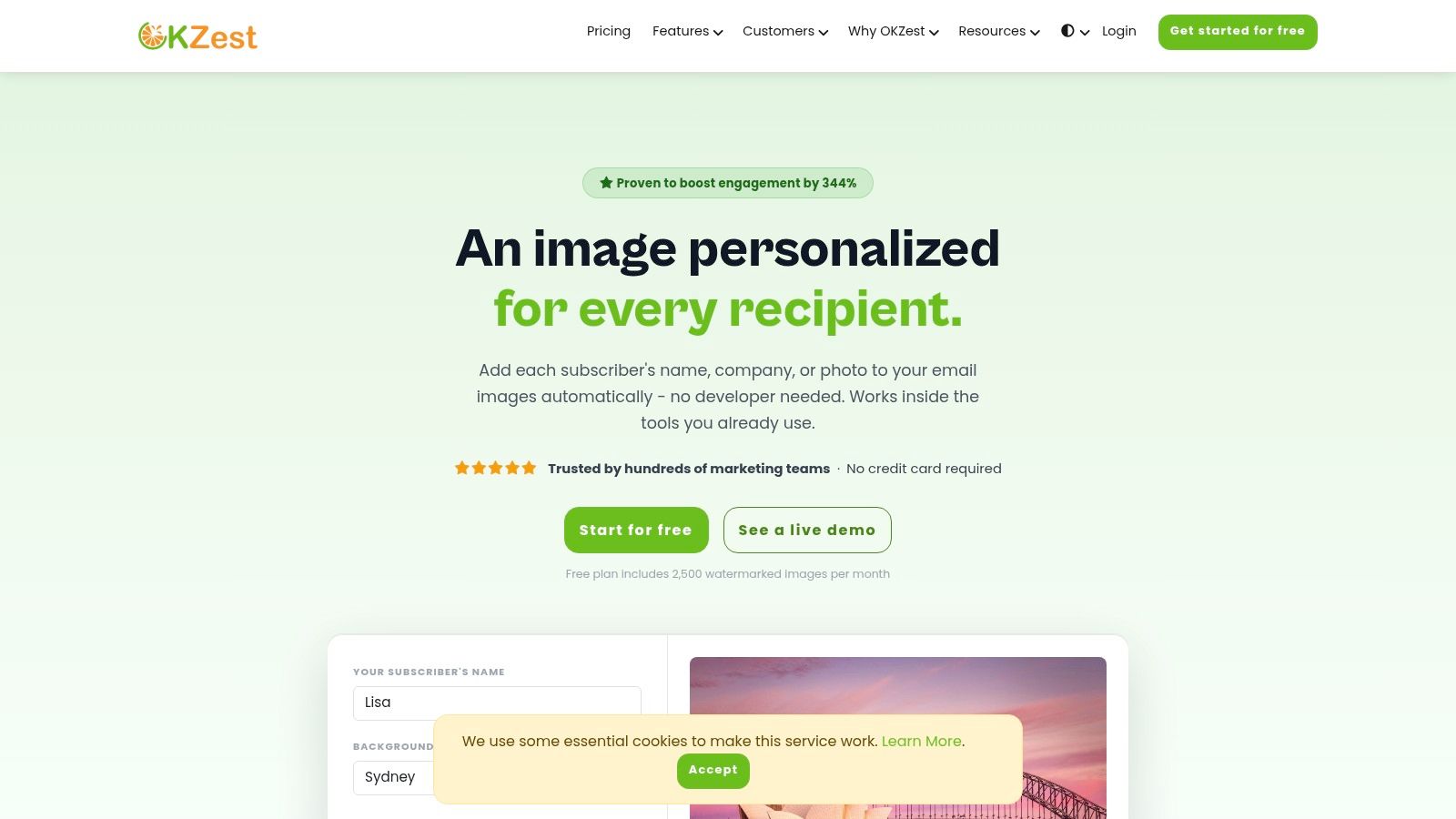
Implementation is notably straightforward. After designing a template, OKZest generates a single image URL. You paste this URL into any email service provider, website, or messaging app. When a recipient opens the email or visits the page, the image is rendered in real-time with their specific data, ensuring the content is always relevant.
Key Features and Use Cases
- Real-Time Personalization: Images are generated on open, not pre-rendered. This allows for live data integration, meaning you can pull from databases or APIs to display up-to-the-minute information, like a countdown timer to a webinar or a live shipping status.
- Dual Integration Paths: The platform serves two primary user types. The drag-and-drop editor is perfect for marketers who need to launch campaigns quickly without coding. The RESTful API and webhooks cater to developers needing to bulk-generate thousands of personalized assets for certificates, event tickets, or system-triggered communications.
- Wide Compatibility: OKZest is designed to work with nearly any ESP, including Mailchimp, Klaviyo, SendGrid, and Instantly. This makes integration a low-friction process, avoiding the common headache of platform-specific workarounds.
- Team-Focused Tools: Higher-tier plans include features critical for growing teams, such as workspace role management, shared asset libraries, and analytics that track engagement lift from personalized visuals.
Pricing and Onboarding
OKZest offers a generous free tier that includes 2,500 watermarked images per month without requiring a credit card, making it easy to test its capabilities. Paid plans scale up to support millions of images for enterprise-level needs. Customers often praise the responsive support, which includes real-time text chat and scheduled video calls. For those new to the concept, you can learn more about how image personalization software works to better understand its strategic value.
- Pros: Extremely fast setup, flexible for both marketers and developers, real-time data ensures image accuracy, and proven engagement uplift.
- Cons: The free plan's watermarks mean a paid plan is necessary for most professional campaigns. Advanced API use cases will require developer resources.
Website: okzest.com
2. Hyperise
Hyperise positions itself as the go-to image personalization tool for marketers who need to launch campaigns quickly without deep technical knowledge. Its core strength lies in its URL-based personalization, allowing users to add dynamic layers like names, company logos, or website screenshots to images. These images personalize in real-time when a recipient opens an email or views a webpage, powered by simple merge tags from your existing ESP or CRM. This approach makes it one of the most accessible and best image personalization platforms for non-engineers in 2026.
The platform is designed for broad, multi-channel use, extending beyond email to LinkedIn outreach, chatbots, and website content. What sets Hyperise apart is its focus on agency and reseller needs. It offers robust white-label options and sub-account management, allowing marketing agencies to offer personalized image services under their own brand. The user experience is straightforward, with a simple editor for creating image templates and clear instructions for integration.
Pricing, Pros & Cons
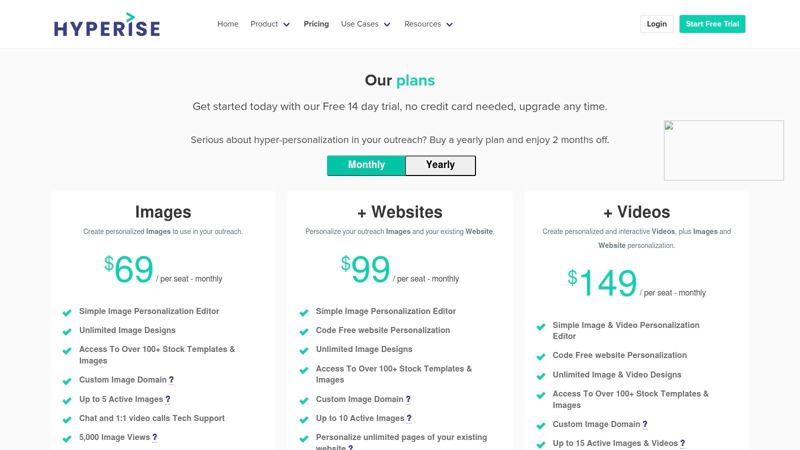
Pricing: Hyperise operates on a "views-based" model, where a view is counted each time a personalized image is loaded. Plans start at $69/month for 10,000 image views and scale up. Video personalization is available on higher-tier plans or as an add-on. Explore plans on hyperise.com.
Pros:
- Exceptionally easy for marketers to set up and use.
- Integrates with virtually any platform that supports merge tags.
- Strong agency features like white-labeling and sub-accounts.
Cons:
- Views-based quotas can become costly for very high-volume email sends.
- Advanced video personalization features require more expensive plans.
3. NiftyImages
NiftyImages has carved out a distinct niche as an email-first image personalization specialist. Its strength lies in its deep integration with email marketing workflows, allowing marketers to create dynamic, merge-tag-driven images that update in real-time. Beyond simple name personalization, the platform excels at creating interactive widgets like countdown timers for sales, personalized calendars for event reminders, and even live charts and polls directly within an email. This email-centric approach makes it one of the best image personalization platforms 2026 for marketers focused on maximizing engagement within their email channel.
The platform supports complex personalization through its "Rule Sets," which allow different image variants to be shown based on specific subscriber data, enabling highly targeted visual content. The user experience is built around the needs of an email marketer, with no-code integrations for most major ESPs and a straightforward image editor. NiftyImages' focus on interactive, real-time elements like maps showing a user's location or timers counting down to a deadline provides a layer of urgency and relevance that static images cannot match.
Pricing, Pros & Cons
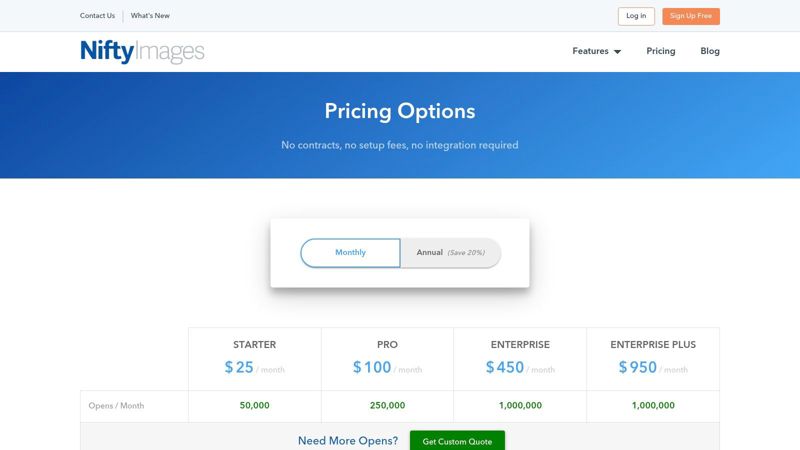
Pricing: NiftyImages uses a cost-effective pricing model based on "image opens." You are only charged when a personalized image is actually viewed by a recipient. Plans start at $20/month for 50,000 opens and scale up. Advanced features like API access and dynamic maps are reserved for higher-tier plans. Explore plans on niftyimages.com.
Pros:
- Highly specialized for email marketing with powerful interactive widgets.
- Cost-effective "opens-based" billing aligns costs with campaign visibility.
- Rule sets allow for sophisticated, granular audience targeting.
Cons:
- Limited application outside of the email channel.
- Key enterprise features are gated on more expensive plans.
4. Bannerbear
Bannerbear is an API-first creative automation platform built for developers and no-code builders needing to generate personalized visuals at scale. Its core strength is its template-to-API workflow, where you design a master template and then use API calls to swap out elements like text, images, and colors. This makes it a powerful engine for programmatic social media content, dynamic email banners, and auto-generated Open Graph images, cementing its place among the best image personalization platforms 2026 for technical teams.
Unlike URL-based tools, Bannerbear focuses on image generation rather than real-time modification. An image is generated via an API call and then served from a CDN. This approach is ideal for automating content creation from data sources like Airtable or form submissions. The platform offers excellent documentation and robust integrations with Zapier, Make, and WordPress, making it accessible even for those without deep coding skills. Learn more about how you can apply no-code image design automation to your workflows for powerful results.
Pricing, Pros & Cons
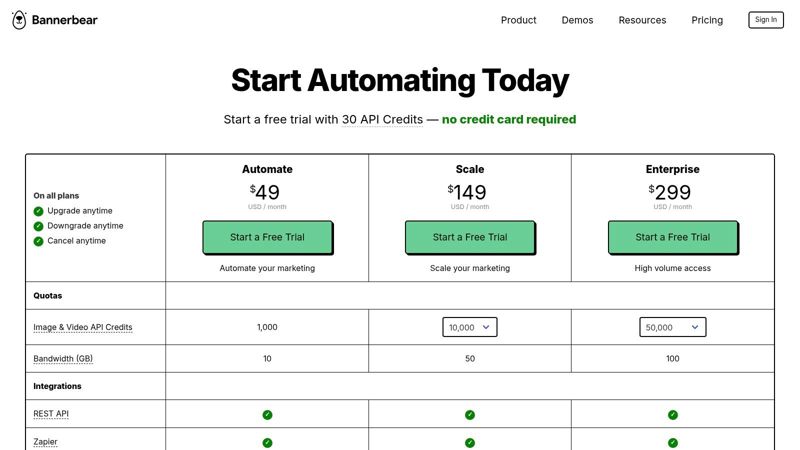
Pricing: Bannerbear uses a credit-based model where one API call to generate an image or PDF costs one credit. Plans start at $49/month for 1,000 credits and scale up. Video generation and advanced features like Signed URLs are available on all plans but consume more credits per generation. Explore plans on bannerbear.com.
Pros:
- Mature and well-documented API for reliable automation.
- Strong no-code integrations with Zapier, Make, and Airtable.
- Flexible for generating images, videos, and PDFs from a single platform.
Cons:
- Credit-based pricing can become expensive for very high-volume generation needs.
- Advanced team management and role-based access controls require higher-tier plans.
5. Abyssale
Abyssale extends beyond simple image personalization into a full creative automation suite, making it a powerful choice for teams needing to produce a wide variety of branded assets at scale. It generates personalized images, animated GIFs, videos, and even print-ready PDFs through dynamic URLs, API calls, or spreadsheet imports. Its core differentiator lies in its ability to output ad-network compliant HTML5 banners and CMYK files, catering to ad-ops and marketing teams with complex, multi-format campaign needs.
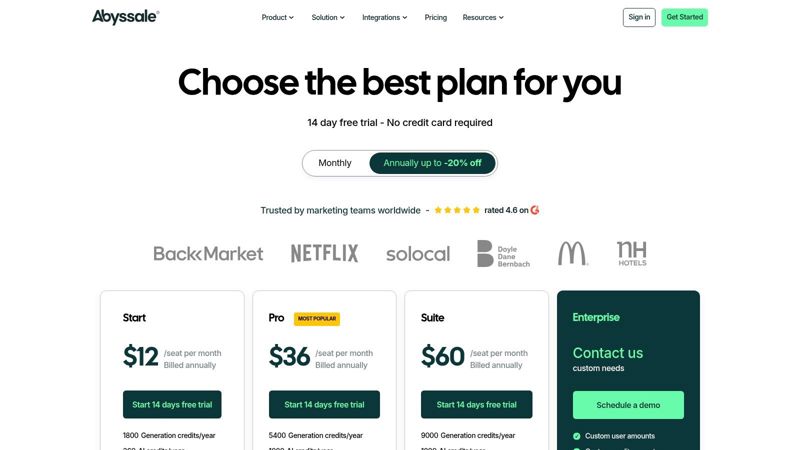
The platform is built for team-based workflows, incorporating collaboration features like approval processes and shareable "Quick Generation" links that allow non-users to create assets from a template without logging in. Abyssale also integrates its own AI toolkit, named 'Abyssale Intelligence,' for tasks like automatic background removal, smart object focusing, and text translation. This makes it one of the best image personalization platforms for automating not just personalization but the entire creative production pipeline.
Pricing, Pros & Cons
Pricing: Abyssale uses a credit-based system. Plans start at $49/month for 1,000 image generation credits. Credits are consumed differently based on the output; for example, generating a static image costs one credit, while an animated GIF or video second also costs credits, which can add complexity to usage estimates. Explore plans on abyssale.com.
Pros:
- Supports a huge range of output formats, including HTML5 ads and print-ready CMYK.
- Strong team collaboration and approval workflow features are built-in.
- Integrated AI tools for background removal and content translation add significant value.
Cons:
- The credit system, with different costs for static vs. animated content, can be confusing to manage.
- Some specific AI actions require a separate purchase of AI credits, adding another layer to the cost structure.
6. Creatomate
Creatomate stands out as a flexible media automation engine built for both developers and marketers who need to generate personalized images and videos at scale. Its strength lies in its API-first approach, coupled with powerful no-code integrations, allowing users to create dynamic content from templates. You can automate the production of social media graphics, personalized banners, or video clips by feeding data from a spreadsheet, an API call, or a no-code tool like Zapier. This dual-purpose design makes it a top contender among the best image personalization platforms 2026 for technical and non-technical teams alike.
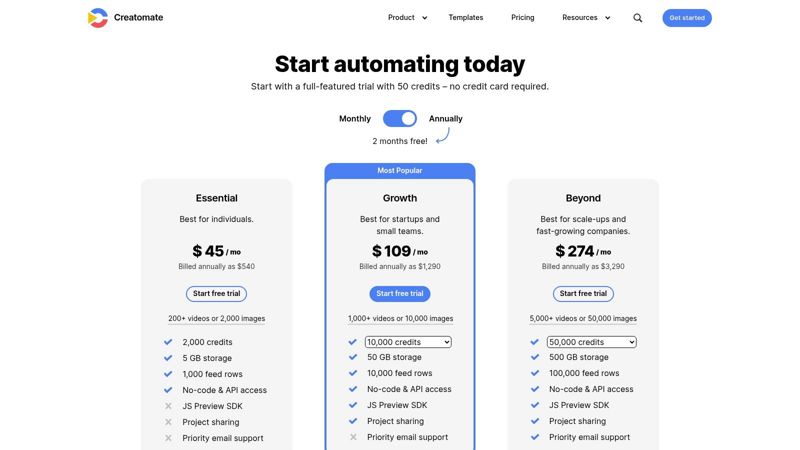
The platform’s unique offering is its JavaScript Preview SDK, which allows developers to embed a live preview of the personalized image or video directly within their own applications. This gives end-users an interactive editing experience before final generation. For marketing operations, project sharing and per-project credit controls provide excellent team management. The straightforward template editor and clear documentation make getting started a smooth process, whether you are building an automated workflow or embedding a personalization feature.
Pricing, Pros & Cons
Pricing: Creatomate uses a simple credit-based system. A generous free trial is available, after which paid plans start at $29/month for 300 credits. The model is clear: 1 credit per standard image and variable credits for video based on duration and resolution. Explore plans on creatomate.com.
Pros:
- Transparent credit model is easy to understand and predict.
- Excellent for both app embedding (SDK) and marketing automation (API/feeds).
- Generous trial to test functionality thoroughly.
Cons:
- Heavy video generation can consume credits quickly, potentially increasing costs.
- While flexible, the API-centric nature may require developer resources for advanced use cases.
7. Placid
Placid establishes itself as a creative automation toolkit for developers and no-code builders who need to generate personalized images, PDFs, and videos at scale. Its power lies in a robust set of APIs (Image, PDF, Video) and a simple URL API, which allow for dynamic content creation triggered by data. This makes it a prime choice for generating social share images, event certificates, or personalized campaign visuals directly from your existing workflows, positioning it among the best image personalization platforms 2026 for automated content production.
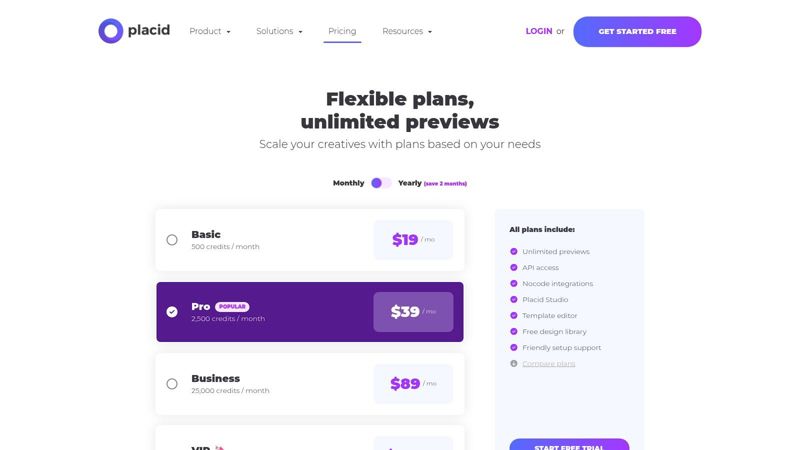
The platform is designed for deep integration, offering native connections with tools like Airtable, Webflow, and Zapier, alongside an editor SDK for embedding the template builder directly into your own application. This dual focus on both no-code accessibility and developer control sets it apart. Users can design templates in a visual editor and then automate their population with data, providing a flexible solution for teams with mixed technical skills. The ability to generate unlimited watermarked previews is a significant advantage, allowing for thorough testing before consuming paid credits.
Pricing, Pros & Cons
Pricing: Placid uses a credit-based system, where one credit typically equals one generated image, PDF, or video. Plans start at $29/month for 1,000 credits and scale up. Higher-tier plans offer more credits, team members, and advanced features like the editor SDK. Explore plans on placid.app.
Pros:
- Strong mix of developer-friendly APIs and no-code integrations.
- Unlimited watermarked previews are excellent for testing.
- Editor SDK allows for white-labeling the creative process.
Cons:
- Credit-based pricing can be confusing to forecast for varied asset types.
- Video generation is capped at Full HD (1080p) resolution.
8. APITemplate.io
APITemplate.io is engineered for developers and no-code builders who need to generate personalized images and PDFs at scale. Its primary strength is its dual approach, offering a powerful REST API for programmatic creation and a simple URL-based method for real-time rendering. Users can design templates in a drag-and-drop editor and then populate them with data from any source, making it a flexible choice for automating assets like social media content, certificates, or event badges. This makes it one of the best image personalization platforms 2026 for those needing both no-code and API-driven workflows.
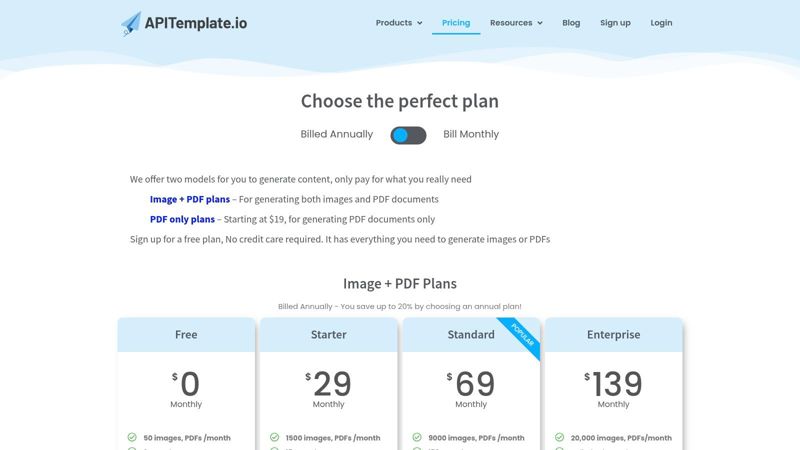
The platform stands out with its deep integration into the no-code ecosystem, featuring native connectors for Zapier, Make, Airtable, and n8n. This allows marketers and operations teams to build complex automation sequences without writing a single line of code. Another key feature is its asynchronous rendering capability with webhooks, which is ideal for generating large batches of images or PDFs without tying up system resources. For businesses exploring the technical side of personalization, understanding the mechanics of a personalized image API is crucial for effective implementation. The user interface is clean, focusing on template management and API key access.
Pricing, Pros & Cons
Pricing: APITemplate.io offers a generous free tier with 50 images/month, perfect for testing and low-volume projects. Paid plans start at $19/month for 1,000 images and scale based on volume and features. Enterprise and pay-as-you-go options are available for high-demand use cases. Explore plans on apitemplate.io.
Pros:
- Very approachable for non-developers with direct URL workflows and no-code integrations.
- Free plan available for initial testing and low-volume use.
- Supports both image and PDF generation from a single template.
Cons:
- Heavy enterprise usage may require custom plans or pay-as-you-go add-ons.
- The no-code editor's layout logic is simpler than some dedicated design-automation tools.
9. Nexweave
Nexweave is an outreach-focused platform built for sales and marketing professionals who want to embed personalized images, GIFs, and videos across multiple channels. Its main strength is facilitating one-to-one communication at scale, making it a great choice for LinkedIn messages, cold emails, and chatbot interactions. The platform uses a credit-based system for impressions and video plays, allowing costs to align directly with campaign consumption.
A key differentiator for Nexweave is its suite of outreach tools, including Chrome extensions for both Gmail and LinkedIn. These tools allow users to quickly create and insert personalized media directly within their workflow, reducing friction and speeding up campaign execution. Beyond direct outreach, it also offers website personalization snippets to tailor on-site experiences for returning visitors. This mix of features makes it one of the best image personalization platforms of 2026 for teams prioritizing direct sales and lead nurturing motions.
Pricing, Pros & Cons
Pricing: Nexweave uses a credit model where credits are consumed for image impressions or video plays. Plans begin at $49/month for 2,000 credits, with higher tiers offering more credits and advanced features like API access and team collaboration. Explore plans on nexweave.com.
Pros:
- Purpose-built for sales and outreach with excellent LinkedIn and Gmail integrations.
- Supports a broad range of channels including social DMs, chatbots, and websites.
- The credit model can be cost-effective for targeted, high-value campaigns.
Cons:
- Some user reviews have mentioned mixed experiences with customer support, so it's wise to evaluate SLAs for mission-critical use.
- Pricing can be complex to forecast, as costs vary by channel and media type (image vs. video).
10. Movable Ink
Movable Ink is a heavyweight, enterprise-grade platform focused on data-activated creative that renders in real time at the moment of engagement. Unlike simpler tools, it uses live data feeds, contextual signals (like location or device), and customer behavior to generate completely dynamic visual content across email, web, and SMS/MMS. Its core function is to power complex, data-driven creative modules without requiring constant developer intervention, making it a cornerstone for large marketing teams.
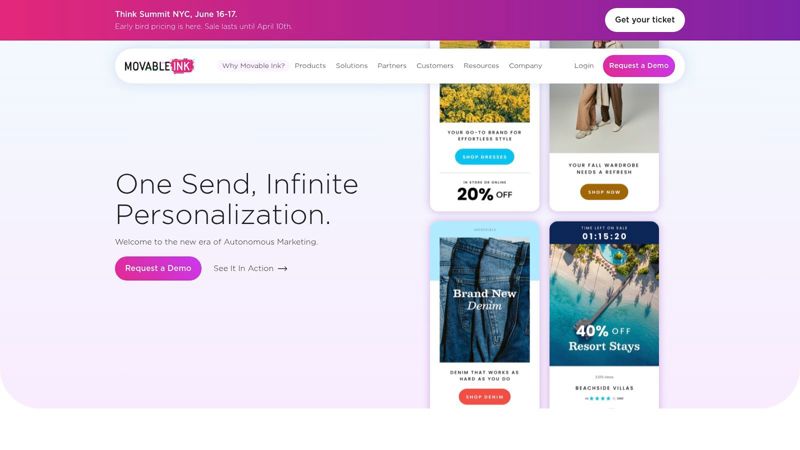
The platform’s "Studio" is where marketers build these intelligent creative blocks, from personalized banners to live countdown timers and location-based maps. Movable Ink’s true strength is its vast partner ecosystem, with nearly 100 deep integrations into the martech stack, allowing it to pull data from almost any source to inform the creative. This makes it one of the best image personalization platforms 2026 for organizations with mature data strategies looking to scale personalization across multiple channels.
Pricing, Pros & Cons
Pricing: Movable Ink operates on an enterprise sales model with custom pricing based on usage, channels, and integration needs. There is no public pricing available; a consultation is required. The platform is designed for large-scale deployments and is priced accordingly. Request a demo on movableink.com.
Pros:
- Proven at immense scale with top-tier security, support, and reliability.
- Unmatched channel breadth and a robust network of deep martech integrations.
- Powers complex, real-time decisioning at the moment of open.
Cons:
- Enterprise-only sales process and high cost make it inaccessible for SMBs.
- Requires a more involved implementation and dedicated resources to manage.
- Can be overkill for teams needing simple name or logo personalization.
11. Liveclicker (by Marigold)
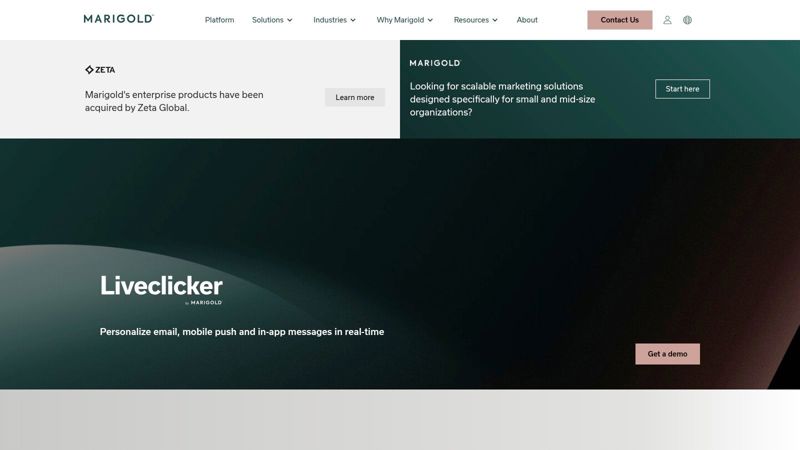
Liveclicker, now part of the Marigold platform, specializes in real-time, moment-of-open email personalization. It moves beyond static merge tags by using contextual signals like the recipient's location, device, or even the current time to render adaptive content modules when an email is opened. This approach enables dynamic hero images, live inventory updates, countdown timers, and weather-based offers, making it a powerful tool for enterprise retail and media brands aiming for high-relevance campaigns. For them, it remains one of the best image personalization platforms 2026 has to offer for email-centric strategies.
The platform is designed for email marketers who need reliable, pre-built solutions that work within their existing ESP. Its library of proven real-time modules, such as LivePoll for interactive feedback and LiveSocial for user-generated content feeds, allows for quick implementation of complex campaigns without heavy development. Liveclicker's strength is its deep focus on the email channel, providing robust integrations and analytics tailored to email performance metrics. This specificity is what sets it apart from more generalized, multi-channel API-first tools.
Pricing, Pros & Cons
Pricing: Liveclicker’s pricing is quote-based and tailored to enterprise needs, typically involving annual contracts based on email volume and module usage. It is positioned as a premium solution, so you must contact their sales team for a custom proposal. Request a demo on meetmarigold.com.
Pros:
- Strong track record with large enterprise clients, especially in retail.
- Excellent library of proven, ready-to-use real-time content modules.
- Deep integration with major Email Service Providers (ESPs).
Cons:
- Pricing can be a significant investment, making it less accessible for smaller businesses.
- Primarily focused on email, with fewer options for broader API-based or website personalization.
12. Zembula
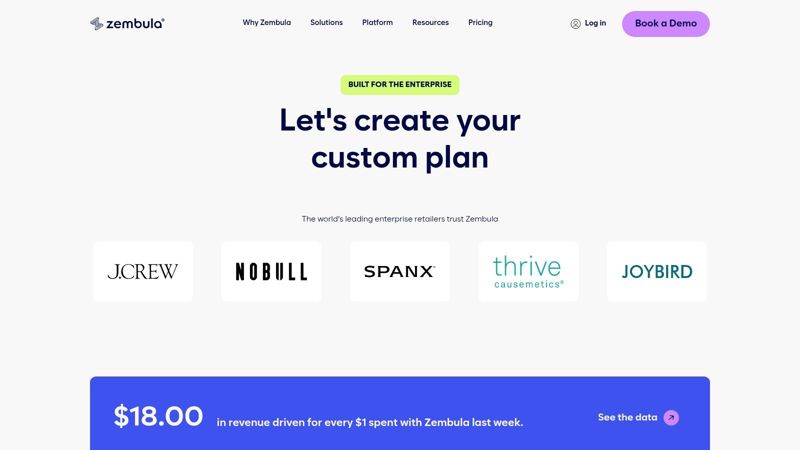
Zembula operates as an enterprise-grade "Composition Engine," designed for large-scale retailers and brands that require pixel-perfect, data-driven creative in their marketing channels. Its core function is to power a single image placeholder within a master email template, using real-time decisioning at the moment of open to serve the correct personalized image. This approach drastically reduces the need for multiple templates and complex segmentation logic within an ESP, making it a powerful contender among the best image personalization platforms 2026 for enterprise users.
The platform is built around its Campaign Decision Engine, which connects to various data feeds and uses open-time logic to assemble dynamic images. The creative editor uses vector-based layers that can be bound to data, allowing for crisp text and graphics that can even include animations. This system is not limited to email; it extends the same personalization capabilities to web, SMS, and push notifications. Zembula’s model is purpose-built to minimize IT lift and reduce the constant "code churn" associated with managing dozens of campaign templates.
Pricing, Pros & Cons
Pricing: Zembula focuses on enterprise clients with custom, transparent pricing based on the value and ROI delivered. It is not a self-service, low-cost tool and typically involves an annual contract. Interested parties must contact their sales team for a custom quote. Explore pricing on zembula.com.
Pros:
- Significantly reduces template management and technical workload for marketing teams.
- Powerful real-time decisioning engine can handle complex use cases.
- Transparent enterprise pricing with a strong focus on demonstrating ROAS.
Cons:
- Engineered for large enterprises and may be overkill for SMB senders.
- Requires a dedicated upfront integration and testing process.
Top 12 Image Personalization Platforms — 2026 Comparison
| Product | Core features ✨ | UX / Quality ★ | Pricing & Value 💰 | Best for 👥 |
|---|---|---|---|---|
| OKZest 🏆 | No-code visual editor + REST API; merge-tag image URL; real-time open-time updates; DB/API sources; fallback values ✨ | ★★★★★ Fast setup, analytics, team roles | 💰 Free (2.5k watermarked) → Enterprise (millions); team/role management | 👥 Email marketers, agencies, teams, startups→enterprises |
| Hyperise | URL merge-tags, dynamic layers, custom domains, white‑label ✨ | ★★★★ Marketer-friendly, quick launches | 💰 Views-based metering; agency plans | 👥 Agencies, SMB marketers, sales outreach |
| NiftyImages | Merge-tag images + real-time widgets (timers, polls, charts); rule sets | ★★★★ Email-first, reliable workflows | 💰 Opens-based billing (pay when seen) | 👥 Email marketers, retailers, event teams |
| Bannerbear | Template→API, signed/Simple URLs, Zapier/Make, CDN delivery ✨ | ★★★★ Mature API; good docs for devs/no-code | 💰 Credit model (1 image=1); can be costly at scale | 👥 Dev teams, growth/content ops, social teams |
| Abyssale | Dynamic image URLs, AI (translate/bg-remove), HTML5 & print outputs | ★★★★ Wide formats; ad-ops focused | 💰 Credit math (static vs animated); AI credits extra | 👥 Ad ops, designers, agencies |
| Creatomate | API, spreadsheet bulk, JS Preview SDK, per-project credits | ★★★★ Clear credit model; strong preview tools | 💰 Credits (1 image=1); trial available | 👥 Developers, social teams, app embeds |
| Placid | Image/PDF/Video APIs, URL API, editor SDK, unlimited previews | ★★★★ Balanced no-code + dev features | 💰 Credit-based plans; HD video cap | 👥 Marketers, devs, agencies |
| APITemplate.io | Drag‑drop editor, REST API, URL rendering, webhooks | ★★★ Approachable for non-devs | 💰 Free tier; PAYG/enterprise add-ons | 👥 Small teams, certificates, social assets |
| Nexweave | Images/GIFs/videos, Chrome outreach tools, web snippets | ★★★★ Outreach-oriented; mixed support notes | 💰 Per-view credits; channel pricing varies | 👥 Sales/outreach teams, SDRs |
| Movable Ink | Open-time personalization, dynamic creative studio, broad integrations | ★★★★★ Enterprise-grade, robust integrations | 💰 Enterprise (sales-led) | 👥 Large enterprises, retail & media |
| Liveclicker (Marigold) | Moment-of-open modules (polls, feeds, inventory), ESP integrations | ★★★★★ Proven enterprise email modules | 💰 Premium enterprise pricing | 👥 Retailers, large email teams |
| Zembula | Vector editor, Campaign Decision Engine, open-time data feeds | ★★★★★ ROAS-focused, reduces IT churn | 💰 Transparent enterprise pricing | 👥 Large retailers, enterprise marketers |
Final Thoughts
Navigating the options for the best image personalization platforms 2026 can feel complex, but the path to selecting the right tool becomes clear when you focus on your specific business goals. Throughout this guide, we've examined a dozen powerful contenders, from enterprise-grade giants like Movable Ink and Liveclicker to agile, API-first solutions such as Bannerbear and Creatomate. Each platform offers a distinct approach to transforming generic visuals into meaningful, one-to-one connections.
The central insight is that no single platform is universally superior; the "best" tool is the one that aligns with your technical resources, campaign objectives, and budget. For instance, a small agency might find the simplicity and direct-outreach focus of Hyperise or Nexweave ideal. In contrast, a larger e-commerce brand may require the robust automation and data-handling capabilities of Zembula or Abyssale to power its complex marketing funnels.
Key Takeaways for Your Decision-Making Process
As you move forward, keep these critical points in mind. Your final choice should be a strategic one, based on a clear understanding of your operational needs and desired outcomes.
- API-First vs. All-in-One: Do you need a flexible API to integrate image generation into an existing app (like APITemplate.io or Placid), or do you prefer a comprehensive platform with a built-in campaign editor and analytics (like OKZest or NiftyImages)? Answering this will significantly narrow your list.
- Scale and Volume: Your required image generation volume is a major factor. Platforms built for massive scale, like Bannerbear or Creatomate, are engineered to handle millions of API calls efficiently. Others are better suited for lower-volume, high-touch campaigns.
- Ease of Use: Consider who will be using the tool daily. Is it a developer who is comfortable with APIs and webhooks, or a marketer who needs a user-friendly, no-code visual editor? This distinction is crucial for successful adoption and day-to-day workflow.
Your Actionable Next Steps
With the information from this article, you are now equipped to make an informed decision. Don't let analysis paralysis stall your progress. Instead, follow this simple, three-step plan to get started.
- Shortlist Your Top 3: Based on our detailed reviews, select the three platforms that most closely match your use case, budget, and integration needs.
- Sign Up for Trials: Nearly every platform listed offers a free trial or a freemium plan. This is your chance to get hands-on experience. Test the editor, connect a data source, and generate a few sample images.
- Run a Pilot Campaign: Choose a small, low-risk segment of your audience and launch a test campaign. Measure the engagement lift, such as click-through rates or conversion rates, against your non-personalized benchmarks. The real-world data you collect will be the ultimate guide.
Making the move to dynamic image personalization is more than just adopting new software; it's a commitment to a more human-centric marketing approach. It signals to your audience that you see them as individuals, not just entries in a database. As we look toward 2026, the ability to create these personal micro-moments at scale will not be a luxury but a fundamental component of successful audience engagement. The right tool will make this process feel effortless, allowing you to focus on strategy while the technology handles the execution.
Ready to see how straightforward and effective image personalization can be? OKZest was built for marketers who need a powerful, all-in-one solution without the technical overhead. Start your free trial today and create your first personalized campaign in minutes, proving why it stands out among the best image personalization platforms 2026. Explore OKZest and begin building stronger customer connections.