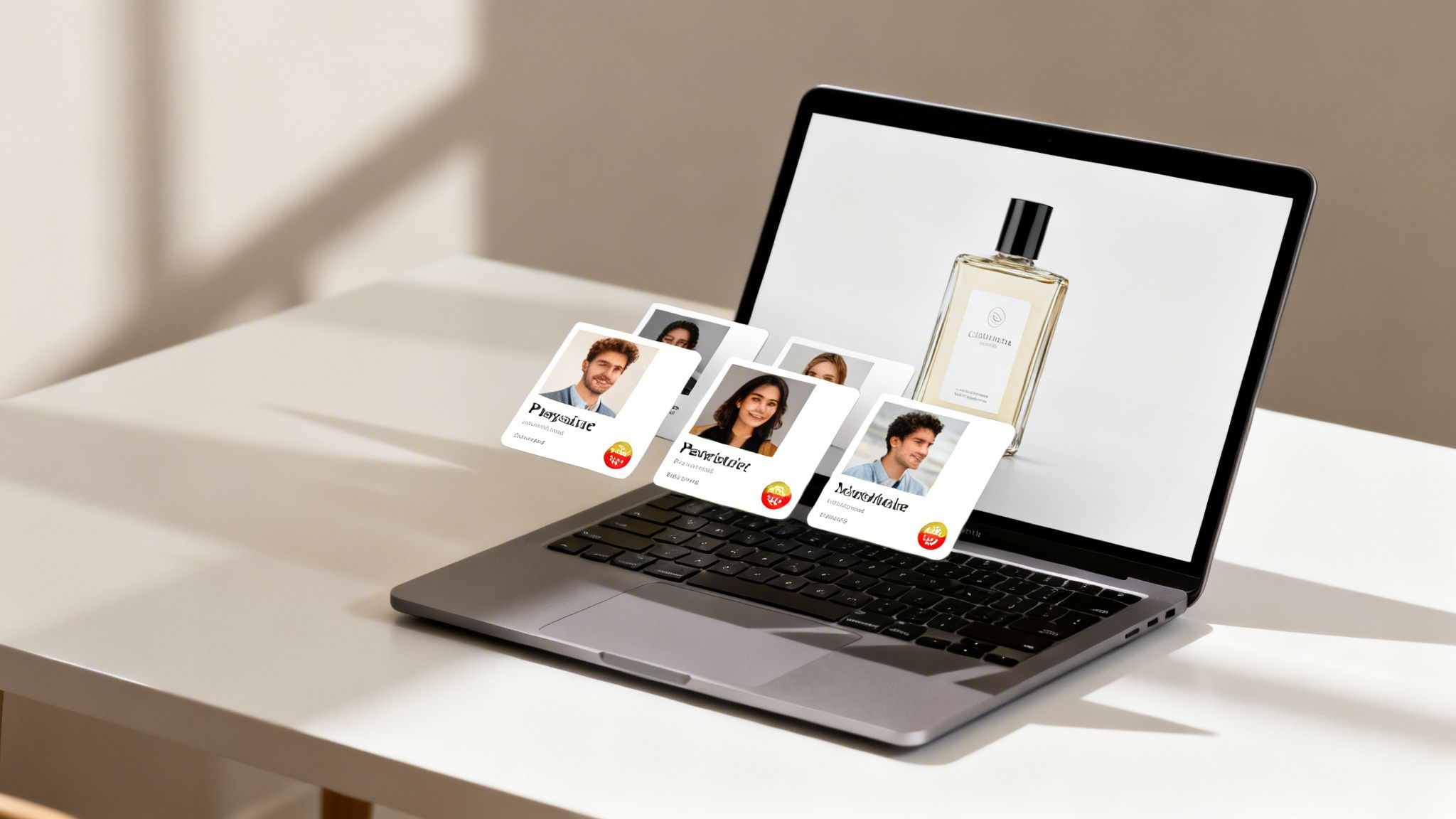
Imagine if every single image you sent could speak directly to an individual customer. That’s the real power of enterprise image personalization. Forget generic visuals. This is like having merge tags, but for your images—turning one static picture into millions of unique, personal moments.
What Is Enterprise Image Personalization?
At its heart, enterprise image personalization is about automatically creating unique visuals for each customer, but on a massive scale. It’s much more than just slapping a first name onto a stock photo. It’s about dynamically embedding rich, relevant data straight into a base image. The result? A one-to-one visual experience that feels genuinely personal to every single recipient.
Think of it this way: you have a single image template, but it generates a completely different final image for every person based on their unique data. This approach allows your brand to communicate with customers in a way that feels incredibly relevant, strengthening that all-important connection.
To simplify the concept, here’s a quick breakdown of what enterprise image personalization involves.
Enterprise Image Personalization At A Glance
| Component | Description | Business Impact |
|---|---|---|
| Data Integration | Connects to your existing data sources (CRM, e-commerce platform, etc.) to pull customer-specific information. | Ensures every image is relevant, using real-time data like purchase history, loyalty status, or location. |
| Dynamic Templates | A base image or design with placeholders for data (names, dates, images, QR codes). | Maintains brand consistency while allowing for infinite variations, saving countless hours for your design team. |
| Real-Time Generation | Images are created instantly "on the fly" as they are needed for an email, web page, or app. | Delivers a hyper-personalized experience at the exact moment of engagement, without manual effort. |
| Scalable Delivery | Technology built to handle millions of unique image requests without slowing down. | Supports large-scale campaigns for global audiences, ensuring reliability and speed for every customer. |
Ultimately, this system turns your customer data from rows in a spreadsheet into compelling, visual conversations that grab attention.
Going Way Beyond Basic Name Overlays
Simply adding a name to a picture was a good start, but true enterprise-level personalization weaves a much richer story. It’s about making the entire image feel like it was crafted just for that one person.
Here are a few ways this works in the real world:
- Customer Loyalty Data: Show a customer their current points balance or VIP status on a promotional banner.
- Recent Purchase History: Feature a picture of a product they just bought in a "thank you" or "how-to" follow-up email.
- Event-Specific Details: Create personalized event invitations that include the recipient's name and a unique QR code for check-in.
- Geographic Information: Display a map with a pin dropped on their nearest store location.
This fusion of data and design is what elevates a simple tactic into a powerful engagement strategy. If you want to dive deeper, our guide on personalized images covers how to create these high-impact visuals.
At its heart, enterprise image personalization is about scaling intimacy. It's the technology that allows a brand to have a million individual conversations at once, visually.
This process lets you keep a consistent brand look while making every message feel exclusive. You're making your customers feel seen and valued—not as a faceless segment, but as individuals with their own preferences and history with your brand.
By turning data into a visual dialogue, you create memorable moments that cut through the noise and drive real action. It's no longer a fringe tactic but a core strategy for any business serious about customer engagement.
Of course. Here is the rewritten section, adopting the specified human-like tone, style, and formatting.
The Business Case For Personalized Images
The technology behind enterprise image personalization is impressive, but what really matters is the impact on your bottom line. This isn't just about making things look nice; it's a powerful tool for driving real revenue. When a visual speaks directly to an individual, it creates a sense of recognition that turns passive viewers into loyal customers.
At its core, personalization works because it taps into the basic human desire to be seen and understood. A generic marketing message is today’s junk mail—easy to ignore and delete. But an image that reflects a customer’s own data, like their name, loyalty status, or a recent purchase, immediately cuts through the noise. It tells them you're paying attention.
This move from broadcasting a single message to everyone to having a one-on-one visual conversation is what makes personalized images so effective. It’s not a gimmick. It’s a smart way to build stronger customer relationships that pay off for years to come.
From Engagement To Revenue
So, how does a personalized picture turn into profit? It's simpler than you might think once you start tracking the right numbers. We're not talking about fuzzy brand awareness, but measurable gains across the entire customer journey. The top companies using this strategy are already seeing a huge financial return.
The data backs this up. A recent study found that 90% of marketers see a significant boost in profitability from personalization. The best-in-class companies are actually generating 40% more revenue from their efforts than average performers. This makes sense when you learn that 76% of consumers are more likely to buy from a brand that personalizes, and 78% are more likely to become repeat customers. You can discover more powerful personalization statistics to see the full picture.
The strongest argument for enterprise image personalization is its direct link to ROI. The investment you make in the technology and data is paid back through higher conversions, bigger order values, and stickier customers.
That clear return on investment makes the business case for you.
Key Performance Indicators That Matter
When you launch a personalized image strategy, tracking the right Key Performance Indicators (KPIs) is crucial for proving its value. These metrics give you hard evidence of how your personalized visuals are directly impacting the business.
Core KPIs for Personalized Images:
- Conversion Rate Lift: This is the ultimate proof. You simply measure the percentage of people who take an action (like buying or signing up) when they see a personalized image versus a generic one. Even a small lift here can mean major revenue at scale.
- Click-Through Rate (CTR): Personalized images grab attention, period. Higher CTRs in your emails and ads mean your visuals are doing their job, compelling people to engage and driving more qualified traffic where you want it to go.
- Average Order Value (AOV): You can use personalized images to show customers relevant upsells or cross-sells, like accessories that match something they just bought. This is a fantastic way to increase how much they spend in a single purchase.
- Customer Lifetime Value (CLV): This is the long game. By building stronger relationships and encouraging repeat business with ongoing personalization, you increase the total amount of money a customer spends with you over their entire lifetime.
By focusing on these concrete metrics, you can build a powerful, data-backed business case. Enterprise image personalization stops being a cost and becomes a predictable engine for growth. It proves that for both your customers and your finance team, seeing really is believing.
How The Technology Works In Practice
Getting into the weeds of enterprise image personalization might sound complex, but the idea behind it is actually quite simple. Think of it like a mail merge for your emails. Instead of just dropping a name into a text field, you’re dynamically putting that data right onto an image. This simple action transforms one master design into thousands of unique visuals, each one crafted for a specific person.
The real power kicks in when a data source, like your CRM or e-commerce platform, talks to an image generation engine. When a customer opens an email or lands on your site, the system instantly builds a personalized image just for them. It’s a fantastic way to make every single touchpoint feel unique and relevant.
This process has a direct and measurable impact on your most important business goals.
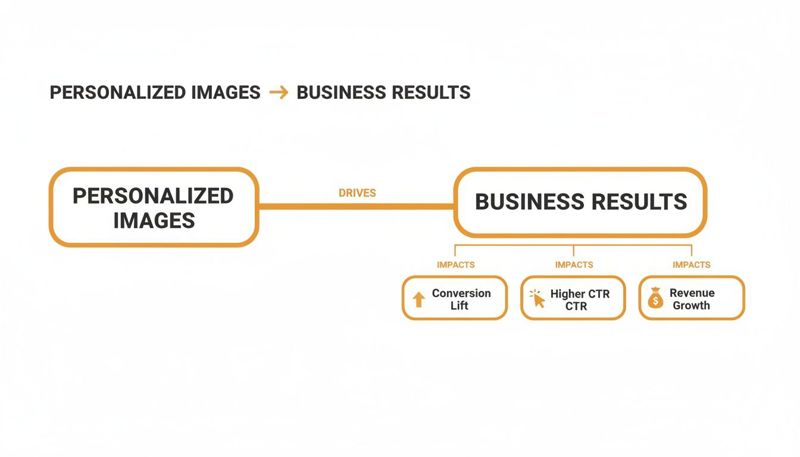
As you can see, personalized images create a clear path toward better conversions, higher click-through rates, and, ultimately, more revenue.
Three Ways To Integrate Personalized Images
There are three main ways to get these dynamic visuals into your marketing, and each one is designed for different channels and technical setups. A flexible platform like OKZest supports all three, so your team can pick the perfect method for any campaign.
Simple Merge Tags for Email: This is the fastest way to get started. You create a special URL for your image template that includes merge tags your email service provider (like Klaviyo or Mailchimp) already knows. When you hit send, the provider swaps the tags with each person's data, and the image is built on the fly.
Embeddable HTML Snippets: For websites, landing pages, or anywhere you can paste a bit of HTML, this method is perfect. You're given a small code snippet to place on your page. This snippet pulls in the personalized image, making it great for things like a custom welcome banner on a user's dashboard or a unique offer on a sales page.
Powerful API Integration: When you need deep, real-time personalization, an API is your best friend. This lets your own applications—whether it’s a mobile app, a SaaS platform, or a custom backend—request and show personalized images. It gives you the most control and is the go-to for more advanced use cases.
Choosing the right approach all comes down to your campaign goals and the tools you're already using. You can learn more about how a flexible dynamic image API works in our detailed guide.
Connecting Data And Handling Fallbacks
Data is the fuel for enterprise image personalization. The entire system relies on connecting to various data sources to pull the information it needs to customize each image.
Common Data Sources Include:
- Your CRM: For pulling customer names, company info, or sales rep details.
- E-commerce Platforms: To use product images, order history, and loyalty points.
- Third-Party APIs: For integrating live weather data, stock prices, or event details.
But what if the data isn't there? A customer might not have a first name saved in your database, or a product image might be missing. This is where fallback logic is absolutely essential. A good system will automatically use a default value—like showing "Valued Customer" instead of a blank space for a name—to make sure every user sees a complete, professional-looking image.
The goal is to ensure a perfect visual experience for every single user. Strong fallback rules mean that even with spotty data, the personalization never looks broken or empty, which is crucial for protecting your brand's reputation.
This safety net is vital. For OKZest users—from consultants sending personalized coaching certificates to nonprofits creating donor-specific newsletters—this translates to real numbers. With 90% of shoppers craving more personalization, meeting their expectations is non-negotiable. For sales and marketing teams, using HTML snippets with API-fed images on landing pages is a proven way to boost conversions. While many companies use AI for this, data accuracy remains a top concern, a problem that strong fallback rules directly solve.
Ultimately, the technology is built to be both powerful and forgiving, giving marketing teams the confidence they need to launch ambitious campaigns that work every time.
Real World Use Cases To Inspire Your Strategy
Knowing the theory is one thing, but seeing enterprise image personalization in action is what really gets the ideas flowing. Let’s move beyond the concepts and look at how this approach drives real results for different kinds of businesses. Think of these examples as a blueprint you can adapt for your own strategy.
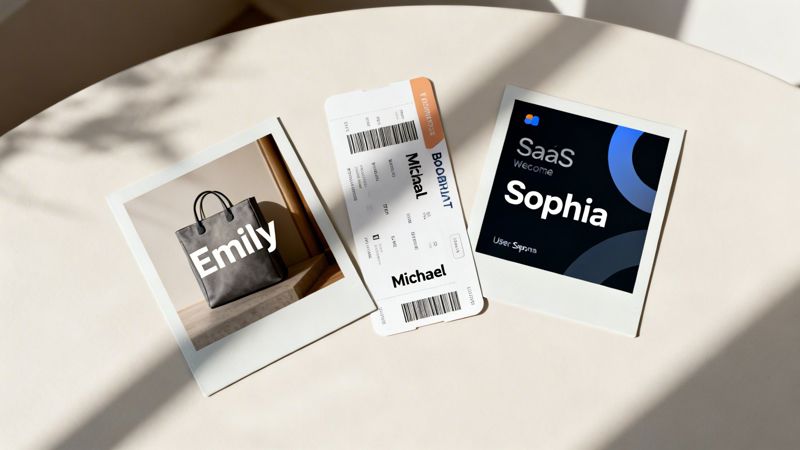
Imagine an e-commerce brand sending an email that doesn't just list the product you left behind, but actually shows it to you. Or a travel company that puts your name on a boarding pass image in your booking confirmation. These are the small but powerful moments that turn a generic message into a memorable experience.
Boosting E-commerce And Retail Sales
For any online retailer, personalization is a straight line to better revenue. The entire customer journey is packed with chances to use dynamic images to pull shoppers back in and nudge them toward the checkout.
The abandoned cart campaign is the most classic and effective example. Instead of just a line of text, you can send an image that features the exact items a customer was considering. Seeing the product is a much stronger reminder than just reading its name. To create a little urgency, you can even overlay a limited-time discount code right onto the image itself.
Here’s how it breaks down for e-commerce:
- Abandoned Cart Recovery: Send an email showing the specific product a user almost bought. This is a powerful visual nudge to complete the purchase, directly boosting your cart recovery rate.
- Post-Purchase Follow-up: A "thank you" email is nice, but a "thank you" email with an image of the item they just bought is better. You can even include personalized accessory recommendations alongside it to drive a higher repeat purchase rate and increase Average Order Value (AOV).
- Loyalty Program Updates: Make customers feel seen by showing their current points balance or VIP status on a custom promotional banner. It’s a simple way to improve customer retention and program engagement.
These tactics work because they’re timely, relevant, and visually engaging. They make the customer feel like you actually understand their individual journey.
Enhancing Travel And Hospitality Experiences
The travel industry is all about creating exciting, personal experiences, and image personalization is the perfect way to bring that feeling to their digital communications. From the moment someone books to their post-trip follow-up, dynamic visuals can build anticipation and create real brand loyalty.
Take a simple booking confirmation email. Instead of a boring block of text, a travel company can send an image of a personalized boarding pass or a luggage tag with the customer's name on it. It’s a small touch that makes an upcoming trip feel that much more real and exciting.
By turning dry, logistical information into a personalized visual, travel brands create moments of delight that set them apart. This fosters a strong emotional connection that competitors just can't match.
After the trip, an agency could send a "welcome home" email with a fun image that looks like a scrapbook page, featuring the customer's name and photos from the destination. This reinforces positive memories and keeps your brand top-of-mind when they’re ready to book their next adventure.
Driving Engagement For SaaS And B2B
You might think image personalization is just for consumer brands, but it makes a huge impact in the SaaS and B2B worlds, too. It’s all about humanizing your digital interactions, from generating leads to onboarding new users.
For a SaaS company, the onboarding process is a make-or-break moment. You can create personalized welcome images that show up on a new user's dashboard, featuring their name, company logo, or even their account manager's headshot. This makes the platform feel less like a cold piece of software and more like a tool built just for them.
To get a clearer picture, let's look at how different teams can use this technology and what they should measure.
Use Cases And Key Performance Indicators (KPIs)
This table breaks down some practical applications and the key metrics you’d use to track success across different business functions.
| Business Function | Example Use Case | Primary KPIs |
|---|---|---|
| Sales & Lead Nurturing | Send outreach emails with a mock-up report or a personalized event ticket featuring the prospect's name and company. | Higher email open rates, increased meeting booking rates. |
| Product & Onboarding | Create dynamic welcome visuals for new users, showing their name and profile picture inside the app's interface. | Improved user activation rates, reduced time-to-value. |
| Customer Success | Send quarterly review summaries as a personalized infographic, highlighting the user's key achievements and ROI. | Lower churn rates, increased upsell opportunities. |
In every scenario, the goal is the same: use data you already have to create a visual that speaks to one person, not thousands. By applying enterprise image personalization, you can make every single customer touchpoint feel more relevant and engaging, leading directly to measurable improvements in the metrics that matter most to your business.
How To Scale Your Personalization Efforts
It’s one thing to create a handful of personalized images for a small campaign. It’s another challenge entirely to scale that effort across a whole company. A pilot project might only need a few hundred images, but enterprise campaigns can demand millions. Making that leap means shifting your thinking from a simple tactic to a strategic infrastructure.
The key to succeeding at the enterprise level is a scalable architecture. Think of it like building a highway. A two-lane road is fine for a small town, but you need an eight-lane superhighway to handle rush hour in a major city without causing gridlock. Your image generation engine has to be built for massive, simultaneous requests so it never slows down or fails. Every single customer deserves a fast, flawless experience.
This goes beyond just speed—it’s about rock-solid reliability. When you’re running campaigns that are critical to your business, every second of downtime costs you money and erodes customer trust. A truly robust system ensures your personalized visuals show up instantly, every single time.
Managing Workflows Across Teams
As you scale up, more departments will want in on the action. Marketing, sales, design, and customer success will all see the potential of image personalization. But this can quickly create a mess. Without the right tools, you’ll end up with brand inconsistencies, conflicting campaigns, and a lot of wasted effort. This is where team-based workflow management becomes absolutely essential.
The best platforms are built for collaboration, giving different departments the tools they need to work together smoothly inside a single system.
Key Collaboration Features:
- Project-Based Organization: This lets teams group their image templates and campaigns together. For instance, the marketing team can have a project for their email newsletters, while the sales team keeps a separate one for their outreach templates.
- Role-Based Access Control (RBAC): Not everyone needs the keys to the kingdom. RBAC allows you to assign specific permissions. Designers can build and edit templates, marketers can launch campaigns, and sales reps can use approved images without any risk of altering the core designs. It’s the perfect way to protect your brand integrity and prevent costly mistakes.
- Shared Asset Libraries: A central hub for logos, brand colors, and approved imagery guarantees that everyone is using the correct, up-to-date assets. No more hunting for the right logo file.
These features turn personalization from a scattered, siloed task into a coordinated, company-wide strategy. They provide the guardrails that empower teams to be creative while maintaining control.
A scalable system isn’t just about technology that can handle volume. It's also about creating a workflow that empowers people to collaborate effectively without creating chaos.
Security and Support at Scale
When you’re handling customer data on a massive scale, security is non-negotiable. Your personalization partner must have ironclad security protocols to protect sensitive information. This means data encryption, secure API access, and full compliance with privacy regulations. Your customer's trust is your most valuable asset, and a single security breach can destroy it in an instant.
Finally, don't forget the human element. What happens when a high-stakes campaign hits a snag at 2 AM? At the enterprise level, you can't afford to wait 24 hours for an email response. Robust, real-time support is critical. Look for vendors who offer direct lines to experts who can jump in and help you troubleshoot problems right away.
Building a personalization engine that grows with your business requires a smart approach to technology, workflow, and security. The key to turning a successful pilot into a long-term strategic advantage is choosing a partner that provides a scalable image API and truly understands these enterprise needs. It’s the difference between a one-off win and a sustainable engine for growth.
Your Enterprise Image Personalization Implementation Checklist
Ready to put image personalization into action? A great idea is one thing, but turning it into a real-world campaign that delivers results requires a solid plan. Think of this as your roadmap to launching a successful initiative, step-by-step.
This isn't just about the technology—it's about building a smart strategy that aligns with your business goals from the very beginning. A well-planned implementation is what separates a cool gimmick from a high-ROI marketing program.
Phase 1: Define Your Strategy
Before you design a single image or write a line of code, you need to know what success looks like. This strategic groundwork is the most important part of the process and will guide every decision you make.
- Set Clear Business Objectives: What are you actually trying to achieve? "More engagement" isn't a goal. Are you aiming to increase e-commerce conversion rates by 15%, slash cart abandonment, or make the first-run experience for new users unforgettable? Be specific.
- Identify Your Key Performance Indicators (KPIs): Based on those goals, pick the exact metrics you'll track. This could be click-through rates on an email, the number of sales meetings booked, or a lift in customer retention. You need these KPIs to prove your ROI.
- Choose a Pilot Campaign: Don't try to do everything at once. Start small. Pick a single, high-impact campaign to prove the concept, like an abandoned cart recovery series or personalized onboarding visuals for new software users.
Phase 2: Prepare Your Foundation
With a clear strategy in hand, it's time to get your technical and creative assets in order. This is where you connect your data to your design.
- Identify and Prepare Data Sources: What customer data will you use for personalization? It could be as simple as a first name from your CRM, a product image from your Shopify store, or a company logo for a B2B campaign. Make sure this data is clean, reliable, and accessible.
- Design Effective Image Templates: Work with your design team to create flexible templates that look great and stay on-brand. Critically, you need a plan for fallbacks. What does the image show if a piece of data, like a first name, is missing? Planning for this ensures a seamless, professional experience for every single user.
The success of your campaign hinges on two things: the quality of your data and the thoughtfulness of your design. A great template with bad data is just as useless as great data with a bad template.
Phase 3: Select and Launch
Now it's time to bring it all together. Choosing the right partner and launching your pilot program are the final steps before your personalized images go live.
- Select the Right Vendor: Evaluate platforms on the criteria that matter for enterprise use. You'll need a scalable architecture, simple integration with your existing stack (email, web, API), and responsive, expert support. A platform like OKZest is built to handle these requirements.
- Launch Your Pilot Program: Roll out your first campaign to a specific, targeted segment of your audience. This lets you test your assumptions and gather real-world data in a controlled environment before going all-in.
- Analyze and Optimize: Once your pilot is live, watch your KPIs like a hawk. Analyze the results to see what's working and what isn’t. Use these insights to refine your image templates, your messaging, and your audience targeting. This creates a powerful feedback loop for continuous improvement.
Common Questions We Hear
Jumping into enterprise image personalization? You probably have a few questions about the tech, data, and what it takes to get going. We get it.
Here are the straightforward answers to the questions we hear most often from teams just like yours.
Is This Complicated To Set Up?
Not at all. If you've ever used a merge tag in an email for a name, you already know the basics. Getting started is that simple.
Modern platforms like OKZest are built to work with the marketing tools you already use, like Klaviyo or Mailchimp, without needing to write any code. For website personalization, a simple HTML snippet is all it takes. While there’s a powerful API for deep integrations, you can get incredible results without ever needing a developer.
What About Data Privacy And Security?
This is—and should be—a top priority. When choosing a platform, you need to be sure they’re built on a foundation of security. Look for a partner who guarantees:
- Data Encryption: All your data, whether it's being sent or stored, must be fully encrypted to protect customer information.
- Secure Access: Features like role-based access and secure API keys are essential to prevent anyone from getting in who shouldn’t.
- Compliance: The platform absolutely must comply with major privacy regulations like GDPR. This is non-negotiable for handling customer data the right way.
Your customer data should only ever be used to generate the images. It should never be stored improperly or shared.
A secure foundation isn't just a feature; it's a promise. The whole point of enterprise image personalization is to build trust, and that starts with protecting customer data at every single step.
Do I Need A Huge Team Or Budget?
Nope. One of the best things about this technology is that you can start small and grow. Many platforms offer flexible pricing—even free plans for small projects—that can scale right along with your campaigns.
And you don't need a whole design department. You can create a few master templates and let the automation work its magic. The efficiency here is the real story. It empowers a single person or a small team to create millions of unique, personal visuals—giving you an enterprise-level impact without needing an enterprise-sized team.
Ready to see how simple it is to create powerful, personalized visuals? With OKZest, you can automate your image creation with no-code and API solutions that integrate seamlessly into your workflow. Start for free and launch your first campaign in minutes.