Ever wonder how some apps can instantly create custom graphics, like a welcome banner with your name on it or a personalized event ticket? The magic behind that is a photo API.
Think of a photo API as a messenger between your software and an image creation service. It lets you automatically request and receive images without ever touching a design tool. It’s like ordering a custom pizza online: you pick the toppings (your data), send the order, and a perfectly made pizza (the final image) shows up at your door, ready to go. This process makes it possible to generate visual content on demand, at any scale.
What Are API Photos and How Do They Work?

At its heart, an API (Application Programming Interface) is just a set of rules that lets different software programs talk to each other. When we talk about API photos, we're referring to a special type of API built specifically for image-related jobs. Instead of a designer manually creating a graphic, your app can send a quick request to the API, which then builds or pulls the image and sends it right back.
This "conversation" happens in a flash. Your application bundles up the necessary details into a request and sends it to the API's endpoint (which is just a specific URL). The API service on the other end reads the request, does its thing, and returns the finished image.
The Two Main Flavors of Photo APIs
Not all photo APIs are created equal. They generally fall into two buckets, and knowing the difference is key to picking the right tool for the job.
- Static Photo APIs: These are your gateways to massive libraries of existing images, like stock photo sites. You can use them to search for and display pre-made photos based on keywords. They’re perfect for grabbing generic visuals for a blog post or social media update.
- Dynamic Image Generation APIs: This is where the real personalization happens. Instead of just fetching an existing photo, these APIs generate brand-new images from scratch using a template and the data you provide. This lets you create a unique visual for every single user, like a welcome image with their name or a custom certificate after they complete a course.
An easy way to think about it: a static API is like a photo archive you can browse, while a dynamic API is like a personal graphic designer who creates custom work on command.
We dive much deeper into this topic in our guide on creating a custom image API if you want to learn more.
How a Simple Request Becomes a Custom Image
The whole process is surprisingly simple. Let's say you want to create a personalized ticket for an event attendee named "Jane Doe."
- You send a request: Your app pings the API's URL, including parameters like
name=Jane Doeandevent=Annual Conference. - The API gets to work: The service takes that data and plugs it right into a pre-designed ticket template.
- An image is returned: Instantly, the service generates a new JPEG or PNG file with Jane's details perfectly placed and sends it back to your app.
This entire sequence is automated and can be scaled to create thousands—or even millions—of unique images without a single human click. If you're new to this, exploring some resources on general API concepts can provide a solid foundation.
To give you an idea of how critical this technology has become, the API marketplace was valued at USD 18 billion in 2024 and is expected to hit USD 49.45 billion by 2030. That explosive growth shows just how much businesses are shifting toward more automated and personalized digital experiences.
Common Types of Photo APIs at a Glance
To make things even clearer, here's a quick breakdown of the different categories of photo APIs you'll encounter.
| API Type | Primary Function | Example Use Case |
|---|---|---|
| Stock Photo APIs | Search and retrieve images from large libraries. | Finding a background image for a blog post. |
| Image Generation APIs | Create new, dynamic images from templates and data. | Generating a personalized welcome card for a user. |
| Image Editing APIs | Apply filters, crops, or other edits to an image. | Automatically resizing user-uploaded profile pics. |
| Computer Vision APIs | Analyze images to identify objects, faces, or text. | Tagging photos based on their visual content. |
This table helps illustrate that while our focus is on image generation, it's part of a much bigger ecosystem of tools designed to automate all kinds of visual tasks.
What Can Photo APIs Really Do? A Look at the Core Features
This interface from OKZest gives you a peek behind the curtain, showing how templates are built with different layers and dynamic fields, all set up for automation. Once you grasp these core features, you can really unlock what an API for photos can do for creating personalized content at scale.
Beyond just pulling or pushing images, the real muscle of a photo API is in its specific capabilities. These features are the building blocks for creating some seriously sophisticated automation and personalization, turning a simple tool into a powerful marketing engine. Let's break down the most important ones.
The absolute cornerstone of modern image services is dynamic image generation. Forget about creating visuals one by one. Instead, you design a single master template, and the API uses it as a blueprint to churn out thousands of unique versions by changing elements like text, colors, and even other images on the fly.
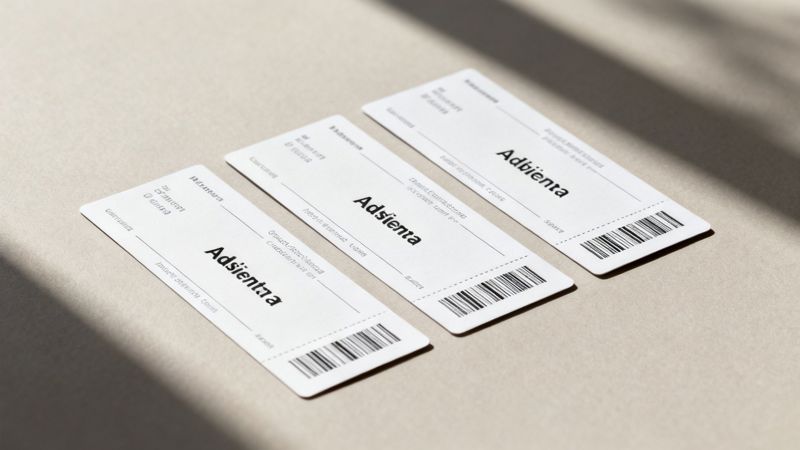
For instance, an event organizer can design one ticket template. The API then gets to work, generating a personalized ticket for every single attendee by automatically dropping in their name, seat number, and a unique QR code. This kind of process can save literally hundreds of hours of manual design work. If you're curious about the mechanics, we have a complete guide that dives deeper into dynamic image generation.
Putting Your Data to Work with Merge Tags
Data merge tags are the secret sauce connecting your customer data to your visuals. Think of them as little placeholders in your image template, like {{first_name}} or {{company_name}}. When you send a request to the API, you include the relevant data, and the API swaps out these tags with the real information.
This is an absolute game-changer for hyper-personalization. A real estate agent could set up a system to automatically create property highlight images, pulling the address, price, and hero photo directly from their database into a branded social media graphic. Every listing gets a professional, consistent look without anyone lifting a finger.
Key Takeaway: Merge tags turn your static image templates into dynamic canvases. Every API call becomes a chance to create a one-to-one connection with your audience by embedding their specific data right into the visual itself.
Advanced AI-Powered Capabilities
You've probably noticed that AI is everywhere, and photo APIs are no exception. What used to require a professional photo editor and hours of work can now be done in seconds with a simple API call.
Many services now offer powerful, AI-driven features that make advanced editing scalable for any business.
Here are a few common ones:
- Background Removal: Instantly strip the background from a product shot or profile picture for a clean, professional look. This is a must-have for e-commerce stores that need consistent product imagery.
- Smart Cropping: The AI is smart enough to find the most important part of an image—like a person's face—and automatically crop it to the perfect dimensions for different platforms.
- Image Enhancement: Automatically tweak the brightness, contrast, and color balance to make user-uploaded photos look their best.
Keeping It On-Brand with Templates
Finally, template-based creation is a fundamental feature that keeps your brand consistent, no matter how many images you're generating. By setting up your brand’s fonts, colors, logos, and layouts in a master template, you can guarantee that every single image the API creates is perfectly on-brand.
This is especially critical for marketing agencies and large companies managing multiple campaigns. It completely removes the risk of off-brand visuals slipping through the cracks. As the technology evolves, we're seeing some amazing new capabilities, so it's worth keeping an eye on innovative image APIs like those powered by Google Gemini Flash. When you combine all these features, you have all the tools you need to build a powerful, automated visual marketing strategy.
Practical Ways to Use Automated Images
Knowing the features of a photo API is one thing, but seeing it in action is where the real magic happens. This is where theory meets reality, showing how businesses are using automated images to save a ton of time, get people more engaged, and create experiences that customers actually remember. The uses are all over the place, from marketing and sales to customer support.
Instead of just talking in abstract terms, let's walk through a few specific, real-world scenarios. By looking at the "before" and "after" of using an image API, you'll see just how powerful the shift from manual to automated visuals can be.
Supercharge Your Email Marketing
Email is still a workhorse for digital marketing, but let's be honest—most of our inboxes are overflowing. Generic, text-heavy messages just get ignored. Personalization is the key to cutting through the noise, and API-generated photos offer a visually striking way to grab someone's attention the second they open your message.
Before: A new subscriber gets a standard, text-only welcome email. It might say, "Welcome, [First Name]!" using a merge tag, but the look and feel are identical for everyone. It does the job, but it's completely forgettable.
After: A new subscriber opens a welcome email and sees a beautiful, on-brand image with the text, "Welcome, Sarah!" This image was created instantly by an API that pulled her name directly from your email platform. Right away, you've made a personal connection and made your brand feel more human.
This small change can lead to big wins. Personalized content doesn't just improve click-through rates; it starts building a stronger customer relationship from day one.
Automate Certificates and Credentials
If you're a coach, run online courses, or organize events, you know the pain of creating certificates. Manually editing a template for every single graduate or attendee is a soul-crushing, repetitive task that's just begging for mistakes. An image generation API completely flips this workflow on its head.
- Online Courses: The moment a student finishes a course, your system can automatically trigger an API call. A professional certificate is instantly generated with the student's name, course title, and completion date, ready for them to download and share.
- Webinar Attendance: After a live event, send a follow-up email to every attendee with a personalized "Certificate of Attendance" graphic. No manual work is needed.
- Employee Recognition: HR can automate "Employee of the Month" awards or work anniversary graphics, making sure recognition is always timely and consistent.
By automating certificate generation, you deliver immediate value and give your audience something tangible to share. This not only celebrates their achievement but also turns them into brand advocates as they post their personalized credentials on social media.
This move toward highly visual, shareable digital assets is a huge reason the global stock images market is growing so fast. Driven by digital and social media marketing, the market is expected to grow by USD 1.28 billion between 2025 and 2029. This just goes to show the massive demand for visual content, and automation is the only way to keep up. You can dig into more data on this trend in the full market analysis from Technavio.
Create Dynamic Social Media Graphics
Keeping your social media feeds fresh and engaging means you need a constant stream of new visuals. A photo API lets you create an endless supply of on-brand graphics without ever having to open up a design tool.
Picture this: you're promoting an event with multiple speakers. Instead of bugging a designer to create dozens of individual graphics, you can connect an API to a spreadsheet of speaker info (name, photo, topic). The API will then automatically generate a unique promotional image for every single person.
The same idea works for tons of other things:
- Customer Testimonials: Automatically turn glowing new reviews into shareable quote graphics.
- Real Estate Listings: Generate "Just Listed" or "Sold" images by pulling property photos and details straight from your database.
- E-commerce Promotions: Create personalized offer images for different customer groups, showing products they've looked at before.
Photo APIs are a game-changer for businesses that want to scale their visual marketing without scaling their design team. Below is a table that breaks down a few of these use cases to show the direct impact they can have on different parts of a business.
Photo API Use Case Impact Comparison
| Business Area | Common Challenge | API Photo Solution | Expected Outcome |
|---|---|---|---|
| Email Marketing | Low open rates and engagement in generic campaigns. | Dynamically insert subscriber's name into a welcome or offer image. | Increased click-through rates and a stronger initial brand connection. |
| Education & Training | Manual, time-consuming creation of course completion certificates. | Automate certificate generation with the student's name and course details. | Immediate value delivery, increased social sharing, and brand advocacy. |
| Social Media | Constantly needing fresh, on-brand graphics for promotions. | Auto-generate unique images for testimonials, events, or product features. | Higher engagement, consistent branding, and significant time savings for the marketing team. |
| E-commerce | Cart abandonment and generic promotional offers. | Create personalized discount images featuring a customer's name or a product they viewed. | Improved conversion rates and a more personalized shopping experience. |
As you can see, the theme is consistent: automating personalized images saves time, boosts engagement, and helps you connect with your audience on a more personal level. It's about working smarter, not harder, to create memorable visual experiences.
How to Integrate API Photos Into Your Workflow
Knowing that api photos can be a game-changer is one thing, but actually putting them to work is where the magic happens. Integrating these tools into your daily workflow might sound complicated, but it’s surprisingly straightforward. There are a few different paths you can take, each designed for different levels of technical comfort—from simple copy-and-paste methods to more hands-on developer approaches.
This means everyone, from marketers who live in spreadsheets to seasoned coders, can tap into the power of image automation. We’ll walk through the three main ways to get started so you can find the perfect fit for your team and your tools.
This infographic shows a typical automated workflow, from a user subscribing to receiving a personalized graduation certificate, all powered by an API.
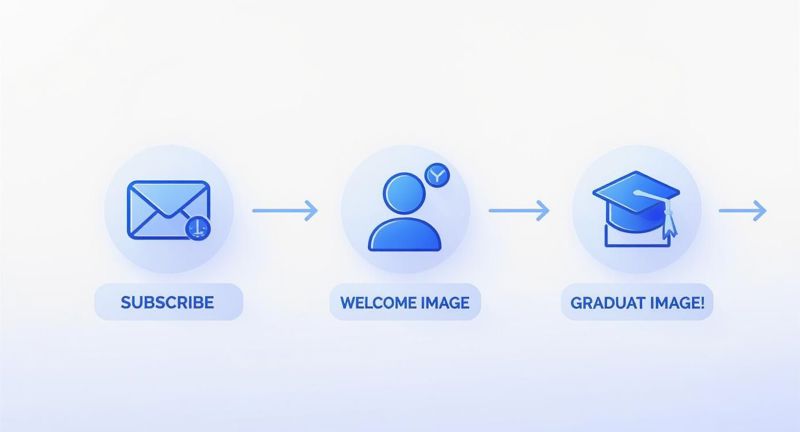
As you can see, a single trigger can kick off a whole chain of personalized, automated visual touchpoints. It’s a great way to elevate the customer journey without any manual intervention.
The No-Code Method Using Zapier or Make
For anyone who isn't a developer, no-code platforms like Zapier or Make are the perfect entry point. These tools are the ultimate connectors, acting as a bridge between the apps you already use—like your email platform, CRM, or even a simple spreadsheet—and a photo API. The best part? You don't have to write a single line of code.
Think of it as setting up a series of "if this, then that" rules. You could create a workflow (or "Zap") that says, "When a new person subscribes to my Mailchimp list, send their name to the OKZest API to create a personalized welcome image."
This approach is incredibly popular for a few reasons:
- It’s visual and intuitive. You build workflows by dragging and dropping icons, making it easy to see exactly how your automation works.
- It connects thousands of apps. You can trigger image generation from just about any software you use in your business.
- It requires zero coding. If you can fill out a form, you can build a no-code automation. It's that simple.
This is the ideal method for marketing teams, entrepreneurs, and small business owners who want to get automated visuals up and running fast.
The Developer Method Using a REST API
If you need more control or want to embed image generation directly into your own app, a traditional REST API integration is the way to go. This involves having your software's backend make direct HTTP requests to the photo API.
While it does require some programming knowledge, it offers the most flexibility by far. You can build out complex, custom logic that goes well beyond what no-code tools are capable of. For a deep dive, our API integration tutorial provides step-by-step instructions and best practices for developers.
A basic API call is pretty straightforward. You'd typically send a POST request to the API's URL with a JSON payload containing all the data for your image, like the template ID and any dynamic text or images you want to add. The API then gets to work and sends back a URL to the newly minted image. This gives you complete, programmatic control over the entire process.
Key Takeaway: A REST API gives developers the power to deeply embed custom image generation into any application, from a custom CRM to a mobile app, unlocking a nearly limitless range of possibilities for automation.
The Simple Method with Dynamic Image URLs
Last but not least, we have the simplest and most direct method of all: using dynamic image URLs with merge tags. This is the perfect solution for personalizing images inside email marketing platforms like Klaviyo, Mailchimp, or Instantly.
Here’s how it works. The photo API gives you a special URL that has placeholders in it. You just copy this URL and paste it into an image block in your email editor. Then, you swap out the placeholders with your email platform's merge tags (like {{first_name}}).
When you send the campaign, your email service provider automatically replaces its merge tag with each recipient’s actual data just before the image is loaded. That means every single person gets a unique, personalized image, all from a single URL. It's the ultimate "set it and forget it" approach to visual personalization.
Understanding Key API Concepts
Diving into the world of api photos means you'll bump into a few technical terms. Don't let them intimidate you—they're a lot simpler than they sound. Think of this as your peek behind the curtain, explaining the basic rules of the road so you can use image APIs with total confidence.
Each of these concepts is really just a setting or a safety measure. They’re there to make sure the service runs smoothly and securely for everyone. Once you get these down, you'll be ready to build some seriously cool and reliable image automations.
Authentication: Your Private Key to the Service
First up: authentication. When you sign up for a photo API service, you get a unique API key. It's just a long, random string of characters, but you should treat it like the key to your house. You wouldn't hand that out to just anyone.
Every single time your app wants to talk to the API, it has to present this key. It's how the service knows the request is actually from you and not some random person on the internet. It’s the digital handshake that says, "Yep, I'm allowed to be here."
This is all about security. It stops unauthorized users from burning through your monthly image quota or messing with your private templates.
Understanding Rate Limits: The Fair Use Policy
Once you start sending lots of requests, you'll hear about rate limits. It sounds like a restriction, but it’s more like a "fair use" policy for a shared resource. Imagine the API is a water pump for a whole neighborhood. If one person cranks open all their faucets at once, the water pressure drops for everybody else.
Rate limits prevent this by putting a cap on how many requests you can make in a certain window of time—say, 100 requests per minute. This keeps the service stable and fast for all users. If you go over the limit, the API just takes a short break from answering your requests until the next time window starts.
Key Takeaway: Rate limits aren't there to slow you down. They’re a guardrail that guarantees consistent performance and stops one user from accidentally (or intentionally) overwhelming the system.
Error Handling and Fallbacks: Planning for Imperfection
Let's be real—even the best systems hiccup sometimes. An API request might fail because the service is temporarily offline, you sent some bad data, or you bumped into your rate limit. This is where error handling and fallback images are a lifesaver for keeping things professional.
A fallback image is just a default, generic graphic that your system shows if the personalized one can't be generated. So, instead of your user seeing a sad, broken image icon, they see a nice, on-brand visual. It’s a small detail that makes a huge difference.
- For Email: If a personalized welcome image for "Jane" fails, your fallback could be a simple "Welcome!" image instead.
- For Websites: If a dynamic certificate doesn't generate, a placeholder graphic could pop up asking the user to try again in a moment.
Good error handling means your application can take a punch and keep looking polished, no matter what happens behind the scenes.
URL Parameters: The Instructions for Your Image
So, how do you actually tell the API what to put in the image? That's where URL parameters come in. These are just bits of information you tack onto the end of the API request URL to give it instructions. They're simple "key-value" pairs that define all the dynamic parts of your image.
Let’s say you have a template for a conference badge. A request URL might look something like this:
https://api.okzest.com/v1/images/generate?template=badge&name=John+Doe&company=Acme+Inc
In this URL, name=John+Doe and company=Acme+Inc are the parameters. The API reads these instructions and plugs "John Doe" and "Acme Inc" right into the matching spots on your badge template. This simple method gives you total control over every dynamic piece of your api photos—from text and colors to other images—making it incredibly easy to create personalized visuals on the fly.
Common Questions About Using Photos via API
As you start thinking about automating your visuals, a few questions always pop up. We get it. This world of API photos can seem a bit technical at first, but it’s simpler than you think. Our goal here is to give you direct, clear answers to the most common questions we hear.
We'll cover the big stuff, from the difference between API types to practical things like cost and whether you need to be a coding genius to use them. Think of this as your quick-start guide to image automation.
What Is the Difference Between a Stock Photo API and a Dynamic Image API?
This is the most important distinction to understand, and it's pretty straightforward. A stock photo API, like the ones from Shutterstock or Unsplash, is basically a massive digital library. You ask it for a certain kind of picture—say, "a laptop on a desk"—and it finds existing photos that match what you're looking for.
A dynamic image API, on the other hand, is a creative engine. It doesn't just find an image; it creates a brand new one from scratch based on a template and the data you give it. It’s the difference between picking a pre-made birthday card off the shelf and having one custom-printed with your friend's name on it in seconds.
To put it simply: a stock photo API finds existing images, while a dynamic image API creates new, personalized ones. For anything involving personalization, a dynamic API is what you need.
Do I Need to Be a Developer to Use an API for Photos?
Absolutely not. While developers can definitely build some powerful, custom stuff with code, many modern photo APIs are built for everyone. The rise of no-code platforms has completely opened up these tools to marketers, founders, and creators.
For example, you can use services like Zapier or Make to connect your apps with a few clicks. You could easily set up a workflow that automatically creates a personalized welcome image every time you get a new customer in your CRM, all without writing a single line of code.
An even simpler method is using dynamic image URLs. Many email and marketing platforms let you just paste a special URL into an image block. By adding merge tags to that URL, you can generate unique visuals for every single person on your list. Easy.
How Much Does It Typically Cost to Use a Photo API?
Pricing for photo APIs can vary a lot depending on what they do, so it helps to know the common models.
Here’s a quick breakdown of what you'll usually see:
- Stock Photo APIs: These services often charge per download or through a monthly subscription that gives you a certain number of images. The cost is tied to how many existing photos you pull from their library.
- Dynamic Image Generation APIs: These platforms typically use a usage-based or tiered subscription model. You're charged for each image you create or based on a monthly volume of generations.
Many services, including OKZest, offer a generous free tier that’s perfect for trying out ideas or handling smaller projects. This lets you explore everything the API can do before you commit to a paid plan, which can then grow with you as your needs expand.
What Happens If the API Fails to Generate an Image?
That's a great question, and it gets to the heart of building a reliable system. With any automation, you should always plan for the occasional hiccup. An API call might fail for all sorts of reasons—a temporary outage, an old API key, or just some messy data in the request.
This is where "fallback images" are so important. A well-designed workflow should always have a default, generic image ready to go if the personalized one can't be created. It's a simple step that prevents that ugly broken image icon from showing up in your email or on your website.
For instance, if an API fails to create a "Welcome, John!" image, your system can show a default "Welcome!" graphic instead. This keeps the user experience smooth and professional, protecting your brand even when things don't go perfectly behind the scenes. It's a critical safety net.
Ready to stop creating images one by one and start automating your visual content? OKZest provides the simplest way to generate thousands of personalized images for your email campaigns, social media, and certificates. Try our no-code template editor and see how easy it is to connect with your audience on a whole new level. Start creating for free at https://okzest.com.