Ever heard of variable data printing (VDP)? It’s a game-changer in digital printing that lets you swap out text, graphics, and even images on each printed piece—all without ever stopping the press. At its heart, VDP is about merging a great design with a customer database to create something truly unique for every single person.
So, What Is Variable Data Printing Really?
Picture this: a postcard from your favorite local coffee shop lands in your mailbox. Instead of a bland "Dear Customer," it greets you with, "Hi Sarah, enjoy a free latte on us!" It even has a picture of the exact drink you ordered last week. That’s not some marketing fantasy; it’s a perfect example of what VDP makes possible.
VDP closes the gap between generic mass communication and a genuine one-on-one conversation. It breaks free from the old way of printing, where every single copy had to be identical. With VDP, each piece is a new chance to connect.
The Core Idea Explained
Think of it like a supercharged mail merge, but for high-quality print. The whole process boils down to two key ingredients:
- A Static Template: This is your core design—the layout, branding, and core message that stays the same across the board.
- A Variable Data Source: This is usually just a spreadsheet or database packed with customer info like names, addresses, purchase history, or loyalty status.
The printing software then works its magic. It takes your static template and intelligently fills in designated spots with data from your source file, cranking out a custom version for every single person on your list. And the best part? It all happens in one seamless print run.
Going Beyond a Simple Definition
While the concept sounds straightforward, the impact is massive. VDP lets marketers create mailers and other communications that feel incredibly personal and relevant, which is exactly what you need to cut through the noise today. This approach really started to take off in the late 1990s as digital printing technology evolved, turning static marketing on its head.
The proof is in the numbers. The global variable data printing market is expected to hit US$26,280 million by 2025 and a staggering US$55,200 million by 2031.
This isn't just a fleeting trend; it’s a fundamental shift in how businesses talk to their customers. Companies are ditching the "one-size-fits-all" approach and investing in tech that fosters real, meaningful interactions. The ability to customize every single print piece at high speed has made VDP an essential tool for any serious direct mail or personalized marketing campaign. You can dig deeper into the market projections for VDP at Infinity Market Research.
How the VDP Process Works Behind the Scenes
To really get what variable data printing is all about, you have to look under the hood. The process is a clever mix of creative design, clean data, and smart software all working in concert. Think of it like a recipe for baking thousands of unique, personalized communications in one go.
At its core, every VDP project is built on three key ingredients. Nail these, and you're on your way to a flawless campaign.
Here are the three pieces you'll need:
- The Static Design Template: This is your foundation. It’s the part of the design that everyone sees—your logo, brand colors, the main message, and the overall layout. It's the constant.
- The Variable Data Source: This is the secret sauce that makes each piece unique. It’s usually a spreadsheet or database file (like a CSV) filled with columns for names, locations, past purchases, or any other personal detail you want to use.
- The Merging Software: This is the engine that brings it all together. This software, often part of a Raster Image Processor (RIP), takes the static template, reads the data source, and intelligently mashes them together to create a unique, finished piece for every single person.
The Three Core Components of VDP
Let's walk through this with a real-world example. Imagine a local gym wants to send out a New Year’s offer to its members. The goal is to make each postcard feel personal enough to get them to sign up for a new class.
First, the gym's designer whips up the static design template. This is a postcard layout with the gym’s logo, a cool background, and the main offer. But they intentionally leave certain spots blank, marking them with special placeholders called merge tags. These might look something like <<FirstName>>, <<FitnessGoal>>, or <<LastVisitImage>>.
Next, the marketing team gets the variable data source ready. It’s a simple spreadsheet where the columns match the merge tags perfectly. Each row is a different gym member, containing their first name, their stated fitness goal (like "Weightlifting" or "Yoga"), and a link to an image that matches that goal.
This visual breaks down the simple flow from a master template and individual data to a totally personalized mailer.

As the diagram shows, the process merges a consistent design with unique customer information, creating a one-of-a-kind result for every person on the list.
Finally, the merging software does the heavy lifting. It grabs the postcard template and, for the first row in the spreadsheet, replaces <<FirstName>> with "Sarah," <<FitnessGoal>> with "Yoga," and pulls in the matching yoga studio image. For the next row, it swaps in "Mike," "Weightlifting," and an image of the weight room. This happens at lightning speed for every single member on the list.
Preparing Your Files for a VDP Campaign
Getting your files ready is absolutely critical for a smooth run. Messy data or a poorly planned template can cause expensive mistakes and frustrating delays.
Key Takeaway: The quality of your data directly dictates the quality of your personalization. If your data is messy or wrong, your campaign will feel broken and unprofessional, killing the whole effort.
Here are the essential steps for getting your files in order:
- Clean Your Data: Before you do anything else, scrub your data source. This means fixing typos, standardizing formats (like state abbreviations), and kicking out duplicate entries. A clean database is the bedrock of any good VDP project.
- Design with Variability in Mind: When you're creating the template, think about the different lengths of your variable text. "Jen" takes up way less space than "Christopher." Make sure your layout has enough breathing room to handle the longest possible entry without looking weird or crammed.
- Match Fields Exactly: The column headers in your data file must match the merge tags in your design template perfectly. A tiny difference like
<<FirstName>>vs<<First_Name>>can cause the merge to fail for that entire field.
The VDP process is a natural fit for modern data-driven marketing strategies, which are all about creating tailored customer experiences. You’re essentially turning raw data into relevant, visual communication that connects on a much deeper level. For those looking to generate images programmatically for email or web, knowing how to generate an image from a URL via a REST API is an incredibly powerful skill.
Choosing Your Level of Personalization
Not all personalization is created equal. When you're digging into what variable data printing can do, it helps to think of it as a spectrum. On one end, you have simple but effective tweaks. On the other, you have fully dynamic campaigns where every single element transforms.
Choosing the right level is all about matching your campaign goals with the quality of the data you have. Starting small is usually the best bet. It lets you nail the basics before you jump into more complex projects. Let's break down the three main tiers of VDP to see which one fits your strategy.
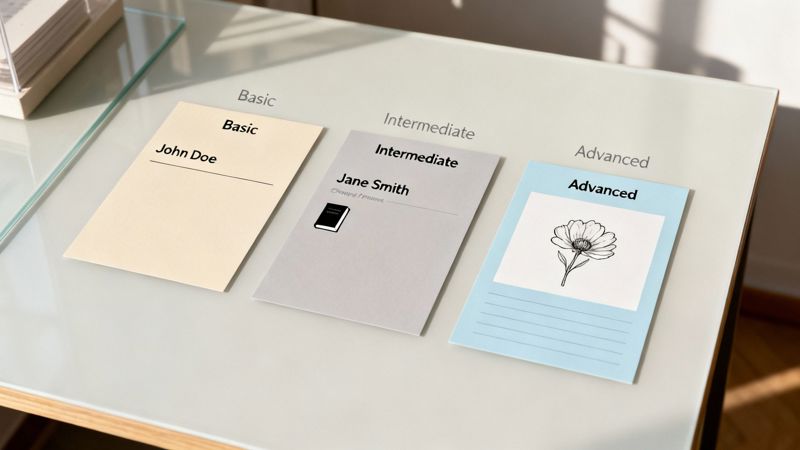
Levels of Variable Data Printing Compared
To help you decide where to start, this table breaks down the three tiers of VDP. It covers what each level can do, where you'd typically use it, and how much data complexity is involved.
| Level | Description | Example Use Case | Data Complexity |
|---|---|---|---|
| Basic | Swapping out simple text fields like names, addresses, or coupon codes. | Direct mail postcard with the recipient's name and address. | Low. Requires a simple spreadsheet with columns for each variable. |
| Intermediate | Changing larger chunks of content like images, headlines, or paragraphs based on audience segments. | A retail catalog showing different products to men vs. women. | Medium. Needs segmented data that links customers to specific interests or demographics. |
| Advanced | Dynamically building a completely unique layout for each recipient based on complex rules. | An insurance statement with unique charts and text based on an individual's policy data. | High. Relies on a robust database and logic to assemble each piece from scratch. |
As you can see, the right choice really depends on what you want to accomplish and the data you have on hand. Most marketers find success by starting with the basics and adding complexity as they get more confident.
Basic VDP: The Perfect Starting Point
Basic VDP is the most common entry point into personalization, and for good reason. It involves changing simple text elements from one piece to the next, it’s easy to pull off, and it still makes a real impact.
Think of it as the first step up from a generic, one-size-fits-all mailer. The classic use is swapping out names and addresses, but you can also use it for unique offer codes, customer IDs, or event dates. Just using someone’s name makes your message feel far more direct.
A local real estate agent sending "just listed" postcards is a perfect example. By personalizing each card with the homeowner's name, the agent creates a small but meaningful connection that a generic card just can't match. This is the first step in understanding what personalization in marketing can really do.
Intermediate VDP: Segmenting Your Message
Once you’re comfortable swapping text, Intermediate VDP is the next level up. This is where you start changing bigger elements—like images, headlines, or entire paragraphs—based on what you know about different customer segments.
It requires more detailed data, but the payoff is a much more targeted and compelling message. Instead of just changing a name, you're now tailoring the core content to reflect a person's interests. For instance, a pet supply store could send mailers featuring a dog to its dog-owning customers and a cat to its cat-owning customers. Simple, but effective.
By changing images or blocks of text based on segmentation, intermediate VDP allows you to speak more directly to a customer's known interests, greatly increasing the chances of engagement.
This approach works so well because it visually confirms that your offer is relevant. A customer is much more likely to pay attention to an ad that features something they've already shown an interest in.
Advanced VDP: Fully Dynamic Composition
At the top of the pyramid is Advanced VDP, also known as compositional VDP. This is where the entire piece—text, images, colors, and even the layout—changes based on a complex set of business rules and individual data. Each printed piece becomes a truly one-of-a-kind creation.
This level of customization needs serious data and sophisticated software, but the results can be massive. An insurance company, for example, could generate annual policy statements where each one has a completely unique layout, pulling in different charts and info based on the customer’s specific policy and investment performance.
This isn't just about swapping out a photo; it’s about dynamically building the entire document from the ground up for each individual. While it’s more complex to set up, it creates the most powerful and personalized experience you can deliver with print.
Real-World Examples of VDP in Action
Theory is one thing, but seeing variable data printing out in the wild is where its power really clicks. This is the moment data-driven design jumps off the whiteboard and lands right in someone's hands, grabbing their attention and getting results. Businesses across dozens of industries are already using VDP to build stronger connections and see a much better return on their marketing spend.
Let's break down how real companies are using this tech to win. We'll look at their specific strategies, how they pulled them off, and the impressive, measurable impact they had. Think of these as a playbook of ideas you can adapt for your own campaigns.
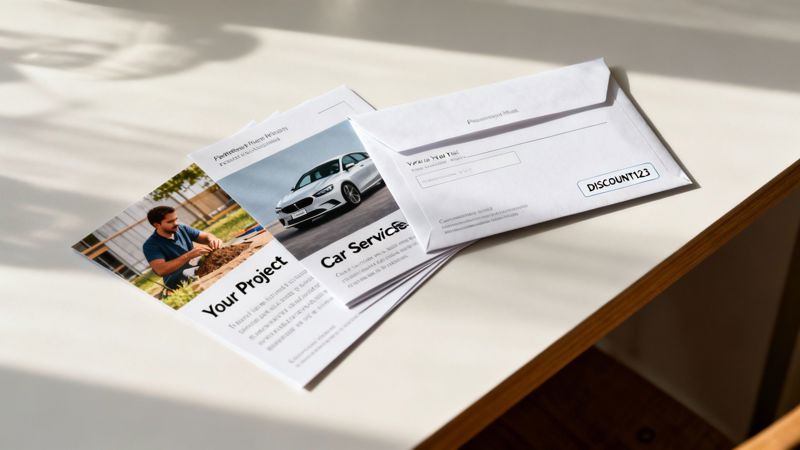
Driving Loyalty in the Automotive Industry
A local car dealership was struggling with a classic problem: getting customers back in for routine maintenance. Their generic, one-size-fits-all service reminders were easy to ignore and usually ended up straight in the recycling bin. They had to find a way to make their message feel less like an ad and more like a helpful, personal nudge.
The fix? A VDP-powered direct mail campaign. Instead of a bland stock photo of a random car, each postcard featured a high-quality image of the recipient's exact vehicle model and color. The text greeted the owner by name and specifically mentioned their car's make, model, and year.
The results were immediate and powerful.
- Strategy: Use customer vehicle data to create a hyper-relevant service reminder.
- Execution: Each mailer included the customer's name, their specific vehicle details, and a picture to match their car.
- Impact: The dealership saw a 40% increase in service appointments booked from the campaign compared to their old static mailers. Customers felt seen and valued, which did wonders for their loyalty.
That simple change turned a forgettable piece of mail into a compelling message that was impossible to miss.
Boosting Donations for Non-Profits
For non-profits, everything hinges on building a real emotional connection with donors. A national environmental charity wanted to show its supporters exactly how their contributions were making a tangible difference. They decided to move beyond generic "thank you" letters to something far more visual and personal.
Using their donor database, they launched a VDP campaign that personalized every single donation appeal. Each letter sent to a past donor included their name, the total amount they had contributed over time, and a photo of the specific conservation project their last donation helped fund.
By visually connecting a donor's past generosity to a tangible outcome, the non-profit transformed a simple appeal into a powerful story of shared success, making future donations feel more meaningful.
Someone who gave to a reforestation initiative received a letter with a picture of newly planted trees. A donor who supported marine life saw a stunning photo of a protected coastline. This tactic made every donor feel like a vital partner in the mission, and it worked. The campaign led to a 35% increase in repeat donations and a higher average gift amount.
Personalizing the E-commerce Experience
In the crowded world of e-commerce, keeping a customer after that first purchase is the name of the game. An online fashion brand decided to use VDP to make their post-purchase experience truly memorable. Instead of a standard thank-you email, they sent a physical, high-quality thank-you card with every single order.
Each card was personalized with:
- The customer's first name in a beautiful, handwritten-style font.
- A unique, one-time discount code for their next purchase.
- A product recommendation image based on what they just bought.
This thoughtful touch went a long way, making customers feel genuinely appreciated while giving them a compelling reason to come back. By blending a physical touchpoint with smart data, the brand extended its customer experience beyond the screen. It's a perfect example of how to use dynamic content examples to transform the user experience in a real, tangible way.
One of the most widespread uses of VDP is in the labels market. The global variable data printing labels market is projected to be worth USD 20.53 billion in 2025, and it’s expected to grow to USD 27.76 billion by 2030. Digital printing, the technology that makes VDP possible, holds 64.9% of this market—partly because it can slash production waste by up to 90% compared to older methods. You can find more data about the expanding VDP labels market on Mordor Intelligence.
Launching Your First VDP Campaign with OKZest
Alright, you get the theory behind variable data printing. Now, let’s get our hands dirty and put it into practice. This section is your step-by-step guide to creating your very first personalized image campaign using OKZest. We’ll go from a simple spreadsheet and a design idea to a powerful marketing asset you can actually use.
The whole point here is to take the guesswork out of it. You'll see exactly how to prep your data, design a dynamic template with simple merge tags, and create smart fallbacks so missing info doesn't break your design. By the end, you'll be ready to launch your own VDP project and plug it right into your marketing channels.
Preparing and Uploading Your Customer Data
Every great VDP project starts with clean, well-organized data. Think of your data source as the fuel for your personalization engine—if the fuel is dirty, the engine will sputter. Before you even log into OKZest, spend a few minutes cleaning up your spreadsheet (usually a CSV file).
Here’s a quick checklist to get your data in shape:
- Check for Typos: A simple misspelling in a name can make your personalization look sloppy and careless.
- Standardize Formatting: Keep things consistent. For example, are all your states abbreviated (
CA,NY) or spelled out (California,New York)? Just pick one and stick with it. - Use Clear Column Headers: Give your columns simple, intuitive names like
FirstName,City, orDiscountCode. These headers become your merge tags, so clarity is king. - Remove Duplicates: Get rid of any duplicate rows. You don't want to send the same person multiple, slightly different messages.
Once your data is clean, you can upload it straight into OKZest. The platform makes it easy to map your columns to the fields you want to use in your images, setting you up for the creative part.
Designing Your Dynamic Image Template
This is where your campaign really starts to take shape. OKZest has a user-friendly, no-code editor that will feel familiar if you've ever used other design tools. You’ll start by creating a master template, which is the static foundation of your image. This includes your background, logo, and any text or graphics that will be the same for everyone.
Next, you'll add the variable parts using merge tags. In OKZest, these are just simple placeholders that match the column headers from your data file.
For example, if you have a column named FirstName, you’d add a text box to your template and type {{first_name}}. When OKZest generates the images, it will automatically swap that tag with the actual name from each row in your spreadsheet. You can do this for any piece of data you have: names, locations, membership numbers, you name it.
This screenshot of the OKZest interface shows how you can easily build dynamic templates for your campaigns.
The intuitive editor lets you place text and image placeholders exactly where you want them, giving you total control over the final personalized design.
Setting Up Smart Fallbacks for Missing Data
So, what happens if some of your contacts are missing a first name or some other bit of data? Without a plan, you risk showing awkward blank spaces that scream "automation error." This is where fallbacks become your secret weapon.
OKZest lets you set a default value for any merge tag. If the data for a specific field is missing for someone, the system will automatically pop in your fallback text instead.
Pro Tip: Use fallbacks to keep every single image looking professional. Instead of a blank greeting, a smart fallback like "Valued Customer" or "Fitness Fan" ensures your design never looks broken.
For instance, you could set the fallback for {{first_name}} to be "Friend." That way, if a name is missing, the image will read "Hello, Friend!" instead of "Hello, !". It's a small detail, but it's crucial for maintaining a high-quality experience for everyone. The industry gets this, too. The global variable data printing machine market was valued at USD 1.59 billion in 2024 and is projected to hit USD 3.12 billion by 2032, all because businesses in retail, healthcare, and beyond need this kind of flawless customization. You can dig into the trends in the VDP machine market with this research from Data Bridge Market Research.
Integrating with Your Email Service Provider
Once your personalized images are generated in OKZest, the last step is to get them in front of your audience. The platform is built to work with pretty much any Email Service Provider (ESP), including popular tools like Mailchimp, Klaviyo, and Instantly.
The process is incredibly simple:
- Generate Your Image URLs: OKZest creates a unique URL for each personalized image.
- Use Merge Tags in Your ESP: Copy the image URL structure from OKZest and paste it into your email template.
- Map the Fields: Just replace the placeholder in the URL with your ESP’s own merge tag for that piece of data (like the recipient's email address or customer ID).
When your campaign goes out, your ESP dynamically pulls the correct personalized image for each contact. This creates a seamless experience where your emails are leveled up with visuals that speak directly to each individual, which is a surefire way to boost engagement and get better results.
Avoiding Common VDP Mistakes
A great variable data printing campaign isn’t just about the tech—it’s about having a smart, solid strategy behind it. One tiny mistake can lead to expensive reprints and a bruised brand reputation. Knowing the common pitfalls is the key to making sure your project runs smoothly and actually connects with your audience.
Everything really comes down to the quality of what you start with. Let's walk through the most common slip-ups in data, design, and proofing so you can get your personalized marketing right from the get-go.
The Critical Importance of Data Hygiene
The single biggest reason VDP projects fail? Messy data. It's that simple. Your personalization is only ever as good as the information you feed into the system. Inaccurate or sloppy data doesn't just look unprofessional; it kills the entire point of trying to make a one-to-one connection.
Think about it. Getting a mailer that says "Hello, FNAME" is way worse than getting a generic one. It screams "automation error" and instantly shatters any trust you were hoping to build. Before you even touch the design, you have to nail your data hygiene.
Here's what clean data looks like:
- Scrub for Errors: Fix typos, correct weird capitalization (like "john" instead of "John"), and get rid of any stray symbols or junk characters.
- Standardize Formats: Keep your columns consistent. For example, all states should be two-letter codes (
CA,NY,TX) or fully spelled out—not a random mix of both. - Remove Duplicates: A clean list stops you from annoying the same person with multiple, slightly different versions of your message. It's confusing for them and a waste of money for you.
Perfecting Your Proofing Process
With old-school static printing, you just proof one document. Easy. But with VDP, you're essentially proofing thousands of unique documents at the same time, which makes things a lot trickier. A quick "looks good to me" on a single example just won't cut it. You have to think about how all the moving parts will change from person to person.
Key Takeaway: Your proofing process is the last line of defense against costly mistakes. Don't rush it. Catching an error before you print saves you money, time, and your credibility with customers.
A solid proofing strategy means checking a wide range of records, not just the first one on your spreadsheet. You absolutely need to check:
- The Shortest Data Entry: How does the layout hold up with a short name like "Bo"?
- The Longest Data Entry: Does a long name like "Christopher" break the design or get awkwardly cut off?
- A Record with Missing Data: If a field is blank, does your fallback text show up correctly and look good in the space?
- A Random Sample: Pull 5-10 random records from the middle of your list to spot-check for any other weird issues you didn't anticipate.
Smart Design for Variable Elements
Designing for VDP requires a different way of thinking. You have to build a layout that’s not only attractive but also flexible enough to handle whatever content gets thrown at it. A classic mistake is creating a tight design that only works for the one example you have on your screen.
For instance, make sure the text boxes for names are wide enough to fit the longest names in your database without looking crammed. If you’re swapping out images, ensure the space works for both portrait and landscape photos. The goal is to create a resilient template where every possible version looks polished and intentional. A little bit of foresight in the design stage will save you from major headaches down the road.
Got Questions About Variable Data Printing? We've Got Answers.
Jumping into variable data printing for the first time usually brings up a few questions. Let's clear up some of the most common ones marketers have when they're getting started with this game-changing method.
Isn't This Just a Fancy Mail Merge?
Not quite. Think of a classic mail merge as the beginner's tool. VDP is the pro-level upgrade, built for campaigns that need to make a real visual impact.
A mail merge is great for swapping out simple text fields, like a name or an address, in a basic document. But variable data printing takes it way further. It can change everything on the fly—text, images, colors, even the entire layout—as it's being printed. This opens the door for personalization that’s far more sophisticated and effective.
The bottom line: Mail merge swaps out text. VDP customizes the entire visual experience for every single person.
So, How Much Does a VDP Project Cost?
There’s no one-size-fits-all answer here. The final price tag on a VDP project depends on a few key things: how complex your personalization is, how many pieces you're printing, and the kind of paper and ink you're using.
While you might see a higher per-piece cost compared to a static print run, the investment often more than pays for itself. The massive lift in response rates and overall ROI from truly personalized campaigns usually makes VDP the smarter financial choice for any targeted marketing effort.
What Kind of Data Do I Need to Make This Work?
You can get started with something as simple as a list of names and addresses. But to really see what VDP can do, richer data is your best friend.
For campaigns that truly connect, you can pull in all sorts of information:
- Demographic details like age or location
- A customer's purchase history
- Their status in your loyalty program
- Even their recent browsing activity on your website
The rule of thumb is simple: the better and more detailed your data, the more personal and powerful your campaign will be.
Ready to create stunning personalized images for your next campaign? With OKZest, you can automate the entire process with our no-code and API solutions, making every email and social media message feel one-of-a-kind. Start for free and see the difference at https://okzest.com.