Email inboxes are more crowded than ever. To stand out, generic, one-size-fits-all images just don't cut it. The key to capturing subscriber attention and driving real engagement lies in personalization, not just with text, but with visuals. This is where image automation comes in. By dynamically generating unique, relevant images for every single recipient, you can create a one-to-one experience that feels personal and compelling.
This guide breaks down the best image automation tools for email, moving beyond simple merge tags to explore powerful platforms that can transform your creative strategy. We will analyze each tool's core strengths, who it's built for, and how to implement it, so you can stop sending static broadcasts and start building real connections. To understand the broader impact of interactive and personalized visuals, explore how dynamic content in email marketing can boost engagement.
Our goal is to help you find the right platform for your specific needs, whether you're a small business owner, part of a large enterprise, or managing clients at an agency. We will cover a range of solutions, from no-code builders to developer-focused APIs, including options like OKZest, Movable Ink, and Bannerbear.
Each review includes:
- Key features and personalization capabilities.
- Pricing details and ideal use cases.
- Pros and cons based on real-world application.
- Implementation tips with direct links and screenshots.
This resource is your shortcut to selecting and deploying the perfect tool to make your email images work harder, grab attention, and drive results. Let's dive into the platforms that can make it happen.
1. OKZest
OKZest earns its place as our featured choice by expertly balancing user-friendliness with powerful automation capabilities. It empowers marketers to create and deploy data-driven, personalized images across email campaigns without needing to write a single line of code. The platform is built around a drag-and-drop designer, allowing anyone to build dynamic templates that pull in customer data for a true one-to-one visual experience.
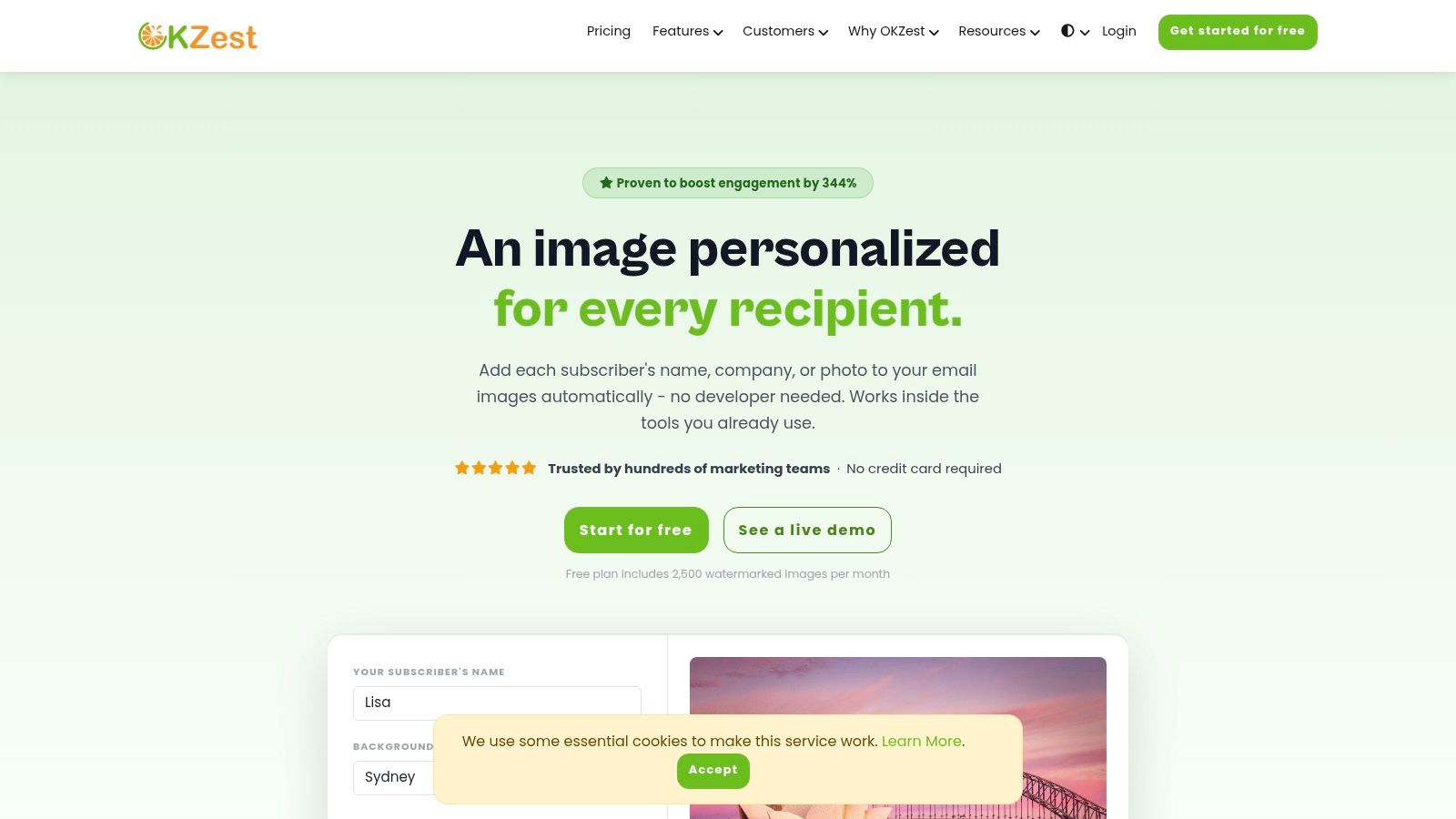
Its core strength lies in its dual-access model. While the no-code editor is perfect for marketers managing campaigns in Mailchimp, Klaviyo, or nearly any other Email Service Provider (ESP), developers can integrate directly with its RESTful API for programmatic, bulk image generation. This makes OKZest a uniquely flexible solution, fitting the needs of both a small business launching its first personalized campaign and an enterprise system sending millions of emails. If you're looking for more inspiration, their blog provides practical guidance on how to create a high-impact personalized email strategy.
Key Features and Analysis
- Real-Time & Fallback Logic: Images are not static. They can be generated in real-time when a recipient opens the email, ensuring the most current data is displayed. The system also includes robust fallback rules, so if a personalization field like
{{first_name}}is empty, it can default to a generic greeting like "there" instead of showing a broken image. - Universal Compatibility: Implementation is refreshingly simple. You embed a single image URL containing merge tags into your email template. This method works with 99% of ESPs and marketing automation platforms.
- Team Collaboration: Higher-tier plans are built for agency and enterprise use, offering workspaces, user roles, shared asset libraries, and project management to keep campaigns organized and on-brand across teams.
- Analytics & Insights: OKZest provides analytics to track how your personalized images perform, showing impressions and engagement data to help you prove ROI and refine your visual strategy.
Our Take: The combination of a no-code editor for speed and a full API for scale makes OKZest one of the most versatile and best image automation tools for email on the market. Testimonials citing setup in under an hour and measurable engagement boosts highlight its practical business impact.
Pricing and Use Cases
Pricing: OKZest offers a generous free plan that includes 2,500 watermarked images per month, making it easy to test the platform's full capabilities without a credit card. Paid plans scale up to accommodate millions of images, with higher tiers unlocking advanced team features. For large-volume needs, you may need to contact their sales team for a custom quote.
Best For:
- Marketing Agencies managing campaigns for multiple clients.
- E-commerce Brands wanting to show personalized product recommendations or abandoned cart reminders.
- Event Organizers sending unique tickets or personalized agenda images.
- Sales Teams using personalized outreach to increase meeting bookings.
2. Litmus Personalize (Kickdynamic)
Acquired by Litmus, the Kickdynamic platform was purpose-built for email personalization and now serves as Litmus Personalize. This enterprise-grade tool excels at generating dynamic, context-aware content directly within email campaigns. It goes beyond basic merge tags to deliver personalized images, live countdown timers, and even real-time social media feeds based on rule-based logic.
What makes it a top choice for serious email marketers is its deep integration potential and robust logic. You can set fallback images for when data is missing or create rules based on a recipient's location, device, or the time they open the email. For example, a retailer can show a different promotional image depending on the weather in the recipient's city.
Key Features and Implementation
- ESP Compatibility: Works with any Email Service Provider that supports HTML, using simple image tags.
- Personalization: No-code templates for images and countdown timers, plus an API for custom solutions.
- Rule-Based Logic: Delivers content based on time, device, location, and other data points.
- Live Content: Embed live Instagram feeds, polls, or user-generated content.
Implementation Tip: To get started, you'll generate a unique image URL in the Litmus Personalize dashboard. You then insert this URL into your email template's
<img>tag, often using merge tags to pass subscriber-specific data (likesrc="https://litmus.com/p/img?id=123&name={{first_name}}").
Pricing is geared toward enterprise teams and requires contacting their sales department for a quote. While this makes it less accessible for small businesses, its scalability and deep email focus make it one of the best image automation tools for email programs that require complex, data-driven personalization at scale.
- Website: Litmus Personalize
- Best For: Enterprise Marketing Teams, Agencies with high-volume clients.
3. Movable Ink
Movable Ink is an established market leader in email personalization, specializing in generating dynamic, data-activated content at the moment of open. It is a true enterprise-level platform that enables brands to output context-aware images and content modules, ensuring every email interaction is relevant. The system's power comes from its ability to connect disparate data sources and apply rules to automatically generate creative for each individual recipient.
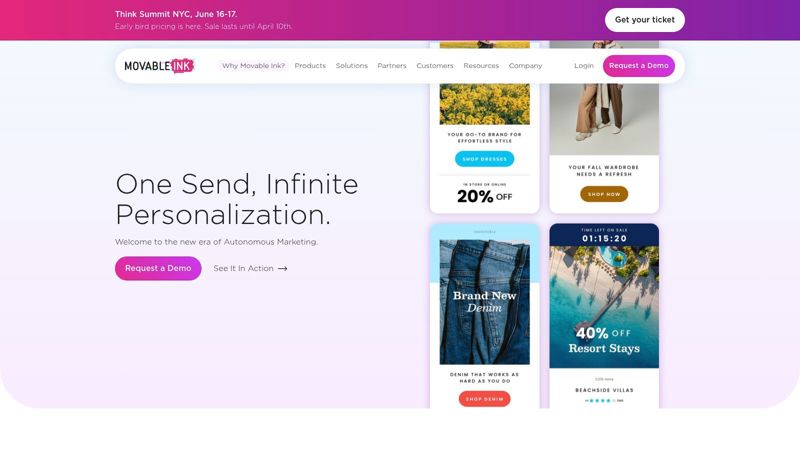
What separates Movable Ink is its focus on "open-time" technology and its deep integration ecosystem. While some tools pre-generate images, Movable Ink composes them live as the email is opened, allowing for hyper-relevant content like live inventory tickers, location-based maps, or offers that change based on the time of day. This makes it one of the best image automation tools for email campaigns where real-time accuracy is critical.
Key Features and Implementation
- ESP Compatibility: Agnostic, integrating with virtually any marketing cloud, ESP, or messaging platform that supports HTML.
- Data Activation: Connects to CRM, CDP, and other data sources via API to drive creative decisions.
- Open-Time Personalization: Renders images and content modules based on a user's context (location, device, weather, time) when they open the email.
- Content Modules: Provides pre-built and customizable modules for things like loyalty point balances, countdown timers, and product recommendations.
Implementation Tip: Implementation typically involves a partnership with Movable Ink's team. You'll work with them to connect your data sources and define business logic within their platform. The output is an image tag or code snippet that you place in your email template, which calls the Movable Ink engine upon open.
Pricing is tailored for large-scale enterprise use and requires a demo and custom quote from their sales team. The platform's high cost and implementation ramp-up make it unsuitable for small businesses, but its proven ROI and advanced capabilities are a perfect fit for major brands seeking to maximize the value of their customer data through automated, personalized creative.
- Website: Movable Ink
- Best For: Enterprise Brands, Large Retailers, and companies with complex data ecosystems.
4. Marigold Liveclicker (formerly Liveclicker)
As a veteran in the email personalization space, Marigold Liveclicker (formerly just Liveclicker) is an enterprise-level suite focused on creating interactive, real-time experiences at the moment of open. Its core strength lies in making emails feel like live, dynamic content hubs. This platform empowers marketers to embed elements like countdown timers, live polls, and user-generated social content directly into an email, all rendered as an image that updates on-the-fly.
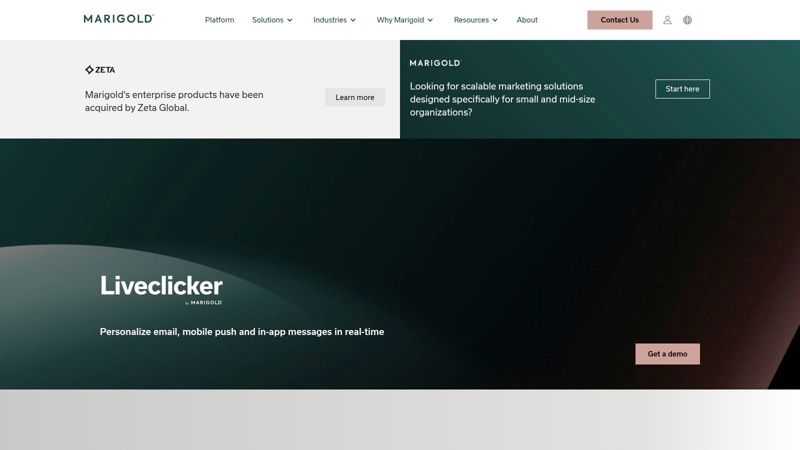
What sets Liveclicker apart is its specific focus on email interactivity delivered through its image-based technology. For example, a retailer can display a live poll asking subscribers to vote for their favorite new product, with the results updating in real-time within the email itself. This turns a static message into an engaging, interactive canvas, making it a strong contender among the best image automation tools for email campaigns centered on audience participation.
Key Features and Implementation
- ESP Compatibility: Integrates with any ESP that allows HTML editing and merge tags.
- Open-Time Content: Features like LiveImage and LiveTimer update content based on when a user opens the email.
- Interactivity: Embed live polls (LivePoll) and social media or user-generated content streams.
- Rule-Based Targeting: Swap images based on time-of-open, geographic location, or device.
Implementation Tip: Similar to other tools, you generate a unique snippet in the Liveclicker platform. This snippet, which is an
<img>tag, is placed in your email template. You can append subscriber data to the URL via merge tags for deeper personalization, such assrc="https://liveclicker.com/img?id=XYZ&email={{email_address}}".
Pricing is aimed at enterprise customers and requires a sales consultation. This model makes it less accessible for smaller operations, but its track record with major brands and dedicated support offer significant value for businesses operating at a high volume that need reliable, interactive email content.
- Website: Marigold Liveclicker
- Best For: Large Retailers, Enterprise Senders, Media Companies.
5. NiftyImages
NiftyImages is a dedicated email-first tool designed to make image personalization accessible and straightforward for marketers. It specializes in generating dynamic images, live-updating countdown timers, and rule-based content that integrates seamlessly with virtually any email platform. Its primary strength lies in its simplicity and focus on core email marketing needs, allowing users to create engaging visuals without requiring a developer.
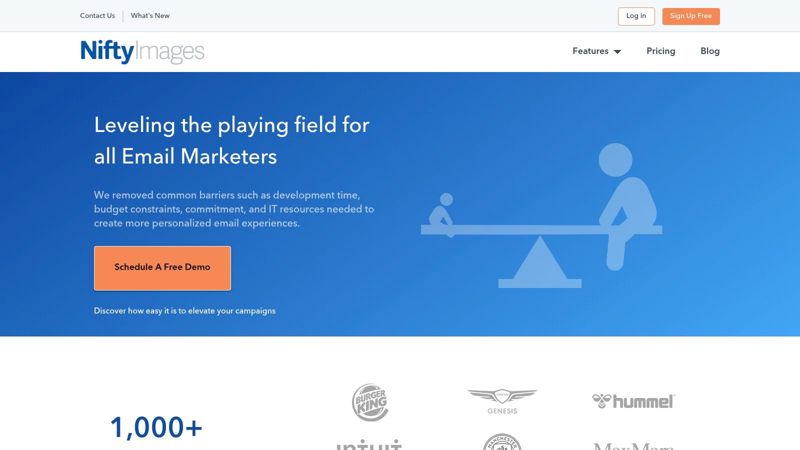
What makes NiftyImages a go-to for many email marketers is its ease of use and extensive compatibility. Instead of complex API setups, it relies on simple merge tags provided by your ESP, like Mailchimp or Klaviyo. This approach allows for quick implementation of personalized banners with a recipient's name, location-based maps, or even images that change after the email has been sent.
Key Features and Implementation
- ESP Compatibility: Works with any ESP that allows custom HTML and merge fields. It offers specific guides for dozens of popular platforms.
- Personalization: User-friendly editor for creating images with personalized text overlays, countdown timers, and real-time data.
- Rule-Based Logic: Set rules to display different images based on the date, time, or custom data passed through the image URL.
- Live Content: Countdown timers update in real-time each time the email is opened.
Implementation Tip: Getting started is as simple as building your image in the NiftyImages editor and copying the generated image URL. You then paste this URL into your email's
<img>tag, using your ESP's merge fields to pass data, for example:src="https://img.niftyimages.com/i/123?name={{first_name}}". For more inspiration, you can learn about mail merge images and their potential.
Pricing is tiered, starting with a free plan for low-volume users and scaling up to enterprise solutions. This makes it one of the best image automation tools for email marketers at small to mid-sized businesses who need powerful personalization without a high technical barrier or enterprise-level cost.
- Website: NiftyImages
- Best For: Small to Mid-Sized Businesses, Freelance Email Marketers.
6. Hyperise
Hyperise is a personalization toolkit designed to add dynamic overlays like names, company logos, and website screenshots onto images. It excels at quickly deploying personalized creative assets across email, sales outreach, and websites through its extensive integration ecosystem, making it a flexible choice for various marketing and sales functions.
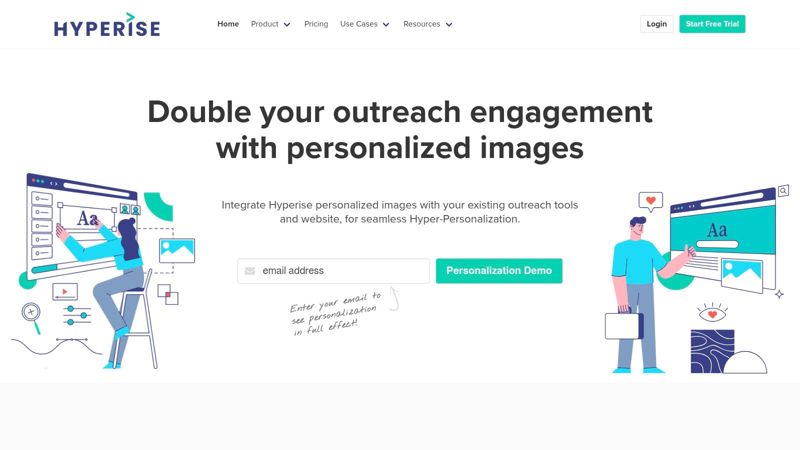
What makes Hyperise a strong contender is its balance between a no-code editor for immediate use and a full API for deeper, custom integrations. This approach allows marketers to start without developer help while offering a path for more complex automation later. Its focus on a wide array of integrations means you can plug personalized images into almost any email or outreach tool with minimal fuss.
Key Features and Implementation
- ESP Compatibility: Integrates with hundreds of tools, including most major ESPs, CRMs, and outreach platforms.
- Personalization: Features over 16 points of personalization, including text, logos, profile pictures, QR codes, and website screenshots.
- Ease of Use: A straightforward no-code editor allows for quick template creation, while an API is available for developers.
- Agency Options: Offers white-label solutions, making it a solid choice for agencies managing multiple client accounts.
Implementation Tip: Start by creating an image template in the Hyperise editor. You'll then select your email tool from their integrations list, which provides the specific image URL structure. This URL includes merge tags that your ESP will populate on send, like
src="https://img.hyperise.io/i/IMAGE_ID.jpg?name={{first_name}}".
Pricing is tiered based on the number of image impressions per month, starting at $69/month for 10,000 impressions. While the view-based quotas require monitoring, its speed and versatility make Hyperise one of the best image automation tools for email campaigns focused on high-touch sales and marketing outreach.
- Website: Hyperise
- Best For: Sales Teams, B2B Marketers, and Agencies.
7. Bannerbear
Bannerbear is a powerful automation platform and API built to generate custom media like images, videos, and GIFs from structured templates. While not exclusively for email, it shines as one of the best image automation tools for email because of its flexible, API-first approach. It enables developers and marketers to create unique, personalized images at a massive scale and embed them directly into email campaigns.
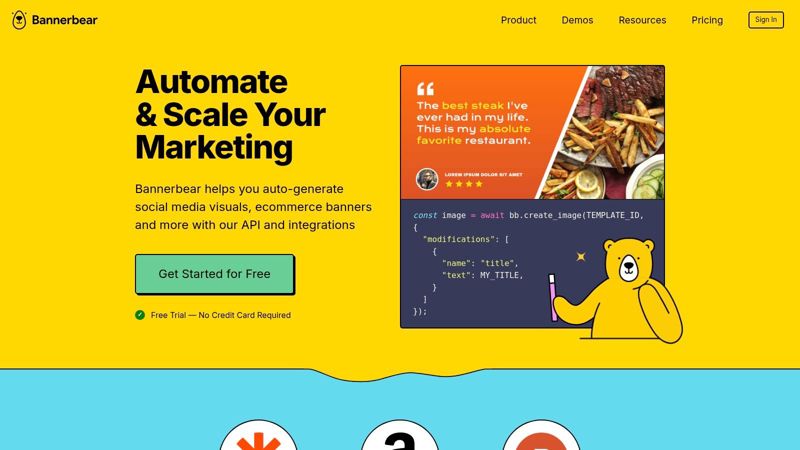
What makes Bannerbear a standout choice is its robust template editor combined with a well-documented REST API. You design a master template with layers for text, images, and shapes, and then use API calls to populate those layers with dynamic data for each recipient. This is perfect for generating personalized welcome images, dynamic event tickets, or custom report summaries to include in transactional emails.
Key Features and Implementation
- API and No-Code: Design templates in a no-code editor and generate images via the REST API, Zapier, or other integrations.
- Asset Management: Supports webhooks, synchronous API calls for real-time generation, and reliable CDN delivery.
- Template Controls: Features like auto-resizing text and layout controls ensure your brand guidelines are maintained even with variable data.
- Format Flexibility: Generates not only static images but also GIFs and videos from the same templates.
Implementation Tip: Once you design a template, you can generate a signed URL via the API. This URL includes the dynamic data as parameters (e.g.,
src="https://cdn.bannerbear.com/.../?modifications=[{name:text_layer,text:{{first_name}}}]"). This link can then be inserted into your email's<img>tag, using merge fields from your ESP to pass the subscriber data.
Bannerbear’s pricing is a credit-based model, where one credit typically equals one generated image or PDF. This requires some forecasting of usage but offers flexibility. While its template-centric editor isn't a freeform design tool, its reliability and developer-friendly nature make it a top-tier choice for teams needing to programmatically insert custom visuals into their email workflows.
- Website: Bannerbear
- Best For: Developers, SaaS companies, and marketers with technical integration needs.
8. Abyssale
Abyssale is a creative automation platform that extends beyond static images to include dynamic GIFs and even HTML5 animations. While many tools focus solely on personalizing existing templates, Abyssale provides robust bulk generation capabilities via spreadsheets, an API, or direct URL parameterization. This makes it a strong contender for campaigns that require a high volume of unique, branded assets without manual intervention.
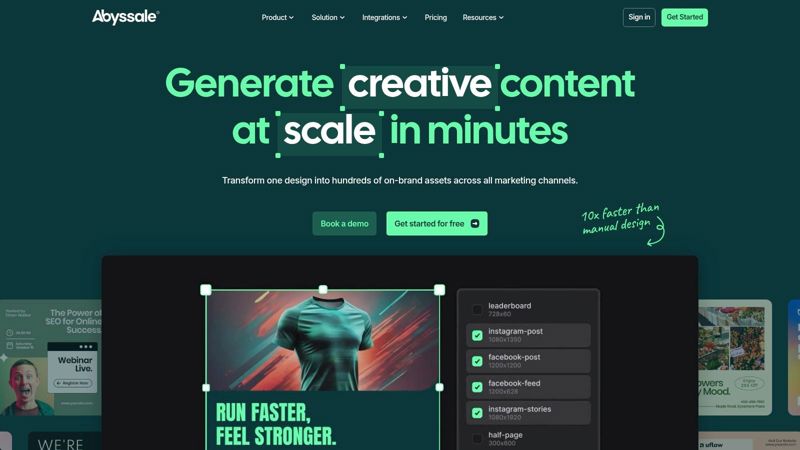
What sets it apart is its multi-format support and flexible generation methods. A marketing team could use a single branded template to generate personalized welcome images via API, then use the same platform to bulk-create hundreds of unique promotional GIFs from a product spreadsheet. Its AI-assisted creative features also help generate design variations, making it a good fit for teams that need to produce assets quickly.
Key Features and Implementation
- Generation Methods: REST API, URL parameters, spreadsheet-based bulk creation, and no-code integrations like Zapier.
- Format Support: Generates dynamic images (PNG/JPEG), GIFs, and HTML5 banners.
- Branding & Templates: Create brand presets to maintain consistency and use AI to suggest creative variations of your templates.
- Bulk Workflows: Ideal for creating hundreds or thousands of visuals from a single CSV or Google Sheet file.
Implementation Tip: A common use case is generating images via URL. After creating a template, you can construct a URL that pulls data directly into the design. For example,
src="https://api.abyssale.com/…/image.png?name={{contact.FIRSTNAME}}&offer=20_OFF"would insert a subscriber's first name and a specific offer code into the image.
Abyssale's pricing is based on a credit system, where different formats (image, GIF, video) consume a different number of credits. This model offers flexibility but requires some planning. While the advanced animation features have a learning curve, its strong API and bulk generation make it one of the best image automation tools for email marketers who need to produce a large volume of diverse, branded visuals.
- Website: Abyssale
- Best For: Marketing Agencies, E-commerce stores needing bulk product visuals.
9. Placid
Placid stands out for its flexibility, offering a powerful combination of a no-code template builder and a developer-friendly REST API. It empowers marketers to automatically generate on-brand images, videos, and even PDFs from dynamic data. This makes it an excellent choice for creating consistent, personalized visuals not just for email, but across all marketing channels.
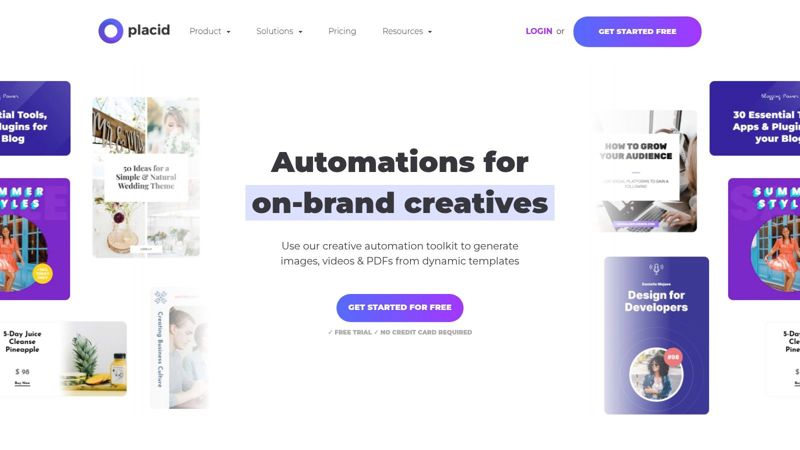
What makes Placid a compelling option is its focus on brand integrity and multi-format output. You can create robust templates with locked-down brand elements, ensuring every automated image adheres to style guides. The ability to pull data from sources like Airtable, Webflow, or custom APIs to populate these templates makes it a versatile engine for creative automation.
Key Features and Implementation
- ESP Compatibility: Integrates with any platform that can make an API call or connect via Zapier, Integromat/Make, or other no-code tools.
- Personalization: Design templates with dynamic layers for text, images, and other elements that can be populated via API.
- Brand Control: Offers template libraries and brand kits to maintain consistency across all generated assets.
- Multi-Format Output: Generate not only images but also videos and PDFs from a single template design.
Implementation Tip: A common workflow involves creating a template in the Placid editor, then using a no-code tool like Zapier. You can set up a "Zap" that triggers when a new subscriber is added to your ESP, sends their data to the Placid API to generate a personalized welcome image, and then uses that image URL in your welcome email.
Placid uses a credit-based pricing model, where one credit typically equals one generated image. Plans start with a free tier and scale up, which can be cost-effective for moderate use but requires careful management for high-volume campaigns. Its asynchronous generation via webhooks may also require additional tooling for real-time workflows.
- Website: Placid
- Best For: Marketers needing multi-channel asset automation, developers looking for a simple creative API.
10. Cloudinary
Cloudinary is a developer-centric media management platform that offers powerful, URL-based image and video transformations. While not exclusively an email tool, its robust API and global CDN make it a top choice for teams that need programmatic control over image personalization. It is ideal for embedding highly customized visuals in email campaigns by constructing dynamic image URLs that render unique content for each recipient.
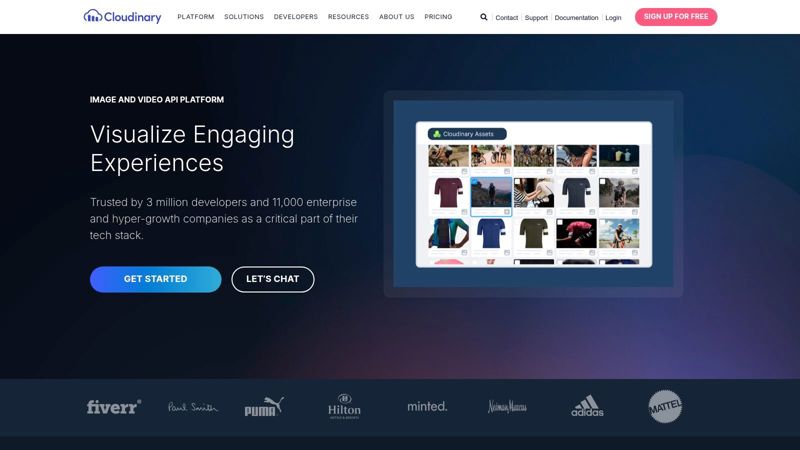
What sets Cloudinary apart is its sheer flexibility for custom logic. You can dynamically add text overlays, layer logos, resize images, apply filters, and more, just by changing parameters in an image URL. This makes it one of the best image automation tools for email when you need to go beyond pre-made templates and build truly unique, data-driven visuals directly from your existing systems. Exploring different Cloudinary integrations can reveal how well it fits into a company's technology stack.
Key Features and Implementation
- ESP Compatibility: Works with any ESP, as it relies on standard
<img>tags with dynamically generated URLs. - Personalization: URL-based transformations for text overlays, image layers, resizing, and effects. It's a foundational dynamic image API for email marketing.
- Performance: All generated images are cached and delivered via a global CDN for fast loading times.
- Developer-Friendly: Provides extensive SDKs for various programming languages (Python, Node.js, PHP, etc.) to help build URLs.
Implementation Tip: Your backend system or email sending script will construct the image URL. For example, to add a recipient's name as an overlay, your template might use a URL like
src="https://res.cloudinary.com/demo/image/upload/l_text:Arial_60:{{first_name}}/background.jpg". Your server or ESP populates{{first_name}}before sending.
Cloudinary offers a generous free tier, with paid plans based on a credit system that accounts for storage, transformations, and bandwidth. This can be complex to estimate but provides a scalable, pay-as-you-grow model. Its technical nature means it's less suited for marketers without developer support, but for teams wanting full control, it’s an exceptional solution.
- Website: Cloudinary
- Best For: Development Teams, Businesses with custom personalization needs.
11. Zembula
Zembula is an enterprise personalization platform built specifically for generating open-time dynamic images in email. It provides a single image module that updates with targeted content for each recipient every time they open the message, moving beyond static first-name personalization to truly context-aware visual content. The platform is designed to slot into existing ESP templates with minimal fuss.
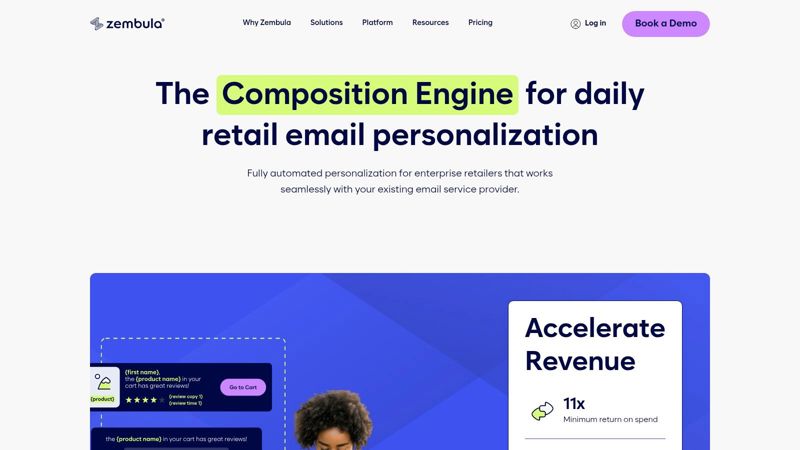
What makes Zembula a strong contender among the best image automation tools for email is its focus on repeatable, daily personalization. Instead of one-off campaigns, it helps marketers automate ongoing content like personalized product recommendations, loyalty status updates, or localized offers. The rule-based decisioning layer is powerful, allowing you to serve different images based on recipient data, past behavior, or real-time context.
Key Features and Implementation
- ESP Compatibility: Integrates with any ESP that allows HTML editing via a single image tag.
- Personalization: Open-time dynamic images with a large library of pre-built use cases (e.g., loyalty, abandoned cart, recommendations).
- Rule-Based Logic: A decisioning layer targets content based on recipient data and real-time context for each individual open.
- Email-Native: Designed specifically for email, supporting rapid testing and iteration of visual content directly within campaigns.
Implementation Tip: Zembula works by providing a "Smart Banners" or "Smart Blocks" code snippet. You paste this single
<img>tag into your email template. The URL contains unique identifiers that call the Zembula engine on open, which then processes your rules and serves the correct, fully-rendered image.
As an enterprise-oriented solution, Zembula does not offer public pricing and requires contacting their sales team. This may make it less suitable for small businesses, but its focus on driving daily engagement through automated, dynamic visuals makes it a top choice for large brands aiming to scale their email personalization efforts.
- Website: Zembula
- Best For: Enterprise E-commerce, Retail Brands, and Large Marketing Teams.
12. Nexweave
Nexweave is a hyper-personalization platform that extends image automation beyond just email, covering channels like LinkedIn, chatbots, and web landing pages. It allows marketers to create dynamic images, GIFs, and even videos that pull data from an ESP or CRM to display personalized text, logos, or other visual elements for each recipient. This multi-channel approach makes it a strong choice for creating consistent, personalized experiences across an entire customer journey.
What sets Nexweave apart is its focus on unified outreach. You can design a personalized image for an email campaign and then use its Chrome extension to deliver a similar personalized asset in a LinkedIn message, reinforcing your message across platforms. This capability is particularly useful for sales teams and B2B marketers who engage with prospects on multiple fronts.
Key Features and Implementation
- ESP Compatibility: Integrates with most major ESPs by providing a dynamic URL that maps to merge fields.
- Personalization: Template editor for creating personalized images, GIFs, and videos with custom variables.
- Multi-Channel Support: Includes a Chrome extension for outreach on LinkedIn and tools for personalizing web pages.
- Template Library: Offers a collection of pre-built templates to get campaigns running quickly.
Implementation Tip: In the Nexweave editor, you'll define variables (e.g.,
fname,company_logo) and link them to layers in your image. The platform generates a URL with placeholders, which you insert into your email template like so:src="https://api.nexweave.com/v1/get_image?uid=...&fname={{contact.first_name}}".
Pricing is based on a credit system, where one credit is used per personalized image generation. Plans vary in the number of monthly credits and features available. While some users have reported mixed experiences, its broad channel support makes it one of the more versatile image automation tools for email and beyond.
- Website: Nexweave
- Best For: B2B Marketers, Sales Teams, Agencies managing multi-channel campaigns.
Top 12 Email Image Automation Tools Comparison
| Product | Core capability | UX & support | Target audience | Unique selling point | Pricing/value |
|---|---|---|---|---|---|
| 🏆 OKZest | No-code template builder + REST API; real-time & fallback images; single-line email/web snippet | Setup under 1 hr ★★★★☆; real-time text & video support | 👥 Email marketers, agencies, sales teams, events, coaches | ✨ 99% ESP compatibility; update-after-send; team workspaces & analytics | 💰 Free (2.5k watermarked) → scalable tiers to millions; enterprise quotes |
| Litmus Personalize (Kickdynamic) | Email-focused dynamic images, countdowns & live feeds | Enterprise polish ★★★★☆; strong ESP integrations | 👥 Large email teams & enterprises | ✨ Rule-based content, live social & device targeting | 💰 Enterprise pricing (contact sales) |
| Movable Ink | Open-time personalization for images & modules; CRM/CDP-driven | Powerful at scale ★★★★★; broad integrations | 👥 Big brands & enterprise marketers | ✨ Open-time contextual creative per open | 💰 Enterprise (demo/contact sales) |
| Marigold Liveclicker | Real-time email personalization: LiveImage, polls, timers | Enterprise support ★★★★☆; email interactivity focus | 👥 Enterprise senders & retailers | ✨ Interactive open-time experiences (polls, time-expiry) | 💰 Enterprise sales motion |
| NiftyImages | Email-first personalized images, timers & live updates | Easy setup ★★★★☆; good docs & ESP guides | 👥 Email marketers, SMBs | ✨ Simple merge-field embeds for popular ESPs | 💰 SMB-friendly tiers; higher tiers unlock features |
| Hyperise | Overlay personalization (text, logos, screenshots) across email & web | Rapid deployment ★★★★☆; agency white-label options | 👥 Sales teams, agencies, outreach pros | ✨ 16+ personalization points; broad integrations | 💰 View-based quotas; mid-range plans |
| Bannerbear | API-driven generation for images, GIFs, video & PDFs | Developer-friendly ★★★★☆; reliable CDN delivery | 👥 Dev teams, marketing ops, agencies | ✨ Webhooks, signed URLs & auto-resizing layouts | 💰 Credit-based model; predictable with planning |
| Abyssale | URL/API dynamic images, GIFs & HTML5; bulk via sheets | Flexible but learning curve ★★★★ | 👥 Marketing teams & creatives needing animated assets | ✨ AI-assisted variations + animated formats | 💰 Credit system across formats; variable costs |
| Placid | No-code + API templates for on-brand images, video & PDFs | Simple dev + no-code flows ★★★★ | 👥 Brand teams, marketers, small dev teams | ✨ Template libraries & brand control mechanisms | 💰 Credit-based; scalable for volume |
| Cloudinary | URL-based transforms, overlays, global CDN & SDKs | Extremely flexible but technical ★★★★☆ | 👥 Developers, enterprises needing custom logic | ✨ Powerful transformations, caching & delivery | 💰 Usage-based; complex pricing & forecasting |
| Zembula | Open-time dynamic images with rule/decisioning layer | Email-native testing ★★★★ | 👥 Email teams & enterprises focused on daily personalization | ✨ Per-open decisioning & single image tag integration | 💰 Enterprise-focused pricing |
| Nexweave | Hyper-personalized images, GIFs & videos across email, web & LinkedIn | Multi-channel toolkit ★★★★ | 👥 Sales/outreach, marketers, agencies | ✨ Chrome extension, landing page personalization | 💰 Tier/credit plans vary; check current pricing |
Start Automating Your Visuals and Win the Inbox
The journey through the best image automation tools for email has hopefully made one thing abundantly clear: the static, one-size-fits-all email image is quickly becoming a relic. Your audience expects, and frankly deserves, a visual experience that speaks directly to them. Automating your email visuals is the most direct path to delivering that level of personalization at scale, transforming your campaigns from generic broadcasts into meaningful conversations.
We’ve explored a diverse set of platforms, from the robust enterprise-grade solutions of Movable Ink and Marigold Liveclicker to the API-first powerhouses like Bannerbear and Cloudinary. We also delved into accessible, no-code options like NiftyImages and Hyperise, proving that you don't need a development team to start creating dynamic content. Each tool has its unique strengths, whether it's the real-time content capabilities of Litmus Personalize or the multi-channel integration of Nexweave. The common thread is their ability to turn subscriber data into engaging, relevant imagery that captures attention and drives action.
Choosing Your Starting Point
Feeling overwhelmed by the options is normal. The key is to avoid paralysis and take the first step. Your decision should be guided not by finding the "perfect" tool for all time, but the "right" tool for right now.
Consider these factors to guide your choice:
- Technical Skill: Are you a non-technical marketer who needs a simple, user-friendly interface? Look at tools like OKZest or NiftyImages. Do you have access to developers and need deep integration? An API-centric solution like Abyssale or Placid might be a better fit.
- Budget: Your budget will be a primary filter. Free plans or low-cost tiers from tools like Hyperise are excellent for small businesses or solo entrepreneurs testing the waters. Enterprises with larger budgets can consider the comprehensive, managed services from platforms like Movable Ink.
- Primary Use Case: What is your immediate goal? If you want to add simple countdown timers or personalized names, a tool like NiftyImages is sufficient. If your goal is to dynamically generate thousands of unique ad creatives or social media assets from a template, Bannerbear or Placid are built for that purpose. For advanced, data-driven email experiences like live inventory or localized maps, Litmus Personalize or Liveclicker are designed specifically for that.
Your First Implementation Steps
Once you've selected a tool, the focus shifts to execution. Success with image automation isn't about launching a dozen complex campaigns at once. It’s about starting small, proving the concept, and iterating based on results.
Here’s a simple, actionable plan to get started:
- Pick One Campaign: Choose a high-impact, low-complexity email to start with. Welcome emails are a perfect candidate.
- Define a Simple Personalization: Don't overcomplicate it. Start by adding the subscriber's first name to a hero image.
- Build and Test: Use your chosen tool to generate the dynamic image URL. Follow their instructions for inserting it into your email service provider using merge tags. Send multiple tests to yourself and colleagues with different names to ensure it works.
- Measure the Impact: Set up an A/B test. Send 50% of your audience the standard static image and 50% the new personalized image. Track the click-through rates for both versions.
The data from this simple test will provide the business case you need to expand your efforts. The best image automation tools for email are not just about creating pretty pictures; they are about building a more effective and profitable marketing channel. By moving beyond static visuals, you are investing in a more relevant and engaging future for your email program. The time to start is now.
Ready to dive in with a tool that blends ease-of-use with powerful personalization? OKZest is designed for marketers who want to create stunning, dynamic images without writing a single line of code. Get started for free and see how simple it is to add personalized text, images, and QR codes to your email campaigns today.