Picture this: a tireless marketing assistant who knows every single one of your customers by name, remembers what they bought last, and sends them the perfect message at just the right moment. That’s the magic of CRM email automation.
It’s the powerful duo of your customer data hub (the CRM) and a smart, automated email system working in perfect sync to deliver highly personal communication, but at a scale you could never manage manually.
What Is CRM Email Automation Really?
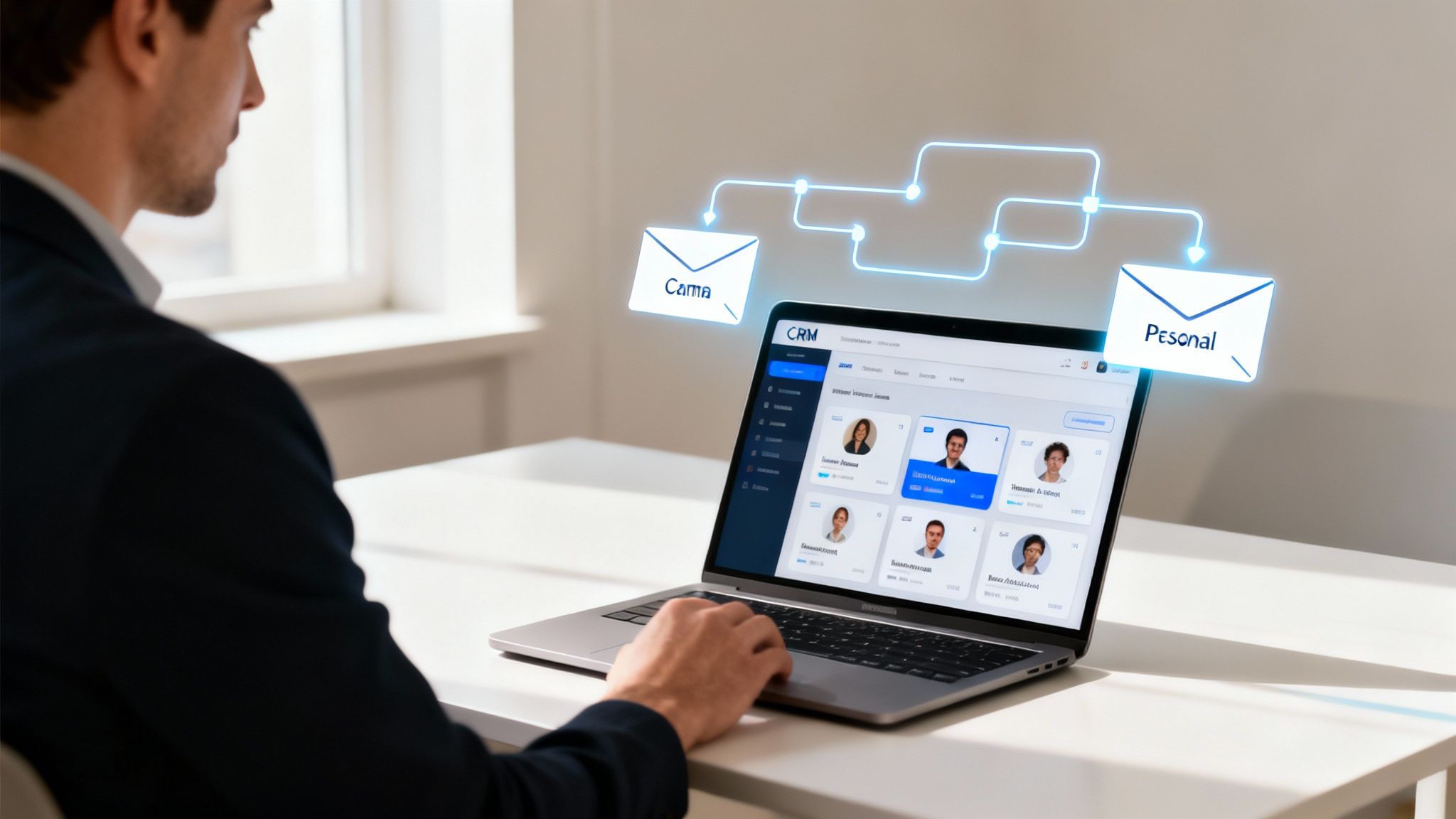
At its heart, CRM email automation is about using the treasure trove of data in your Customer Relationship Management system to automatically send emails. Instead of blasting a generic message to your entire list, you can slice and dice your audience based on real behaviors, demographics, and purchase history.
Think of your CRM as the "brain"—it knows the customer inside and out. The automation is the "hands" that craft and deliver the perfect message.
This connection lets you create one-on-one conversations that feel genuine and timely. If you want to zoom in on the mechanics, our guide on what is email automation breaks down the fundamentals. It’s this bridge between data and action that turns a static email list into a living, breathing communication channel.
To give you a clearer picture, let's break down the core components that make this system tick.
Core Components of CRM Email Automation
| Component | Role in Automation |
|---|---|
| Customer Relationship Management (CRM) | The central database holding all customer information—contact details, purchase history, interactions, and behaviors. It's the "single source of truth." |
| Email Automation Engine | The software that executes the campaigns. It sends the emails based on the triggers and logic you define. |
| Triggers | Specific actions or conditions that kick off an automated workflow. Examples include a new sign-up, a cart abandonment, or a specific date. |
| Workflows | The pre-defined sequence of actions and emails. This is the "if this, then that" logic map that guides the customer's automated journey. |
| Segmentation | The process of dividing your audience into smaller groups based on shared characteristics stored in the CRM, allowing for more relevant messaging. |
These pieces fit together to create a system that’s not just efficient, but intelligent.
The Driving Force Behind Modern Marketing
You don't have to look far to see how critical this technology has become. The global CRM market is on track to blow past $112 billion and is projected to hit an incredible $262 billion by 2032.
Why the explosive growth? It's fueled by a laser focus on customer retention, with around 61% of companies using their CRM specifically for email marketing automation. Businesses are pouring money into these systems because they work.
By connecting your customer data directly to your email campaigns, you move from guessing what customers want to knowing what they need. This shift is fundamental to building lasting relationships and driving sustainable growth in any competitive market.
This isn't just about sending emails; it's about sending the right emails. Whether it's a warm welcome for a new subscriber, a helpful follow-up after a purchase, or a gentle nudge for an inactive user, the CRM provides the context. This makes sure every automated message adds real value to the customer journey instead of just being more noise in their inbox.
How Customer Data Powers Your Email Strategy
Your CRM is so much more than a digital address book; it's a treasure chest of customer insights, and automation is the key to unlocking it. Think of each data point—from purchase history to website activity—as a breadcrumb your customers leave behind, showing you exactly what they need and when.
This data is the fuel for your CRM email automation engine. Instead of sending generic email blasts that get ignored, you can use specific customer actions as triggers for highly relevant, automated workflows. This approach turns one-to-many communication into what feels like a personal, one-on-one conversation.
Turning Insights into Automated Actions
The real magic happens when you connect specific data points to automated email sequences. Every interaction a customer has with your brand can become a trigger for a perfectly timed message.
Here are a few real-world examples of how this works:
- Behavioral Triggers: A customer visits your pricing page twice in one week but doesn't sign up. This action can automatically kick off a sequence offering a demo or highlighting the value of different plans.
- Transactional Triggers: A customer makes their second purchase. This can launch a thank-you email that includes a special loyalty discount for their next order, making them feel valued.
- Lifecycle Triggers: A trial user is seven days away from their subscription ending. An automated email can trigger, reminding them of key features they might have missed.
By using customer behavior to initiate communication, you ensure your emails are not just timely but also deeply relevant to their current needs. This is the difference between interrupting someone and offering a helping hand.
From Generic Blasts to Personal Conversations
A crucial part of using customer data to its fullest is mastering personalization in email marketing. The data living inside your CRM allows for surgical precision. For instance, you can create a segment of customers who haven't bought anything in over 90 days and send them a targeted re-engagement campaign. That’s far more effective than hoping a generic newsletter resonates with everyone.
The numbers back this up. Marketers who use segmentation see as much as a 760% increase in revenue from email campaigns. Why? Because the messages are tailored to the recipient's specific context, making them feel understood. You can dive deeper into how to use customer data to drive email marketing success in our detailed guide.
Ultimately, CRM data lets you anticipate what your customers need next. By tracking interactions like support tickets or webinar registrations, you can automate follow-ups that provide genuine value, build trust, and guide each person seamlessly through their journey with your brand.
Building Your First High-Impact Automation Workflows
Theory is great, but the real magic happens when you start building your first automated email sequences. This is where CRM email automation stops being a concept and starts delivering immediate, measurable results. Let's walk through four essential automation types that tackle key moments in the customer journey.
At its core, every automated workflow follows a simple but powerful process: customer data in your CRM triggers a perfectly timed email.
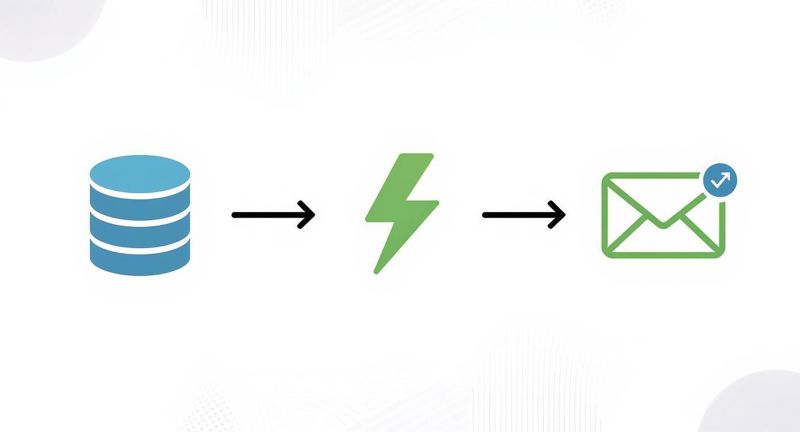
This diagram shows how every effective automation kicks off with a specific trigger—an action or data point from your CRM—that sets a relevant email in motion.
The Welcome Workflow
Think of this as your digital handshake. It’s one of the most important automations you'll ever build. Welcome emails don't just say hello; they convert. In fact, they have the highest click-to-conversion rate at an incredible 58.26%, making them a powerhouse for engaging new subscribers right from the start.
- Goal: Make a stellar first impression, set expectations, and confirm their subscription.
- Trigger: A new contact fills out a sign-up form on your website or blog.
- Sample Sequence:
- Email 1 (Immediate): Send a warm welcome, confirm their subscription, and deliver any promised freebie (like an ebook or discount code).
- Email 2 (Day 2): Share your brand story or point them to your most popular content to start building a connection.
- Email 3 (Day 4): Ask a simple question to encourage a reply. This helps signal to email providers that your messages are wanted.
The Lead Nurture Workflow
Let's be real: not every lead is ready to buy the second they find you. That's what a lead nurture workflow is for. It’s designed to educate prospects, build trust, and gently guide them toward making a purchase. The key is to build strategic lead nurture email sequences that actually solve their problems.
- Goal: Turn a warm lead into a paying customer by providing value and answering their questions before they even ask.
- Trigger: A lead downloads a key resource (like a case study) or requests a demo.
- Sample Sequence:
- Email 1 (Immediate): Deliver what they asked for and briefly introduce the problem you solve.
- Email 2 (Day 3): Share a customer success story or a testimonial that speaks directly to their interests.
- Email 3 (Day 5): Tackle common objections or questions head-on.
- Email 4 (Day 7): Present a clear call-to-action, like booking a call or starting a trial.
The Transactional Workflow
Transactional emails are the unsung heroes of marketing. They're often overlooked, but they have some of the highest open rates of any email you'll send. These messages provide critical information and reassurance right after a customer takes action, reinforcing their decision and strengthening their trust in you.
- Goal: Confirm an action and give the customer peace of mind.
- Trigger: A customer buys something, registers for a webinar, or submits a support ticket.
- Sample Sequence:
- Purchase Confirmation: Instantly send an order summary, shipping details, and a genuine thank you.
- Webinar Registration: Confirm their spot, provide the event link, and include a calendar reminder to make it easy for them.
The Re-Engagement Workflow
It's natural for some subscribers to go quiet over time. A re-engagement campaign, or "win-back" workflow, is your automated effort to rekindle their interest before you lose them for good.
- Goal: Reactivate dormant subscribers and keep your email list healthy.
- Trigger: A contact hasn't opened or clicked an email in 90 days.
- Sample Sequence:
- Email 1 (Day 90): Send a simple "We miss you" email with a compelling offer or a quick survey asking for feedback.
- Email 2 (Day 97): Show them what they've missed—highlight new features, popular blog posts, or a final special offer.
- Email 3 (Day 105): Give them a final heads-up that you'll be removing them from the list unless they click to stay subscribed.
Connecting Your Tools for Flawless Automation
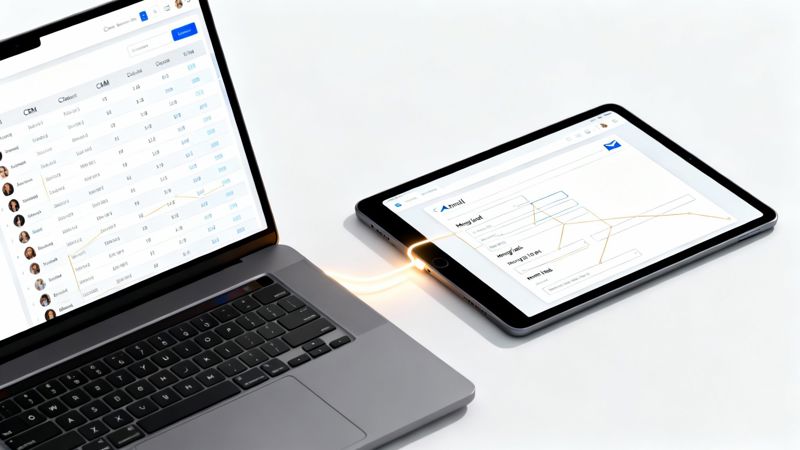
The real magic of CRM email automation happens when your tools talk to each other without a hitch. Think of your CRM and your email platform as two sides of the same brain. For them to work together and launch brilliant campaigns, they need a direct line of communication. This behind-the-scenes integration is the technical bedrock for everything you're trying to achieve.
Without a solid connection, your automation can fall apart fast. You might end up with embarrassing personalization mistakes, like sending a "nice to meet you" email to a customer who's been with you for five years. A proper setup ensures data syncs reliably, workflows fire off at the right moment, and your brand looks sharp every single time.
Think of this as the essential pre-flight check before you hit send.
Mapping Data for Perfect Personalization
First things first: you need to map your data fields. This is just a fancy way of saying you need to tell your email platform what each piece of data from your CRM actually means. You’re drawing a line from a CRM field (like last_purchase_date) to a matching field in your email tool.
This mapping is what lets you use merge tags—often called personalization tokens—to pull customer details directly into your emails. These are the little placeholders like {{first_name}} or {{company_name}} that get swapped with real data when the email goes out.
A merge tag is the bridge between raw data and a genuine connection. When it works, an email to thousands feels like a one-on-one conversation. When it fails, the illusion shatters instantly.
Ensuring a Reliable Data Sync
Once your fields are mapped, you need to make sure the data stays fresh. A reliable data sync is absolutely critical. Most modern platforms offer native integrations that automatically update contact info whenever something changes in the CRM. For more custom setups, you might need to use an API. You can explore these API integration best practices to get a handle on building a more robust connection.
Here are a few things to keep in mind for a smooth integration:
- Native vs. Third-Party: Native integrations are built-in and usually the easiest to set up. Third-party tools like Zapier are great for connecting apps that don't have a direct link.
- Sync Frequency: How often does your data need to update? For time-sensitive triggers like abandoned cart emails—which are proven to win back lost sales—real-time syncing is the only way to go.
- Data Direction: Does data flow one way (from the CRM to your email tool) or two ways (where changes in either system update the other)? Decide what makes the most sense for your workflow.
Putting in the effort to connect your tools correctly upfront will save you a world of headaches down the road. It ensures your entire CRM email automation strategy is built on a foundation you can trust.
Smart Strategies for Optimizing Your Automated Emails
Getting your first workflow up and running is a huge win, but the real magic of CRM email automation happens through constant tinkering and improvement. Think of your automations less like static campaigns and more like living, breathing systems that need to evolve with your audience.
The best marketers I know never just "set it and forget it." They're always digging into the performance data, trying out new ideas, and looking for ways to make every single automated email pull more weight. This mindset is what turns a good automation strategy into a great one.
Use Segmentation to Hit the Bullseye
One of the fastest ways to see a jump in performance is by getting smarter with your segmentation. It’s no surprise that marketers who segment their campaigns see as much as a 760% increase in revenue—when a message feels like it was written just for you, you’re far more likely to act on it.
Your CRM is a goldmine of data just waiting to be used. Instead of a one-size-fits-all welcome series, why not create a few different versions?
- Lead Source: Someone who came from a webinar needs a different conversation than someone who downloaded an ebook. Tailor your follow-up accordingly.
- Past Purchase Behavior: Treat your first-time buyers differently from your die-hard loyal customers. The offers and messaging should reflect that relationship.
- Engagement Level: Got a segment of super-fans who open every email? Reward them with exclusive content or a sneak peek at something new.
Segmentation is really about making your marketing feel less like marketing and more like a helpful, one-on-one conversation. When you speak directly to a specific group's needs, you dramatically increase the odds they'll actually listen.
Test Everything to Find Out What Really Works
Assumptions are the enemy of a great email campaign. The only way to know for sure what clicks with your audience is to test it. A/B testing, or split testing, is a straightforward way to pit two versions of an email against each other and see which one comes out on top.
You don't have to test every tiny detail at once. Start with the big-impact elements where a small tweak can lead to a significant win in opens, clicks, or sales.
Automation Dos and Don'ts Checklist
To keep things simple, here’s a quick checklist of what to focus on—and what to avoid—as you start optimizing your automated emails.
| Do | Don't |
|---|---|
| Segment your audience based on behavior, source, or interests. | Send the exact same generic message to everyone. |
| A/B test one element at a time, like the subject line or CTA. | Change multiple things at once so you can't tell what worked. |
| Personalize beyond the first name using other CRM data. | Make assumptions about what your audience wants to see. |
| Regularly clean your email list to remove inactive subscribers. | Keep emailing unengaged contacts, which hurts deliverability. |
| Keep your email copy focused with a single, clear goal. | Overload your emails with too many offers or messages. |
| Monitor your analytics to see what's working and where to improve. | "Set it and forget it" without ever checking performance. |
Following these simple rules will help you build campaigns that not only perform better but also build stronger, more trusting relationships with your audience over the long haul.
Finally, always remember to keep a clean email list in your CRM and follow the rules of the road with regulations like GDPR and CAN-SPAM. A healthy list and compliant practices aren’t just about good deliverability; they’re fundamental to building trust.
Solving Common CRM Automation Problems
Even the best-laid CRM email automation plans can hit a snag. One day a workflow doesn't fire, or a campaign completely misses the mark. Knowing how to quickly spot and fix the problem is what keeps your marketing on track and your customers happy.
Most issues boil down to a few usual suspects, and thankfully, the fixes are often pretty simple. Whether it's a technical glitch or a small strategic error, a little focused troubleshooting will get your automations running smoothly again in no time.
Diagnosing Workflow and Personalization Issues
A workflow that just won't trigger is probably the most common headache. The very first place to look is your trigger conditions. Did you accidentally set the rule to "contains" when it should have been "equals"? It’s surprising how often a tiny logic mistake is the root cause.
Another classic problem is a broken personalization tag, leading to that cringey "Hi {{first_name}}" greeting. This is almost always a data mapping issue between your CRM and your email platform.
When personalization breaks, it does more than just look sloppy—it completely shatters the illusion of a one-on-one conversation. Always double-check that your CRM fields are synced correctly and that the data you're trying to pull actually exists for that contact.
Tackling Deliverability and Engagement Problems
Are your beautifully designed emails ending up in the spam folder? This is a huge deliverability issue that can kill a campaign before it even starts. It usually comes down to a poor sender reputation, which gets damaged by low engagement or too many people marking your emails as spam.
Here are a few things you can do right now to improve deliverability and keep your subscribers from tuning out:
- Clean Your List: Get in the habit of removing unengaged subscribers from your CRM. Sending emails to people who never open them is a sure-fire way to hurt your sender score.
- Check Your Authentication: Make sure your sending domain is set up with proper SPF and DKIM records. Think of these as a digital passport that tells email providers you're a legitimate sender.
- Review Your Content: Steer clear of spammy trigger words, tons of exclamation points, or subject lines that don't match the email's content.
- Monitor Frequency: Bombarding your audience with emails is the fastest way to burn them out. Use your CRM data to segment people and send messages at a pace that makes sense for how engaged they are.
Your CRM Email Automation Questions, Answered
As you start using your customer data to power your emails, a few common questions always seem to come up. Let's clear the air on these, so you can move forward with confidence instead of confusion.
What's The Real Difference Between CRM Automation And Email Marketing?
Think of your standard email marketing—like a weekly newsletter or a flash sale announcement—as using a megaphone. You craft one message and blast it out to a big list at a time you choose. It's a classic one-to-many broadcast, scheduled by the marketer.
CRM email automation, however, is more like having a series of personal conversations. It taps into the rich data in your CRM to send messages automatically based on what an individual person does. Maybe they just signed up, visited the pricing page, or haven't opened an email in 90 days. The communication is one-to-one, and it's the customer's action that pulls the trigger.
The real difference is the trigger. Standard email marketing is scheduled by you. CRM automation is triggered by your customer. That simple shift from broadcasting to reacting is what makes these automated messages feel so relevant and work so well.
How Do I Choose The Right CRM For Automation?
Picking a CRM is a huge decision, and when it comes to automation, they are definitely not all built the same. Your best choice will always depend on your specific business, but there are a few things that are non-negotiable.
Here are three things to look for:
- Plays Well with Others: Your CRM has to connect smoothly with your email marketing tool (your ESP) or have great email features built right in. Look for easy, native integrations or, for more custom setups, a solid API.
- A Flexible Workflow Builder: You need the power to create smart rules. Can you easily build an automation that triggers when someone visits three product pages, has bought from you before, and hasn't clicked an email in the last month? If the builder feels clunky or limited, walk away.
- Room to Grow: The platform you choose today should still work for you in two years. Make sure it can handle more contacts and more complex automations as your business grows, without grinding to a halt.
How Often Should I Email People In A Sequence?
Honestly, there's no magic number here. The right email frequency is all about the context of that specific automation.
A welcome sequence, for instance, might send three emails over five days to build excitement and educate a new user right away. But a long-term nurture sequence for a cold lead could space emails out every one or two weeks just to stay on their radar without being annoying.
The best way to figure it out? Start with an educated guess based on your customer's journey, then watch your metrics like a hawk. If your unsubscribe rates are spiking, you're probably sending too often. If open rates are in the gutter, you might need to send more frequently or just write better subject lines. Let your data tell you what's working.
Ready to push your personalization even further? With OKZest, you can drop dynamic, personalized images into every single automated email, making each message feel truly one-of-a-kind. Think of it as merge tags for images, built to grab attention and get more clicks. See how OKZest can transform your campaigns.