Live images are dynamic visuals that are personalized for each recipient the moment they open an email. This technology goes way beyond static pictures, letting you embed unique text, data, or even real-time information directly into an image. It makes every message feel like it was sent just to them.
Moving Beyond Static Email Campaigns
Let's face it, the inbox is a crowded place. For years, marketers have relied on merge tags like {{first_name}} to add a dash of personalization to subject lines and greetings. While it was a solid tactic for a while, it's become so common that it barely gets a second glance anymore.
Today's subscribers expect more. They want a real connection, something a generic, one-size-fits-all image just can't deliver. This is where live images in email marketing are changing the game.
Think about it this way: if using a {{first_name}} merge tag made your email text come alive, live images do the exact same thing for your visuals. They turn a passive picture into an active, personal experience.
Why Visual Personalization Matters More Than Ever
Instead of blasting the same promotional graphic to your entire list, imagine sending an image that features their name, their current loyalty points, or a picture of the exact item they left in their shopping cart. It’s a strategy that builds a genuine one-to-one connection at scale, making each person feel seen and valued.
This isn't just a clever trick; it drives real results. Personalized emails consistently see a 29% higher open rate and a whopping 41% higher click-through rate. With the global email marketing market expected to hit $17.9 billion by 2027, a huge part of that growth will come from innovations in visual personalization.
The core idea is simple: when content is personally relevant, engagement skyrockets. Live images are the most direct and visually compelling way to achieve this relevance, turning a mass broadcast into what feels like a personal conversation.
To really get the most out of live images, it helps to understand the wider world of high-performing modern email marketing campaigns. You can also dive deeper into the fundamentals of how https://okzest.com/blog/dynamic-images work.
How Live Image Technology Actually Works
Ever wondered what’s going on behind the scenes with live images? If you pull back the curtain, the process is surprisingly simple. At its core, a live image isn't a static graphic you upload; it's a smart template brought to life by a single, powerful URL. The tech works a lot like a mail merge, but instead of just dropping text into an email, it injects data directly into an image.
This means you can design one base image and then generate millions of unique versions on the fly. Each person on your list gets a version personalized just for them, rendered the exact moment they open the email. All the magic happens inside the image's URL, which is built to pull specific bits of data straight from your email service provider (ESP).
This is a huge leap from where email marketing started. We've moved from basic, one-size-fits-all emails to truly personal visual experiences.
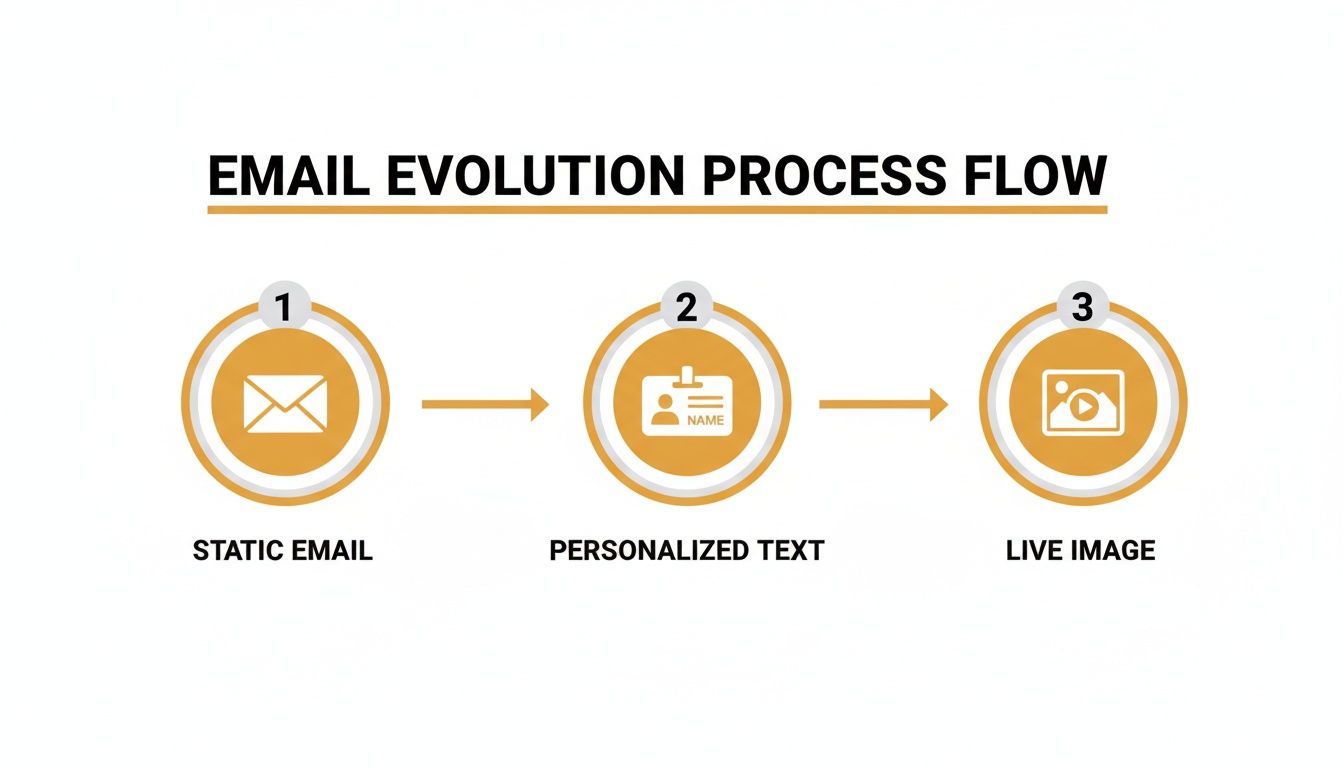
This evolution shows a clear trend toward deeper one-to-one communication, where visuals are now front and center in building that personal connection.
The Power of a Dynamic URL
The real engine driving live images in email marketing is the dynamic URL. This isn't just a standard link. It contains your base image template plus special placeholders for the data you want to personalize. When your ESP sends out the campaign, it swaps these placeholders with each subscriber’s unique information.
Let's break it down with a simple example. Say you want to show a subscriber's name and their loyalty point balance on a promotional image. The URL you’d embed in your email would look something like this:
https://api.okzest.com/image?template=Coupon&name={{first_name}}&points={{loyalty_points}}
Here’s what’s happening in that URL:
template=Coupontells our system which base image design to grab.name={{first_name}}is the placeholder for the subscriber's first name.points={{loyalty_points}}is the placeholder for their current point total.
When a subscriber named "Alex" with 500 points opens the email, the ESP instantly fills in those merge tags. The live image server gets the request, generates an image with "Alex" and "500" layered on top, and delivers it to their inbox. This whole process, known as server-side image rendering for email, happens in a split second.
Ensuring a Flawless Experience with Fallbacks
Okay, but what happens if a subscriber’s data is missing? Maybe a new sign-up hasn't given you their first name yet. Without a backup plan, they could see a broken-looking image with awkward gaps, like "Hello, !". Not a great look.
This is where fallbacks come in. Fallbacks are just default values you set for any dynamic element. If a piece of data isn't available for a subscriber, the system intelligently uses the fallback text or image you provided instead.
- For Text: If
{{first_name}}is blank, a fallback could be something generic but friendly, like "Valued Customer" or "A Special Offer for You." - For Data: If
{{loyalty_points}}is missing, the fallback might say "Check Your Points!" - For Images: You could even set a default profile picture or a company logo to appear if a custom one isn’t available.
By setting up smart fallbacks, you guarantee that every single person on your list gets a complete, professional-looking email—no matter how much data you have on them. It’s a crucial safety net for keeping your brand consistent and delivering a great user experience every time.
Implementing Live Images in Your Email Platform
Alright, let's get down to the fun part: moving from theory to action. Getting your first live image campaign up and running is way easier than it sounds. You don't need to be a developer or know a bunch of code to make this happen. The whole process is designed to be straightforward, boiling down to just a few key steps anyone can handle.
The core idea is simple. You create a base image, decide which parts will change for each person, and then tell your email platform where to pull the data from. This generates a unique, powerful URL that does all the heavy lifting for you.
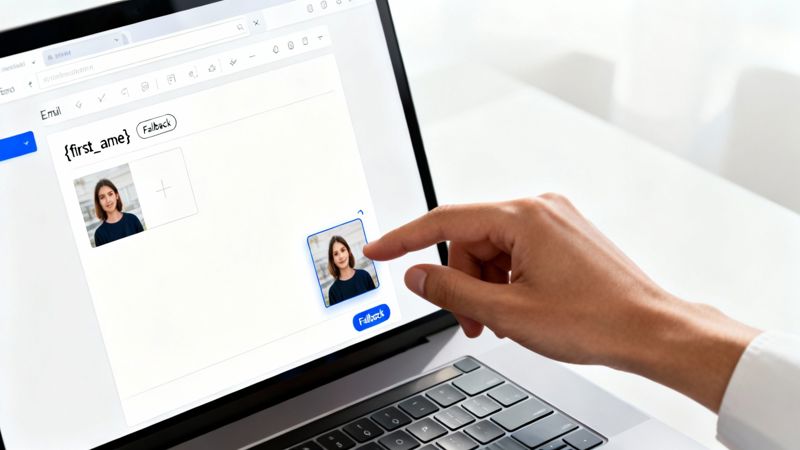
This hands-on approach makes sophisticated personalization accessible to everyone. Whether you're running a small business or you're part of a big marketing team, you can start creating more compelling visual experiences right away.
Your Step-by-Step Implementation Guide
Once you get the hang of the workflow, you'll be able to launch new personalized campaigns in minutes, not hours. It’s a clear, repeatable process that just works.
Here’s the simple, four-step process to get your live images into your emails:
Design Your Base Template: First, create the static foundation of your image. This is your background, logo, and any other design elements that won't change. You can use tools you already know, like Canva or Figma, or just upload a design you've already made.
Define Your Dynamic Layers: Next, decide which parts of the image need to be personalized. Add text layers for dynamic info like a subscriber's name, their company, or maybe their loyalty points balance. These layers are just placeholders for the data you’ll pull in.
Connect Your Data with Merge Tags: This is where the magic happens. You’ll link each dynamic layer to a merge tag from your Email Service Provider (ESP)—think
{{first_name}}for Klaviyo or*|FNAME|*for Mailchimp. This tells the system exactly where to find the data in your contact list. For more complex setups, you can check out our API integration tutorial to pull from other data sources.Generate and Embed the URL: With your template designed and data sources linked, the platform will give you a single dynamic image URL. Just copy that URL and paste it into the image block in your email editor, the same way you’d add any normal picture. Your ESP takes it from there.
The real beauty of this system is its universality. Because it's just a standard image URL, it's compatible with 99% of email platforms. If your ESP can show an image, it can show a live image.
Ensuring Universal Compatibility
A common headache for marketers is figuring out if a new tool will play nicely with their existing software. The good news? With live images in email marketing, compatibility is almost never a problem.
Most major platforms are already set up to handle this. We’re talking about Mailchimp, Klaviyo, HubSpot, and countless others—they’re all built to work seamlessly with image URLs that contain merge tags.
This means you don't need any complex setup or technical integration. Below is a quick look at how straightforward it is with some of the most popular ESPs.
ESP Compatibility for Live Image Implementation
This table is a quick reference guide showing just how easily live images integrate with popular Email Service Providers. It all comes down to a simple image URL with merge tags.
| Email Service Provider (ESP) | Integration Method | Ease of Use |
|---|---|---|
| Mailchimp | Use merge tags like *|FNAME|* and *|EMAIL|*. |
Very Easy |
| Klaviyo | Use tags such as {{ first_name }} and {{ email }}. |
Very Easy |
| HubSpot | Use personalization tokens like {{ contact.firstname }}. |
Very Easy |
| ActiveCampaign | Use personalization tags like %FIRSTNAME%. |
Very Easy |
| Constant Contact | Use contact details tags like [[firstname]]. |
Very Easy |
As you can see, you’re simply inserting a URL into a standard image block. Your ESP automatically fills in the merge tags for each individual subscriber before the email goes out. This triggers the live image platform to generate the right personalized visual on the fly. It's one of the easiest, yet most powerful, personalization tactics you can add to your toolkit.
Driving Real Results Across Different Industries
The real magic of live images in email marketing isn't just theoretical—it comes to life when you see it in action. Let's move past the concepts and look at how different industries are using this technology to create memorable, high-impact moments that drive actual business results. These aren't just clever tricks; they're strategic tools for building stronger customer relationships.
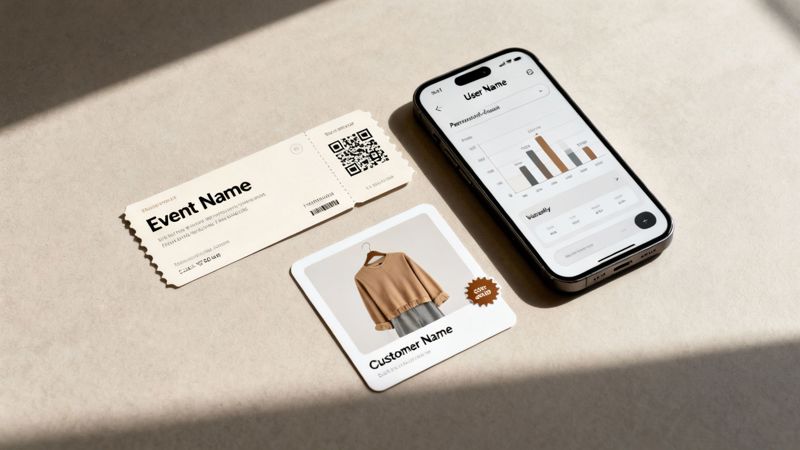
This approach works because it taps into how our brains are wired. We're visual creatures. Research consistently shows that posts with images get 2.3 times more engagement than text-only posts, and that principle is just as true in the inbox.
Our brains process visuals 60,000 times faster than text, so a personalized image creates an instant connection that a block of text just can't compete with. If you want to dive deeper, you can discover more insights about the power of visual marketing from recent studies.
E-commerce Cart Recovery
Think about an e-commerce fashion brand trying to tackle abandoned carts. Instead of sending the same old "You left something behind" email, they can send a message with a dynamic image of the exact sweater the customer was looking at.
But it gets better. They can layer personalized text right onto the product image: "Sarah, this sweater is waiting for you!" Below that, a unique, dynamically generated coupon code like "SARAH15" appears. Suddenly, the email feels exclusive and urgent, which does wonders for recovery rates.
SaaS User Engagement
For a Software-as-a-Service (SaaS) business, user activity is everything. Imagine a project management tool sending its weekly progress report email. Instead of a dry list of stats, it includes a live image of a personalized chart.
This chart instantly visualizes the user's own data—tasks completed, team productivity, or milestones hit that week. The image could even have a caption like, "Great work this week, Alex's Team!" This simple touch turns a boring data update into a rewarding and motivational nudge, encouraging people to keep using the platform.
Event Management and Ticketing
Event organizers can completely elevate the attendee experience right from the start. After someone registers for a conference, they get a confirmation email with a personalized digital ticket as a live image.
This isn't just a generic graphic. It’s a unique ticket that displays:
- The attendee's full name
- Their specific ticket type (e.g., "VIP Pass")
- A unique, scannable QR code for fast entry
This simple but powerful move makes the event feel more professional and organized. It also streamlines the whole check-in process, creating a seamless experience before the attendee even walks through the door.
As you can see, these examples go way beyond just dropping a name into a sentence. They weave relevant, timely, and personal data directly into the visual fabric of an email. This creates a powerful one-to-one connection that grabs attention, drives specific actions, and ultimately builds stronger brand loyalty, no matter what industry you're in.
Best Practices for Effective Image Personalization
Putting live images into your emails is a great first step, but it’s the fine-tuning that makes a campaign truly successful. Getting personalization right is a delicate balance—you want to create an impact without sacrificing the user's experience. A few key practices will help you make sure your campaigns feel professional, engaging, and genuinely delightful for every subscriber.
First things first: subtlety is your best friend. The idea is to make someone feel uniquely seen, not like they're being watched. It’s tempting to personalize everything you possibly can, but a lighter touch often feels more powerful. For instance, instead of a big, loud "Hey Sarah!" banner, try a dynamic product image with a small, elegant note like, "A special offer for Sarah." It feels more exclusive and less like an automated trick.
Prioritize the Mobile Experience
With over 70% of emails now opened on mobile devices, designing for the small screen isn't optional—it's essential. Live images have to be responsive and easy to read on a phone.
Keep these mobile-first tips in mind:
- Use Large, Clear Fonts: Any text on your images needs to be readable without forcing someone to pinch and zoom.
- Focus on a Single CTA: Don't clutter the image with multiple buttons or messages. A single, clear call-to-action works much better on a smaller screen.
- Keep Designs Simple: Complex backgrounds or tiny details can look messy and become impossible to understand on a phone.
Here's a simple test: if the personalized message isn’t immediately clear and compelling on a mobile device, the design needs another look. Your audience won’t waste time trying to figure it out.
Optimize for Performance and Reliability
Nothing kills the magic of a personalized email faster than a slow-loading or broken image. Performance is a huge part of the user experience.
Run through these technical checks to keep your campaigns seamless:
- Compress Your Base Images: Always start with a background image that’s optimized for the web. A smaller file size means faster loading, which is critical for keeping your reader’s attention.
- Always Set Fallbacks: As we’ve covered, data isn’t always perfect. A solid fallback plan ensures every user sees a complete, polished image, so you can avoid awkward blank spaces or error messages.
- Test Across Email Clients: Make sure you preview your campaign in major clients like Gmail, Outlook, and Apple Mail. Each one can render images a little differently, and testing is the only way to spot and fix problems before you hit send.
To really get the most out of your dynamic content, it helps to think about the broader strategies for AI-powered personalization in email marketing. When you combine smart technology with these proven practices, you create experiences that don’t just grab attention—they build real customer loyalty.
Alright, you've launched your live image campaign—that's a fantastic first step. But hitting "send" is just the beginning. The real magic happens when you start digging into the data to see what’s actually working and learn how to fix the little hiccups that inevitably pop up.
It’s not just about creating a slick visual; it’s about proving that your efforts are making a real difference to your business goals. While open rates are a nice starting point, they don't give you the full picture. The true measure of live images in email marketing is how they change what your subscribers do next.
Key Metrics to Monitor
Don't get bogged down by vanity metrics. Instead, focus on the numbers that directly link your campaign to its purpose. Here’s what you should be keeping a close eye on:
- Click-Through Rate (CTR): This is your number one indicator of engagement. Are more people clicking on your personalized images compared to your old static ones?
- Conversion Rate: Of the people who clicked, how many actually followed through and made a purchase or signed up? This is where you connect your beautiful images directly to revenue.
- Reply Rate: Because personalized images feel more like a one-on-one conversation, you might see more people hitting "reply." That's a powerful signal that you're building a real connection with your audience.
Troubleshooting Common Technical Hurdles
Even the most carefully planned campaigns can hit a snag. The good news is that most of these issues are pretty straightforward to solve once you know what to look for.
A classic problem is a merge tag that doesn't pull in the data, leaving an awkward blank space in your image. Nine times out of ten, the culprit is a tiny typo. Go back and double-check that the merge tag syntax in your image URL is a perfect match for what your Email Service Provider (ESP) expects. A single wrong bracket can break the whole thing.
Another thing to watch for is slow load times. If your live images are taking forever to appear, revisit your base template. Make sure that the original image is compressed and optimized for the web. A smaller file size means a much smoother and faster experience for your subscribers.
It's worth remembering that the human brain holds onto 80% of what we see, but only 20% of what we read. This simple fact underscores why it’s so critical for your visuals to not only be compelling but also to load in a snap.
This is exactly why emails packed with dynamic content perform so well. Just think, research has shown that simply putting the word "video" in an email subject line can bump up open rates by 6%, while actually embedding a video can boost your CTR by a whopping 300%. Visuals are dominating the inbox, and you can discover more about email marketing design trends on The Email Marketers to see how.
Answering a Few Common Questions
When you start digging into live images, a few practical questions always seem to pop up. It's totally normal to wonder about the cost, how they might affect email performance, and what happens when things don't go exactly as planned. Let's clear up some of those common concerns right now.
Are Live Images Expensive to Implement?
Not at all. This isn't the kind of tech that's reserved for massive corporations with huge budgets. Most platforms work on a simple, scalable pricing model, and many even offer generous free tiers that are perfect for getting your feet wet.
This setup means anyone from a solo entrepreneur to a large enterprise can create millions of personalized images without a scary upfront investment.
Will Live Images Slow Down My Emails?
Look, any image that isn't optimized can slow things down. But live image platforms are built for speed from the ground up. They use incredibly efficient rendering and lean base templates to make sure the impact on performance is tiny.
As long as you stick to best practices—like using web-friendly image formats—your subscribers will get a fast, seamless experience.
A critical part of making this work is nailing the user experience. If that personalized image takes forever to load, all its magic is lost in an instant. Always, always prioritize performance.
What Happens If a Subscriber's Data Is Missing?
This is where having a good fallback plan is essential. A solid live image system lets you set up a default text or a default image for any part that might be missing data.
So, if a subscriber's first name isn't in your database, the system just swaps in your predefined fallback. It's a simple safety net that guarantees every single person gets a complete and professional-looking email, no matter what.
Ready to create stunning, personalized visuals that grab attention and drive results? OKZest offers no-code and API solutions to automate your image creation. Start for free and see the difference.