What if you could talk to every single customer visually, not just by dropping their name in an email? That’s exactly what a personalized campaign content platform does. It turns your standard, one-size-fits-all images into dynamic, one-to-one visual experiences.
Think of it as 'merge tags for visuals.' It’s a simple concept with a huge impact, letting you create incredibly relevant content for everyone, all at once.
The Shift from Broadcasting to Connecting
For decades, marketing was a broadcast game: one message, blasted out to as many people as possible. That approach worked when our attention wasn't so fragmented, but today's customers are drowning in generic ads. This endless noise just leads to burnout, where even great campaigns get tuned out because they feel impersonal.
This is the problem a personalized campaign content platform solves. It completely changes the game from a one-way shout to a two-way conversation.
Instead of sending everyone the same static banner, you can generate a unique visual for each person based on what you know about them. It's the difference between a generic "Happy Holidays" email and one with an image of a gift card featuring the recipient's name and their local store right on it.
Why Personalized Visuals Matter Now
This level of detail isn't a "nice-to-have" anymore; it's what people expect. Modern consumers don't just appreciate personalization—they demand it. This shift turns scalable, personalized imagery from a cool tactic into a core part of your strategy. It’s one of the most powerful ways to cut through the digital clutter and make your audience feel seen.
A personalized campaign content platform takes marketing way beyond simple segmentation. It gives brands the power to create real one-to-one visual conversations that grab attention, build loyalty, and seriously boost conversions.
This technology finally connects the dots between the customer data you have and what your customers actually see. By automating the creation of unique visuals, you can run the kind of hyper-individualized campaigns that used to be impossible to even consider.
The benefits are clear and compelling:
- Increased Engagement: Visuals customized to someone's interests, location, or buying habits will always grab more attention than a generic stock photo.
- Higher Conversion Rates: Personalization has a direct, measurable impact on the bottom line. It's not a guess—71% of consumers now expect personalized interactions. And when they get them, the results follow. Personalized calls-to-action have been shown to improve conversions by over 200% compared to generic ones. You can find more stats on this over at Instapage.com.
- Stronger Brand Loyalty: When customers feel like you "get" them, they form a much deeper connection to your brand. That's how you build real, long-term loyalty and turn customers into fans.
To really see the difference, it helps to put the old and new ways side-by-side.
Personalized vs Static Content At a Glance
The move from static to personalized content is more than just a minor tweak; it's a fundamental change in how you communicate. This table breaks down what that change looks like in practice.
| Feature | Static Content (The Old Way) | Personalized Content (The New Way) |
|---|---|---|
| Audience Approach | One-to-many broadcast. | One-to-one conversation. |
| Visuals | Same generic image for everyone. | Unique, data-driven image for each individual. |
| Message Relevance | Low. The message is broad and impersonal. | High. The message feels tailor-made for the recipient. |
| Engagement Level | Passive. Easy to ignore or tune out. | Active. Captures attention and encourages interaction. |
| Data Usage | Data is used for broad segmentation at best. | Data is used to dynamically alter the content for each person. |
| Scalability | Easy to scale, but with diminishing returns. | Scalable through automation, maintaining relevance at any volume. |
| Impact on Customer | Feels like an advertisement. | Feels like a helpful, personal recommendation. |
| Typical ROI | Lower and often difficult to track directly to the creative. | Higher and directly measurable through improved conversion and engagement. |
Ultimately, static content talks at people, while personalized content talks with them. That single distinction is what drives better engagement, stronger loyalty, and higher conversions in today's market.
How a Personalization Platform Actually Works
So, how does one of these platforms actually pull off this kind of one-to-one magic?
Think of it like a smart, automated mailroom for your visual marketing. A regular mailroom stuffs the same generic flyer into every envelope. But this one has a high-tech system that creates a completely unique visual message for every single person on your list, and it does it instantly. It's not magic—it's just a few core pieces working together seamlessly.
At the center of it all is the dynamic image template. This isn't your standard JPG or PNG file. It's more like a blueprint, a layered design where specific elements—like a name, a company logo, or a product image—are marked as changeable. You create the main design once, and the platform uses it as the foundation for countless unique versions.
This setup is perfect for maintaining brand consistency while still delivering mass customization. It’s a win-win.
Connecting Data to Your Design
The template is just the starting point. The real power gets unlocked when you connect it to your customer data. This is where data source integration comes into play. A personalized content platform links your image template directly to wherever your customer information lives, whether that’s a CRM, an email list, or a product database.
This connection is the "brain" of the operation, feeding all the right information into the visual template for each individual.
The platform isn’t just pulling a first name. It can access any data point you have—from past purchase history and geographic location to loyalty program status—to create a truly relevant visual.
As the diagram below shows, this level of personalization is what directly fuels better engagement, deeper connections, and ultimately, more conversions.
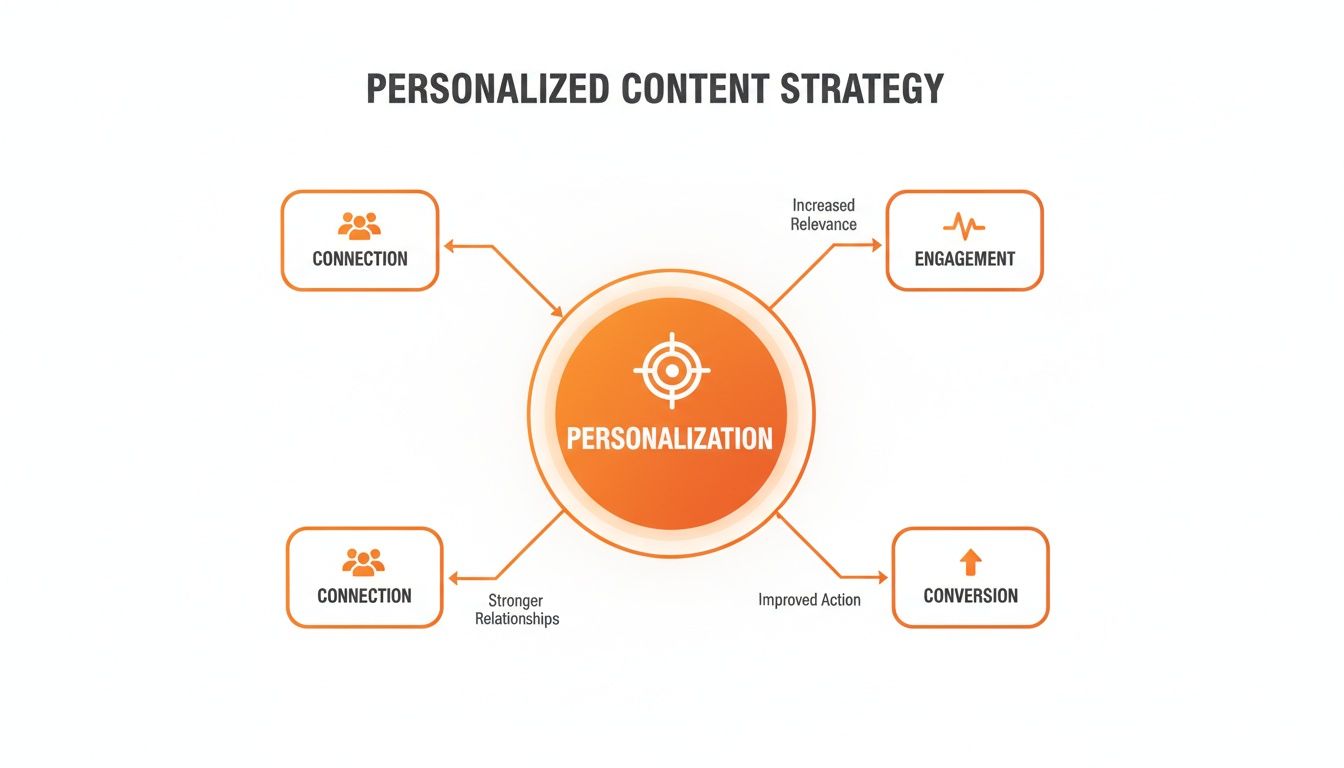
This just reinforces what we already know: personalization is the engine that drives better marketing results and stronger customer relationships.
Giving the Platform Instructions
With a template designed and data connected, you still need to tell the platform what data to put where. This is done using merge tags, which you might also know as personalization tokens. If you’ve ever typed {{first_name}} into an email, you’re already familiar with the concept. You use similar tags to map your data fields to the dynamic layers inside your image.
For instance, your merge tags might tell the platform:
- Layer 1: Put the customer’s first name here.
- Layer 2: Pull the company logo from this URL.
- Layer 3: Show a picture of the last product they looked at.
These simple instructions are what transform a generic template into a one-of-a-kind image. This whole process is the core of what we call dynamic content, a mechanism that makes your campaigns feel personal and timely.
Creating a Safety Net with Fallbacks
But what happens when your data isn't perfect? What if you're missing a first name for someone on your list? Without a backup plan, you could end up sending an image with an awkward blank space, which looks pretty unprofessional. This is exactly why fallback rules are so important.
Fallbacks are your safety net. They are default values you set up to appear whenever the primary data is missing. For example, if a first name isn't available, the image can default to showing "Valued Customer," or you could just hide that text layer completely. This ensures every single person receives a polished, professional-looking visual, no matter what.
Accessible for Every Team Member
Finally, the best platforms are built for the whole team, not just the developers. They do this by offering two main ways to get things done:
- No-Code Interface: A user-friendly, drag-and-drop editor that lets marketers build and manage personalized image campaigns without touching a single line of code.
- API Access: For tech teams, an API (Application Programming Interface) offers deep integration possibilities, allowing them to programmatically generate images from inside their own apps or complex workflows.
This dual approach means the marketing team can launch new campaigns on the fly, while the development team can build out more sophisticated, automated solutions. When all these components work together, you get a powerful, flexible system that makes one-to-one visual communication a reality at any scale.
Putting Personalized Content Into Action
Okay, we've covered the mechanics. Now, let's get to the fun part—seeing where a personalized campaign content platform really starts to work its magic. This is where all that data and theory turns into real, engaging experiences that actually move the needle for your business.
The real power here is moving beyond just dropping a first name into a text field. We're talking about creating visually stunning, one-of-a-kind moments wherever you meet your audience. Whether you're trying to win back a customer who's gone quiet or make a brand new prospect feel special, the applications are incredibly powerful.
Supercharging Your Email Marketing
Email is still a powerhouse, but personalization is what separates the emails that get opened from the ones that get deleted. Sure, adding a recipient's name is a start, but dynamic images are on a whole different level. When you add personalized visuals, engagement just skyrockets.
Let's look at the numbers. Email delivers a massive ROI, with a median return of about $36 for every $1 spent. That number climbs fast when you add personalization. Personalized emails can see a 29% higher open rate and a 41% higher click-through rate. When you go beyond text and include visuals made just for that person, the results get even better.
Here are a few ways you could put this into practice:
- Re-engagement Offers: Send a "We Miss You" email to a dormant customer with an image showing their name and a personalized discount code already applied to an item they were looking at before.
- Event Invitations & Tickets: Imagine sending each event attendee a personalized email with their own unique QR code ticket, their name, and a suggested schedule—all baked into one clean, dynamic image.
- Abandoned Cart Reminders: Instead of a boring, generic reminder, show them an image of the exact item they left behind, with their name on it and a button to finish the purchase.
This is what it can look like in action—a platform generating unique visuals for email, social media, and ticketing on the fly.
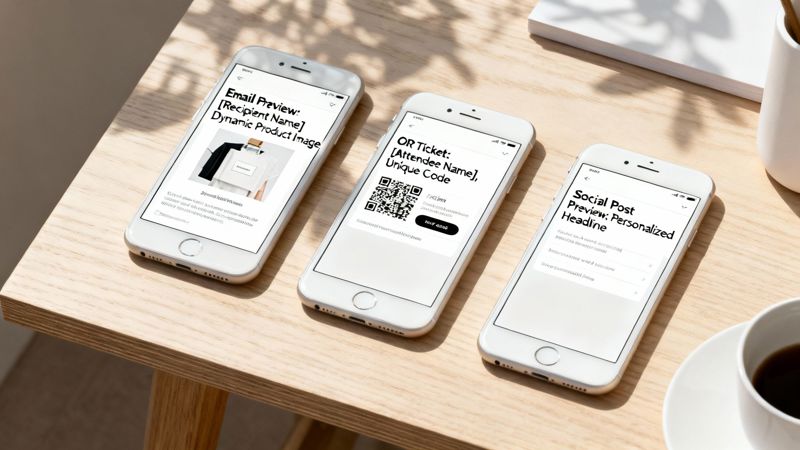
Each one of these is generated at the moment it's needed, making every single person feel like the message was crafted just for them. For a deeper dive, check out our guide on scalable email personalization software.
Expanding Beyond the Inbox
But why stop at email? The beauty of personalized visuals is that they work pretty much everywhere. You can apply the same logic across your entire marketing ecosystem to create a consistent, one-to-one feel.
Think about how you could use dynamic content in these other channels:
- Social Media Outreach: A sales rep could send a personalized image in a LinkedIn DM. An image with the prospect's company logo, their name, and a killer statistic is going to get way more replies than a block of text. For bigger campaigns, AI ad generation platforms can also help create tons of personalized ad variations quickly.
- Website Banners: Imagine a customer returning to your site and seeing a banner that says, "Welcome Back, Sarah! Check out the new arrivals you'll love," with images pulled directly from her favorite category.
- Chatbot Interactions: When a customer uses your chatbot, it could generate a dynamic image that summarizes their order, creates a custom coupon, or even just a personalized "thank you" graphic. It makes an automated interaction feel much more human.
By weaving a personalized campaign content platform across multiple touchpoints, you build a cohesive and deeply personal customer journey that grabs attention and builds loyalty.
At the end of the day, putting personalized content into action is about making every single interaction relevant. It’s about using data not just to put people in buckets, but to start unique visual conversations that connect with them as individuals, leading to way better engagement and, ultimately, stronger results.
How to Choose the Right Personalization Platform
Picking the right personalized campaign content platform isn't just about cool features—it’s a decision that will shape your marketing for years to come. You're not just buying a tool; you're choosing a partner that needs to fit into your workflow, grow with your business, and protect your most valuable asset: customer data. The best platform is one that empowers your team, not one that gives them a headache.
Before you even book a demo, start by looking inward. What does your current marketing stack look like? A platform that doesn't play nice with your existing Email Service Provider (ESP), CRM, or other critical tools will just create more work. The real win comes from a tool that makes personalization a natural, almost effortless, extension of what you're already doing.
Evaluate Core Integration and Compatibility
First things first: technical harmony. A personalization platform should feel like it was built to work with your ecosystem. Look for solutions that have a solid track record with major ESPs and marketing automation tools. The integration shouldn't require a team of developers; often, it’s as simple as copying and pasting a merge tag.
Here are a few key points to check off your list:
- ESP and CRM Compatibility: Does it work seamlessly with your setup, whether that's Mailchimp, Klaviyo, HubSpot, or even a custom-built solution?
- No-Code and API Access: Can your marketing team get campaigns live without bugging the developers? And for your tech team, is there a robust API for building out custom, automated workflows?
- Data Source Flexibility: How easy is it to get your data in? The platform should handle everything from a simple CSV upload to real-time API calls to your product database.
A platform that gets this right ensures a smooth rollout and means everyone on your team, technical or not, can make the most of it. This is also a great time to look at different website personalization tools to see how they tackle integration.
Assess Scalability and Pricing Models
Your personalization efforts are going to grow, so the platform you choose today needs to handle what you'll throw at it tomorrow. A small test campaign might only generate a few thousand images, but your big holiday promotion could need millions. Dig into the platform’s architecture and ask about its ability to handle huge volumes without slowing down.
When you're weighing your options, using a comprehensive vendor due diligence checklist is a game-changer. It helps you systematically compare features, security, and support so you know you're making a smart choice.
Pricing is just as critical. Most platforms use a tiered model based on how many personalized images you generate.
- Free Tier: Perfect for kicking the tires and running small pilot projects to prove the concept.
- Growth Tiers: Built for businesses that are starting to scale their personalization efforts.
- Enterprise Solutions: Designed for high-volume operations with advanced security needs and team collaboration features.
Look for a provider with transparent pricing and the flexibility to move between plans as your needs change. You want to pay for what you use but have a clear path to scale when you’re ready.
Prioritize Security and Team Features
Last but certainly not least, you’re trusting this platform with your customer data. Rock-solid security is absolutely non-negotiable. Make sure the provider complies with regulations like GDPR and is upfront about its security protocols. Don't be shy—ask about data encryption, access controls, and their data retention policies.
If you’re part of a larger team or an agency, collaboration features are key. Look for things that let multiple people work together without tripping over each other. This includes role-based access, shared project folders, and approval workflows. These features help keep the creative process smooth, maintain brand consistency, and ensure everyone can work together securely on every campaign.
A Practical Checklist for Your First Campaign

Alright, let's move from theory to action. Getting your first personalized campaign off the ground can feel like a huge step, but it’s really just a series of smaller, manageable tasks.
This checklist is your roadmap. Think of it less as a rigid set of rules and more as a guide to take you from a cool idea to a high-performing campaign that actually connects with your audience. We'll break it down to make sure you're set up for a smooth, successful launch using a personalized campaign content platform.
Step 1: Define Your Campaign Goals
Before you even think about designing an image, you need to know what you’re trying to achieve. What does success look like? Are you trying to bump up your click-through rates, win back some inactive subscribers, or push sales for a particular product?
Your goal will shape every decision you make down the line, from the data you pull to the call-to-action you use.
Start with something clear and measurable. For example:
- Objective: Increase email click-through rates by 15% for our upcoming webinar promotion.
- Audience: Subscribers who attended a webinar in the last year.
- Personalization Angle: Use a dynamic image showing the person’s name and the title of the last webinar they joined.
This kind of clarity makes sure your personalization has a purpose and ties directly to a business outcome.
Step 2: Connect Your Data Sources
The magic of personalization is all in the data. This is where you connect your personalized campaign content platform to your CRM, email list, or wherever your customer info lives. Make sure the connection is solid and you know exactly which data fields will map to the dynamic parts of your image.
What info is most important for your goal? A first name? A company logo? Maybe a loyalty status or a recently viewed product? Keep it simple for your first run—you can always get more sophisticated later.
Step 3: Design Your Dynamic Template
Now for the fun part. It’s time to design a great-looking, on-brand image template with spots for your dynamic content. This is your master blueprint. The trick is to create something that looks awesome whether it’s personalized or not, so it holds up across thousands of unique variations.
This is also when you need to set up your fallbacks. What happens if you don’t have a subscriber's name? A good fallback, like "A Special Offer Just for You," ensures everyone gets a polished experience and prevents broken-looking images from ever hitting an inbox.
Step 4: Run a Small-Scale Test
Seriously, never skip the test. Pick a small slice of your audience—say, 5% of your list—and run a simple A/B test. This is where you prove your idea works and get real data to back it up.
Testing isn't just a box to check. It confirms your assumptions, catches any tech hiccups before they become big problems, and gives you the hard numbers you need to get buy-in for future campaigns.
Here’s a simple setup:
- Group A (Control): Gets the email with a standard, static image.
- Group B (Variable): Gets the email with the personalized, dynamic image.
Keep an eye on open rates, click-throughs, and conversions for both. The results will show you the ROI of your efforts and give you valuable clues for making your next campaign even better. Once you see it working, you can roll it out to everyone with confidence.
Strategies for Maximizing Campaign Performance
Think of your personalized content platform as a high-performance engine. It's powerful on its own, but you only unlock its true potential when you pair it with a smart strategy. The best results always come from blending great technology with a human-centric approach—that’s how you turn a good campaign into an unforgettable one.
The goal isn't just to drop a customer's name onto an image. It's about creating visuals that feel genuinely personal and add real value. This means striking a careful balance between data-driven elements and compelling design to craft experiences that truly capture your audience's attention.
Harmonizing Design with Data
Your first job is to make sure your dynamic elements actually enhance the design instead of distracting from it. Every personalized detail should feel intentional and seamlessly woven into the overall look and feel.
Keep these best practices in mind:
- Maintain Brand Consistency: Even with thousands of variations, your core brand identity has to shine through. Stick to your established color palette, typography, and logo placement in your templates. Every image should be instantly recognizable as yours.
- Prioritize Visual Hierarchy: The most important personalized element—whether it's a name, a location, or a product—should naturally draw the eye. Don't let it get lost in a cluttered design.
- Use High-Quality Assets: Personalized content should be just as polished as your other marketing assets. Always use high-resolution base images and crisp, clean fonts to maintain a professional look.
Focusing on quality design ensures your messages feel premium and trustworthy, making customers far more likely to engage.
Troubleshooting Common Personalization Hurdles
Even with the best strategy, small technical issues can pop up. Knowing how to troubleshoot them quickly keeps your campaigns running smoothly without frustrating delays or sending out flawed content.
One of the most common problems is a merge tag that doesn't populate, leaving a blank space in your image. This usually happens for one of two reasons: either the data is missing from your source (like an empty "first name" field in your CRM) or there's a simple typo in the merge tag itself.
Your platform’s fallback rules are your safety net. Before you launch anything, double-check that your fallbacks are set to display a default, generic message or image. This simple step guarantees no customer ever sees a broken or incomplete visual.
Another great tip is to always run a test send to a small internal list first. This lets you see exactly how the images render with real data and catch any formatting weirdness before it reaches your entire audience.
Driving Growth Through Strategic Personalization
Ultimately, a personalized campaign content platform is a tool to help you hit bigger business goals. The brands that see the most success are the ones that integrate personalization deep into their growth strategy, recognizing its power to build lasting customer loyalty.
This approach isn't just a nice-to-have anymore; it's becoming a necessity.
Between 2023 and 2025, personalized content made the leap from a novelty to a primary growth driver. Marketers now dedicate roughly 40% of their total marketing budgets to personalization, a huge jump from about 22% in 2023. This investment is paying off—Deloitte reports that 75% of consumers are more likely to buy from brands that deliver personalized content. As a result, companies are actively looking for tools that make large-scale personalization actually manageable. You can read more about these personalization trends at Contentful.
By combining smart design, proactive troubleshooting, and a clear strategic vision, you can use your platform to do more than just create dynamic images. You can build a more engaged, loyal, and profitable customer base.
Common Questions About Personalization Platforms
Jumping into any new marketing tech is bound to bring up a few questions. When it comes to using a personalized campaign content platform, most people I talk to are curious about the technical skills needed, how data is handled, and if it will play nice with their existing tools. Let's tackle these common questions so you can get started with confidence.
First, the good news: you don't need to be a developer. Modern platforms are built for marketers, with intuitive no-code interfaces that let you design and launch campaigns without touching a single line of code. It’s all visual and very user-friendly.
Of course, for teams who want to get more advanced with custom integrations or automation, full API access is usually an option. This two-pronged approach means marketers can fly solo while developers can hook the platform into more complex workflows whenever needed.
What Happens When Data Is Missing?
A big "what if" I hear all the time is about incomplete customer data. For instance, what if you don't have a first name for someone on your email list? The last thing you want is a broken-looking image with an empty space where a name should be. It looks unprofessional.
This is exactly where fallback rules come in as your safety net. You can easily set up a default image or a line of text to show up anytime a specific piece of data is missing.
Fallbacks are a simple but critical feature. They guarantee every user gets a complete, professional-looking image—never a broken or half-finished one. It's all about protecting your brand's integrity.
So, if a first name isn't available, your visual can automatically show a default greeting like, “A special offer just for you.” This simple trick ensures every single campaign looks polished, no matter how clean your source data is.
Will This Work with My Current Tools?
Compatibility is another key question, and the answer is almost always a resounding "yes." Any top-tier personalized campaign content platform is built to be universally compatible. It’s designed to slot right into the marketing stack you already use every day.
These platforms work with just about every email service provider (ESP), CRM, and marketing automation tool out there. The integration is surprisingly simple—it uses the same merge tags you already rely on to personalize text in your campaigns. If you know how to add {{first_name}} to an email subject line, you already have all the skills you need to add a dynamic, personalized image. It's that straightforward. This means you can level up your existing workflows without having to tear them down and start over.
Ready to create stunning, one-to-one visual experiences? With OKZest, you can automate personalized image creation for emails, social media, and more. See how easy it is to boost engagement and build stronger customer relationships. Start creating for free at okzest.com.