So, what exactly is scalable email personalization?
Think of it as the technology that lets you send a truly unique, one-to-one email to every single customer—whether you have a list of a thousand or a million—without lifting a finger for each one. It's the opposite of the old "batch and blast" method. Instead, it digs into your customer data to craft hyper-relevant content, like dynamic personalized images, turning every single email into a genuine conversation.
Why Generic Emails Just Don't Cut It Anymore
Let’s be real: the "batch and blast" email is dead. Today’s customers don't want a megaphone shouting at them; they expect a conversation. They're drowning in marketing messages and have become experts at tuning out anything that isn’t directly relevant to them.
Here's an analogy: imagine your favorite local coffee shop where the barista knows you by name and starts making your usual order the second you walk in. It feels personal and welcoming. Now, compare that to a massive chain where you’re just another number in a long line. Your email marketing needs to be that friendly local barista, not the faceless corporation.
This is exactly why a new approach is essential. Generic emails are destined for the trash folder, marked as spam, or just plain ignored. That's a lot of wasted effort and a missed opportunity to build loyalty. Customers want to feel seen and understood, not just like another target on a marketing list.
The Big Shift from Static to Dynamic
The fundamental flaw with old-school email marketing is that it's completely static. You write one message, maybe drop in a [FirstName] merge tag to look like you tried, and send the exact same thing to everyone. This one-size-fits-all approach is doomed to fail because it ignores the unique journey, preferences, and behavior of each person.
Personalization isn't just a nice-to-have anymore; it's a competitive must. A staggering 80% of consumers say they are more likely to buy from a brand that offers personalized experiences. This isn't a fleeting trend—it's a fundamental change in what customers expect.
This shift has ignited a huge expansion in the market. The global email marketing software market, which powers these tools, hit USD 1.7 billion and is on track to explode to USD 3.8 billion by 2033. This incredible growth shows just how much demand there is for scalable personalization tools. It’s why tools like OKZest are gaining traction, allowing marketers to easily add dynamic, personalized images into platforms like Mailchimp and Klaviyo. You can dig deeper into these email marketing software market trends and projections to see where the industry is headed.
Before we go deeper, it helps to see the two approaches side-by-side. The old way of doing things just can't keep up with what's possible today.
Static Vs Scalable Personalization at a Glance
| Feature | Static Personalization (e.g., [FirstName]) | Scalable Personalization (e.g., Dynamic Images) |
|---|---|---|
| Data Usage | Basic contact fields (name, city). | Deep behavioral, transactional, and contextual data. |
| Content | The same for everyone, with minor text changes. | Content blocks, offers, and images change for each user. |
| Customer Experience | Feels generic, often irrelevant. | Feels like a one-to-one conversation. |
| Implementation | Simple merge tags built into any ESP. | Requires specialized software and data integration. |
| Impact | Low engagement, minimal impact on loyalty. | High engagement, drives conversions and builds loyalty. |
| Scalability | Easy to scale, but with diminishing returns. | Designed to deliver 1-to-1 experiences at massive scale. |
The table makes it clear: while static personalization is a good first step, scalable personalization is where modern marketing is going. It's about creating genuinely unique moments that resonate with each individual.
It’s About More Than Just a First Name
Real personalization goes miles beyond just using a subscriber's first name. It's about leveraging data to create a genuinely unique experience for every single person on your list. This is the core problem scalable email personalization software was built to solve: delivering that one-to-one feeling without burying your team in manual work.
So, what does that actually look like?
- Behavioral Triggers: Sending an email because a user did something specific, like looking at a product three times or abandoning their shopping cart.
- Lifecycle Messaging: Customizing the message based on where a customer is in their journey—whether they're a brand new subscriber or a long-time loyal fan.
- Dynamic Content: Automatically changing parts of the email—the text, the special offers, and even the images—to perfectly match the recipient's known interests or purchase history.
Newer innovations like dynamic personalized images take this even further. Imagine an email that visually displays a customer’s loyalty points, includes their name on a digital ticket to an event, or shows a product in the exact color they were just browsing. These are the memorable, "wow" moments that set modern marketing apart and create a new standard for how brands communicate with their customers.
How Personalization Technology Actually Works
Ever wondered how a single email template can suddenly look completely different for every single person who opens it? It’s not magic, but it’s close. At its heart, scalable email personalization relies on a powerful trio of systems all working in sync.
Think of it like a high-end coffee shop. First, you have your ingredients—the data sources. This is everything you know about your customers, whether it lives in your CRM, e-commerce platform, or a dedicated database. These are your beans, milk, and syrups.
Next up is the barista—the personalization engine. This is the smart software that grabs the raw ingredients (your data) and follows a recipe (your rules) to craft a unique drink for each customer. It's the brain of the whole operation.
Finally, you have the delivery service—your Email Service Provider (ESP). This is the platform like Klaviyo or Mailchimp that takes the perfectly finished, personalized product and gets it right into your customer's inbox.
The Evolution of Merge Tags
The old-school way of personalizing was the simple merge tag, like {{first_name}}. But we've come a long way since then. Today, the real game-changer is the image merge tag.
Instead of just pulling in a bit of text, an image merge tag is a unique URL that acts like a dynamic blueprint. When a customer opens their email, that special link pings the personalization engine in real-time. The engine instantly grabs that specific customer's data, builds a custom image on the fly, and slots it into the email. It all happens in the blink of an eye.
This little flowchart shows exactly how a generic template gets transformed before it ever reaches the user.
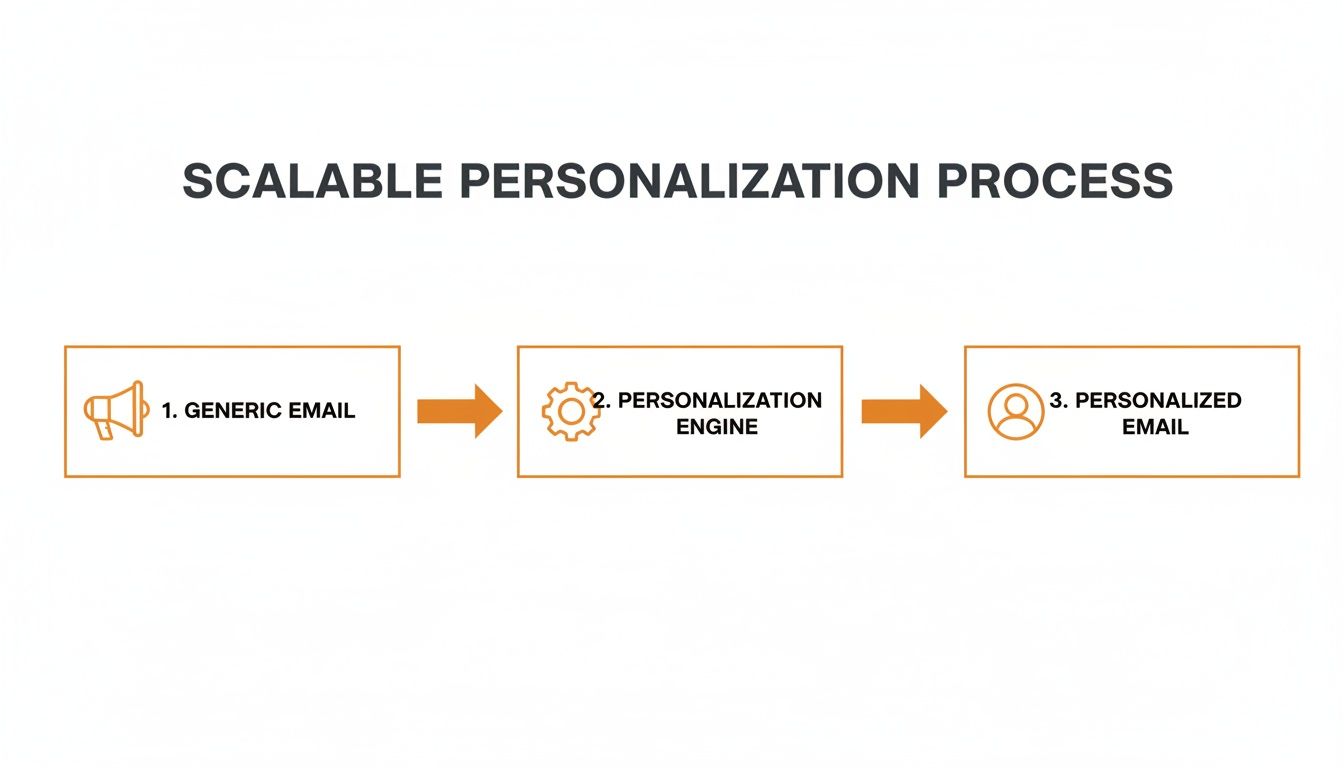
As you can see, the personalization engine is the crucial middleman, turning a mass email into what feels like a one-to-one conversation.
From Data Points to Dynamic Visuals
Let’s walk through a real-world example. Imagine an online course platform wants to send a personalized certificate to everyone who finishes a program.
- The Data: The platform’s database holds each student's
FullName,CourseName, andCompletionDate. - The Template: Using a tool like OKZest, the marketing team designs a beautiful certificate template with dynamic layers for the student's name, the course title, and the date.
- The Magic URL: The software generates a single image merge tag. This URL has placeholders for the data and looks something like this:
https://okzest.com/image.png?FullName={{contact.name}}&CourseName={{contact.course}} - The Email Send: The marketer just pastes this one URL into their email template inside their ESP. When the campaign goes out, the ESP automatically swaps the
{{contact.name}}and{{contact.course}}placeholders for each recipient. - The Reveal: When Sarah opens her email, her ESP calls the URL with her data, and the engine generates an image with "Sarah Smith" and "Advanced Marketing." When John opens his, he sees "John Doe" and "Introduction to SEO."
This real-time generation is what makes personalization truly scalable. You create one template and one URL, and the software handles creating thousands—or even millions—of unique visual experiences.
Of course, powerful personalization starts with understanding your audience. A core principle here is robust audience segmentation. By grouping users based on shared traits, you make sure the data feeding the engine is relevant and impactful. This lets you tailor not just names, but entire visual concepts to different customer groups.
This approach is also incredibly flexible. The data doesn't have to be static info from a spreadsheet; it can be pulled live from an external source via an API. For developers looking to build truly custom solutions, diving into API image personalization opens up a whole new world. You can include real-time info like current loyalty points, live event countdowns, or even the local weather in your images, making every email feel incredibly current and relevant.
Putting Dynamic Images into Action
Theory is one thing, but getting results is what really matters. So, let’s walk through how to take a dynamic personalized image from a cool idea to a live, engaging email sitting in your customer's inbox. The great thing about modern scalable email personalization software is that it gives you a couple of different ways to get this done, depending on your team's skills and how complex your project is.
You don't have to be a developer to create incredible personalized visuals. The two main approaches make it accessible for anyone, whether you're more comfortable with a visual, drag-and-drop tool or you need the power of an API for deep customization.
Choosing Your Implementation Path
For most marketers, the no-code setup is the quickest way to get a campaign out the door. This visual approach lets you design your templates, link up your data fields, and generate the image merge tag you need without touching a single line of code. It’s perfect for teams that need to be agile and would rather spend their time on creative strategy than on technical configuration.
On the other hand, the API route gives developers maximum flexibility. This path is ideal if you need to build personalization into custom apps, automate image creation from your own internal systems, or pull in real-time data from various sources. It definitely requires some technical know-how, but it opens up a world of possibilities for what you can build.
No matter which path you take, the first critical step is always mapping your data. This is where you tell the software which pieces of information from your list—like a customer's name, their loyalty status, or what they last bought—should go into specific spots on your image. A little planning here makes a huge difference. To see these ideas in practice, our guide on dynamic image personalization for email has more examples.
The Importance of Smart Fallbacks
What happens if some data is missing? It’s a super common problem—maybe a new subscriber signed up without giving you their first name yet. If you don't have a plan for this, you could end up sending an email with a broken image or a weird blank space. This is where "fallbacks" come in to save the day.
A fallback is just a rule you set up that tells the software what to show if a piece of data isn't there. Think of it as your safety net. It ensures every single email looks professional, no matter what.
Key Takeaway: Fallbacks aren't just a nice-to-have feature; they are absolutely essential for maintaining brand consistency and giving your subscribers a good experience. A smart fallback turns a potential mistake into a smooth, professional-looking email.
For instance, if the {{first_name}} field is empty, you could set a fallback to show a more generic greeting like "Valued Customer" or even "A Special Offer for You." This simple step prevents a broken experience and protects your brand’s reputation.
How It Looks in Your Email Platform
Once your image is designed and your data is mapped, the software gives you a unique URL. This is your image merge tag. Getting it into your email is surprisingly easy and works with pretty much any Email Service Provider (ESP) you can think of, like Klaviyo or Mailchimp.
You just copy this URL and paste it into the "image source" field in your email editor’s HTML. It looks just like a normal image link, but it has special placeholders for your data.
This screenshot shows what a design tool for personalized images might look like, where you can easily set default values or "fallbacks" to make sure every email is perfect.
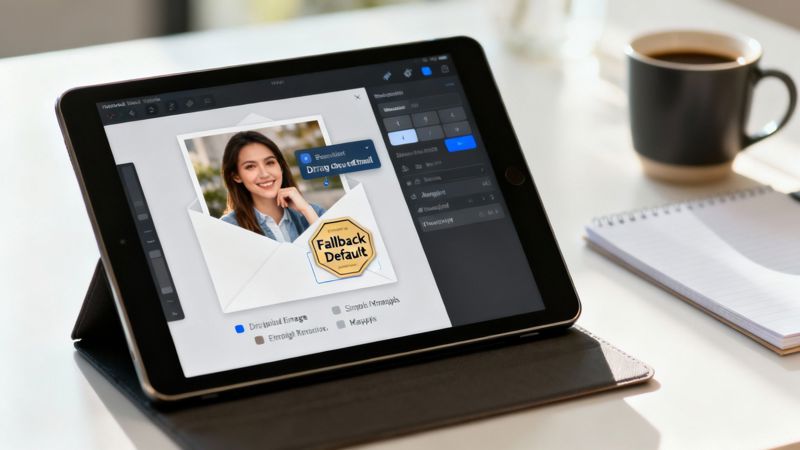
This kind of interface makes it simple for marketers to manage how their dynamic data is displayed, building in a safety net for when data is incomplete.
When your ESP sends out the campaign, it swaps those placeholders with the right data for each person on your list. The personalization engine generates that unique image in milliseconds right as the user opens the email. This whole process keeps your campaigns creative, reliable, and incredibly fast, without ever slowing down your email delivery. Performance and security are all handled behind the scenes, so you can just focus on making something your customers will love.
Driving Engagement and Proving Your ROI
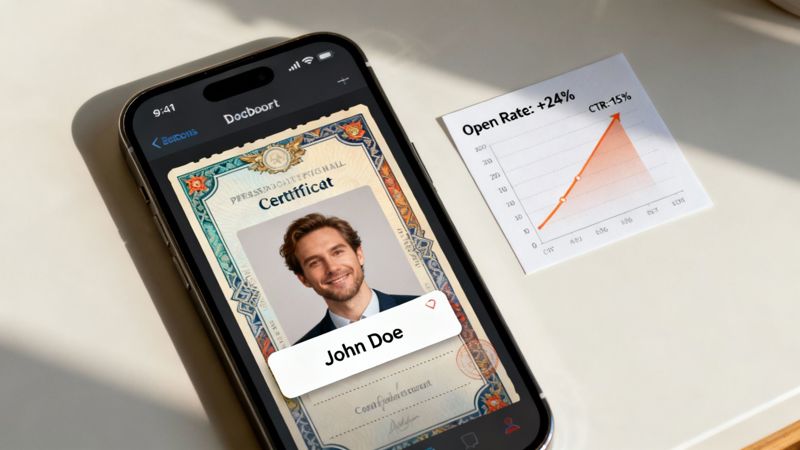
Having the right tech is one thing, but what really matters is seeing it deliver real business results. Scalable email personalization is all about connecting your creative work directly to the outcomes that count—more engagement, higher conversions, and a solid return on investment.
When a customer gets an email that feels like it was made just for them, they don't just see it; they act on it. A visually stunning, personalized message is impossible to ignore in a cluttered inbox. It gets people to open, click, and ultimately, convert.
And the numbers back this up. Personalized emails see 29% higher open rates and an incredible 41% jump in click-through rates (CTR) compared to generic sends. Even just personalizing the subject line can boost opens by 26%, which is why so many marketers are making it a priority.
Real-World Use Cases You Can Implement
Numbers are great, but seeing personalization in action is what makes it click. This isn't just a tool for giant e-commerce companies; it's for any business that wants to build stronger customer relationships.
Here are a few ways you could put it to work:
- For Event Organizers: Instead of a plain confirmation, imagine sending each person a digital ticket with their name, a unique QR code for check-in, and a beautifully designed schedule of their chosen sessions. It creates a "wow" moment that builds excitement before the event even begins.
- For Coaches and Consultants: When a client finishes a course, you can automatically send them a personalized certificate of completion. It includes their name, the course title, and the date, turning a simple follow-up into a shareable badge of honor that fuels word-of-mouth referrals.
- For Sales Teams: Forget cold, generic outreach. Create eye-catching images that feature a prospect's company logo, their name, and a value prop tailored to their specific industry. That level of detail shows you did your homework and makes your emails far more likely to get a reply.
Each of these examples transforms a routine message into a memorable, one-to-one experience. The idea is to use data not just to drop in a name, but to provide real, visual value that makes your recipient feel truly seen.
Connecting Personalization to Business Growth
Every personalized email is a chance to strengthen relationships and drive revenue. By tracking the right metrics, you can draw a straight line from your personalization efforts to your bottom line. You can even get more creative by using things like dynamic QR codes to boost interaction, as explained in Mastering the QR Code in Email for Engagement.
To prove the value of your efforts, keep a close eye on these key performance indicators (KPIs):
- Click-Through Rate (CTR): Are more people clicking on your personalized calls-to-action? This is the first sign your content is hitting the mark.
- Conversion Rate: How many of those clicks lead to a purchase, a sign-up, or a download? This is where personalization directly translates to revenue.
- Customer Lifetime Value (CLV): Better experiences build loyalty. Over time, that means more repeat business and a higher CLV, a crucial metric for sustainable growth.
The goal is to paint a clear picture of success. Tracking these KPIs gives you the hard data you need to show the real financial impact of your strategy. For a deeper dive into measuring your success, our guide on calculating https://okzest.com/blog/email-marketing-roi will help you build a powerful business case.
How to Choose the Right Personalization Software
Picking the right scalable email personalization software isn’t about finding some mythical, one-size-fits-all tool. It’s about finding the right fit for your team, your budget, and what you’re trying to achieve. The market is crowded, and frankly, not all platforms are built the same. A smart choice comes from a clear head and a solid evaluation plan.
This decision will impact everything from how quickly you can launch a campaign to the actual quality of the customer experience you deliver. Think of it less as just another software purchase and more as a strategic investment in your team's ability to create meaningful connections at scale. It needs to feel like a natural part of your existing marketing stack and play to your team's strengths.
Define Your Team’s Technical Comfort Zone
First things first, you need to have an honest chat about your team’s capabilities. Do you have developers on standby, ready to dig into a powerful API? Or does your marketing team need a simple, visual tool to get things done without waiting in a development queue? This is a fundamental fork in the road.
- No-Code Platforms: These are a dream for marketing teams focused on speed and simplicity. They typically feature intuitive drag-and-drop editors that let you build templates and connect data fields without touching a single line of code.
- API-First Solutions: If your goal is to weave personalization deep into your own apps, pull real-time data from different sources, or build completely custom workflows, an API-first platform gives you all the power and flexibility you could ask for.
Many modern tools, like OKZest, smartly offer both. This gives you the best of both worlds—marketers can spin up campaigns in minutes, while developers have the freedom to build more complex and powerful integrations when the need arises.
Prioritize Seamless Integrations
Your new software can't be a lone wolf. It absolutely must integrate smoothly with the tools you already use every single day. A platform that doesn’t play nice with your other systems just creates data silos, frustrating workarounds, and headaches you don’t need.
When you're talking to vendors, get specific. Ask them directly how their software connects with your Email Service Provider (ESP) like Klaviyo or Mailchimp. How easily does it pull data from your CRM or e-commerce platform? The aim is to find a tool that feels like it belongs in your workflow, not one that’s been awkwardly bolted on.
Key Consideration: A true integration is more than just a basic connection. The best scalable email personalization software should feel like a native part of your ESP, letting you pop in dynamic content with familiar merge tags without ever having to leave your email editor.
Evaluate True Scalability and Security
The word "scalable" gets tossed around a lot, but what does that actually mean for you? It means finding a partner who can support you today and grow with you tomorrow. Look at the pricing tiers—can the platform handle a few thousand personalized images a month just as easily as it can handle millions?
You want a provider that offers plans for every stage, from a free tier for getting started to enterprise solutions packed with advanced features. On top of that, rock-solid security is non-negotiable. Make sure any vendor you consider is compliant with data privacy regulations and has strong measures in place to protect your customer data. This isn't just about protecting your business; it's about building trust with your audience.
Finally, don't overlook the importance of responsive customer support and features that help your team collaborate, especially as your campaigns—and your team—get bigger.
Vendor Evaluation Checklist
Choosing a vendor is a major decision, and it helps to have a structured way to compare your options. This checklist is designed to guide you through the process, ensuring you ask the right questions and focus on what truly matters for your business.
| Evaluation Criteria | Questions to Ask | Importance (High/Medium/Low) |
|---|---|---|
| Ease of Use | Does the platform offer a no-code editor? Is the interface intuitive for non-technical users? | High |
| API & Integrations | How well does it integrate with our ESP/CRM? Is the API documentation clear and comprehensive? | High |
| Scalability | Can the pricing and infrastructure support our growth from 1,000 to 1,000,000+ emails? | High |
| Personalization Features | What types of dynamic content can we create (images, text, charts)? Can we use real-time data? | High |
| Performance | How quickly are personalized assets generated? Is there a reliable fallback for failed requests? | Medium |
| Security & Compliance | Is the vendor GDPR/CCPA compliant? What data encryption and protection measures are in place? | High |
| Support & Training | What level of customer support is offered (email, phone, chat)? Are there onboarding resources? | Medium |
| Pricing & ROI | Is the pricing model transparent and predictable? Does it align with the value we expect to receive? | High |
Use this table as a scorecard. It will help you cut through the marketing fluff and make a data-driven decision that sets your team up for success.
Got Questions? We've Got Answers.
Jumping into scalable email personalization can bring up a few questions, whether you're a marketing pro or just starting to explore dynamic content. Let's clear up some of the most common ones so you can feel confident taking the next step.
How Hard Is It to Integrate Personalized Images?
It’s surprisingly simple. Most modern tools in this space are built to plug right into your existing workflow. The most common way to do it is with a special URL, often called an image merge tag, that you just copy and paste.
You drop this tag into your email template's HTML right where a normal image source would go. This special link has placeholders for the data you want to show off.
When your Email Service Provider (ESP) like Mailchimp or Klaviyo sends the email, it swaps those placeholders with each person's unique info. The software then generates the custom image on the fly. Since this all uses standard web tech, it works with about 99% of email platforms without needing any complex API setup.
What Happens If Personalization Data Is Missing?
This is a great question, and any solid scalable email personalization software has a built-in safety net called "fallbacks."
When you set up your personalized image template, you also get to define default values for every dynamic piece. For instance, if you have a placeholder for a first name but it's missing for one of your contacts, the system can automatically use a generic greeting you've chosen, like 'Hello there!'.
A smart fallback strategy is non-negotiable. It ensures every recipient gets a professional, complete-looking email, preventing broken images or awkward empty spaces and maintaining a high-quality brand experience for everyone.
This one simple step protects your brand's reputation and makes sure your campaigns always look polished, even when your data isn't perfect.
Is This Kind of Software Only for Big Companies?
Not anymore. While huge companies definitely see massive value from personalizing at scale, this technology is now incredibly accessible for businesses of all sizes. The old myth that you need an enterprise budget is officially busted.
Many providers offer flexible, tiered pricing designed to fit different needs. You'll often find free or low-cost plans perfect for startups, consultants, or small businesses sending a few thousand personalized emails a month.
As you grow, you can just move up to higher tiers. These plans are built to handle millions of images and often unlock more advanced features like team collaboration, project management, and dedicated support, letting the software scale right alongside your business.
Where Else Can I Use These Personalized Images?
Their power goes way beyond just email newsletters. Because the images are generated by a simple URL, you can pop them almost anywhere that supports basic HTML. This opens up a whole world of possibilities for creating a consistent, personalized experience.
This multi-channel approach helps you build a connected customer journey across all your digital touchpoints. It reinforces your brand and boosts engagement, no matter where you're talking to your audience. Better yet, you can reuse the same templates and data connections across different platforms.
Here are a few popular places to use them outside of email:
- Website Banners: Welcome back returning visitors with a landing page banner that uses their name or mentions their last purchase.
- Chatbots: Make your chatbot feel more human by having it display a dynamic image with the user's name.
- Social Media DMs: Send unique visuals in direct messages on platforms like X (Twitter) or WhatsApp for hyper-targeted outreach.
- Digital Certificates: Automatically create and send custom certificates for course graduates or event attendees.
Will This Slow Down My Emails?
Performance is a huge deal, and thankfully, dynamic image generation is built for speed. The entire process—from someone opening the email to seeing their personalized image—happens in milliseconds. That's because the personalization engine is highly optimized to handle millions of requests at once.
The image isn't actually attached to the email, which keeps your email file size tiny and ensures speedy delivery from your ESP. The image is only loaded from the server at the exact moment a recipient opens your message.
This real-time generation means there's no noticeable lag for the end user. They just see a beautiful, relevant image appear instantly, just like any other picture in an email. It's a smooth experience that doesn't sacrifice the power of personalization.
Ready to see how easy it is to create unforgettable customer experiences? With OKZest, you can automate personalized images for every email, chatbot, or social media message. Start for free and see the difference a personal touch can make. Create Your First Personalized Image Today.