Ever heard of merge tags for images?That’s the simplest way to think about dynamic image personalization for email. It’s a technique for automatically creating unique, one-to-one graphics for every single person on your list.
Data like a customer's name, their loyalty points, or even a product they just looked at is used to generate a relevant visual at the exact moment they open your email.
What Is Dynamic Image Personalization
Imagine sending one email campaign to ten thousand people, but each person sees a completely different, personally relevant image.
One subscriber sees a concert ticket with their name printed right on it. Another sees a perfect-looking product they left in their cart. A third sees a loyalty card showing their current points balance. That’s the magic of dynamic image personalization.
Instead of dropping a static, one-size-fits-all graphic into your campaign, you embed a special URL. This URL is basically a set of instructions. When someone opens the email, the link instantly grabs data from your email service provider (ESP) or database and generates a custom image on the fly.
The Shift from Static to Dynamic Visuals
This is a huge step away from the old-school generic email blast. Static images send the same message to everyone, completely ignoring their history or interests.
Dynamic images, on the other hand, turn your campaigns into thousands of individual conversations. This is a core idea in modern marketing, and you can dive deeper in our guide on what is one-to-one marketing. The goal is to make every person feel like you see and understand them.
The numbers back this up, big time. Personalized emails deliver a 29% higher open rate and an incredible 41% higher click-through rate (CTR) compared to generic ones. When you apply this same logic to visuals—which our brains process way faster than text—the impact gets even bigger.
Let's take a quick look at how these two approaches stack up.
Static vs Dynamic Email Images at a Glance
This table breaks down the key differences between using standard static images and dynamic personalized ones in your email campaigns. It’s a simple way to see why making the switch can have such a big impact.
| Feature | Static Email Image | Dynamic Personalized Image |
|---|---|---|
| Customization | One-size-fits-all, same for everyone. | Unique for each recipient based on their data. |
| Relevance | Low; generic and not tailored to the individual. | High; directly speaks to the recipient's interests. |
| Engagement | Lower; can be easily ignored. | Higher; grabs attention with personal details. |
| Data Usage | None; does not use subscriber data. | Data-driven; uses names, purchases, behavior, etc. |
| Implementation | Simple upload of a single image file. | Embed a special URL that generates the image. |
| Example | A generic "20% Off Sale" banner. | A banner showing "20% Off Just For You, Sarah!" |
As you can see, dynamic images are built from the ground up to create a more engaging and effective experience for your audience.
Why It Matters More Than Ever
In an inbox overflowing with messages, just getting noticed is the first—and biggest—hurdle. Dynamic visuals cut through the noise because they’re instantly relevant and often delightfully unexpected.
They transform an email from a simple announcement into a genuine, personal experience. And this strategy goes far beyond just email; to see how personalization drives results everywhere, you can explore the broader concept of website personalization.
By leveraging recipient-specific data to create unique visuals, marketers can deliver compelling email campaigns that resonate deeply, drive higher engagement, and ultimately boost conversion rates.
This isn’t just about slapping a name onto a stock photo. It’s about using data to deliver real value. Think of a real-time shipping update visualized on a map, an abandoned cart reminder showing the exact item left behind, or a personalized certificate of completion for a course.
The good news is that platforms like OKZest now make this powerful strategy accessible to any business, removing the technical headaches that once kept it out of reach.
How Dynamic Image Personalization Really Works
So, what’s actually happening behind the scenes? A dynamic image isn't like a standard graphic you upload and forget about. It's a smart visual, generated on the fly, at the exact moment a subscriber opens your email.
Think of it as creating a master blueprint for an image. This template has fixed elements—like your logo or a background design—and special placeholders for the bits that change for each person. These placeholders link directly to data points you already have, like a customer’s first name, their loyalty points balance, or a product they just looked at.
When a subscriber clicks open, their email client sends a request to a server. That server acts like an artist, instantly pulling the specific data for that individual from your ESP, CRM, or database. It then fills in the blanks on your image blueprint and sends a fully personalized graphic back to their inbox, all in a fraction of a second.
The Concert Ticket Analogy
Imagine you’re sending out invitations to a VIP concert. The old-school, static approach would be to send everyone the same generic ticket image. Boring.
But with dynamic image personalization, you create a single ticket template.
This template has all the fixed details—the event logo, date, and venue—but it also has dynamic fields for the recipient's name and a unique QR code for entry.
When Sarah opens her email, the system instantly grabs "Sarah" from your contact list and generates her unique QR code. It populates the template to create a beautiful, personalized ticket just for her. When David opens his email a moment later, the same thing happens, generating a ticket exclusively for him. You designed one template but delivered thousands of unique, one-to-one experiences.
This diagram shows how a generic email transforms into a personalized one using this exact process.
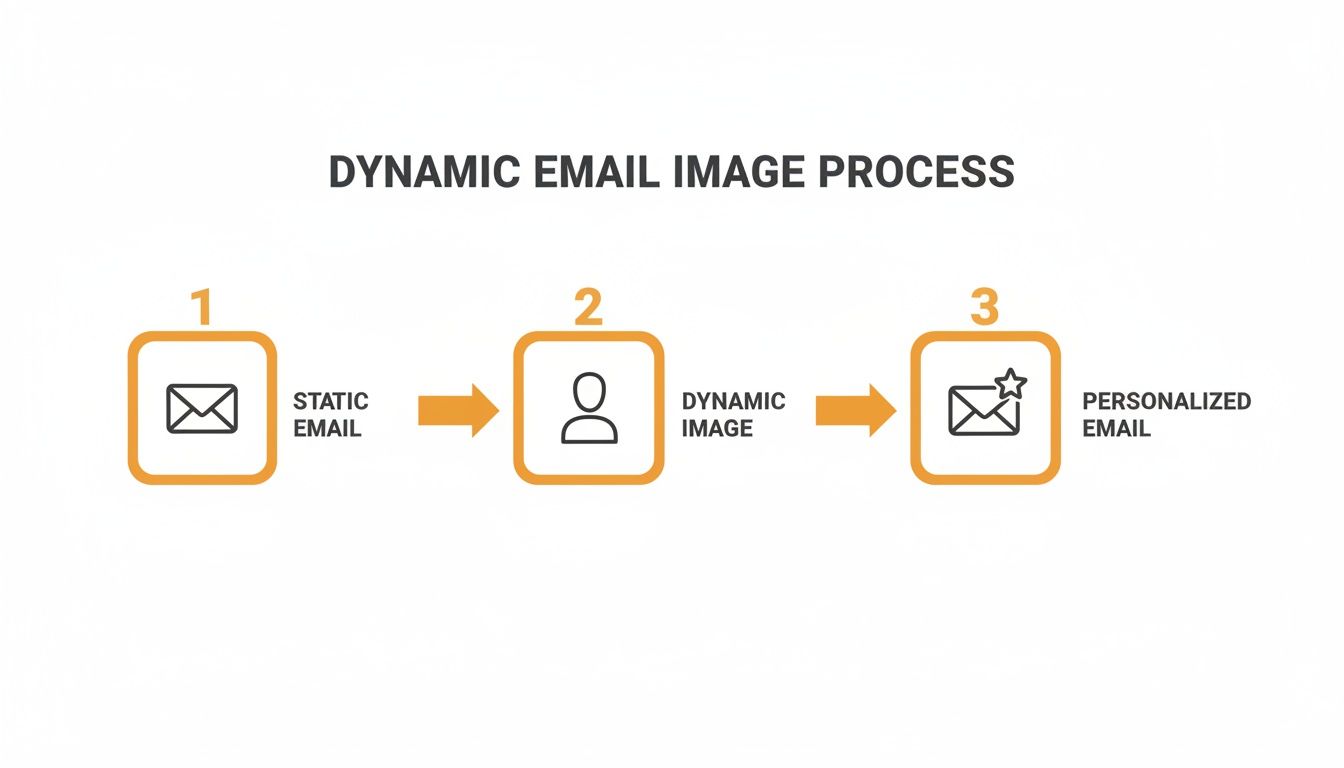
The key is that middle step, where the dynamic image engine uses subscriber data to customize the visual before it ever lands in the inbox.
From Data to Dynamic Visual
This process unlocks an incredible range of applications that go way beyond just names. Any piece of data you have can become part of the visual.
- E-commerce: Show the exact product image from an abandoned cart.
- Events: Display a personalized agenda with the sessions a user registered for.
- Loyalty Programs: Render a progress bar showing how close a customer is to their next reward.
And this isn't just a gimmick; it's a proven strategy for getting results. In fact, 68% of email professionals confirm that dynamic content, including images, significantly boosts email performance. It gets better—campaigns using these techniques generate 58% of all email revenue, proving a direct link between personalization and profit. You can find more insights on the impact of email marketing personalization.
The core idea is simple yet powerful: dynamic image personalization turns your data into a visual conversation. It transforms a broadcast into a connection by showing each recipient that you understand their unique relationship with your brand.
By using real-time data, you move beyond simply telling your customers something and start showing them something that matters to them. That shift is what makes dynamic image personalization so effective at capturing attention and driving action in a crowded inbox.
Real-World Examples of Dynamic Images in Action
Theory is one thing, but seeing dynamic image personalization for email out in the wild is where it all clicks. This isn't some niche tactic for a specific industry; it's a flexible approach that businesses of all stripes are using to create visuals that really connect and get results.
Let's dig into a few ways different sectors are leaving generic campaigns behind and using dynamic images to speak directly to their audience.
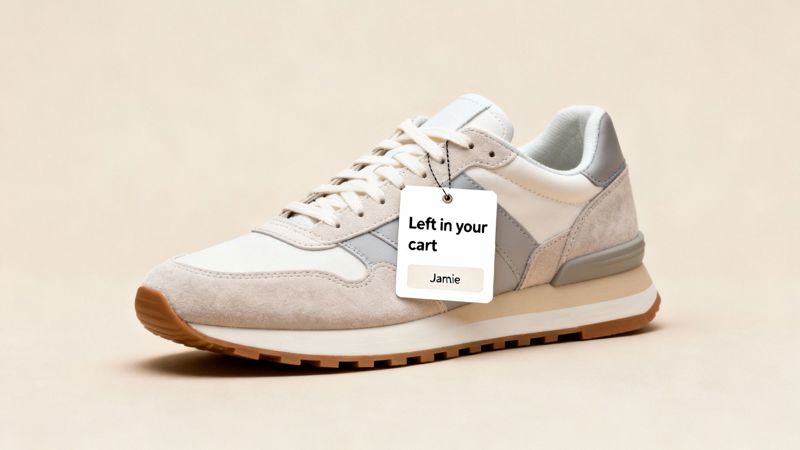
E-commerce Abandoned Cart Recovery
This is the classic, must-have use case for a reason—it works. Instead of just sending a plain text email saying, "Hey, you left something behind," an e-commerce store can show the customer an image of the exact product they were about to buy.
The image template pulls in the product photo and the customer’s name, maybe even slapping on a unique discount code. Seeing that item again, with their name on it, creates a real sense of ownership and reminds them of their initial excitement. It's powerful stuff. In fact, studies show 60% of shoppers come back to buy after getting personalized cart reminders with dynamic visuals. An image just grabs attention in a way text can't. You can find more stats on the effectiveness of personalized email marketing on porchgroupmedia.com.
- Data Used: First Name, Product Image URL, Product Name, Cart ID.
- Business Goal: Win back lost sales and bump up cart recovery rates.
It transforms a forgettable reminder into a persuasive visual nudge that says, "Hey, remember how much you wanted this?"
Event Management Personalized Agendas
If you've ever organized an event, you know how messy attendee communication can get. Dynamic images offer a slick solution for creating personalized schedules.
Imagine sending a pre-event email where every single attendee sees a beautifully designed graphic of their personal agenda. The image dynamically fills in the specific sessions they registered for, complete with speaker names and room numbers. It’s so much more engaging than a boring list of text.
By visually laying out a custom itinerary, organizers boost attendee engagement, cut down on confusion, and get more people to show up to sessions. It makes each person feel like the event was designed just for them.
- Data Used: Attendee Name, Session Titles, Speaker Names, Time Slots, Room Numbers.
- Business Goal: Elevate the attendee experience and maximize participation.
This strategy is also a winner for post-event follow-ups, like sending personalized "Thank You" images that recap the sessions an individual went to.
Coaching and Education Custom Certificates
For coaches, consultants, and anyone running online courses, dynamic images can automate the creation of rewarding visuals like completion certificates.
When a client wraps up a program or a student aces a course, an automated email goes out with a personalized certificate inside. The image template is populated with their full name, the course title, the date they finished, and even the instructor's signature.
This gives the recipient instant gratification and something cool to share online. Suddenly, a simple administrative task becomes a great marketing moment. When students post their personalized certificates on social media, it acts as powerful social proof for your program.
- Data Used: Full Name, Course/Program Title, Completion Date.
- Business Goal: Improve client satisfaction, drive social sharing, and automate rewards.
Sales and B2B Data-Driven Summaries
In the B2B space, sales teams can use dynamic images to make their outreach and reports far more compelling. Instead of blasting a client with a dense email full of numbers, a sales rep can send a dynamic image that visualizes the key data.
For instance, a monthly progress report could feature an image with the client's logo, their name, and a clean chart showing month-over-month growth or other key performance indicators (KPIs). A visual summary like that is way easier to understand and share internally than a spreadsheet.
- Data Used: Client Name, Company Logo, KPI data (e.g., revenue, leads, ROI), reporting period.
- Business Goal: Streamline client communication, demonstrate value, and boost retention.
These examples are really just scratching the surface. Think about real estate agents sending images of a home with a prospect's name on the "Welcome" mat, or a nonprofit showing a donor's name on a personalized "Thank You" card. The possibilities are endless. The core idea is always the same: use the data you already have to create a visual experience that feels like it was made for one person and one person only.
Alright, you’ve seen the potential. So, how do you actually get your first dynamic image campaign out the door?
Getting started is probably easier than you think. The right path for you really just depends on your team's technical skills, how complex your idea is, and what tools you're already comfortable with.
Let's walk through the three main ways to implement dynamic image personalization for email. By the end, you'll know exactly where to start.
Method 1: Merge Tags—The Simple Start
If you already use merge tags—like *|FNAME|*—to add a customer's name to your emails, you're practically there. This is the most straightforward way to dip your toes into dynamic images, and it requires absolutely no code. It's perfect for simple wins, like adding a subscriber's name or company onto a banner image.
Here’s the basic flow:
- Design a Template: First, you'll create an image template in a tool like OKZest. This involves setting up the static background and then designating areas as dynamic layers for text or other elements.
- Get a Dynamic URL: The platform will then spit out a special URL for that image. This URL is built with placeholders that match the merge tags your Email Service Provider (ESP) uses.
- Paste and Go: You just copy that URL and paste it into the image source field in your email builder. When the campaign sends, your ESP swaps the placeholders with each person's data, telling the image server what to create on the fly.
This method is brilliant because it works with the subscriber data you already have. It’s a low-effort, high-impact way to test out visual personalization.
The beauty of the merge tag method is its simplicity. It essentially transforms your existing ESP into an engine for visual personalization, allowing you to create thousands of unique images as easily as you add a recipient's first name to a subject line.
Method 2: API Integrations for Real-Time Power
What happens when the data you need isn't sitting in your ESP? That's where an API (Application Programming Interface) comes in. This is the more advanced route, built for campaigns that need to pull in real-time, external data. It’s the magic behind hyper-relevant visuals like live inventory counts, personalized maps, or custom analytics charts.
Think of an API as a messenger. It runs over to another application to grab the freshest data right at the moment your image is being generated. An e-commerce brand, for example, could use an API to pull the current price and stock level for a product directly from their inventory system and display it in an email.
This approach definitely requires a developer to hook things up, but it unlocks a whole other level of powerful, up-to-the-second personalization. It relies on a process called server-side image rendering for email, where a server builds each image with the latest data just before it's delivered.
Method 3: No-Code Platforms—The Best of Both Worlds
So, you want the power of an API but don't want to write a line of code? You're in luck. This is exactly why no-code platforms like OKZest exist. They act as the perfect bridge, connecting complex data sources to a simple, visual editor.
These tools are built for marketers, not developers. You can design your image templates with a drag-and-drop interface, then connect them to your data through a guided workflow. It doesn't matter if that data lives in a simple CSV, a Google Sheet, or an external database—the platform handles all the technical plumbing for you.
This approach gives you the most flexibility. You can start small with merge tags and then scale up to more sophisticated, real-time campaigns as your strategy evolves, all without ever leaving the tool. It truly makes dynamic image personalization accessible to any team, no matter their technical firepower.
Choosing Your Implementation Method
Deciding which path to take can feel tricky, but it boils down to your resources and goals. This table breaks down the three methods to help you find the best fit for your next campaign.
| Method | Best For | Technical Skill Required | Example Use Case |
|---|---|---|---|
| Merge Tags | Marketers new to dynamic images; simple personalization using ESP data. | None. | Adding a recipient's name to a welcome banner. |
| API Integration | Developers and tech-savvy teams needing real-time, external data. | High. (Coding) | Showing live product inventory in an abandoned cart email. |
| No-Code Platforms | Marketers wanting advanced personalization without needing developers. | Low. | Creating personalized event tickets from a Google Sheet. |
Ultimately, the best method is the one that gets you started. You can always evolve your approach as you get more comfortable and see the results start rolling in.
Best Practices for Campaign Success and Deliverability
Getting your first dynamic image campaign out the door is a great start, but making sure it actually drives results and lands in the inbox? That's the real goal. Let's walk through a few key best practices to help you sidestep common issues, from broken layouts to the dreaded spam folder.
A perfect campaign really begins with smart design. Think about the data you're pulling in—names, loyalty points, locations. This text will vary in length. A name like "Al" takes up a lot less space than "Christopher," so your image template needs to be flexible enough to handle both without looking broken or awkward.
The pro tip here is to always design for the longest possible piece of data you might encounter. This simple step prevents text from overflowing or getting awkwardly cut off, ensuring every single email looks polished and professional.
Protect the User Experience with Fallbacks
So, what happens when the data you need is missing? Maybe you don't have a first name for every single contact on your list. Without a backup plan, your subscribers could see a broken image or a strange empty space, which instantly shatters the personalized experience you worked so hard to build.
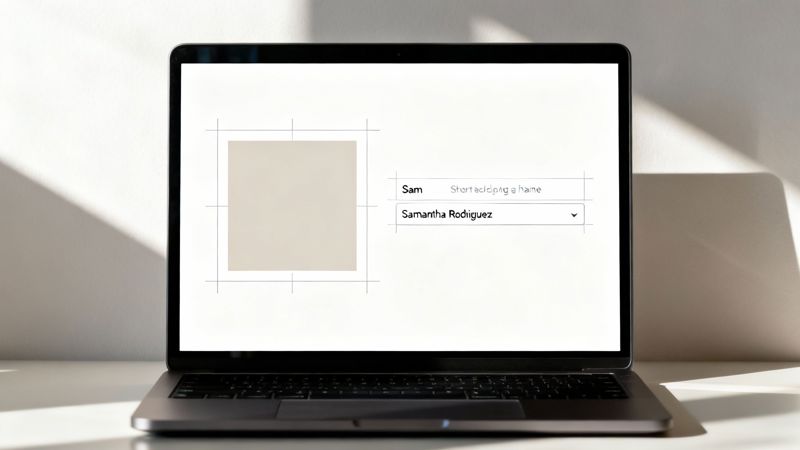
This is exactly where fallback images come in. A fallback is just a default image or text that shows up automatically when the data isn't there. For instance, instead of a broken "Hello, !" banner, a fallback could display a generic but still welcoming "Hello there!" version. Platforms like OKZest make setting up these safety nets simple, guaranteeing a solid experience for everyone.
Think of a fallback as an insurance policy for your campaign's professionalism. It ensures that even with imperfect data, every email you send looks complete, maintaining brand consistency and user trust.
Navigating Deliverability and Spam Filters
Personalization is incredibly powerful, but it's useless if your email never gets delivered in the first place. Two technical details are critical when it comes to the deliverability of your dynamic image campaigns: image file size and URL reputation.
Huge, unoptimized images can make your emails load at a snail's pace. This creates a poor user experience and can even ding your sender reputation. On top of that, some spam filters get suspicious of the complex URLs that dynamic image links can sometimes generate.
To make sure your campaigns hit their mark, run through this quick checklist:
- Optimize Image Sizes: Always compress your images. You want to keep file sizes small without wrecking the quality. The goal is fast loading to keep people engaged.
- Use a Reputable Host: The reputation of your dynamic image provider’s server actually matters. A trusted service is far less likely to have its image URLs flagged by spam filters.
- Keep URLs Clean: Make sure the generated URLs are as clean and straightforward as possible. This helps you avoid triggering email client security warnings.
For the biggest impact, your personalized emails should be one part of a larger, cohesive integrated marketing strategy for emails. The data shows this approach works wonders; personalization tactics improve performance for 80% of marketers, and some have seen revenue jump by as much as 760% from well-segmented campaigns.
By paying attention to these details, you can dramatically improve your campaign outcomes. For a much deeper dive into this topic, be sure to check out our guide on email deliverability best practices.
Measuring the True Impact of Your Campaigns
Creating stunning, personalized images is the fun part, but how do you actually prove they’re moving the needle? To really get a handle on the value of dynamic image personalization for email, you have to look past surface-level stats like open rates. Opens tell you someone glanced at your email, but they don't tell you if the visual itself made them act.
The real story unfolds in what your subscribers do after seeing their unique image. By tracking the right metrics, you can draw a straight line from your personalization efforts to real business results and build a rock-solid case for your strategy.
Metrics That Truly Matter
To get the full picture, you need to zero in on metrics that track direct interaction and conversion. These numbers show not just who opened the email, but who was so compelled by the personalized visual that they just had to click.
Here are the key performance indicators (KPIs) you should have your eyes on:
- Image Click-Through Rate (CTR): This is your most direct feedback. Are people actually clicking on the dynamic image? A high CTR here is a massive signal that the personalization is grabbing attention and sparking curiosity.
- Conversion Rate from Clicks: Okay, they clicked the image. But did they follow through? This metric tracks how many of those clickers went on to make a purchase, sign up for the webinar, or download your guide. It connects your personalized visual directly to revenue.
- Segment-Specific Performance: Dig into how different customer groups are responding. Did your dynamic abandoned cart image land better with first-time buyers than with your loyal regulars? This is where you find the gold nuggets to refine your strategy for different audiences.
When you focus on these action-oriented metrics, you change the conversation from "people saw it" to "people did something because of it." That's how you prove genuine ROI.
Proving the Uplift with A/B Testing
The best way to prove, without a doubt, that dynamic images are worth it is to run a good old-fashioned A/B test. This approach cuts through the noise and gives you cold, hard data on what works. It’s also surprisingly easy to set up.
You’ll just need to create two versions of your email campaign:
- Version A (The Control): This email gets a standard, static image that everyone sees. Think of a generic "You Left Items In Your Cart" banner.
- Version B (The Variable): This email gets the star of the show—the dynamic, personalized image. For example, a banner showing the exact product the person abandoned, maybe even with their name on it.
Split your audience, send both versions out, and watch the results closely. By comparing the click-through rates and—more importantly—the final conversion rates, you can measure the exact "uplift" your personalized visual delivered. A big jump in conversions for Version B is the undeniable proof you need to show your investment in dynamic image personalization for email is paying off, big time.
Common Questions About Dynamic Images
Whenever marketers start exploring dynamic images, a few practical questions always pop up. It's a powerful idea, but you need to know it will play nicely with your existing tools and workflows. Let’s run through the most common questions we hear.
The good news is, this kind of tech is way more accessible and reliable than you might think. Getting these specifics sorted will help you move forward with confidence.
Will Dynamic Images Work in All Email Clients?
This is usually the first thing people ask. Will my personalized images actually show up in Gmail, Outlook, or Apple Mail? The answer is a big, resounding yes.
At their core, dynamic images are just standard image files like PNGs or JPEGs, delivered through a URL. The magic happens on a server before the image ever gets to the inbox. As long as the recipient's email client is set to display images (which most are by default), they'll see their unique version.
This wide-ranging compatibility is a massive plus, giving you peace of mind that your whole audience gets a consistent, polished experience.
What Happens If Personalization Data Is Missing?
A critical question. What if you don't have a first name for every single contact on your list? This is where a good platform's "fallback" feature saves the day.
A fallback is your safety net. It’s a default image or text that displays automatically when the data needed for personalization isn't there, preventing broken images or weird-looking empty spaces.
For example, you could have a banner that says, "Hello, [Name]!". If a contact's name is missing, the fallback could simply show a professional-looking "Hello there!" instead. Setting up these defaults ensures every single person gets a seamless experience, even if your data has a few gaps.
Is This Too Technical for a Small Marketing Team?
Not anymore. While there are definitely API-based solutions that need a developer, the rise of no-code platforms has completely changed the game. Modern tools are built for marketers, not engineers.
With a platform like OKZest, the process is straightforward:
- Design your image in a visual, drag-and-drop editor. No code needed.
- Connect your data through a simple, guided interface.
- Grab a simple merge tag and paste it into your email service provider (like Klaviyo or Mailchimp). It works just like any other personalization tag you're already using.
This approach puts powerful image personalization in the hands of any marketing team, no matter the size or technical skill.
How Does This Affect Email Loading Speed?
Email load speed is a big deal, and rightly so. The short answer is: a well-designed dynamic image won't slow things down. It should be optimized to load just as quickly as any other graphic in your email.
The personalization part happens server-side in a fraction of a second and adds no noticeable delay. The key is to stick to standard best practices, like using the right image dimensions and proper compression. Any platform specializing in this handles all the server-side heavy lifting to make sure your images are delivered efficiently.
Ready to create stunning, one-to-one visual experiences for your audience? With OKZest, you can automate personalized image creation using our no-code and API solutions. It’s as simple as using merge tags for images. Start creating for free today on okzest.com.