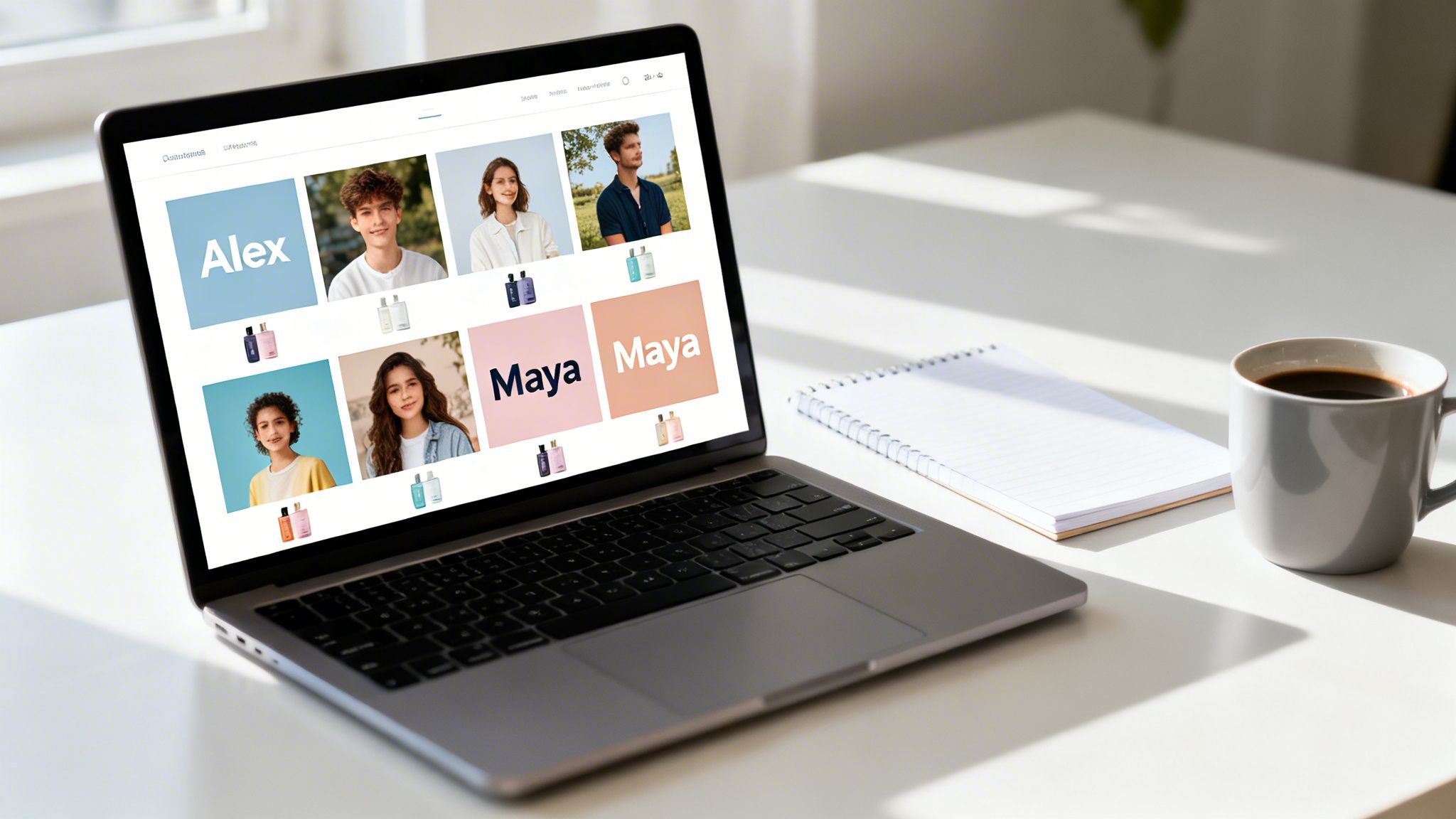
Imagine creating a unique, personalized image for every single customer on your email list—completely automatically. That’s the magic of scalable image generation. Think of it like a mail merge, but for visuals. It turns static, one-size-fits-all graphics into dynamic, hyper-personalized content that actually gets people to click.
Understanding Scalable Image Generation
So, what exactly is scalable image generation? It’s a process for automatically creating huge numbers of unique images, with each one customized using specific data. Instead of a designer manually editing hundreds of files, you start with a single master template.
This template has placeholders that get filled in on the fly with information from a database, a simple spreadsheet, or even a real-time data feed.
Here’s an analogy: a traditional designer is like a portrait painter, carefully crafting one masterpiece at a time. A scalable image generation system is more like a high-tech photo booth. It uses one backdrop (the template) but cranks out an endless stream of unique photos, each with different people and props (the data).
From Manual Tedium To Automated Magic
The old way of personalizing images was painfully slow and expensive. A marketing agency might sink hours into creating just a handful of custom graphics for a top client. Trying to do that for thousands of email subscribers? Forget about it.
This leap from manual design work to automated, at-scale visual creation is a game-changer for modern marketing. It finally lets businesses talk to customers like individuals, helping you cut through the noise in a very crowded inbox.
Scalable image generation completely flattens this roadblock. The difference between the old and new methods is stark.
To put it simply, the old way of creating images one-by-one just doesn't work for modern, data-driven marketing. The new, scalable approach is built for the speed and personalization that today's audiences expect.
Traditional vs Scalable Image Generation At A Glance
| Aspect | Traditional Image Creation | Scalable Image Generation |
|---|---|---|
| Process | Manual, one-off design work | Automated, template-based |
| Speed | Extremely slow (hours per image) | Extremely fast (thousands per minute) |
| Cost | High per-image cost, designer time | Near-zero cost per additional image |
| Scalability | Not scalable beyond a few images | Infinitely scalable |
| Personalization | Limited and labor-intensive | Deep and data-driven |
This table shows just how much of a leap forward scalable generation is, moving from a costly, time-consuming task to an efficient, automated workflow.
Core Components And Benefits
The process is surprisingly straightforward. First, you design a base template with blank spots for personalization. Then, you hook up a data source—like a customer list with names, loyalty points, or product preferences. The system takes it from there, instantly generating a unique image for each person on your list.
And this is much more than a cool party trick; it has a real impact on your bottom line. If you're curious about the nuts and bolts, you can read more about dynamic image generation in our detailed article.
Here are the main benefits you'll see:
- Massive Efficiency: Set up one template and create thousands—or millions—of personalized images in a fraction of the time.
- Deep Personalization: Go way beyond just adding a name in the text. You can embed profile pictures, progress bars, custom QR codes, and more, right into the image itself.
- Increased Engagement: Personalized images are proven to grab attention, leading to much higher click-through rates and conversions than generic stock photos.
- Consistent Branding: You maintain complete control over the look and feel, ensuring every single image stays perfectly on-brand.
At the end of the day, scalable image generation lets marketers and agencies deliver visual content that feels personal and direct. You stop broadcasting one message to everyone and start having a one-on-one visual conversation with every member of your audience, building stronger relationships and driving real action.
The AI Revolution Powering Personalized Visuals
The power to create millions of personalized images didn't just pop up out of nowhere. It's a direct result of a massive, recent boom in artificial intelligence—specifically, in models that can turn simple text into stunning visuals. This leap has taken AI image creation from a quirky tech experiment to a major force in content production.
The numbers are almost hard to believe. In a huge burst of creative output, AI models are on track to generate over 15 billion images between 2024 and 2025 alone. To put that into perspective, that single two-year period will produce more images than all the photographs humans took in the first 150 years of photography. You can dig deeper into this incredible growth in this brief history of AI image generation.
This isn't some far-off future concept. Scalable image generation is happening right now, at a mind-boggling scale.
Open-Source AI Opened the Floodgates
A huge part of this explosion came from powerful open-source models. For a long time, the best image generation AI was kept under lock and key at big tech companies. The release of models like Stable Diffusion changed everything.
By making the code available to the public, developers all over the world could suddenly experiment, improve, and build new tools on top of it. This sparked a creative free-for-all.
Open-source models basically gave the keys to the AI kingdom to everyone. They are now responsible for an estimated 80% of the 34 million images that AI creates every single day.
This is what makes scalable image generation a real, practical tool for marketers and agencies. The incredible computing power once stuck in research labs is now packed into easy-to-use platforms—like ours at OKZest—ready for your next campaign.
The timeline below shows just how fast this field has moved, with major breakthroughs happening one after another.
As you can see, the pace of innovation has been breathtaking, leading to the sophisticated tools we have today.
From a Tech Trend to Your Marketing Toolkit
This huge technological shift has real, tangible benefits for your business. These powerful AI advancements are made even more useful by the rise of no-code AI app builders, which let businesses tap into this tech without needing a team of developers. This is where a big-picture trend becomes a tool you can actually use.
Here’s how this revolution translates into a real marketing advantage:
- Unprecedented Scale: You can finally generate millions of unique images, creating a one-of-a-kind visual for every single customer in your audience.
- Cost-Effective Personalization: Automation takes the place of expensive, time-consuming manual design. This makes hyper-personalization a reality for any budget.
- Speed and Agility: Launching a highly personalized campaign can now take hours instead of weeks. You can react to market trends and customer actions in near real-time.
Ultimately, the AI revolution has turned scalable image generation from a cool idea into a proven, reliable, and accessible strategy. It's a powerful new tool for any modern marketer looking to drive engagement and build stronger customer connections.
How Scalable Image Generation Actually Works
Ever wondered how a brand sends you a perfectly personalized birthday coupon or a dynamic image in an email that seems made just for you? It’s not magic—it's a clever, automated system designed for scale.
Let's pull back the curtain on the technology that makes creating millions of personalized images not just possible, but incredibly efficient. Think of it as a highly organized, automated workshop where every tool has a job, all working together to create something unique for each customer.
Before we dive into the "how," it’s helpful to see how we even got here. The technology has evolved rapidly, building on decades of progress.
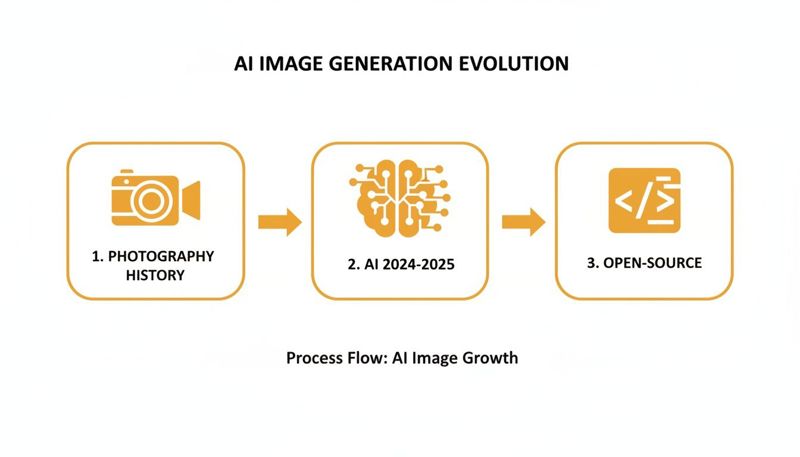
This incredible pace, from early photography to open-source AI, is what puts these powerful tools in our hands today.
The Master Blueprint and The On-Demand Factory
Everything starts with an image template. This isn't just a background; it's a master blueprint. It contains all the fixed parts of your design—like your logo and brand colors—but leaves empty spaces, or placeholders, for the personalized bits.
Once the blueprint is ready, the system needs an engine to do the actual building. That's where serverless rendering comes into play.
Think of serverless rendering as having a fleet of 'on-demand' robotic arms in a factory. They sit idle until an order arrives—say, when a user opens their email. A robotic arm instantly wakes up, grabs the template, pulls in that user's specific data, and assembles the final image in milliseconds.
This "just-in-time" approach is the secret to efficiency. You only use computing power the exact moment an image is needed, which keeps your costs way down. It also means you don't have to pre-generate and store millions of separate image files, which would be a nightmare for storage and management.
Caching and CDNs: The Global Warehouse Network
Generating an image on the fly is quick, but what if the same person opens that email again? You don't want to waste resources rebuilding the exact same image. This is where caching comes in.
The first time an image is created, a copy gets saved in a temporary, high-speed storage space. The next time it's requested, the system just serves up that saved copy, which is almost instantaneous. It's faster for the user and lighter on your system.
But what about users on the other side of the world? That's when a Content Delivery Network (CDN) is non-negotiable.
- Think of a CDN as a global network of digital warehouses. Instead of keeping your images in one central server, a CDN distributes copies to servers all around the globe.
- When a user in London requests an image, it’s served from a local server in Europe, not one all the way in Los Angeles.
- This simple step dramatically cuts down on latency—the lag time for data to travel—and gives everyone a lightning-fast experience. Even a one-second delay can kill engagement, so this is huge.
For marketers looking to integrate dynamic visuals via an API, understanding these basics is the first step. You can dive deeper into how to use a REST API for image generation to get a better handle on the technical side.
Batch Processing for Massive Campaigns
Sometimes, you need your assets ready before a big push, like for a massive social media direct message campaign or a scheduled email blast. This is where batch processing is your best friend.
It’s like telling your factory to run a full production shift overnight. You provide a list of data (like a CSV file with names and offer details), and the system generates all the personalized images at once. This way, they're ready to go when you hit "send" on your campaign.
Connecting Your Data for Hyper-Personalization
Understanding the technical side of scalable image generation is a great first step. But the real marketing magic happens when you connect that technology to your customer data. This is the moment your image templates stop being abstract designs and start becoming powerful, one-to-one messages that resonate with each person.
It’s all about feeding the right information into your image templates. Doing this well turns a generic visual into something truly unique to a customer's specific journey and interests.
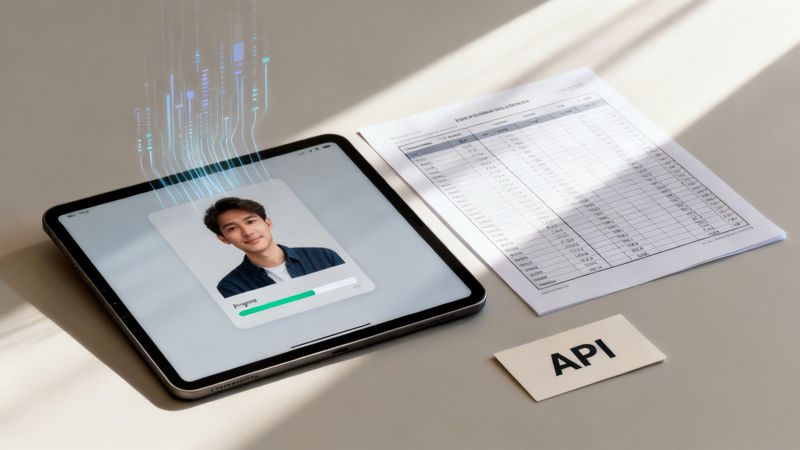
From Spreadsheets To Real-Time APIs
The kind of data you can use ranges from simple lists to live, dynamic information. You can start small and build up, matching the complexity to what your campaign actually needs. Each data source opens up new ways to create images that feel timely and relevant.
Most marketers can get started with data they already have.
- Spreadsheet Data (CSV): This is the easiest place to begin. Just upload a CSV file with columns for names, event details, or unique discount codes. It’s perfect for large batch campaigns, like generating thousands of personalized event tickets or social media shout-outs at once.
- Zero-Party Data: This is gold for personalization. It’s information customers willingly share, like their preferences, goals, or interests. You can learn more about how to collect and use this valuable zero-party data in our guide.
- Real-Time API Data: This is the most dynamic and powerful option. By connecting to an API, your images can pull in live information—like a user's progress in an online course, the current price of a product, or even local weather. This creates visuals that are always up-to-date and incredibly context-aware.
And don't mistake this for a niche tactic. The technology is more than ready for prime time. Since 2024, leading platforms have shown they can produce over 1 billion images in a single year, handling peaks of 5 million images on their busiest days. This proves it's entirely possible for any business to serve unique visuals to millions of customers and drive real revenue. You can discover more findings on the state of AI image generation to see the full picture.
Why You Need a Plan B: The Role of Fallbacks
So, what happens when your data has gaps? Maybe a customer didn't give you their first name, or an API call fails to return the data you need. Without a backup plan, you risk sending out images with awkward blank spaces like "Hello, !" or, even worse, a broken image.
This is where fallbacks are an absolute must-have for looking professional.
A fallback is your safety net. It’s a predefined default value the system uses when the primary data is missing, ensuring every image looks complete and polished, no matter what.
For instance, instead of that awkward "Hello, !" image, a fallback rule can automatically swap in a friendly but general greeting like "Hello there!" or "A special offer for you!"
Here are a few common fallback strategies:
- Text Fallbacks: Replace a missing name with a generic title like "valued customer."
- Image Fallbacks: Show a default company logo if a user's profile picture isn't available.
- Data Fallbacks: Display an average score or a general message if a user's specific progress isn't found.
Setting up smart fallbacks isn’t just a technical detail—it's a critical part of brand management. It protects the user experience by guaranteeing that every communication, even when automated, feels thoughtful and complete. By pairing powerful data connections with smart fallback logic, you can launch scalable image campaigns that are both impressive and reliable.
Integrating Personalized Images into Your Workflow
Powerful tech is only as good as your ability to actually use it. The best part about scalable image generation is that it’s built to fit right into the marketing tools you already rely on every day. You won’t need to rip out your existing setup; these integrations are designed to be plug-and-play.
So, how does it all connect? The magic lies in a simple dynamic URL. After you’ve designed your image template and hooked up your data, the system gives you a special link. This link is your key to placing personalized images anywhere you need them.
You just paste this URL into an HTML <img> tag for a website, or use it with the merge tags in your favorite email platform. It’s a "set it and forget it" process that works in the background to show a unique image to every single person.
Near-Universal Compatibility with Your Favorite Tools
Modern image personalization platforms are built to work with just about everything. They connect effortlessly with the top marketing and sales tools you’re likely already using. Whether you’re sending emails, posting on social media, or reaching out to sales prospects, you can add a layer of visual personalization.
This works because the entire process relies on standard web protocols that almost every online tool supports. If your platform lets you insert an image using a URL, you’re good to go.
You'll find it works perfectly with a huge range of popular platforms, including:
- Email Marketing Platforms: Tools like Klaviyo, Mailchimp, and HubSpot make it easy to drop in dynamic image URLs using their existing merge tag systems.
- Sales Engagement and Cold Email Tools: Platforms such as Instantly.ai and Smartlead.ai let you embed eye-catching personalized images right into your outreach sequences.
- Website and Landing Page Builders: Any builder that allows you to add custom HTML or an image from a URL can display these dynamic visuals.
This plug-and-play approach means you can get started in minutes, not weeks.
How Integration Works in Practice
Let's walk through a real-world example to see just how simple this is. Imagine you run an e-commerce store and want to send a personalized thank-you image after a customer makes a purchase.
- Create the Image Template: First, you’d design a "Thank You" image in a platform like OKZest. The template would have your logo, a nice background, and placeholders for the customer's
{{first_name}}and their updated{{loyalty_points}}balance. - Generate the Dynamic URL: The platform then spits out a single dynamic URL. This link contains all the template info and the placeholders you added. It might look something like this:
https://img.okzest.com/...?first_name={{first_name}}&loyalty_points={{loyalty_points}}. - Embed in the Email: Now, head over to your email platform (we'll use Klaviyo for this example). You edit your post-purchase email flow, add an image block, and paste in the dynamic URL instead of uploading a static file. Klaviyo instantly recognizes the
{{...}}placeholders as its own merge tags. - Send the Email: That’s it! When a customer named "Maria" with 250 loyalty points buys something, Klaviyo automatically plugs her data into the URL. The image service instantly generates a custom image that says "Thank You, Maria! You now have 250 points!" and puts it right into her email.
The key takeaway is this: the integration all happens through a simple link. Your marketing platform does what it always does—fills in merge tags—and the image generation service handles the rest automatically.
This straightforward workflow opens up a world of possibilities, from event tickets with unique QR codes to sales proposals featuring a prospect's company logo. By using the tools you already know, you can add a powerful layer of visual personalization without disrupting your process.
Your Implementation Checklist for Success
Alright, let's move from ideas to action. Getting your first scalable image generation campaign up and running is pretty straightforward when you have a solid plan. This checklist will walk you through the six essential steps to launch a project that not only looks great but also gets real results.
Think of it as your game plan. Each step builds on the last, setting you up for a smooth and successful launch.
Step 1: Define Your Campaign Goal
Before you even think about design, you need to know what success looks like. A clear goal is your north star—it will guide every decision from here on out. Are you trying to boost email engagement, drive more sales, or get more people to register for an event?
Get specific. Instead of a vague goal like "increase engagement," aim for something you can actually measure, like "increase email click-through rates by 15%" or "generate 500 qualified leads from personalized social media outreach." This clarity makes it easy to prove the campaign's value down the line.
Step 2: Design Your Master Image Template
Now for the fun part. Your master template is the visual foundation for every image you'll generate. Using a no-code editor like the one in OKZest, you'll design one core image that has both fixed and dynamic parts.
- Static Elements: These are the parts that stay the same, like your logo, brand colors, and any background photos.
- Dynamic Placeholders: These are the empty slots waiting for personalized data. You'll add placeholders for variables like
{{first_name}},{{company_name}}, or even a unique QR code.
This template is your blueprint for creating hundreds or thousands of unique images, so make sure the design is clean, on-brand, and has obvious spots where the personalization can really pop.
Step 3: Prepare Your Personalization Data
A personalized campaign is only as good as the data behind it. Now's the time to gather the information you need and give it a quick clean-up. This usually involves exporting a CSV file from your CRM or setting up an API connection.
Pro-Tip: Always double-check for inconsistencies. Look for things like lowercase names ("john" vs. "John"), empty fields, or extra spaces. A few minutes spent cleaning your data now can save you from sending thousands of images with embarrassing mistakes.
Step 4: Configure Smart Fallback Rules
Let's be real: data is rarely perfect. What happens if a first name is missing from your list? Without a plan, your image might show an awkward blank space or a broken-looking placeholder. This is where fallbacks are a lifesaver.
For every placeholder, set up a default value. If {{first_name}} is blank, your fallback rule can automatically swap in a friendly, general term like "Valued Member" instead. This ensures every single image looks complete and professional, protecting your brand's reputation.
Step 5: Integrate and Test
With your template designed, data prepped, and fallbacks in place, it’s time to put it all together. This is often as simple as copying a dynamic image URL from your tool and pasting it into your marketing platform, whether that’s Klaviyo, Mailchimp, or Instantly.
Before hitting 'send' on the full campaign, always send a test run to yourself and a couple of teammates. Click every link, double-check that the personalized elements are correct, and look at the images on both desktop and mobile to make sure everything looks perfect.
Step 6: Monitor Key Metrics
Your campaign is live—but you're not done yet! Now you get to track the metrics you defined back in Step 1. Keep an eye on your email platform’s analytics to see the lift in engagement and watch your website analytics for conversion rates.
The best way to prove your success is to compare the performance of your personalized images against a control group that received generic visuals. This will help you calculate a clear return on investment (ROI) and build a case for even more creative campaigns in the future.
Frequently Asked Questions
You've got questions, and we've got answers. This is where we tackle some of the most common things marketers and business owners ask about getting started with scalable image generation.
How Much Technical Skill Do I Really Need?
Almost none. Seriously. Modern platforms are built with marketers in mind, not developers, using intuitive no-code editors.
If you’ve ever added a merge tag like *|FNAME|* to an email, you have all the technical skill you need. You simply design a master image in a visual editor, and the platform gives you a special URL to paste into your email provider. It’s truly plug-and-play.
What Happens if Personalization Data Is Missing?
This is a great question, and it's handled by a critical feature called fallbacks. Any good system will let you set a default for every piece of personalized info.
For example, if a first name is missing from your list, the image can automatically show a general greeting like "Valued Customer." This prevents awkward blank spaces or errors, ensuring every single image looks professional and complete.
Is This Affordable for a Small Business?
Yes, absolutely. The pricing is designed to be scalable, just like the technology itself. Many services offer free or low-cost starter plans that let small businesses, freelancers, and coaches get started without a big upfront investment.
As your campaigns grow, you can easily upgrade to plans that support millions of images per month. This makes it a perfectly viable and cost-effective solution, whether you're a solo entrepreneur or a large enterprise.
Ready to create stunning, personalized images for your audience? OKZest helps you automate the entire process with our no-code editor and powerful API. Start for free on OKZest.