So, what exactly are custom email images? Think of them as graphics that are created on-the-fly for every single person on your email list. They can pull in personalized details like a customer's name, their loyalty status, or even a unique discount code just for them.
This simple trick completely changes the game. It turns a generic email blast into what feels like a one-to-one conversation, making your message immediately more relevant and massively boosting engagement.
Moving Beyond One-Size-Fits-All Emails
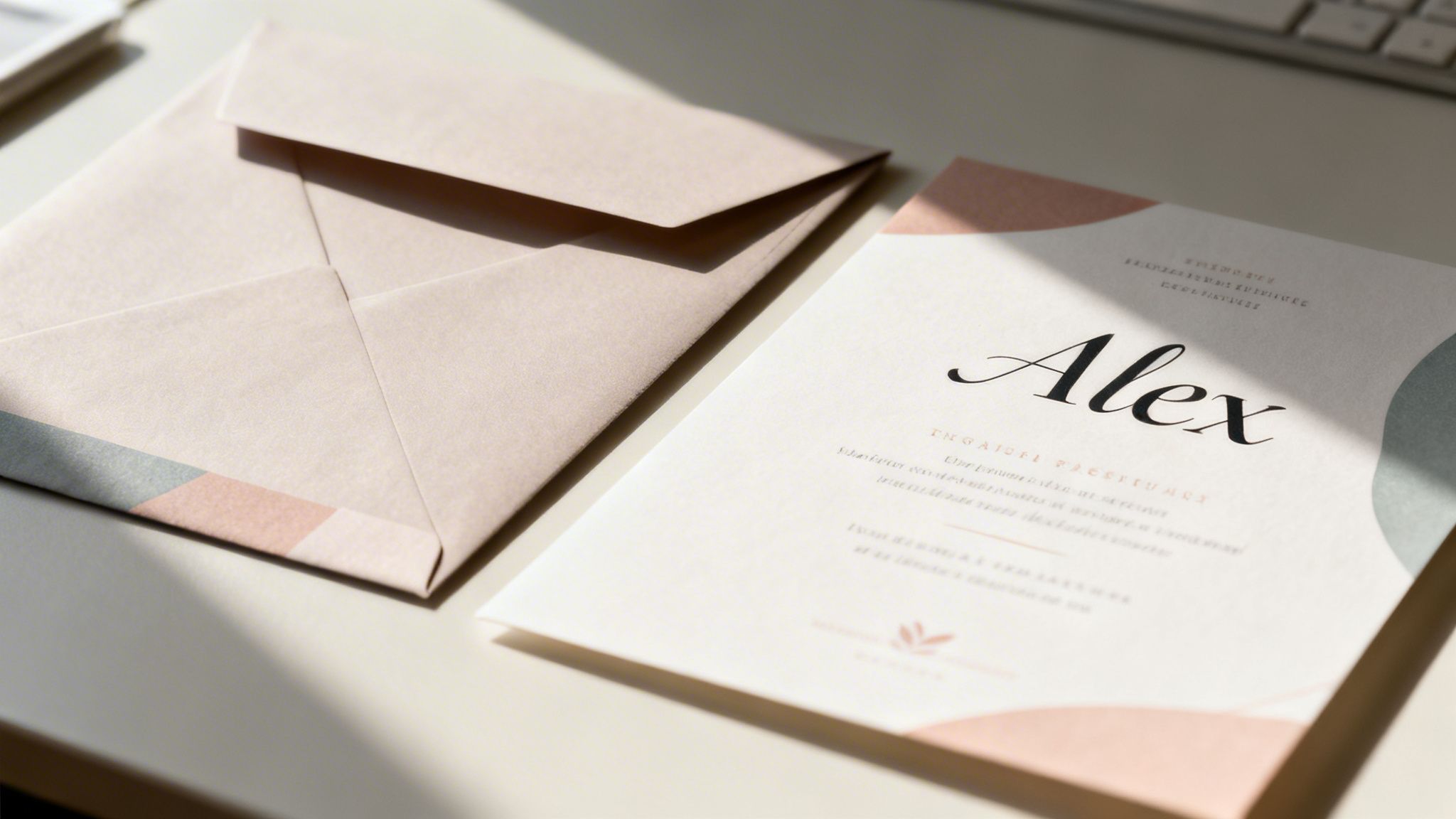
Let's be honest, the inbox is a battlefield. To win, you have to stand out. Most marketing emails still rely on a generic, one-size-fits-all approach, which is a fast track to being ignored or deleted without a second thought. This is where custom email images come in.
Think about the difference between getting a standard promotional flyer in the mail versus a beautifully designed wedding invitation with your name elegantly printed on it. The invitation feels personal, important. It demands your attention. That’s the exact effect personalized images have inside an email.
The Power of a Personal Touch
By embedding visuals that speak directly to an individual, you’re doing more than just sending information—you're creating a moment of connection. That simple act of recognition makes your subscriber feel seen and valued, helping you cut through all the digital noise. Instead of just broadcasting a message to a list, you're starting a genuine conversation with each person.
This shift isn't just a "nice-to-have"; it directly impacts your most important marketing metrics:
- Increased Attention: A banner with the subscriber's name on it instantly grabs their eye, stopping them from scrolling right past your message.
- Higher Engagement: Personalization makes the content far more relevant, encouraging clicks and interactions. In fact, targeted personalization can lift revenues by 5 to 15%.
- Stronger Brand Loyalty: When customers feel understood, they build a much deeper connection to your brand. That leads to repeat business and turns customers into advocates.
What to Expect in This Guide
This guide will walk you through everything you need to know about using custom email images to elevate your marketing. We’ll break down the technology behind it, show off some real-world examples, and give you clear, step-by-step instructions to get started.
The core idea is simple: turn every email into a unique visual experience. By mastering this strategy, you can build more engaging campaigns, foster stronger customer relationships, and ultimately drive better results for your business.
We’ll cover both no-code solutions designed for marketers and API-driven approaches for developers, so you'll have a clear path forward no matter your technical comfort level. To understand the broader strategy at play here, you can explore our detailed article on what is personalization in marketing. With tools like OKZest, creating these powerful, dynamic visuals is more accessible than ever, setting you up to build truly impactful campaigns.
How Custom Email Images Actually Work
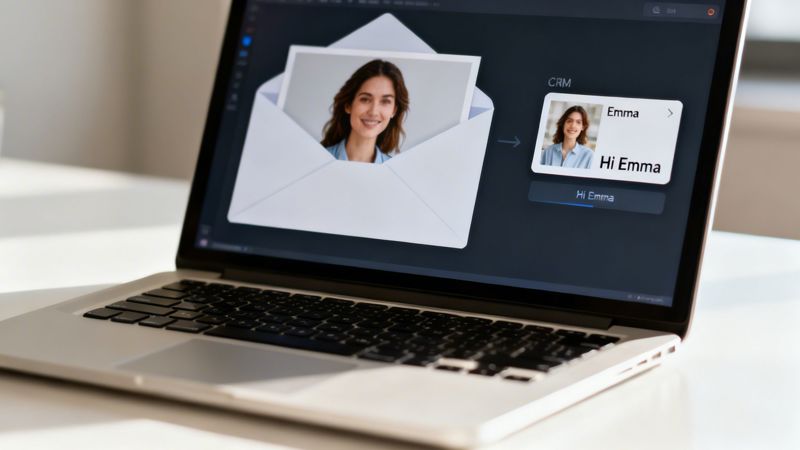
So, what's really going on behind the curtain to make these personalized visuals happen? It’s not nearly as complicated as it sounds.
The easiest way to think about it is like a "merge tag for pictures."
You're probably already using merge tags like {{first_name}} to drop a subscriber's name right into your email copy. A custom image works on the exact same principle. Instead of pulling in a piece of text, it populates a visual template with unique data for each person on your list.
This little bit of magic turns a single, static graphic into a dynamic, one-to-one experience. It’s the difference between sending out a generic flyer and a custom-printed invitation, all done automatically and at scale.
The Behind-The-Scenes Process
The magic all happens through a simple but clever workflow that platforms like OKZest are built to handle. You don't need to be a developer to get this running; it's designed for marketers.
Here's the basic journey from a spreadsheet row to a personalized image:
- Template Design: First, you create a base image template. This could be anything—a special offer banner, an event ticket, or a progress chart. You just leave placeholder areas for the content that will change for each person.
- Data Connection: Next, you connect that template to a source of data. This might be a simple spreadsheet or even a live feed from your CRM, full of details like names, locations, or purchase history.
- URL Generation: The platform then generates a special image URL. This URL is your new "merge tag," containing all the instructions needed to build the final image for each subscriber.
- Real-Time Rendering: When a subscriber opens your email, their email client requests the image from that unique URL. In that split second, the system generates a one-of-a-kind image just for them, pulling their specific data right into your template.
In essence, you aren't sending thousands of different image files. You are sending one smart link that builds the right image for the right person at the exact moment they open their email.
Why This Method Is So Effective
This real-time generation is incredibly efficient. But more importantly, it works. The visual appeal of an image grabs attention far more effectively than plain text ever could. We see it in the numbers all the time.
Emails that incorporate images consistently outperform text-only versions. Image-based emails see an average open rate of 43.12%, a huge leap over the 35.79% for plain text—that's a relative improvement of over 20%.
Custom email images are a perfect example of dynamic content, adapting on the fly to create a genuinely personal experience. By using a special URL that you can simply paste into any email service provider (ESP), you can deliver these super-relevant visuals without touching a line of code.
For a deeper look at the technical side of things, check out our guide on using a dynamic image API for email marketing.
Seeing Custom Images in the Real World
It's one thing to talk about the theory, but seeing custom email images out in the wild is where you really get it. Let's look at how this actually works for real businesses. These examples show how a simple, dynamic image can turn a boring, standard email into a personal experience that gets people to act.
Think about an e-commerce store trying to win back abandoned carts. Instead of the usual "You left something behind..." email, they could send an image that automatically pulls in a picture of the exact product, the customer's first name, and a unique discount code just for them. It’s an instant, visual reminder of what they wanted, with a personalized nudge to finish the checkout.
This works so much better than plain text because it hits you right away. The customer sees their potential new gadget or dress, not just a line of text in an email.
E-Commerce and Retail Applications
Retail is all about visual appeal, which makes it the perfect place for image personalization. The whole point is to make every email feel like it came from a personal shopper.
Here are a few ways e-commerce brands are using this:
- Abandoned Cart Recovery: Like the example above, showing the actual item left in the cart with the customer's name creates a powerful sense of "that's mine" and a little FOMO.
- Loyalty Program Updates: Instead of just text, a dynamic image can show a customer their points balance, what rewards tier they're in, and how close they are to the next level. It turns a simple update into a mini-game, encouraging them to shop again.
- Post-Purchase Thank You: Ditch the boring receipt. Send a personalized "Thank You" card featuring the customer's name and a picture of the awesome thing they just bought.
SaaS and Technology Company Use Cases
For SaaS companies, the game is all about keeping users engaged and proving your tool's value over and over again. Custom email images can turn dry data into visuals that are actually interesting to look at, reminding users why they signed up.
A project management tool could send a weekly progress report with a custom graphic showing the user's completed tasks, their team's productivity stats, and their own profile picture. This makes the data feel personal and rewarding.
This simple change turns a routine notification into a moment of achievement. Other great uses for SaaS include:
- Onboarding Milestones: Send a personalized image congratulating a new user when they finish a key setup step. It’s like a virtual high-five that keeps them moving.
- Usage Reports: Create a branded graphic that visualizes key metrics, showing the user exactly how much they’re getting out of your platform.
- Renewal Reminders: An image with the user’s name, their renewal date, and a snapshot of their most-used features is a powerful way to show them what they’d be missing.
Events and Coaching Industry Examples
In industries built on personal experiences, like events and coaching, personalization is non-negotiable. Custom images help build excitement and deliver key info in a way that sticks.
Event organizers can send digital tickets where each image is totally unique. Imagine an email with a ticket that has the attendee's name, a personal QR code for check-in, and even their seat number. It looks incredibly professional and makes the whole check-in process smoother, improving the experience from the very start.
Coaches and consultants can also create powerful moments automatically. After a client finishes a course, a tool like OKZest can generate a personalized certificate of completion with their name, the course title, and the date. This becomes a shareable trophy that validates their hard work and naturally promotes the program for you. Each of these examples proves that a simple, dynamic image can deepen customer relationships and drive real engagement by turning a mass email into a one-on-one conversation.
Implementing Custom Email Images in Your Campaigns
Alright, you've seen what custom images can do. Now, let's get down to business and actually put them into your emails. Getting this set up is surprisingly straightforward, and there are really two main ways to go about it, depending on your team's skills and needs.
Whether you're a marketer who lives in visual editors or a developer who needs serious automation, there’s a path for you. The trick is just picking the one that fits best with your workflow and goals.
The No-Code Path for Marketers
If you're a marketer, your world revolves around creating great campaigns without getting stuck in the weeds of code. This path is built for you. Using a platform like OKZest, the whole process is visual and intuitive.
You start by designing an image template in a simple editor—if you've ever used Canva or Figma, you'll feel right at home. Then, you connect your data, which could be anything from a Google Sheet with customer names to a direct link with your CRM. Once that’s hooked up, the platform gives you a unique merge tag, which is basically a smart link for your image.
The last step is the easiest: just copy that merge tag and paste it into the image block inside your favorite email builder, like Mailchimp, Klaviyo, or any other ESP. That’s it. Your email platform handles the rest, making sure every single subscriber gets their own personalized graphic.
This diagram shows how data from different sources can be pulled together to create a unique visual for each customer.
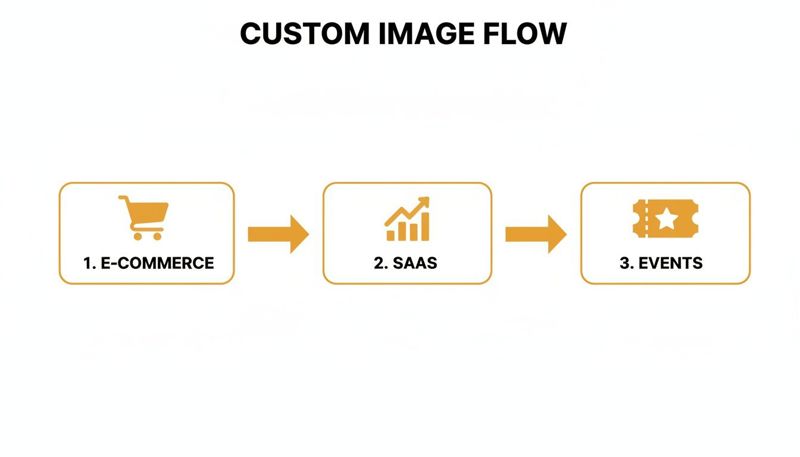
You can see how information from e-commerce, SaaS, or event platforms feeds into the system to generate images that feel personal and relevant.
The Developer Path for Automation at Scale
For teams that need to generate thousands—or even millions—of personalized images on the fly, the developer path offers incredible power and flexibility. This route uses an API (Application Programming Interface) to plug image generation right into your existing apps or automated workflows.
Instead of a visual editor, your developers will make API calls to send data and get a unique image URL back. This is perfect for heavy-duty automation, like creating a personalized welcome image the moment a new user signs up or generating dynamic social media graphics automatically. You can dig into the technical details in our complete guide to building an email personalised image generator.
This approach gives you total control, allowing for complex logic and tight integration with any custom systems you've built. It’s the engine that drives personalization at a massive scale.
Choosing Your Implementation Path
To help you decide, here’s a quick breakdown of the two approaches. Think about your team's technical comfort level and what you're trying to achieve with your campaigns.
| Feature | No-Code (OKZest Platform) | API (OKZest API) |
|---|---|---|
| Best For | Marketers, small teams, and quick campaign rollouts. | Developers, large-scale operations, and deep system integrations. |
| Technical Skill Required | None. Familiarity with email marketing platforms is enough. | Requires development knowledge (REST APIs). |
| Setup Time | Minutes. Visual drag-and-drop template builder. | Varies. Depends on the complexity of the integration. |
| Use Cases | Email campaigns, social media posts, small-batch personalizing. | Real-time personalization, automated workflows, SaaS applications. |
| Flexibility | High within the platform's features and templates. | Maximum. Complete control over logic, triggers, and data sources. |
Ultimately, both paths lead to the same result: incredible, personalized images for your audience. The choice just comes down to how you want to get there.
Ensuring a Flawless Experience with Fallbacks
Here’s a critical detail that often gets missed: what happens when your data isn't perfect? If a subscriber's first name is missing from your list, you don't want your beautiful custom image to show a weird blank space or an error.
This is where fallback values are a lifesaver. Both the no-code and API methods let you set a default value for any dynamic field. For instance, if the {{first_name}} field is empty, the image can automatically show a friendly, generic greeting like "Valued Customer" or "A Special Offer for You."
This small but vital feature ensures that every single email looks polished and complete, protecting the user experience no matter what your source data looks like. Getting this right has a huge payoff. We're talking a 41% higher click-through rate for personalized emails, which are also six times more likely to get someone to buy. Nailing the small details like fallbacks is what turns a good campaign into a great one.
Best Practices for Designing Effective Custom Images
Creating custom email images that really connect with people is about more than just slapping a name on a banner. To do it right, you need a smart approach that balances slick personalization with solid performance and brand identity. When you nail these details, you turn a good campaign into a truly great one.
First things first: you have to maintain brand consistency. Even though your dynamic images will have countless variations, they should all look and feel like they came from you. Stick to your established color palette, fonts, and logo placement across every template. This way, whether the image says "Hi, Sarah!" or "Hi, David!", your brand's visual identity stays strong and instantly recognizable.
Balance Performance with Quality
Even the most stunning custom image is a complete failure if it doesn't load. Slow-loading emails are a huge source of frustration for subscribers, so optimizing your image file sizes isn't optional—it's essential. Bulky, uncompressed images can seriously delay how fast your email displays, especially for people on mobile devices with spotty connections.
Your goal is to find that sweet spot where the image looks sharp without being a massive file. Here are a few technical pointers to get you there:
- Choose the Right Format: Use JPEG for photos or complex graphics with gradients, as it compresses really well. For images that are mostly text, logos, or have sharp lines, PNG is usually the better choice because it keeps things crisp.
- Compress Your Images: Before you upload your base templates, run them through a compression tool. This can shrink the file size by over 70% without anyone noticing a drop in quality.
- Lazy Loading: While you can't always control this in email clients, platforms that render images on the fly, like OKZest, are built to deliver the image as quickly as possible the moment the email is opened, which cuts down on that initial load strain.
Remember, swift delivery is the name of the game. A slightly less sharp image that loads instantly is always better than a perfect, high-res one that shows up as a broken box.
Prioritize Accessibility and Inclusivity
Here's something a lot of people forget: not every subscriber will actually see your images. Some have images turned off by default in their email client, and others might use screen readers to consume your content. This makes alt-text (alternative text) one of the most important parts of your design.
Good alt-text gives a short, clear description of what the image is and why it's there. Instead of a lazy "Banner Image," write something descriptive like, "Personalized welcome banner for Jane Doe." It’s a small step that makes sure your message lands with everyone and massively improves your email's accessibility.
Use Personalization Respectfully
Finally, there’s a fine line between personalization that feels helpful and personalization that feels… creepy. Using a customer’s name on a welcome banner is friendly and engaging. Displaying highly sensitive information, on the other hand, is probably going too far. The key is to use data in a way that provides real, tangible value to the person reading the email.
Before you add a dynamic element, just ask yourself: Does this piece of information make the email more useful, relevant, or delightful for my customer? If the answer is yes, you're on the right track. Stick to data points that make the experience better, like showing their loyalty points balance or highlighting a product they’ve looked at before. This respectful approach builds trust and strengthens that customer relationship for the long haul.
Time to Start Your Journey to Smarter Email Marketing
We’ve covered a lot of ground, from the big ideas behind custom email images to the nitty-gritty of getting them into your campaigns. It should be pretty clear by now that this isn't just some fleeting trend. It’s a real, effective way to build relationships and boost your bottom line, especially when everyone’s inbox is overflowing.
When you switch from just blasting out emails to having a real conversation, you create experiences people remember. That’s how you build genuine loyalty.
This kind of powerful tech used to be reserved for companies with huge development teams, but not anymore. Now, any business can get in on the action. With the right tools, you can turn your standard emails into one-on-one conversations that make every single customer feel seen and valued.
Your Path Forward Is Clear
So, what's next? That's up to you. This guide has laid out why this approach works and how you can actually do it. Powerful personalization is no longer out of reach. The tools are here, ready to go with easy integrations, pricing that scales with you, and options for both no-code setups and full API control.
Of course, to get the most out of this, you need a solid, engaged audience. Sending amazing personalized images is great, but it’s even better when you’re sending them to a receptive list. That's why mastering email list building is such a crucial piece of the puzzle. A great list combined with truly personal content is a combo that delivers incredible results.
By treating each subscriber as an individual, you move beyond simple marketing metrics and begin building a community around your brand. This is the foundation of long-term, sustainable growth.
Begin Your Transformation Today
The opportunity to seriously level up your email marketing is right in front of you. Start small and just explore what you could do with the data you already have. Maybe it’s a simple welcome email that uses a new subscriber’s name in an image, or maybe it's a full-blown, data-driven campaign. Every big marketing win starts with that first step.
Platforms like OKZest are built to make this whole process painless. We handle the tech so you can focus on being creative and strategic. Your audience is out there, waiting for a more personal connection. Go build it.
Of course. Here is the rewritten section, crafted to sound like an experienced human expert and match the provided examples.
A Few Common Questions About Custom Email Images
As you start thinking about using custom images in your emails, a few practical questions are bound to pop up. Let's tackle some of the most common ones I hear, so you can move forward with confidence.
Will Custom Email Images Slow Down My Email Load Times?
That's a smart question. Email performance is everything. The good news is that modern image personalization platforms are built for speed. These images are generated on-the-fly from powerful cloud servers and compressed to load quickly without looking pixelated.
Better yet, a solution like OKZest gives you control over the output format (like JPEG or PNG), so you can find the perfect balance between visual quality and file size. When you follow best practices, the massive boost in engagement you'll see will make any tiny impact on load speed a non-issue.
What Happens If Personalization Data Is Missing?
This is a classic "what if" scenario, and a robust system is designed to handle it gracefully. The best solutions let you set up "fallback values" or default states for any dynamic part of your image template.
For example, if a subscriber's first name isn't in your database, you don't want a weird blank space or an error. Instead, the image can automatically show a default greeting you've picked, like "Hello there!" or "A Special Offer for You."
This is a crucial feature. It guarantees that every single person on your list gets a complete, professional-looking image, protecting your brand experience even when your data isn't perfect.
It means you can launch your campaigns knowing every email will look polished and intentional, no matter what.
Is This Technology Difficult to Integrate with My ESP?
Not at all. If you've ever used a standard merge tag, you're already 90% of the way there. The integration is designed to be that simple, so you won't need to do any complex coding or overhaul your current setup.
Platforms like OKZest give you a unique URL for your image template that acts just like a dynamic merge tag. You just copy this URL and paste it into the image source field in your email editor—it works with Klaviyo, Mailchimp, Instantly, and pretty much any other email service provider (ESP) out there.
The platform does all the heavy lifting on the back end, making it a surprisingly smooth and user-friendly process.
How Much Does It Cost to Create Custom Email Images?
The cost really depends on how many images you need to generate each month. This flexible model works for everyone, from solo entrepreneurs testing the waters to large companies with massive email lists.
OKZest offers a few different tiers to fit different budgets and needs:
- Free Tier: A generous free plan lets you explore all the features and see the value for yourself without any financial commitment. It's perfect for getting started.
- Scalable Paid Plans: As your marketing grows, you can move to paid plans that support hundreds of thousands or even millions of images per month.
- Advanced Features: Higher tiers often come with premium features like team collaboration and role-based access, which are great for growing marketing departments.
This scalability ensures you only pay for what you actually use, making it an incredibly cost-effective way to boost your email engagement. You can start small and scale up as you start seeing the results.
Ready to turn your email campaigns from generic broadcasts into personal conversations? OKZest makes it easy to create stunning, personalized images that grab attention and drive action. Explore our no-code and API solutions and start your free trial today. Get started with OKZest.