Ever heard of an email personalised image generator? Think of it like a merge tag, but for images. It’s a tool that automatically cooks up unique visuals for every single person on your email list. Instead of blasting everyone with the same static graphic, this technology dynamically inserts personal details like names, company logos, or custom offers right into the image itself.
Why Personalised Images Are a Game Changer in Email
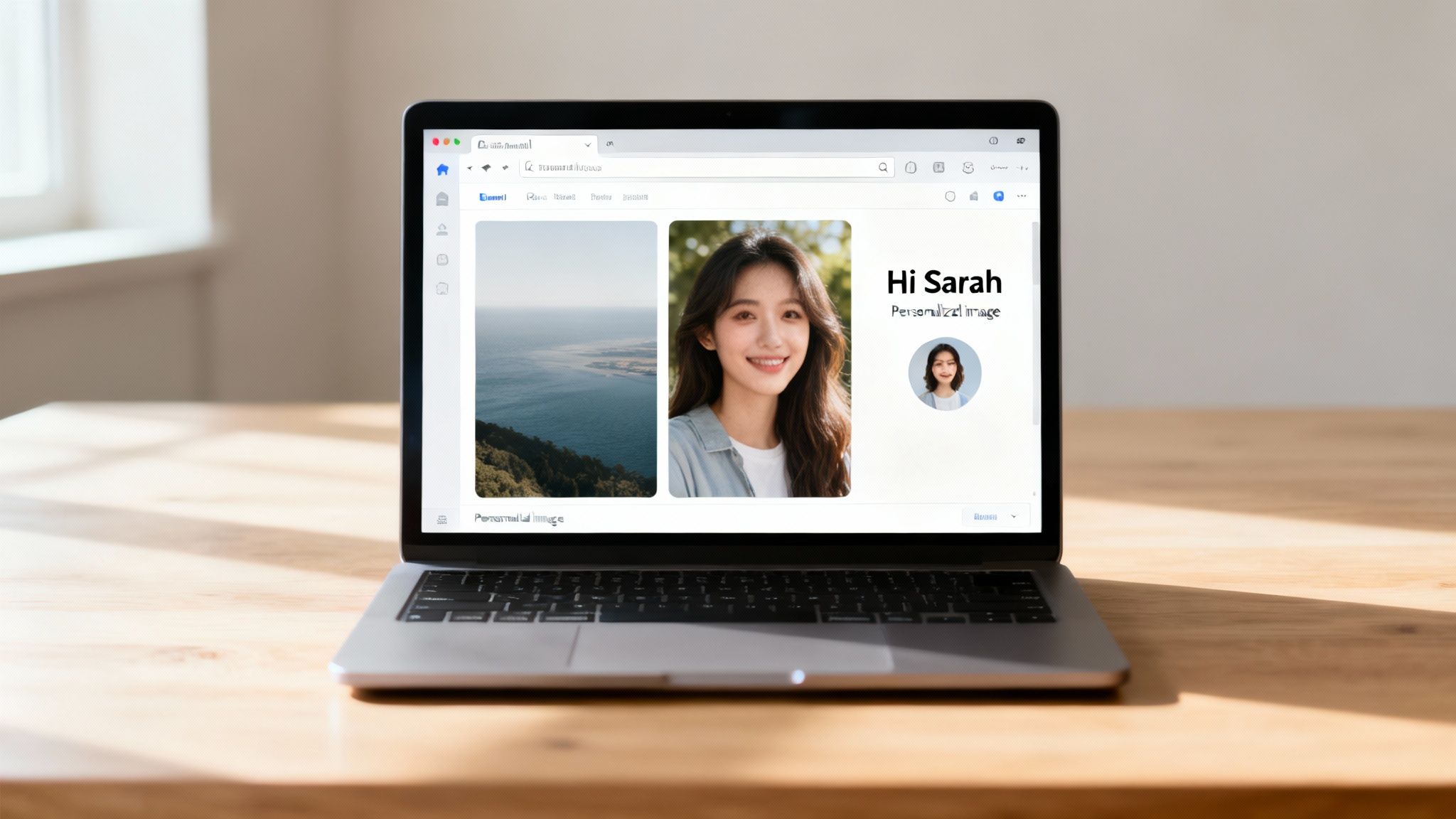
For years, we marketers have leaned on personalizing subject lines and email copy with a subscriber's first name. It works, sure, but let's be honest—it's become table stakes. The real opportunity to forge a genuine connection now lies in your visual content. A crowded inbox is no place for generic stock photos.
This is where a personalised image generator flips the script, turning a standard marketing message into a one-to-one conversation. Imagine sending a welcome email with an image of a coffee cup that has the new subscriber's name written on it. Or an event invitation with a ticket visually customized for each attendee. It's this kind of detail that makes people feel seen and valued, and it absolutely crushes generic campaigns when it comes to engagement.
The Impact on Engagement and Revenue
This isn't just a cool gimmick; it's a strategy that drives real-world results. Personalized visuals grab attention instantly, leading to higher click-through rates and making your brand much more memorable. When every email feels unique, you build a much stronger connection with your audience. You can dive deeper into the core concepts behind this in our guide on what is personalization in marketing.
This shift is backed by some serious market momentum. The AI image generator market, valued at a cool USD 336.3 million in 2023, is expected to skyrocket to over USD 60 billion by 2030. That’s a massive signal showing where the demand is heading. For email marketers, the opportunity is crystal clear: stand out, connect better, and boost campaign performance.
Key Takeaway: Moving from generic visuals to personalized ones is the single most powerful way to make your emails feel less like a mass broadcast and more like a personal message, directly impacting customer loyalty and revenue.
Static vs Personalised Email Images at a Glance
So, what's the real difference in practice? Here’s a quick breakdown of how static images stack up against their dynamic, personalised counterparts.
| Feature | Static Images | Personalised Images |
|---|---|---|
| Audience | One-size-fits-all, generic for everyone | Unique for each individual recipient |
| Engagement | Standard, can be easily ignored | High, grabs attention and encourages interaction |
| Connection | Impersonal, feels like a mass broadcast | Personal, fosters a one-to-one connection |
| Data Usage | None, does not use subscriber data | Dynamically uses data like names or purchase history |
| Conversion | Lower potential for clicks and sales | Higher click-through rates and conversions |
As you can see, the choice is pretty clear. While static images have their place, personalised images are what will truly move the needle for your campaigns, making your audience feel like you’re speaking directly to them.
Creating Personalised Images Without Writing Code
The thought of generating thousands of unique, personalized images for an email campaign can sound like a huge technical hurdle. But modern email personalised image generators have made this surprisingly simple—no coding needed. The whole process feels a lot like using a design tool you're already familiar with, just with a few powerful new tricks.
First, you'll design a base template. Think of this as your visual foundation.
Let's say you're an event organizer creating a personalized ticket for an upcoming webinar. You’d start by designing a single ticket with your branding, the event title, and the date. This core design will be the same for every single person.
The real magic comes next, when you tell the tool which parts of that image need to change for each recipient. These are your dynamic layers.
Defining Your Dynamic Elements
In our webinar ticket example, the most obvious dynamic element is the attendee's name. You'd simply select the text block where the name goes and mark it as a dynamic layer. This is like telling the generator, "Hey, this part here? It needs to be different for each person."
You can make just about any element dynamic:
- Text Layers: Perfect for first names, company names, unique coupon codes, or membership tiers.
- Image Layers: A fantastic way to add a recipient's profile picture, a company logo, or even a custom QR code that links to their personal dashboard.
- Colours and Backgrounds: You could even change the ticket's color scheme based on the attendee's ticket type—maybe gold for VIPs and silver for standard access.
Quick tip: Start with a design tool you already love. Many marketers live and breathe in Canva, and you can easily automate Canva designs to get your templates ready before pulling them into a personalization tool.
Connecting Your Data Source
Once your template is set up with all its dynamic layers marked, you need to feed it the data. This sounds way more technical than it actually is. For most email campaigns, a simple spreadsheet is all you need.
Just export a CSV file from your CRM or email platform. Make sure it has columns like first_name, company_name, or whatever other data you want to use. You then upload this file directly to the image generator.
The platform will guide you through mapping the columns in your spreadsheet to the dynamic layers in your image. For example, you’ll link the first_name column to the dynamic text layer for the attendee's name. It's a simple point-and-click process.
This no-code approach lets you tap into the massive growth of image generation—an estimated 34 million new AI-generated images were created daily as of August 2023. To stand out, you need more than just another stock photo. According to recent AI image generator market reports, personalization is key. A no-code tool gives you this power without getting lost in the technical noise, helping you create visuals that are truly unique to each individual.
With your data connected, the generator does the heavy lifting, cranking out a unique image for every single person in your spreadsheet. Each finished image gets its own special URL, all ready to be dropped right into your next email campaign.
Integrating Dynamic Images into Your Email Platform
Okay, you've designed your visual template and it's looking sharp. Now for the fun part: plugging it into your email campaigns so it can work its magic. This is where an email personalised image generator really starts to pay for itself, turning a single image link into thousands of unique, one-to-one visuals.
The whole process hinges on a special dynamic URL that plays nicely with the email tools you already use.
Think of this URL as a smart link with placeholders built right in. When you pop this link into your email editor, your Email Service Provider (ESP) does the heavy lifting. At the very moment of sending, it finds those placeholders and swaps them with actual subscriber data—like names, cities, or even past purchases.
For example, your dynamic URL might look something like this:
https://yourgenerator.com/image.png?first_name={{first_name}}
When an email goes out to a subscriber named Alex, your ESP—whether it’s Klaviyo or Mailchimp—replaces {{first_name}} with "Alex." Just like that, an image is generated specifically for him.
It’s a simple but incredibly powerful process, and you don’t need to write a single line of code. This flow breaks it down into three straightforward phases.
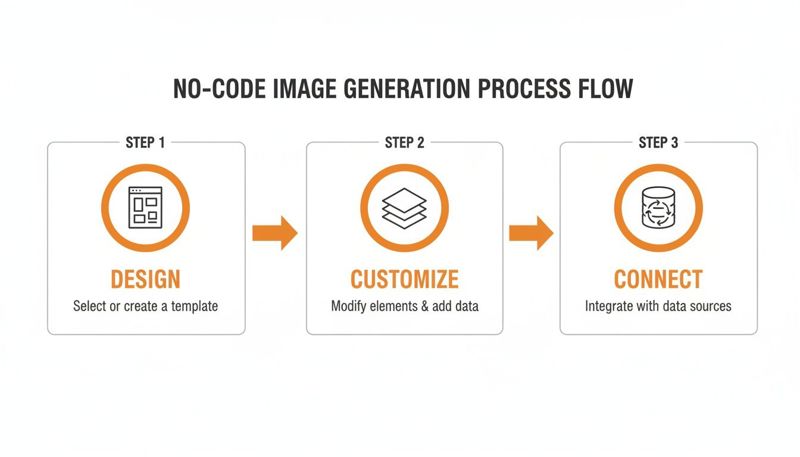
As you can see, it all comes down to designing, customizing, and connecting your data. It’s a workflow built to make powerful personalization accessible to anyone on the team.
Setting Up Fallbacks for Flawless Delivery
But let's be realistic—what happens when your data isn't perfect? We've all been there. A new subscriber signs up but skips the "first name" field. If your image is counting on that data, you could end up sending a broken or weird-looking visual.
This is exactly why fallbacks are non-negotiable.
A fallback is simply a default value you assign to any dynamic part of your image. If the data you need is missing from a contact's profile, the generator just uses the fallback instead. Every single recipient gets a complete, professional-looking image, no exceptions.
Here are a few ways I’ve seen fallbacks save the day:
- For a first name: Instead of a blank space, you could default to something like "A Special Offer for You" or "Your Exclusive Invite."
- For a company logo: If you're in B2B and a contact's logo is missing, the image can default to just showing their company's name in clean, styled text.
- For a profile picture: If a user hasn't uploaded a photo, you can show a generic (but well-designed) avatar or even just their initials.
By setting up fallbacks ahead of time, you're protecting the user experience and keeping your brand looking polished. It's a small step that completely prevents broken images and makes sure your campaign looks great in every inbox, regardless of your data quality.
This level of control is what makes automated campaigns feel genuinely personal and professional, allowing them to adapt when information is incomplete. It's a key feature that separates a good tool from a great one.
All you have to do is copy the final dynamic URL from your generator and paste it into the image block of your email editor. It’s compatible with over 99% of modern ESPs, from Instantly to HubSpot, because it uses the same merge tag functionality you already know. Your ESP handles the rest, making sure every email feels like it was sent to an audience of one.
Automating Image Generation at Scale with an API
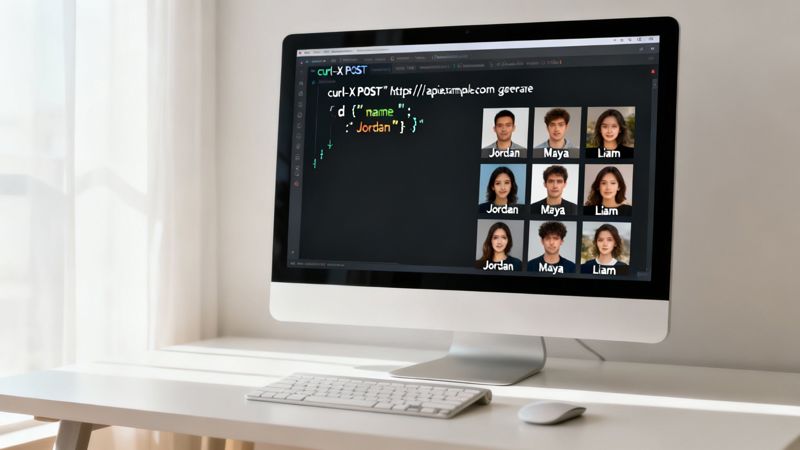
While no-code editors are brilliant for getting campaigns off the ground fast, they can hit a ceiling. When you're dealing with huge volumes, complex workflows, or the need for real-time personalization, manually creating and linking images just isn't going to cut it. This is where an API (Application Programming Interface) completely changes the game.
For agencies, enterprise sales teams, and any business serious about automation, an API is the key. It acts as a direct line of communication between your data sources—like a CRM or e-commerce platform—and your image templates. Instead of uploading a CSV, your systems can programmatically generate a unique image on the fly, right when you need it.
What's Inside an API Call?
Think of an API call as a set of specific instructions you send to the email personalised image generator. These instructions, passed along as parameters in a URL, tell the generator exactly how to customize your base image for one specific person.
You get granular control over almost any element in your design:
- Text values:
text.name=John%20Doe - Image sources:
image.profile_pic=https://... - Element colors:
shape.background_color=007bff - Layer visibility:
layer.vip_banner.visible=true
This connection means you can use live data to create your visuals. Imagine an e-learning platform that automatically generates a course completion certificate the second a student passes their final exam. The API pulls their name, the course title, and the date, creating a personalized certificate instantly. It’s a completely hands-off, scalable process. You can dive deeper into how a dynamic image API for email marketing works to see the technical side in more detail.
Real-World Use Cases Powered by an API
The real power of an API is its ability to react to user behavior in real time.
Picture an e-commerce store that sees a shopper looking at a specific pair of sneakers. If they leave without buying, an abandoned cart email can be triggered automatically. But with an API, that email can feature a dynamic image showing the exact sneakers they were viewing, along with a unique, time-sensitive discount code generated just for them. That kind of timely, hyper-relevant personalization is impossible with manual methods and has a massive impact on conversions.
This demand for automation is huge, especially in North America, which accounts for up to 42% of the global AI image generator market. Tellingly, enterprise and professional applications make up a massive 74% of that market, underscoring just how critical scalable, API-driven personalization has become for businesses.
An API-driven approach is what unlocks true hyper-personalization at scale. You move beyond batch-and-blast campaigns and start having responsive, real-time conversations with every single customer.
So, how do you decide which path is right for you? It really boils down to your specific needs for volume, real-time data, and technical resources.
Choosing Your Method No-Code vs API
This table should help you figure out whether the simplicity of a no-code editor or the power of an API is the right fit for your project.
| Consideration | No-Code Solution | API Solution |
|---|---|---|
| Technical Skill | Beginner-friendly. No coding needed. | Requires developer resources or technical knowledge. |
| Speed to Launch | Very fast. You can be up and running in minutes. | Longer setup time for integration and testing. |
| Scalability | Best for small to medium campaigns. | Built for high-volume, enterprise-level scale. |
| Data Source | Manual uploads (e.g., CSV files). | Real-time connection to databases, CRMs, etc. |
| Use Case | Event tickets, simple offers, certificates. | Abandoned carts, real-time dashboards, SaaS onboarding. |
Ultimately, both methods have their place. The no-code editor is perfect for getting started and running targeted campaigns, while the API is the engine for building sophisticated, automated personalization into the very core of your marketing and product experiences.
Best Practices for High-Impact Personalised Images
Using an email personalised image generator is a fantastic start, but turning that visual into something that actually drives conversions takes a bit more thought. It’s not just about slapping a name on a picture; it's about creating an experience that feels genuinely personal and nudges your subscriber to take action.
I've seen it time and again: a few smart practices can be the difference between a cool gimmick and a campaign asset that pulls its weight.
Design for Every Possibility
The best personalised images are built on a design that’s both beautiful and incredibly flexible. You have to plan for variability right from the start.
For instance, names come in all shapes and sizes. "Alex" is a lot shorter than "Christopher," and your design needs to handle both without looking broken. Simple tricks like using centered text alignment or setting smart character limits can save you a lot of headaches.
The same logic applies if you're pulling in dynamic profile pictures. You'll get everything from professional headshots to blurry vacation photos. Using a consistent frame, like a circle, or applying a subtle filter can help create a much more polished and uniform look across all the images you generate.
Make It Psychologically Compelling
There's a real "aha!" moment when someone sees their own information woven seamlessly into a visual. It instantly cuts through the noise and signals, "Hey, this is for you." But you can take that effect even further by personalizing more than just a name.
Think about adding layers that show you've done your homework:
- Location-Specific Imagery: A background image of the recipient's city? Powerful stuff.
- Company Logos: In B2B, adding a prospect's company logo shows you're paying attention.
- Progress Visuals: A progress bar showing how close they are to the next loyalty tier or completing a course is a great visual motivator.
The most effective personalised images don't just state information—they visually represent the recipient's unique context or relationship with your brand. This transforms the email from a broadcast into a personal update.
Drive Action with a Smart CTA
Your personalised image can't just hang there on its own. It needs to work hand-in-glove with your email's main goal, which is almost always getting that click. The call-to-action (CTA) can't feel like an afterthought.
A common mistake is trying to put a CTA button inside the image itself. It might look good, but remember, the entire image will be one big clickable link in the inbox. Instead, use your design to guide the reader's eye towards the real HTML button sitting right below it. Arrows, clever layouts, or placing key data near the bottom of the image can create a natural visual path straight to your clickable CTA.
And finally, always be testing. Don't just assume you know what will work best. Run A/B tests to see what your audience actually responds to. Pit a personalized welcome image against one showing an item from their browsing history. Try an image with their first name against one with their company name. Every test gives you data, helping you fine-tune your approach and turn personalised images into a reliable engine for engagement.
Got Questions? We've Got Answers
Stepping into the world of dynamic images can feel a little new, so it's natural to have a few questions. Whether you're thinking about using an email personalised image generator for the first time or just want to sharpen your strategy, getting clear answers is everything.
Here are some of the most common things we hear from marketers and business owners just like you.
Will Personalised Images Work with My Email Service Provider?
Yes, almost certainly. These tools are built to play nice with over 99% of modern Email Service Providers (ESPs). We're talking about all the major players like Mailchimp, Klaviyo, Instantly, ConvertKit, HubSpot, and tons more.
The way it works is simple. The generator creates a special, dynamic URL for each image. You just pop this URL into your email template using the same merge tags you already use, like {{first_name}}. When your ESP sends the email, it fills in the merge tag, and our server instantly creates the custom image for that specific person. If you can add an image from a URL and use merge tags, you're good to go.
What Happens if Personalization Data Is Missing?
This is a super important question, and any good platform has a built-in safety net called 'fallbacks.' It’s your plan B. You can set a default value for any part of your image that changes.
Let's say you're using a first name, but one of your contacts doesn't have one in their profile. Instead of a weird blank space, the image can automatically show a default message like "Hello there!" or "A Special Offer for You." This ensures every single person gets a polished, professional-looking email. You can set these fallbacks for text, logos, or any other layer to keep your branding on point, no matter how clean your data is.
Key Insight: Think of fallbacks as your brand's insurance policy. They guarantee every recipient sees a complete, polished image, protecting your reputation and making sure your campaign looks great even with imperfect data.
Can I Use Personalised Images Outside of Email?
Absolutely. While email is where they really shine, this technology is incredibly flexible. You can grab the generated HTML snippets and embed personalised images right onto your website or landing pages. Picture a logged-in customer seeing a welcome banner with their name on it—pretty cool, right?
They're also fantastic for:
- Social media direct messages (DMs)
- Chatbots and automated support flows
- Messaging apps like WhatsApp or Twitter/X DMs
Basically, if a platform can show an image from a URL, you can use it there. This lets you create a connected, personal experience for your audience everywhere they interact with you, not just in their inbox.
How Much Technical Skill Is Required?
You can get started with zero technical chops. Modern platforms give you a user-friendly, no-code editor that feels a lot like using a tool like Canva. You can drag and drop different elements, click to make them dynamic, and hook up your data through a simple menu. For this method, the only skill you need is knowing how to copy and paste a URL into your email editor.
For bigger, more automated workflows, there's always the API. This route does require some development know-how to plug it into your existing systems, but it opens up some seriously powerful, real-time personalization that can completely change how you engage with your users.
Ready to create stunning, personalized visuals that capture attention and drive results? With OKZest, you can automate your image creation with our powerful no-code and API solutions. Start your free trial today and see the difference personalization makes.