Let's face it, your inbox is probably a graveyard of generic, one-size-fits-all marketing emails. Dynamic content is the antidote. Instead of blasting the same message to everyone, it automatically changes elements of your email—like the text, offers, or images—based on who's opening it.
This simple shift creates a unique, one-to-one experience for every single subscriber. It’s about making each email feel personal, relevant, and like it was crafted just for them.
What Dynamic Content Is and Why It Matters Now
Think about all those promotional emails you ignore. They miss the mark because they're not for you. Dynamic content cuts through that noise by treating each subscriber like an individual, not just another address on a massive list. It’s the difference between getting a mass-produced flyer and a handwritten note.
I like to think of it like your favorite neighborhood coffee shop. The barista remembers your name and your usual order. That small, personal touch makes you feel seen and valued, right? Dynamic content does the same thing for your emails, but at a massive scale. It turns a broadcast into a genuine conversation.
The Shift From Static To Personal
For years, email marketing was a one-way street: one message, sent to everyone. That's the static approach. Dynamic content solutions completely flip that model on its head, allowing different parts of an email to adapt in real time.
This can be as simple as greeting a subscriber by their first name or as complex as showing them a completely different product lineup based on their past purchases.
The core idea is both simple and incredibly powerful:
- Relevance: Show people content that actually lines up with their interests, location, or behavior.
- Engagement: Personalization grabs attention, which means more clicks, more interaction, and more connection.
- Efficiency: You can build a single email template that automatically creates thousands of unique variations. No more tedious manual work.
To really see the difference, let's break it down.
Static vs Dynamic Email Content at a Glance
Traditional email marketing was a numbers game—send enough emails and some will stick. But dynamic content is a relationship game, focused on building connections through relevance. This table highlights the fundamental shift.
| Attribute | Static Email (The Old Way) | Dynamic Email (The New Way) |
|---|---|---|
| Recipient Experience | Generic, one-size-fits-all | Personal, relevant, one-to-one |
| Content | Fixed, the same for everyone | Changes based on user data |
| Engagement | Typically lower open and click rates | Higher engagement and conversions |
| Scalability | Hard to scale personalization | Easily personalized for millions |
| Core Goal | Broadcast a message | Build a relationship |
Seeing them side-by-side, it's clear why the industry has moved so decisively toward dynamic, personalized experiences. It's just a smarter way to communicate.
Introducing Personalized Images
Personalizing text is a fantastic start, but the real game-changer is dynamic personalized images. It's one thing to say, "Hello, Alex." It's another thing entirely to show an image with "Alex" beautifully woven into the design. Tools like OKZest make this surprisingly simple to pull off.
This approach hits on a much deeper, emotional level. It makes your message stick. It's what helps your brand stand out when everyone else is shouting the same thing.
If you're looking to really sink your teeth into this, we've got a whole guide on what dynamic content is and how you can start using it. It's a strategy that turns a simple email into a memorable visual experience.
Understanding The Building Blocks Of A Dynamic Strategy
When you set out to make every email feel handcrafted, you’re really building a recipe. At the heart of that recipe is data—the spark that transforms a generic message into a personal conversation.
Think of data as two flavors. On one side, you have the historical details: past purchases, subscription milestones, event attendance. On the other, real-time signals: current location, local weather, time of day. Stir them together, and you move beyond one-size-fits-all blasts to emails that resonate with context.
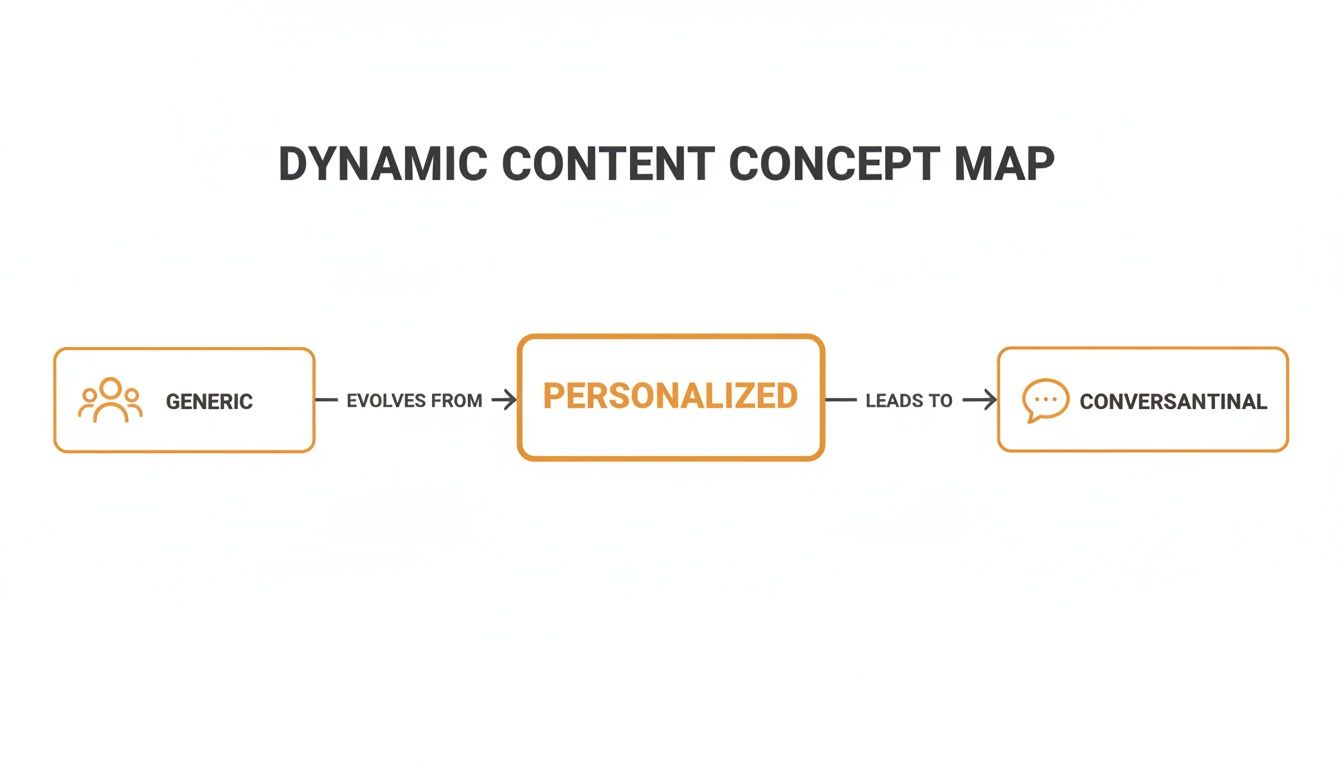
The graphic above takes you from a one-to-many announcement through personalized updates, all the way to a one-to-one dialogue. This evolution is what separates standard campaigns from truly dynamic strategies.
From Simple Merge Tags To Advanced Integrations
You’ve probably started with a merge tag like {{first_name}}. It’s effective, but it’s just the tip of the iceberg. Today’s dynamic platforms let you layer in logic and visual tweaks—taking personalization from text to eye-catching, data-driven imagery.
Here’s how teams usually power those visuals:
- API Integrations: Developers hook into CRMs, analytics tools, or custom databases so every image or message element pulls fresh data at send time.
- No-Code Embeddable Images: Platforms such as OKZest hand non-technical users a drag-and-drop editor. Once your design is ready, you paste a URL into your email—just like a merge tag—to serve a unique image for each reader. Learn how to get images with an API.
Advanced segmentation is a revenue powerhouse, capable of delivering up to a 760% increase in revenue. Marketers using behavior-based triggers and real-time personalization see 3x higher engagement than those sending standard scheduled blasts. You can discover more insights about these email marketing statistics on Inboxally.
The Importance Of Fallback Rules
Data gaps happen. Maybe someone skipped the sign-up form’s “First Name” field. Without a plan, your email could greet them as “Hello, ,” which feels jarring.
A smart fallback rule catches these blanks. For text, switch to “Hello there!” or “Welcome!” On the image side, swap in a default logo or banner. This safety net ensures every recipient sees a polished, cohesive message—no matter what.
How Personalized Images Drive Deeper Engagement
While personalizing text in an email is a great start, adding personalized visuals is where you really make an impact. It's the difference between a friendly nod and a genuine "wow" moment that your customer will remember.
Think about it: the human brain processes images 60,000 times faster than text. A unique, personalized visual hits harder and builds a much stronger emotional connection than just seeing a name in a subject line. This is the next step for creating truly dynamic email marketing.
And you can forget about complicated coding or hours of manual design work. The concept is as simple as using merge tags, but for your images. Platforms like OKZest automate this, letting you embed a customer's name, their loyalty points, or even specific event details right onto a beautiful image. This simple trick turns a generic email into a personal, memorable artifact.
Merge Tags for Images Explained
Imagine you’re running an event. Instead of sending a plain text confirmation, what if you sent each person a digital ticket with their name and a unique QR code already printed on it? The recipient feels seen and valued, and the ticket itself feels official and exclusive.
This is all done with a simple but powerful tool: an image URL that contains merge tags.
- First, you design a single template image in a no-code editor like OKZest.
- The platform then gives you a special URL to paste into your email provider.
- When a subscriber opens that email, their data (like
{{first_name}}) instantly populates the image in real-time.
Here’s an example of how OKZest can render a unique image showing a user's name and their current loyalty points.
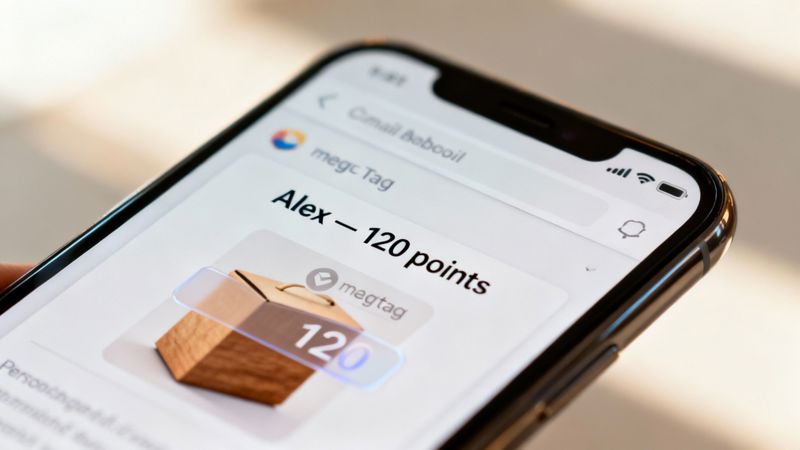
This visual confirmation is so much more engaging than text alone. It makes the information feel tangible and important.
Seamless ESP Integration
The best part? You don't need to switch your email system to make this work. This approach integrates flawlessly with pretty much any Email Service Provider (ESP) out there, including Instantly, Klaviyo, or Mailchimp.
You just copy the dynamic image URL from OKZest and paste it into your email template wherever you'd normally add a static image. Your ESP handles the rest.
Globally, 83% of consumers are looking for hyper-personalized messages. It’s why automated, behavior-driven emails account for 46.9% of sales from just 2.6% of sends. When you add smart segmentation, open rates can jump by 14% and clicks by 28%.
By combining the reach of your existing email platform with the visual punch of dynamic images, you create a system for deep, scalable engagement. You can discover more strategies by reading our guide to personalized images for email marketing.
This simple integration solves a major marketing challenge without a steep learning curve, making advanced personalization accessible to everyone.
Real-World Examples of Dynamic Content in Action
Theory is useful, but seeing dynamic content solutions for email marketing in the real world is where it all clicks. These practical examples show how professionals across different industries use personalized images to turn generic messages into memorable, high-impact moments.
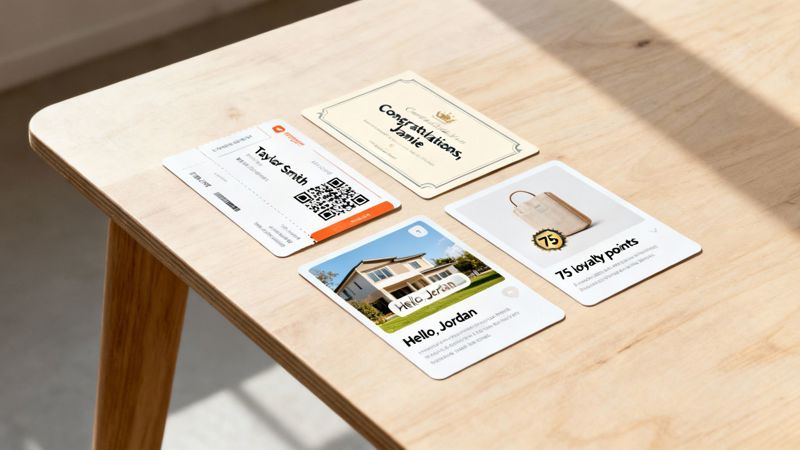
Each of these scenarios moves beyond simple text personalization. They create a tangible, visual connection that grabs attention and, more importantly, drives action.
The Event Organizer
You're running a major conference. Instead of sending a standard confirmation email, you can use a tool like OKZest to generate a unique digital ticket for every single attendee.
- The Dynamic Image: A branded ticket featuring the attendee's full name, a unique QR code for check-in, and their specific session schedule.
- The Business Benefit: This simple visual turns a logistical email into an exciting pre-event experience. It cuts down on check-in friction, builds anticipation, and makes each attendee feel like a VIP before they even arrive.
The Business Coach
A coach wants to celebrate a client's milestone, like finishing a tough module or hitting a business goal. A simple "congratulations" email is nice, but a visual certificate is far more powerful.
Dynamic content solutions are fueling email marketing's golden era, with 90% of professionals affirming that subscriber segmentation enhances performance. When you combine this with the 97% adoption of interactive elements, you create a powerful formula for engagement. For event organizers or recruiters, OKZest's compatibility with platforms like Instantly turns static content into engagement magnets. Learn more about the growth of email marketing on Shopify's blog.
The Real Estate Agent
A real estate agent needs to stand out in a crowded market. After a showing, they send a follow-up email that includes a stunning photo of the property's front door, but with a twist.
- The Dynamic Image: A beautiful hero shot of the home with a welcome mat that has the prospect's last name elegantly overlaid on it (e.g., "Welcome Home, The Jacksons").
- The Business Benefit: This hyper-personal touch helps the prospect emotionally connect with the property. It moves the conversation from just viewing a house to truly envisioning their home, making both the agent and the listing unforgettable.
The E-commerce Brand
A retail brand wants to remind a loyal customer about their rewards points to encourage another purchase. Instead of just mentioning the points in the email body, they can actually show it.
- The Dynamic Image: An image of a popular new product with a stylish banner overlaid that says, "Sarah, you have 450 points to spend on this!"
- The Business Benefit: This visual call-to-action makes the loyalty points feel tangible and valuable. It directly connects the reward to a desirable product, creating a strong incentive to click through and redeem their points, ultimately boosting sales and customer loyalty.
Dynamic Image Use Cases by Industry
To make this even more concrete, here’s a quick breakdown of how different roles can put dynamic images to work to achieve specific business goals.
| Industry / Role | Use Case Example | Primary Business Goal |
|---|---|---|
| SaaS Marketer | A personalized onboarding graphic showing the user's name and "Day 1" of their journey. | Increase user activation & reduce churn. |
| HR / Recruiter | A custom invitation to an interview with the candidate's name and the interviewer's headshot. | Improve candidate experience & offer acceptance rates. |
| Non-Profit Manager | An image thanking a donor by name, showing the direct impact their specific contribution made. | Boost donor retention & encourage recurring donations. |
| Travel Agency | A "Your Trip to Paris" image with the traveler's name and a countdown timer to their departure. | Build excitement & reduce pre-travel cancellations. |
These examples just scratch the surface. The core idea is to use data you already have to create a visual moment that feels unique to each person on your list.
Best Practices for Launching Your First Campaign
Diving into dynamic content can feel like a massive project, but your first successful campaign really just boils down to a few key principles. The goal isn't to personalize every single thing right out of the gate. Instead, you want to start small, build some confidence, and get real data on what actually resonates with your audience.
Think of it like learning a new recipe. You wouldn't tackle a ten-course French meal on your first try. You'd start with something simple, nail the basics, and then slowly start adding more complex techniques. It’s the exact same idea here.
Start Simple and Build Momentum
Your first objective should be to get a quick, meaningful win. Forget about using every last piece of data you have. Just pick one or two simple data points that can deliver a big impact with very little effort.
- First Name Personalization: This is the classic starting point for a good reason. Slipping a user's first name into a headline or an image is a dead-simple way to get their attention.
- Location-Based Offers: Have city or state data? Great. You can start tailoring promotions to specific regions, like offering a discount on winter coats to subscribers in Boston while showing sunglasses to those in Miami.
Once you’ve got the hang of these, you can graduate to more advanced data like purchase history or loyalty status. The trick is to prove the concept works and build up from there.
The most common hang-ups with dynamic campaigns aren't technical—they're strategic. Issues usually pop up from unapproved segmentations, wonky segment logic, or just not testing enough. A disciplined, step-by-step approach stops these problems before they even start.
Test Everything and Measure What Matters
Personalization is definitely not a "set it and forget it" game. You absolutely have to test your dynamic elements to see what kind of impact they're having in the real world. And I'm talking about more than just a simple A/B test on a subject line.
You need to set up tests comparing your dynamic content against a static, default version. It’s the only way to know for sure if your personalization efforts are actually moving the needle. When you look at the results, go deeper than just the open rates.
Key Performance Indicators (KPIs) to Track:
- Click-Through Rate (CTR): Are more people clicking on your dynamic images and links compared to the static ones? This tells you exactly how engaged they are.
- Conversion Rate: Did that personalized offer actually lead to more sales, sign-ups, or downloads? This connects your work directly to your business goals.
- Return on Investment (ROI): When it's all said and done, are your dynamic content solutions for email marketing making more money than they cost to run?
Uphold Privacy and Deliverability
A lot of marketers get nervous that advanced personalization might mess up their email deliverability or get them in trouble with privacy rules like GDPR. But when you do it right, dynamic content is perfectly safe. Since dynamic images are served through a standard URL, they don't hurt your sender reputation one bit.
Just be transparent about the data you collect and make sure you’re using it to provide real value. As long as your personalization makes the experience better for the user, you’ll stay on the good side of both your subscribers and their inbox filters.
Your Roadmap to Dynamic Content with OKZest
Jumping into a dynamic content strategy is a lot more straightforward than it sounds. With the right approach, you can go from a simple idea to a fully personalized campaign in no time. OKZest gives you a clear, no-code path to make your emails genuinely engaging and way more effective.
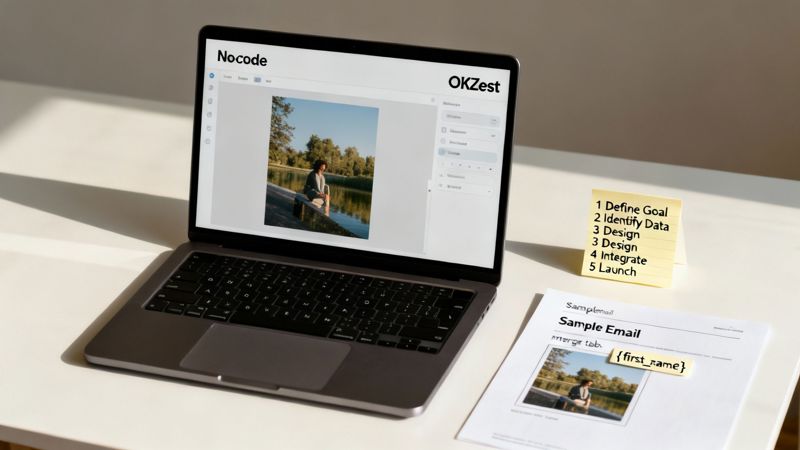
This simple roadmap breaks down how to launch your first dynamic campaign. It’s a process you can repeat again and again, designed to get results without the technical headaches.
A Simple Five-Step Process
Getting started with dynamic, personalized images is easier than you think. Following a structured approach sets your campaign up for success right from the start.
- Define Your Goal: Begin with a clear objective. Are you trying to boost webinar sign-ups, drive event attendance, or push sales for a specific product?
- Identify Your Data: Figure out exactly what data you need for personalization. It might be as simple as a recipient’s first name and an event date.
- Design Your Template: Hop into OKZest’s intuitive, no-code editor to create a beautiful, reusable image template. No design skills needed.
- Integrate with Your ESP: Just copy the unique image URL from OKZest and paste it into your email provider. It works exactly like any other merge tag you're already using.
- Launch and Measure: Send your campaign and watch the results. You'll see your engagement metrics climb as you start connecting with your audience on a much more personal level.
Grow with a True Partner
OKZest is built to scale right alongside your business, offering dynamic content solutions that fit every stage of your growth.
The most effective marketing strategies are built on a foundation of continuous improvement and accessible support. A true technology partner doesn’t just provide a tool; they offer guidance, listen to feedback, and grow with you.
We’re here to support your journey with a flexible structure. You can start with our free tier—it’s perfect for small businesses and solo entrepreneurs—and expand to enterprise plans with advanced team features as your needs change. Our commitment is to your success, which means offering accessible support and actually listening to user feedback to make our platform better.
Ready to see the difference for yourself? Try the OKZest free plan today and experience the power of visual personalization firsthand.
Frequently Asked Questions
When you start digging into dynamic content for email, a few common questions always pop up. We get it. Let's walk through the most frequent ones and get you some clear, straightforward answers.
Do Dynamic Images Hurt Deliverability?
Nope, not at all. A dynamic image is really just a standard <img> tag that points to a URL, exactly like any static image you're already using.
Email clients like Gmail or Outlook see it as just another image. It has no negative impact on your sender reputation or whether you land in the inbox.
What If Personalization Data Is Missing?
This is a great question and a super important one to consider. What happens if you don't have a subscriber's first name, or some other piece of data you wanted to use? That's where fallbacks come in.
A good dynamic content tool always has a safety net. If data for a specific field is missing, a predefined fallback—like a generic greeting or a default brand image—is shown instead. This way, every single person gets a polished, professional email, and you never have to worry about awkward blank spaces.
With OKZest, setting up these fallback images is a simple step in the design process, making sure your campaigns always look their best, no matter what.
Is This Too Technical for My Team?
Definitely not. While the tech working behind the scenes is pretty sophisticated, using it is surprisingly simple.
Platforms like OKZest are built with a no-code editor, so anyone on your team can design beautiful, personalized templates with an easy-to-use drag-and-drop interface. Getting it into your email service provider is as simple as copying and pasting a merge tag—something you likely already do.
Ready to create emails that feel like they were made for each individual person? OKZest makes it simple to add stunning, personalized images to every campaign. Try our free plan and see the difference today.