How to Generate Free Certificates Online: The Complete Guide
You can have a finished, professional certificate downloaded in about a minute, without paying anything or creating an account. This guide starts there, then covers what changes when one certificate becomes two hundred - design that earns respect, bulk generation, security, and the mistakes that cause most certificate projects to go wrong.
Generate a certificate right now
If you need a single certificate and you need it today, this is the shortest path:
- Open the free certificate generator
- Choose one of the built-in templates, or upload your own design
- Enter the recipient's name, the achievement or course, the date, and who it's signed by
- Pick your format - PDF, PNG, JPG or WebP
- Download
No account, no email address, no watermark. You get two free certificates per day this way, which covers most one-off needs.
That's the whole process. Everything below is for people whose requirements go further than that.
Moving to digital certificates
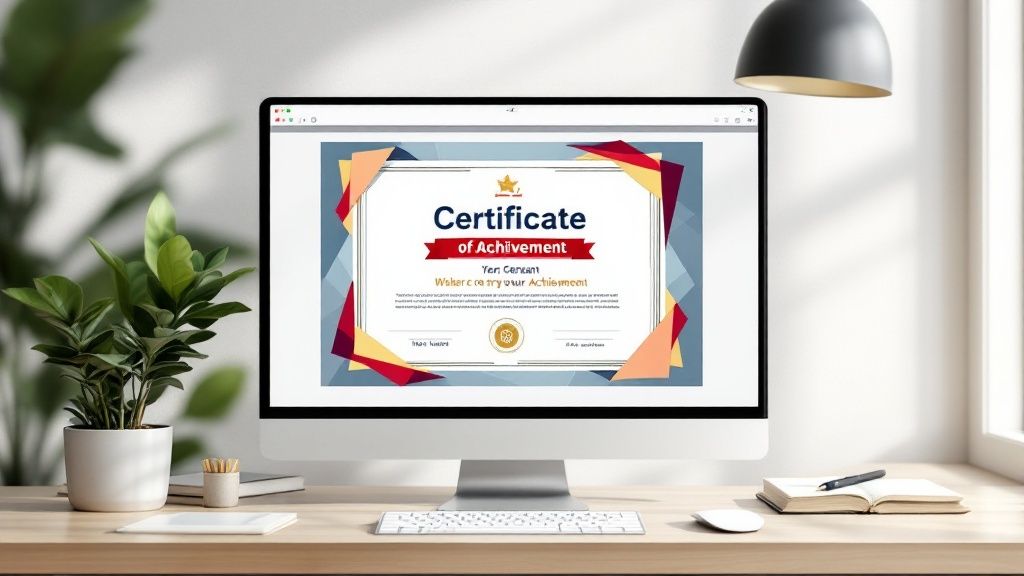
Organizations are shifting away from paper certificates, and the reasons are practical rather than fashionable.
Digital certificates are easier to keep. They don't get lost in a house move or damaged in a drawer, and a recipient who needs a copy three years later can usually find one.
They can be verified. A unique identifier on each certificate lets an employer or awarding body confirm it's genuine, which matters in any field where credential fraud is a real problem.
They cut administrative work. No printing, no envelopes, no postage, and no re-issuing when someone's name is misspelled.
They can be produced in bulk. This is the biggest practical difference. Printing four hundred certificates means four hundred pieces of paper. Generating four hundred means uploading a list.
What changes when you need more than a handful

Designing one certificate is a design problem. Producing four hundred, each with a different name, course title and date, is a data problem. Most free tools solve the first and not the second, which is why certificate projects tend to fall apart at exactly the point they start to matter.
If you're issuing at volume, look for these rather than a bigger template library:
- Bulk generation from a spreadsheet - upload a list, get a certificate per row
- Merge fields with fallback values - so a missing middle name produces a clean certificate rather than a blank space or an error
- Integration with the systems you already use - your learning platform, CRM, or a Zapier connection to Google Sheets
- A reusable saved design - so next quarter's cohort takes minutes rather than starting over
- Consistent output - every certificate identical apart from the data that should differ
A free OKZest account covers all of these: save one branded design, upload your recipient list, and it generates a personalized certificate for everyone on it. Certificates can also be embedded directly in an email as a standard image URL, so each recipient sees their own without anything to download.
Other platforms worth knowing about: Certifier focuses on verifiable credentials with QR codes and digital signatures, which suits awarding bodies and accredited training. Visme is a broader visual content tool with a large template library, useful if certificates are one of many things your team designs.
Design that earns respect

A certificate does more than record an achievement. A well-made one gets displayed; a badly made one gets filed. The difference is usually structure rather than decoration.
Visual hierarchy
The recipient's eye should land on their own name first, then what they did, then who says so.
- Size and scale: make the recipient's name and the achievement the largest text on the page
- Color and contrast: use color deliberately to highlight key information, not to decorate
- Whitespace: leave generous space between elements. Crowding is the most common reason a certificate looks amateur
Typography
Pick fonts that are professional and legible at a glance. A serif for the body text with a sans-serif for headings is a reliable combination. Avoid script fonts for names - they look elegant until someone is called Ngozi or Krzysztof.
Branding
Adding your organization's logo, colors and fonts makes certificates look deliberate rather than generic. If several people produce certificates, write down the rules:
- Approved fonts and colors
- Logo placement and sizing
- Overall layout structure
That takes twenty minutes once and prevents a year of inconsistent output.
Certificates in education and training

Schools, universities and training providers use certificates to mark progress and sustain motivation, and they work best when they're specific.
They give completion a shape. Finishing a long course online can feel anticlimactic. A certificate naming what was completed turns it into something the learner can point at.
They work better when they're earned. A certificate that everyone receives for turning up carries less weight than one tied to assessment, a project, or demonstrated skill. If you want the certificate to mean something to an employer, it has to mean something to award.
They fit into a path. Certificates that mark milestones in a longer program encourage people to continue. A single terminal certificate encourages them to stop.
They need to be verifiable. If a recipient lists your certificate on a CV, someone may want to check it. A unique ID and a way to confirm it protects the value of every certificate you've ever issued.
Running a certificate program at scale
Once you're issuing regularly, the work shifts from making certificates to managing them.
Automate generation and distribution
Manual creation stops being viable somewhere around the fiftieth certificate. What to automate:
- Bulk generation from spreadsheet data
- Integration with your learning management system
- Direct email delivery to recipients
- Connections through Zapier so certificates trigger automatically on course completion
Keep them secure
- A unique identifier on every certificate
- Digital signatures where credentials are formal
- Secure storage of recipient data, and only the data you actually need
- Access controls, so not everyone who can view certificates can issue them
- Periodic audits of who has access to what
Make them easy to retrieve
- Offer multiple formats - PDF for printing, PNG or JPG for sharing online
- Give clear instructions on how to access and re-download
- Make sure they render properly on phones, which is where most people will first open them
Plan for growth
As volume rises, expect more storage, more re-issue requests, and more complex permissions. Role-based access matters once more than two or three people are involved. Archiving older certificates while keeping recent ones readily available keeps things manageable without losing records.
Common problems and how to avoid them
Data mismatch. Your spreadsheet column headers don't match the template fields, so names land in the wrong place or don't appear at all. Check your data against the template requirements before you upload, not after you've sent four hundred emails.
Template compatibility. Platforms accept different file types and dimensions. A design that works in one may fail in another. Test with a single certificate before committing to a batch.
Missing data. Someone's record has no course title. Without a fallback value, you get a gap or an error in the middle of an otherwise finished certificate. Decide in advance what should appear when a field is empty.
No proofing step. The most expensive certificate mistakes are the ones sent to everyone at once. Build in a check.
Pre-send checklist
- Data check: recipient names spelled correctly, dates in the right format
- Template test: generate one certificate and look at it properly
- Design review: branding correct, nothing overlapping or cut off
- Test run: send one to yourself, open it on a phone, then send the rest
Getting started
For a single certificate, the free generator will have you finished in a minute with no account needed.
For a cohort, create a free OKZest account, save your design once, and generate a personalized certificate for everyone on your list - 2,500 images a month at no cost, and no credit card required.