You send the campaign. The segmentation is solid. The copy is clean. The offer is relevant.
Then the creative goes out as one generic banner to everyone.
That is where many campaigns lose momentum. The message says “this is for you,” but the image says “this is for everyone.” In crowded inboxes, busy WhatsApp threads, and fast-moving social feeds, that mismatch gets ignored.
High volume image generation fixes that gap. Instead of making one hero image and hoping it works for every subscriber, customer, lead, or attendee, you generate a customized visual for each person. Think first name, local event details, product interest, sales rep name, coach photo, certificate title, or account-specific message. The format changes from broadcast creative to visual personalization at scale.
For marketers, image personalization is now practical, not experimental. The volume of AI image creation has already moved mainstream. Since 2022, AI algorithms have generated over 15 billion images, with an average of 34 million created daily, and AI content powers 68% of marketing and social media visuals according to Everypixel’s AI image statistics. The question is no longer whether automated visual production is real. The question is whether your workflow can use it in a way that fits campaigns, teams, and revenue goals.
Beyond Generic The Rise of Personalized Visuals
Generic visuals weaken campaigns by creating a disconnect between personalized copy and one-size-fits-all creative. A welcome email for a new lead should not look identical to a renewal push for an existing customer or an event reminder for someone already registered. When the image stays broad, the message loses credibility before the reader reaches the second line.

Why generic visuals stop working
Visuals do a filtering job fast. People scan the image, decide whether the message feels meant for them, and only then give the copy a chance. If the headline says "for you" but the banner says "for everyone," attention drops.
For marketers, the shift is practical. Personalized visuals let one branded template serve many campaign variants without asking the design team to export hundreds of files by hand. The layout, colors, logo, and core creative stay consistent. The variable parts update from customer data, campaign context, or channel rules.
That creates better alignment between segmentation and creative. It also reduces a common production bottleneck. Teams no longer need to choose between relevance and speed.
A few places this pays off quickly:
- Email newsletters: show a subscriber's name, city, loyalty tier, or product category inside the image, not just in the subject line.
- Event promotions: swap venue, date, session track, or speaker details based on the registrant record.
- Sales outreach: tailor visuals by company name, account owner, territory, or funnel stage.
- Certificates and rewards: keep the brand system fixed while names, dates, and achievement details change automatically.
What changed recently
The important change is not just that automated image creation is widely available. The tools now fit normal marketing operations. Creative teams can design one system, ops teams can feed it data, and campaign platforms can deliver the output at scale.
That matters because image personalization used to break down in execution. A marketer could prove the concept with ten custom graphics, then hit a wall at 5,000 sends. File management became messy, approvals slowed down, and updates required another round of manual exports. High-volume generation solves that by treating images as dynamic assets instead of static files.
The better way to frame it is simple. This is merge tags for visuals, applied to campaign creative. If you want a closer look at that model, this guide to dynamic image generation for marketers shows how template-driven visuals work in practice.
Key takeaway: Personalized visuals perform best when they are built into campaign operations, approvals, and delivery workflows.
The teams getting results from high-volume image generation are usually not chasing novelty. They are using it to tighten message match, reduce production drag, and turn existing customer data into more relevant creative across email, paid social, sales outreach, chat, and post-purchase moments.
What Is High Volume Image Generation
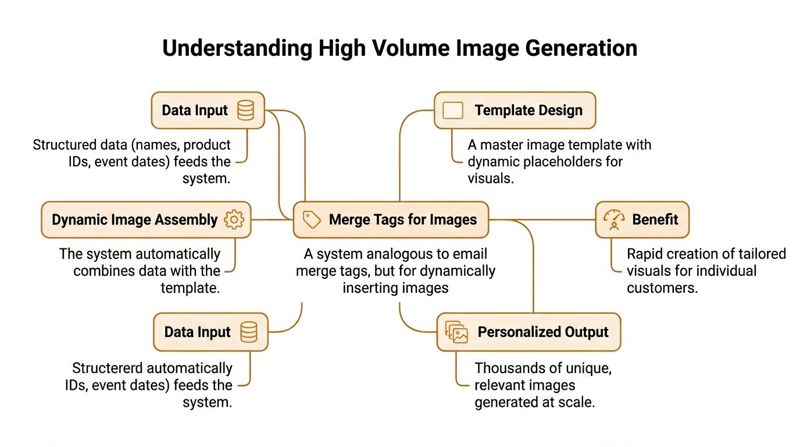
The easiest way to understand high volume image generation is this. It is merge tags for images.
Email marketers already know merge tags. You put {{FirstName}} or {{City}} into a message and the platform fills it in for each recipient. High volume image generation applies the same idea to visuals.
Instead of only merging text into an email body, you merge data into an image template.
The three-part model
Most practical setups follow a simple structure.
Template A base design holds the fixed elements. That usually includes brand colors, background, logo, product frame, or badge styling.
Data A CSV, spreadsheet, CRM field, form submission, ecommerce event, or API supplies the changing values. That might be a first name, course title, appointment date, destination, or product image.
Output The system combines the template and the data, then renders a unique image URL or file for each record.
That is the whole mechanism. No manual editing for every person. No endless export cycles from design tools.
What changes inside the image
The dynamic part can be more than a text layer. In practice, marketers usually work with several variable elements:
- Text fields: names, dates, product names, promo codes, locations
- Image fields: profile photos, product shots, avatars, logos
- Conditional content: one badge for VIPs, another for first-time buyers
- Fallback values: default text or graphics when data is missing
This is a templating system.
For a hands-on example of how these systems work in campaign environments, this guide to dynamic image generation is useful because it shows the concept in marketer-friendly terms.
Why marketers should think in templates, not prompts
Prompt-based image generation gets attention because it feels creative. Template-based generation gets results because it is predictable.
If you are creating personalized certificates, welcome banners, newsletter visuals, or chat images, consistency matters more than novelty. Marketers need the output to stay on-brand, legible, and safe to send at scale.
Practical tip: Use AI where it adds production speed, but keep the campaign logic in your template and data structure.
That is why “merge tags for images” is the right mental model. It gives you a system that fits campaign operations. Creative teams define the visual framework once. Marketing ops connects the data. The platform renders the right image for the right person at the right time.
Choosing Your Toolkit No-Code Platforms vs APIs
Once the concept is clear, the next decision is tooling. Many teams choose between a no-code platform and an API-based integration.
That choice is less about feature checklists and more about who owns the workflow. If marketers need to launch fast without waiting on developers, no-code is usually the practical route. If engineering wants image generation embedded inside a product, portal, or custom campaign engine, an API makes more sense.
The market gap
A practical issue in this space is that many tools are built around technical image generation use cases, not day-to-day marketing execution. There is a lack of cost-effective, scalable personalization aimed at non-technical marketing teams, especially where no-code workflows need to connect with tools like Mailchimp and Klaviyo, as discussed in this analysis of the no-code personalization gap.
That is why the tool decision matters so much. Many marketers do not need a research-grade generation stack. They need a system that fits campaign calendars, client approvals, and list uploads.
No-Code Platform vs API Which is Right for You
| Factor | No-Code Platform (e.g., OKZest Editor) | API Integration (e.g., OKZest API) |
|---|---|---|
| Speed to launch | Fast. Marketers can usually build and test without developer support. | Slower upfront because development and QA are needed. |
| Ownership | Marketing, creative, and ops teams can manage templates directly. | Engineering or technical ops usually owns implementation. |
| Flexibility | Strong for standard personalization workflows. | Higher flexibility for custom logic, apps, portals, and product experiences. |
| Maintenance | Lower ongoing technical overhead. | More maintenance because endpoints, logic, and error handling need support. |
| Data integration | Works well with CSVs, merge tags, and common campaign tools. | Better when data comes from internal systems, live apps, or custom APIs. |
| Team collaboration | Easier for agencies and distributed teams to review and update designs. | Better for organizations with structured release processes. |
| Best fit | Email marketers, agencies, event organizers, consultants, social teams | SaaS platforms, enterprise teams, custom web products, advanced workflows |
When no-code is the better answer
No-code works best when campaign speed matters more than deep customization.
That usually includes:
- Agency production: multiple client templates, repeatable designs, quick revisions
- Email teams: campaign banners, newsletters, nurture streams, win-back sends
- Event marketers: tickets, invites, agendas, reminders, certificates
- Sales and outreach teams: account-based visuals without waiting for engineering
A practical reference on this side of the decision is no-code image design automation, especially if the goal is to let marketers own the image layer themselves.
When APIs are worth the extra work
APIs are the right fit when image generation becomes part of a larger product or system.
Examples include a customer dashboard rendering personalized account visuals, a chatbot creating images on request, or a web app assembling branded assets from live database fields. In those cases, developers can control authentication, logic, caching, triggers, and output formats much more tightly.
The trade-off is simple. No-code reduces dependency. APIs increase control.
Neither is universally better. The right choice depends on whether your bottleneck is creative execution or technical integration.
Designing Templates for Dynamic Personalization
Most failures in high volume image generation are not technical. They are design failures.
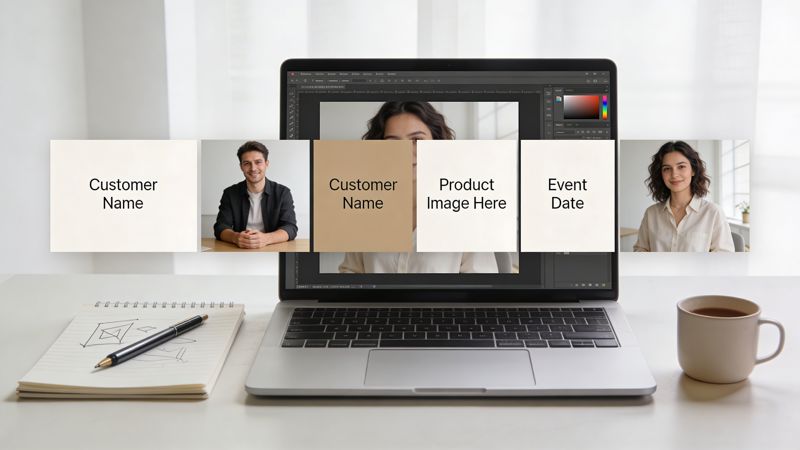
The template looks good with sample data, then breaks when real records flow through. A long first name wraps badly. A dark product shot disappears into the background. A missing city field leaves an awkward blank space. The image still renders, but it no longer feels professional.
Build for messy data, not perfect mockups
A good template assumes the data will vary.
That means designing for short names and long names, wide logos and square logos, full product titles and trimmed product titles. It also means deciding what should happen when a field is empty. A lot of tools can generate images. Fewer handle dynamic data and uniform outputs across channels well, which is why strong templating and fallback strategies matter, as noted in this discussion of personalization consistency across channels.
Start with these design principles:
- Protect the focal point: Keep the personalized element in a clean visual zone.
- Choose flexible typography: Use fonts that remain legible across name lengths and screen sizes.
- Control line breaks: Set boundaries so text can shrink, wrap, or truncate predictably.
- Separate static and dynamic layers: Brand elements should not compete with personalized content.
The template rules that save campaigns
Some rules sound basic, but they prevent most production problems.
Leave room around dynamic text
If the personalized field sits edge to edge in the approved mockup, it will fail later. Keep breathing space around names, titles, and dates.
Use backgrounds that tolerate variation
A complex background may look polished in a static hero image. It becomes risky when the foreground content changes record by record. Subtle contrast usually wins.
Treat image-in-image carefully
Profile photos, product thumbnails, and partner logos can add relevance. They can also wreck visual consistency if aspect ratios vary wildly. Containers, masks, and crop rules keep those inputs under control.
Tip: Design the template against the ugliest realistic data sample you have, not the cleanest one.
Fallbacks are part of the design
Fallback handling is not a technical afterthought. It is part of the creative system.
If a first name is missing, you may want “Valued Customer.” If a profile image is absent, use a brand illustration. If an event field is incomplete, show the broader campaign title instead of exposing missing data.
That approach keeps every image sendable.
A practical checklist:
- Missing text: define default copy for every dynamic text field
- Missing images: assign placeholders that still look intentional
- Outlier lengths: set max widths, font scaling, or alternative layouts
- Cross-channel use: preview for email, WhatsApp, landing pages, and mobile surfaces
Consistency matters because a personalized image often appears in more than one place. The same visual logic may show up in a newsletter, follow-up page, or direct message. If your template holds up everywhere, the campaign feels coordinated rather than patched together.
Scaling Production and Managing Costs
The first concern many teams have is simple. If every recipient gets a unique image, does the process become slow and expensive?
It can, if the workflow is built poorly. It does not have to.
The operational side of high volume image generation usually comes down to three choices. When do you render the image, when do you store it, and when do you reuse it?
On-the-fly rendering versus pre-generation
There are two common production patterns.
On-the-fly rendering creates the image when someone opens the email, loads the page, or requests the asset. This is useful when data can change or when you do not want to generate millions of files in advance.
Pre-generation creates the images before launch and stores them for delivery later. This is useful when the campaign content is fixed and you want fewer moving parts at send time.
Neither approach is always correct.
A simple way to choose:
- Use on-the-fly rendering when timing, stock status, appointment details, or live personalization matter.
- Use pre-generation when the campaign is locked and you want stable assets before distribution.
- Use a hybrid model when some images should be generated ahead of time and others should remain dynamic.
Why speed changed the economics
The cost story has improved because the underlying generation systems have become faster. MIT’s Distribution Matching Distillation framework speeds image generation up by 30 times compared with older models by compressing the process into a single step, reducing latency from seconds to milliseconds and making it possible to render thousands of personalized images for an email campaign in under a minute, according to MIT News on DMD and real-time image generation.
For marketers, the implication is straightforward. Real-time image personalization no longer has to mean a long queue or a fragile launch window.
Caching is where costs often get controlled
Caching does quiet but important work in these systems.
If the same image URL is requested more than once, a good setup should not regenerate the image every time. It should serve the already-rendered version whenever appropriate. That reduces compute usage, shortens delivery time, and keeps repeat opens from creating unnecessary load.
A practical operating model often includes:
- Stable URL structure: so each unique image request is identifiable
- Cache reuse: so repeat requests pull a stored asset
- Selective invalidation: so you can refresh images when data changes
- Monitoring: so failed renders and slow responses are caught early
A useful operational reference is how to scale content creation, particularly if your concern is balancing personalization with production efficiency.
Key takeaway: At scale, the biggest savings often come from process design, not from squeezing the template itself.
The teams that manage cost well do not just ask, “How do we generate more images?” They ask, “Which images should be generated now, which should be reused, and which should never be rendered until requested?”
Integrating Personalized Images Into Your Campaigns
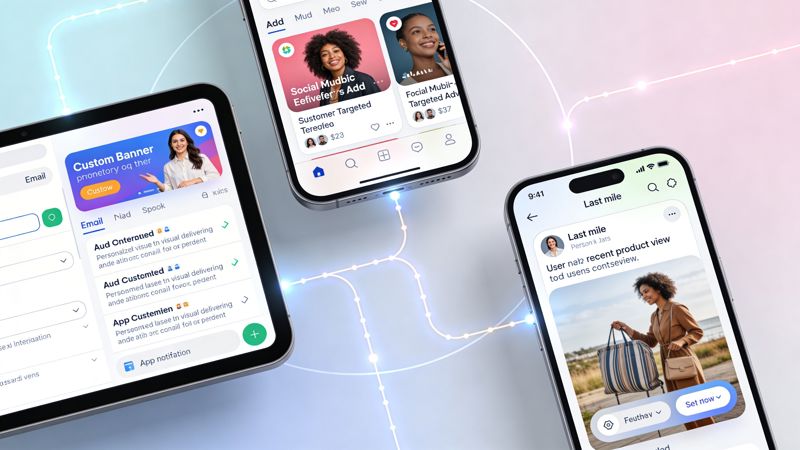
A personalized image only matters when it shows up where the customer already is. For marketers, that usually means email first, then landing pages, customer portals, chat surfaces, and social direct messages.
The good news is that implementation is usually simpler than people expect. In many cases, you are just inserting a dynamic image URL into the place where a normal image would go.
Email workflows
In email platforms such as Mailchimp, Klaviyo, or Instantly, the common pattern is to use recipient fields inside the image URL itself.
A simplified example looks like this:
<img src="https://img.example.com/banner?name={{FirstName}}&city={{City}}" alt="Personalized banner">
The email platform replaces the merge tags before send. The image service reads those values and renders the personalized image for each recipient.
That is the practical breakthrough. You do not need a separate manually designed asset for every person on the list. You need one image template and a URL structure that accepts dynamic fields.
Common email use cases include:
- Welcome emails: first name, signup source, or onboarding step
- Promotion banners: product category, loyalty status, or local store
- Event reminders: attendee name, date, venue, or session information
- Sales sequences: company name, rep name, or meeting context
Website and chat implementations
Web integration is just as direct. You embed the image in a normal HTML tag, and the page passes the relevant values.
A simple example:
<img src="https://img.example.com/offer?name=Jamie&plan=Pro" alt="Personalized offer image">
That pattern works for landing pages, logged-in customer areas, chatbot surfaces, and lightweight in-app experiences. The main requirement is that your page can supply the relevant data safely.
Speed matters more here because the user is waiting in real time. That is one reason newer models have changed what is practical. Modern models like FLUX.1.1 Pro can generate photorealistic images in under 5 seconds, about 10x faster than older architectures, according to this review of image generation model speed trade-offs. For marketers, lower latency means fewer bottlenecks when images are rendered live on websites or in chat.
Where photography still matters
Not every visual should be generated from scratch. In product marketing, PR, and launches, teams often need a blend of assets. Personalized overlays and dynamic variations work well, but they still benefit from strong source imagery.
For that reason, marketers planning product campaigns may find value in this piece on marketing PR campaigns and consumer product launch photography, especially when deciding which assets should start as photographed originals and which should become dynamic campaign variants.
Practical rule: Use personalized images to adapt a proven asset system, not to replace every form of visual production.
One mention on tools
If you want a marketer-friendly implementation model, OKZest is one option because it supports no-code and API-based personalized image workflows that plug into email and web use cases through merge-tag style image generation.
That matters because the integration job is usually not about building a flashy AI demo. It is about getting the image into the campaign without creating friction for ops, creative, or engineering.
Recommended Workflows and Security Best Practices
The most successful high volume image generation programs are boring in the right ways. They are repeatable, testable, and safe.
The image may be dynamic, but the workflow should be disciplined. That is what prevents broken renders, bad data, and accidental exposure of personal information.
Workflow for event organizers
Event teams usually move fast and work with deadline-heavy data.
A reliable sequence looks like this:
- Build the master template for invites, reminders, tickets, or certificates.
- Map dynamic fields such as attendee name, event title, date, venue, and seat or ticket class.
- Define fallback values before importing attendee data.
- Test with a small internal seed list.
- Launch through email, confirmation pages, or messaging flows.
- Monitor the first batch closely for rendering issues.
This use case has become much more practical because MIT’s DMD breakthrough enables one-step image generation that is 30 times faster than earlier approaches, making real-time personalized certificates, newsletters, and WhatsApp messages feasible at scale, as described by MIT Computing’s coverage of DMD.
Workflow for agencies and sales teams
Agencies need repeatable client operations. Sales teams need speed without design bottlenecks.
For agencies:
- Standardize client template structures: keep dynamic zones predictable across accounts
- Create approval-ready samples: show clients several realistic data variations, not one polished mockup
- Lock fallback logic early: missing fields should not require last-minute redesigns
For sales teams:
- Start small: one personalized image type is enough to test operationally
- Align fields with CRM reality: only personalize with data you trust
- Keep render logic simple: short account-based context usually works better than overloaded creative
Security and compliance basics
The biggest security issue is usually not the image itself. It is the data used to generate it.
A few rules help immediately:
- Minimize PII in URLs: avoid exposing sensitive personal information in visible query strings when possible
- Use only necessary fields: if a campaign does not need a phone number or full address, do not pass it
- Control access to templates: limit edit rights so branded assets and logic cannot be changed casually
- Retain test discipline: send to an internal list first, inspect edge cases, then release broadly
Tip: QA should include ugly data, missing data, and unexpected data. That is where production issues usually appear.
A strong pre-launch checklist includes rendering tests across devices, review of alt text, inspection of fallback behavior, confirmation that URLs resolve correctly, and spot checks for data cleanliness. Marketers often focus on the template preview. The main risk sits in the live data.
High volume image generation works best when creative, ops, and data teams share responsibility. Creative defines the system. Marketing ops controls deployment. Data owners validate the inputs. That combination keeps personalized visuals useful instead of fragile.
If you want a practical way to turn “merge tags for images” into working campaigns, OKZest provides no-code and API options for generating personalized images for email, websites, certificates, newsletters, chat, and messaging workflows. It is built for teams that need dynamic visuals from real campaign data, with support for fallback values and integrations that fit everyday marketing operations.