Before you can even think about improving your email click-through rate, you have to know where you stand right now. This first step is all about digging into your existing data to find a solid performance baseline. It’s the only way to know if your changes are actually working.
Auditing Your Email Performance to Find a Baseline
Jumping straight into new tactics without understanding your starting point is like driving without a map. Sure, you're moving, but you have no idea if you're getting closer to your destination. A quick audit gives you that map, showing you what’s already working and where the real opportunities are hiding.
Your goal here is simple: establish a clear, data-backed baseline for your key performance indicators (KPIs). This isn't just about finding one single CTR number; it's about understanding the story behind it.
Focusing on the Right Metrics
While open rates were once the go-to metric for email marketers, their reliability has tanked. Instead, a couple of other key metrics give a much clearer picture of what genuine engagement looks like.
Here's what you should be laser-focused on:
- Click-Through Rate (CTR): This is the percentage of your total recipients who clicked a link. It tells you how effective your email was at getting a click from your entire send list.
- Click-to-Open Rate (CTOR): This measures the percentage of people who opened the email and then clicked a link. This is a powerful signal that your content and call-to-action were compelling to the people who actually saw them.
Especially since Apple's Mail Privacy Protection update threw a wrench in tracking opens, the click-to-open rate (CTOR) has become the gold standard. It tells you the real story of engagement. For context, industry averages for CTOR hover around 5.63% globally.
To help you get your head around these metrics, here's a quick breakdown:
Key Email Engagement Metrics and Their True Meaning
| Metric | What It Measures | Why It Matters for CTR |
|---|---|---|
| Open Rate | The percentage of recipients who opened your email. | Historically important, but now unreliable due to privacy changes. It’s more of a directional indicator. |
| Click-Through Rate (CTR) | The percentage of all recipients who clicked a link. | This is your big-picture metric. It shows how well your subject line, preview text, and offer resonated with your entire list. |
| Click-to-Open Rate (CTOR) | The percentage of openers who clicked a link. | This is your content quality metric. It tells you if your email body, design, and CTA were compelling enough to earn a click from an engaged reader. |
Understanding the difference between CTR and CTOR is crucial. A high CTOR but low CTR might mean your subject line isn't doing its job, even if the email content itself is great.
Conducting Your Performance Audit
Getting started is straightforward. Just follow this simple three-step process to gather data, spot trends, and lock in your starting point.
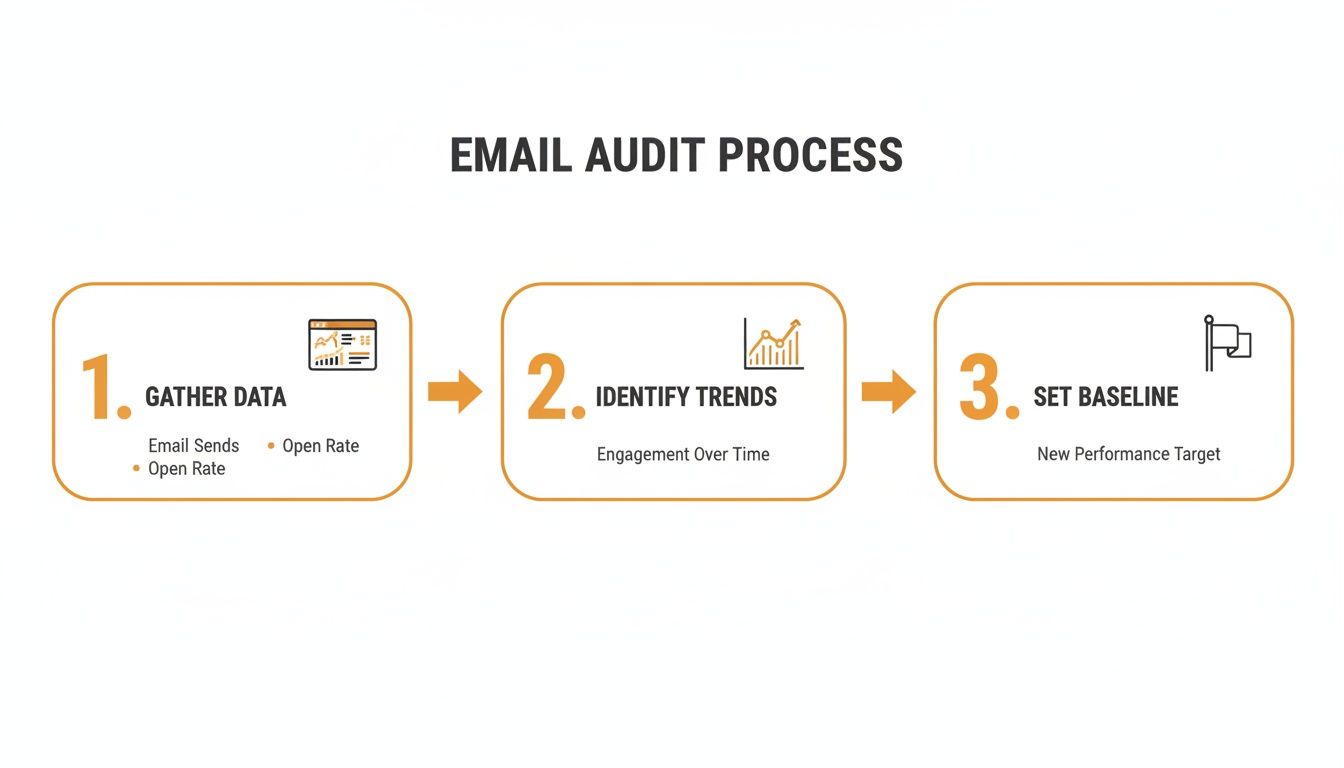
This workflow turns a pile of raw numbers into a strategic baseline, making your improvement efforts measurable and targeted. Kick things off by pulling reports from your email service provider for the last 3-6 months.
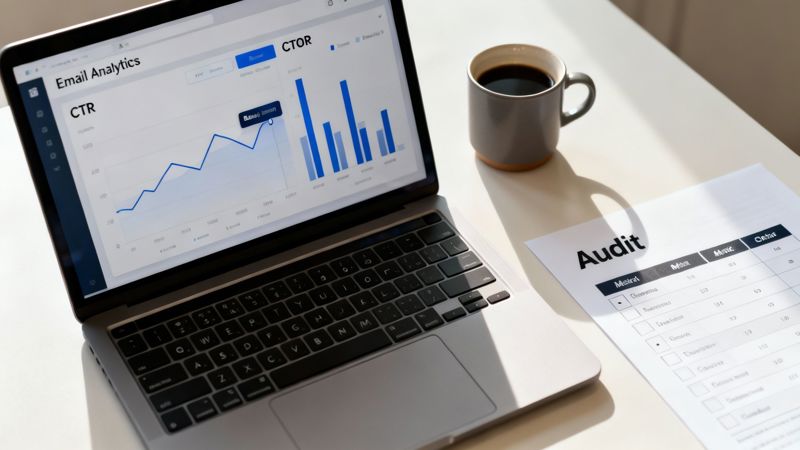
Look for trends in CTR and CTOR across different campaigns, segments, and email types (like newsletters vs. promotional offers). Our guide on email campaign analytics can help you find your way around your dashboard if you get stuck.
By looking at past performance, you might find something interesting. For example, maybe your welcome series has a 25% CTOR, but your weekly newsletter only gets 8%. That one insight tells you exactly where to focus your energy for the biggest impact.
For a deeper dive into boosting your overall performance, check out these proven 10 Email Campaign Best Practices. Think of this audit as your foundational step—it’s what makes every other improvement you make truly count.
Crafting Subject Lines That Earn the Open
Let's be blunt: your subject line and preview text are your email's one shot at survival. In a packed inbox, they're the only things standing between you and the delete button. If you don't earn the open, you'll never get the click. Simple as that.
A great subject line isn't just a title; it's a hook. Its job is to create just enough curiosity to get someone to pause their endless scrolling and engage. It’s the headline, the movie trailer—it has to promise something valuable is inside without giving away the entire plot.
Go Beyond Basic Personalization
Using a subscriber's first name is table stakes now. True personalization digs deeper. It means referencing their past actions, stated interests, or even their location to make the message feel like it was written just for them. It shows you're actually paying attention.
For instance, instead of a tired "Special offer just for you," try something that shows you've done your homework:
- "Is your team in Austin still looking for a solution?" This connects their location with a likely past inquiry.
- "A follow-up on your interest in our marketing automation guide." This directly references a specific piece of content they already engaged with.
These hyper-specific subject lines prove they aren't just another name on a list, which dramatically increases the odds they'll open the email. To build a solid foundation for your campaigns, reviewing these B2B Email Marketing Best Practices is a great starting point.
Use Curiosity and Urgency Wisely
We're all naturally curious. A well-worded question or an intriguing statement can be far more compelling than a flat-out announcement. Posing a question immediately gets the reader thinking, making them want to find the answer inside your email.
Think about subject lines that create a "knowledge gap":
- "The one mistake most marketers make..."
- "Are you using this underrated feature?"
Urgency is another powerful motivator, but you have to use it honestly. Faking scarcity just erodes trust. Real urgency is tied to a genuine deadline or limited stock.
Key Takeaway: The sweet spot for a subject line is the perfect balance of clarity and curiosity. The subscriber should know roughly what's inside but still feel a compelling pull to learn more.
Don't Neglect the Preview Text
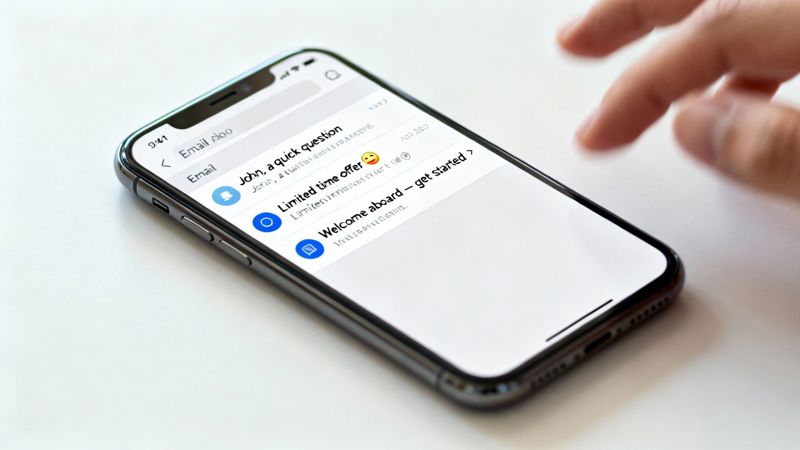
That little snippet of text next to the subject line? That's your preview text, and it's some of the most valuable real estate in the inbox. Too many marketers waste it by letting it default to "View this email in your browser." What a missed opportunity.
Think of your preview text as the subtitle to your subject line's headline. It should build on the initial hook, not just repeat it.
Subject Line & Preview Text Combinations
| Subject Line | Weak Preview Text (Default) | Strong Preview Text (Optimized) |
|---|---|---|
| "Our Summer Sale Starts Now!" | "Having trouble viewing this email?..." | "Save up to 40% on all new arrivals this week only." |
| "A quick question..." | "Hi {{firstName}}, I was hoping to..." | "About your recent download – did you find what you needed?" |
| "Your weekly digest is here." | "This email was sent to you because..." | "Featuring top tips for list growth and A/B testing." |
A strong preview text provides that extra nudge of context or value that can convince a hesitant subscriber to open. It’s your second chance to make a first impression. The only way to know what works is to test. Pit a curiosity-driven subject line against a benefit-driven one and see which approach not only gets more opens but ultimately helps you improve your email click through rate.
Driving Clicks with Advanced Email Segmentation
Sending the same generic message to your entire list is a surefire way to land in the spam folder. If you want to know how to improve your email click-through rate, the answer isn't some shiny new tactic; it's a foundational strategy: treating subscribers like the individuals they are through smart segmentation.
This is all about moving past basic demographics and digging into what your subscribers actually do.
Real engagement comes from relevance. When a message feels like it was written specifically for the recipient, they're far more likely to click. By grouping subscribers based on their actions, you can deliver hyper-relevant content that truly connects.
Beyond Demographics: Behavioral Segmentation
Knowing a subscriber's location or job title is useful, but their behavior tells a much richer story. Behavioral segmentation groups users based on their interactions with your brand, creating powerful opportunities for targeted communication.
Here are a few high-impact segments you can build right away:
- Purchase History: Group customers by what they've bought, how recently they purchased, and their average order value. A customer who buys premium products needs a very different message than a first-time buyer who used a discount code.
- Website Behavior: Track the pages people visit, content they download, or product categories they browse most often. If someone keeps looking at your "advanced features" page but hasn't upgraded, that’s the perfect segment for a targeted features email.
- Email Engagement Level: Create segments for your most engaged subscribers (the ones who open and click everything) and your least engaged ones. You can reward your fans with exclusive content and run re-engagement campaigns for those who are slipping away.
This approach transforms your email marketing from a broadcast into a conversation. You're no longer shouting at a crowd; you're speaking directly to individuals based on their demonstrated interests.
Creating High-Value Dynamic Segments
The real magic happens when you combine different behaviors to create dynamic, highly specific segments. These aren't static lists; they're living groups that subscribers automatically move in and out of based on their actions. This ensures your messaging is always timely and relevant.
Consider creating segments like these:
- Highly Engaged Non-Purchasers: These are your fans—they open and click everything but haven't pulled the trigger on a purchase yet. They're clearly interested but need a final nudge. A targeted offer, a compelling case study, or a free trial could be the key.
- Recent First-Time Buyers: This group is at a critical point. A post-purchase follow-up series that helps them get the most value out of their new product can build massive loyalty and set the stage for their next purchase.
- Customers at Risk of Churning: Identify customers who haven't purchased or engaged in a specific timeframe (say, 90 days). A simple "we miss you" campaign with a special incentive can bring them back before they're gone for good.
For a deeper dive into these techniques, our guide on email segmentation best practices provides even more actionable ideas.
Content relevancy is the single most critical factor for earning clicks. In fact, research shows that 71% of decision-makers ignore emails primarily due to a lack of relevance. This focus on relevance is what separates top performers from the rest. Discover more insights on the link between relevance and performance in this comprehensive email marketing statistics report.
Campaign Ideas for Specific Segments
Once you have your segments, the final piece of the puzzle is crafting a message that speaks directly to them. Generic newsletters just won't cut it anymore.
Here’s how you can tailor your content:
| Segment | Campaign Idea | Why It Works |
|---|---|---|
| Browsed "Product X" 3+ Times | Send an email with customer testimonials for Product X, a link to a detailed demo video, and a clear CTA to "See Product X in Action." | You're providing social proof and deeper information to address their high interest and overcome any final hesitation. |
| Abandoned Cart with Premium Items | Send a follow-up highlighting the long-term value and benefits of the premium items, perhaps with a small, time-sensitive shipping offer. | This reframes the conversation from price to value, justifying the higher cost and creating urgency to complete the purchase. |
| VIP Customers (High AOV) | Give them early access to new products or an invitation to an exclusive webinar. Make them feel valued and part of an inner circle. | This fosters loyalty and encourages repeat business by rewarding your best customers with exclusive perks, not just discounts. |
By aligning your message with your audience's behavior, you make clicking the next logical step. It’s no longer a sales pitch; it's a helpful suggestion that anticipates their needs—and that's the most reliable way to boost your CTR.
Designing Emails That Guide Subscribers to the Click
Getting the open is only half the battle. Once a subscriber is in, your email's design has to do the heavy lifting to earn the click. The layout, the visuals, the calls to action—they all need to work together to create a clear, easy path to your goal.
Think of your email design like a roadmap. Every headline, image, and button is a signpost. If the signs are confusing or point in different directions, your reader gets lost and hits the back button. A deliberate, strategic design is what turns a pretty email into a profitable one.
Building a Clear Visual Hierarchy
Visual hierarchy is just a fancy way of saying you’re arranging things to show what's most important. It tells the reader where to look first, second, and third. A strong hierarchy makes your message easy to scan, which is absolutely critical for boosting your click-through rate.
Before you do anything else, decide on the single, primary action you want the subscriber to take. Everything else in the design must support that one goal.
- Headings and Subheadings: Use clear, benefit-driven headlines to break up the text. They grab attention and let scanners get the gist of each section.
- Emphasize Key Info: Make important stats or phrases pop with bold text, a different color, or a slightly larger font.
- Embrace White Space: Don't cram everything together. Giving your text and images room to breathe makes the whole email feel less intimidating and much easier to read.
A cluttered email is a confusing email. A clean, organized layout creates a persuasive journey that leads straight to the click.
Crafting Calls to Action That Convert
Your Call to Action (CTA) is the most important part of driving clicks. It’s the final instruction. A generic "Click Here" button just doesn't cut it anymore.
Your CTA button has to be both visually striking and psychologically compelling.
CTA Best Practices
| Element | Best Practice | Example |
|---|---|---|
| Button Copy | Use active, benefit-focused language that tells people exactly what happens next. | Instead of "Submit," try "Get My Free Guide." |
| Color and Contrast | Pick a button color that stands out from the background. Bright, contrasting colors naturally pull the eye. | An orange button on a white or gray background is a classic for a reason—it works. |
| Placement | Put your main CTA "above the fold" so it’s visible without scrolling. If the email is long, it's a good idea to repeat it at the bottom. | Place a "Shop Now" button right under your featured product. |
I’ve seen tests where changing a CTA button from "Learn More" to "See Pricing" boosted clicks by over 30%. It’s a simple change, but it works because it sets a much clearer expectation for the user.
A Mobile-First Design Is Non-Negotiable
This isn't a suggestion anymore. Nearly 50% of all email clicks happen on a phone. If your email looks broken or is a pain to navigate on a small screen, you’re basically ignoring half your audience.
This means you should be using a single-column layout, fonts that are actually legible (at least 16px for body text), and big, thumb-friendly CTA buttons. Always, always send a test to your own phone to see how it looks before it goes out to your list.
Using Visuals to Capture Attention
Images and GIFs are fantastic for making emails more engaging. They break up text, demonstrate a product, or just add a bit of visual flair that keeps people scrolling.
But you have to be smart about it. Huge image files can slow down load times or even get you flagged by spam filters. Make sure you compress your images and always use descriptive alt text for subscribers who have images turned off.
If you really want to stop someone in their tracks, try personalized images. Tools like OKZest can dynamically insert a subscriber's name, company, or other data right onto an image. It creates a powerful one-to-one feeling that demands attention.
To learn more about how to use visuals effectively, check out this ultimate guide to using images in email to transform campaign performance. This kind of personalization makes your CTA feel less like a generic ask and more like a personal invitation, which can make a huge difference in your click rates.
Don’t Sleep On Your Welcome and Transactional Emails
Let's be honest, not all of your emails get the same amount of love. We spend ages crafting the perfect weekly newsletter, but some of the most powerful emails in our arsenal are often running on a "set it and forget it" basis. I'm talking about your welcome sequences and transactional emails. These consistently blow standard marketing campaigns out of the water, yet they're usually the most neglected.
Focusing your energy here is one of the smartest ways to boost your email click-through rate. These are the moments when subscribers are paying the most attention and actually expecting to hear from you. Ignoring them is just leaving clicks (and money) on the table.
Nail the Welcome Moment
A new subscriber is at their peak level of interest. They've literally just invited you into their inbox, and that first message you send sets the entire tone for your relationship. A single, bland "thanks for subscribing" email is a huge missed opportunity. What you need is a multi-step welcome series that builds momentum and gets them clicking right away.
The numbers don't lie. Welcome emails see an average open rate of 68.59%, which is absolutely massive compared to your typical campaigns. That initial engagement is a golden opportunity you can't afford to waste.
A great welcome series does more than just say hello. It should:
- Deliver on your promise: If they signed up for a discount code or an ebook, give it to them immediately and make it obvious.
- Set expectations: Let them know what you'll be sending and how often they can expect to hear from you.
- Drive a specific action: Don't just talk about your brand; ask them to do something. Point them to a specific product category, ask them to follow you on social media, or link them to a cornerstone blog post.
This first interaction is your chance to train subscribers to click on your links. By giving them instant value and a clear CTA, you start building a habit of engagement from day one.
Turn Transactional Emails into Opportunities
Your transactional emails—order confirmations, shipping updates, password resets—are the unsung heroes of email marketing. Their open rates are through the roof because customers are actively looking for them.
Most brands treat these emails like sterile, functional receipts. But with a few simple tweaks, you can turn them into powerful engagement drivers that reinforce your brand and encourage that next click.
Think about the customer's mindset. Someone who just bought from you is feeling good about your brand. That order confirmation email is the perfect place to build on that positive feeling.
Simple Upgrades for Transactional Emails
| Email Type | The Boring Approach | The High-CTR Approach |
|---|---|---|
| Order Confirmation | A plain text receipt with order details. | Includes product care tips, links to related items, and a prompt to join a loyalty program. |
| Shipping Notification | "Your order has shipped. Track it here." | Shows a visual map of the package's journey and features user-generated photos of the product they're about to receive. |
| Password Reset | "Click here to reset your password." | Reinforces your brand's security and includes a helpful link to your support center or a popular FAQ article. |
These little additions don't get in the way of the email's main job. They just add extra value and give an already engaged customer a good reason to click. Studies have found that transactional emails can get 8 times more opens and clicks than regular marketing emails. If you want to dive deeper, this in-depth analysis of email marketing statistics really highlights their potential.
By optimizing these high-intent moments, you tap into a reliable stream of engagement from your most interested customers, giving your overall click-through metrics a serious and sustainable boost.
Using A/B Testing to Continuously Improve Your CTR
Improving your email click-through rate isn’t something you fix once and forget. It's an ongoing process of figuring out what your audience actually responds to, and the only reliable way to do that is through systematic A/B testing.
This data-driven approach pulls you out of the guesswork. Instead of overhauling your entire email strategy based on a hunch, you can make small, iterative changes that add up to significant gains over time. Was it the clever subject line or that urgent call to action that drove clicks? Testing is the only way you’ll ever know for sure.
Structuring a Meaningful A/B Test
A good test isn’t just about blasting out two different emails. It needs a clear framework, otherwise your results will be noisy and unreliable, leaving you no smarter than when you started. A solid test always begins with a specific question.
Your first move is to form a clear hypothesis. This is just a simple statement predicting what you think will happen. For example: "I believe using a button with urgent, action-oriented copy like 'Get My Deal Now' will get more clicks than a passive button like 'Learn More' because it creates a sense of immediacy."
Once you have that hypothesis, you can design the test.
- Isolate One Variable: This is the golden rule. If you change the subject line and the CTA button color, you’ll have no clue which change actually caused the result. Test one thing at a time: the subject line, the sender's name, a bit of body copy, or the CTA design.
- Determine Your Sample Size: To get statistically significant results, you need a big enough slice of your list. Most email service providers have built-in calculators to help, but a good rule of thumb is to send each version to at least 10% of your segment.
- Define Your Winner: Decide what metric equals success before you hit send. For this goal, the winning metric is almost always the unique click-through rate.
High-Impact Elements to Test First
While you can test nearly anything in an email, some elements just have a much bigger impact on clicks than others. If you’re just getting started with testing, focus your energy on the variables most likely to move the needle.
Pro Tip: Don't just focus on what's inside the email. Testing the time of day or day of the week can reveal surprising insights into your audience’s habits. I’ve seen campaigns where a Thursday morning send outperformed a Tuesday send by over 20% in clicks, simply by aligning with when subscribers were actually checking their inbox.
Here are the heavy hitters to prioritize:
- The Call to Action (CTA): This is a huge one. Test button copy ("Shop Now" vs. "See The Collection"), color, size, and where you place it in the email.
- The Subject Line: Pit a question-based subject line against a benefit-driven one to see what piques more curiosity.
- Email Layout: Try a single-column, image-heavy design against a more text-focused layout. Sometimes less is more.
By methodically testing these core elements, you start to build a real playbook of what works for your specific audience. It creates a reliable system you can use to consistently improve your email click through rate.
A Few Common Questions About Email CTR
When you're trying to bump up your email click-through rate, a few questions always seem to pop up. Let's tackle them head-on so you can focus on what really moves the needle.
What Is a Good Email Click-Through Rate?
Everyone wants a magic number, but the truth is, a "good" CTR is all over the map depending on your industry. If you're hitting somewhere in the 2-5% range, you're generally in a decent spot.
But here’s a pro-tip: I prefer to track the Click-to-Open Rate (CTOR). This tells you how many people who opened your email actually clicked something. A CTOR between 10-20% is a fantastic sign that your content is really resonating with your audience.
Ultimately, stop worrying about universal benchmarks. The only number that matters is your own. Your real goal should be to consistently beat your last campaign. That’s how you know you're making progress.
How Often Should I Send Marketing Emails?
There's no one-size-fits-all answer here. It comes down to your audience and what they actually want from you. The smartest move? Let them tell you. Add an option in your sign-up form or preference center where subscribers can choose their own frequency—daily, weekly, or maybe just monthly updates.
Keep a close eye on your engagement metrics. If you ramp up your sending schedule and suddenly see your CTR and CTOR take a nosedive, that’s your audience giving you a very clear signal to pull back.
Key Takeaway: Your data is your most honest friend. A dip in clicks or a spike in unsubscribes is direct feedback on your sending frequency. Listen to it.
Do Emojis in Subject Lines Actually Help CTR?
They can! An emoji can definitely make your subject line stand out in a sea of text, which helps boost your open rate—and you can't get a click without an open.
But their effectiveness really depends on your brand and your audience. Are you a quirky B2C brand or a formal B2B service? What works for one will fall flat for the other.
My advice is to always A/B test them. Try using one or two to add a little personality or draw attention to a key benefit. Just don't go overboard—it can look unprofessional and might even get you flagged by spam filters.
Ready to make every email feel personal and drive more clicks? With OKZest, you can automatically add personalized images to your emails, stopping subscribers in their tracks and guiding them to your CTA. See how it works at https://okzest.com