Make a Certificate Online Your Audience Will Actually Value
A certificate at the end of a course does two jobs. It gives the learner something concrete for their effort, and it gives you a branded asset they may well share. Done properly, it raises completion rates and puts your program in front of people you'd never have reached. Done as an afterthought, it's a PDF nobody opens twice.
This guide covers both: how to make a certificate online right now, and how to build a certificate program that's worth the effort at scale.
Make one right now
If you need a single certificate today, this takes about a minute:
- Open the free certificate generator
- Pick a template, or upload your own design
- Enter the recipient's name, the achievement, the date and the signatory
- Choose PDF, PNG, JPG or WebP
- Download
No account, no email address required. Two free certificates a day, which covers most one-off needs.
Everything below is for people running this as a program rather than a one-off.
Why certificates are worth doing properly
A certificate provides closure. Finishing a long course online can feel anticlimactic, and a credential naming what was completed turns it into something the learner can point at. That alone lifts completion rates, because people finish things that end in something.
The second effect is the one most course creators underuse. When learners are proud of a credential, they share it - and a certificate posted on LinkedIn is a personal endorsement in front of an audience of people with the same job title. That's reach you can't buy, from a source prospects trust more than your own marketing.
Key benefits of offering online certificates
| Benefit | Impact on your business | Value for the learner |
|---|---|---|
| Higher course completion | Better completion metrics and student satisfaction | A clear goal and a reason to finish |
| Organic reach | Graduates sharing certificates is authentic advertising you didn't pay for | A shareable asset for LinkedIn and professional networks |
| Brand credibility | Professional certificates signal that the program is serious | A credential that validates their time and money |
| Community | A network of certified people who recognize each other | A sense of belonging to a defined group |
| Differentiation | Sets your course apart from ones that end with nothing | A tangible takeaway for their CV |
Designing a certificate that carries your brand

A certificate is a document someone may keep for years. The design decides whether it gets displayed or filed, and the difference is usually structure rather than decoration.
Align it with your brand
Use your main brand colors for structural elements - borders, headers, rules - and secondary colors sparingly for accents. The certificate should look like it came from the same place as your course materials and your website.
Choose fonts that match your brand's character, but keep the recipient's name and the course title in something unambiguous and legible. A decorative script may look elegant until someone is called Ngozi or Krzysztof.
For more on how these elements work together, see our guide to visual branding.
Structure the information
The viewer's eye should land on the recipient's name first, then what they did, then who says so. The must-have components:
- Your logo - top-center or a corner, establishing who issued it
- A clear title - "Certificate of Completion" or "Certificate of Achievement". No need to be clever
- The recipient's full name - the largest text on the page
- The course or program title - specific about what was achieved
- The completion date
- The issuing authority - your organization name, and a signature if appropriate
- A reference number - optional, but it makes re-issuing and record-keeping far easier
Leave generous whitespace between these. Crowding is the single most common reason a certificate looks amateur.
Choosing a tool

The right tool is mostly determined by volume. Making one certificate is a design problem; making four hundred, each with a different name, is a data problem, and most design tools only solve the first.
If you'd like a fuller comparison, we've written a guide to finding the right online certificate creator.
The three things that matter most:
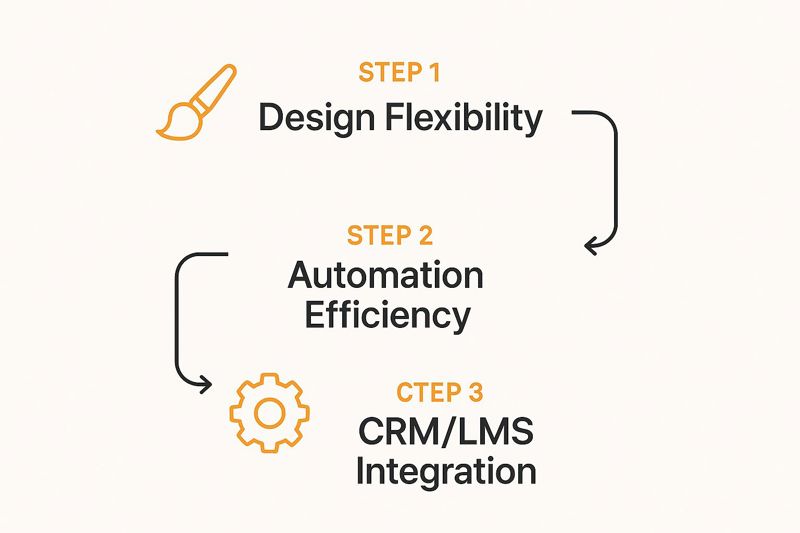
- Real design flexibility. You need to customize templates with your own logo, colors and fonts, not fill text boxes on someone else's design.
- Bulk generation. One saved design plus a recipient list should produce a personalized certificate per person. Anything that requires you to open an editor per certificate stops working around the fiftieth one.
- Integration. Your certificate tool should connect to the systems you already use - your learning platform, CRM, or email marketing tool - so certificates go out without anyone remembering to send them.
Free tools and dedicated platforms
| Feature | Basic free design tools | Dedicated platforms |
|---|---|---|
| Personalization | Manual text entry per certificate | Merge fields and bulk personalization from a list |
| Automation | None; create and send by hand | Automatic generation and delivery via integrations |
| Scale | Unmanageable beyond a handful | Built for thousands without manual effort |
| Brand consistency | Depends on whoever is editing | Enforced through a saved template |
| Updating after issue | Not possible; the file is already sent | Possible with tools that render images live on request |
That last row is worth pausing on. Most certificate tools produce a file. Tools that generate the image at the moment it's viewed - OKZest works this way - mean a certificate embedded in an email or a web page can be corrected or rebranded after it's gone out, and everyone sees the updated version. If you've ever had to re-issue two hundred certificates over a typo, that's the feature you wanted.
Automating delivery
Designing the certificate is a one-off task. Sending them is a recurring one, and it's where certificate programs quietly die.
The goal is a system where a trigger - usually course completion - produces a personalized certificate and delivers it without anyone touching it.
A worked example
A student, Sarah, finishes the last lesson of your Digital Marketing course on Thinkific. Using Zapier and OKZest:
- Trigger: Thinkific tells Zapier that Sarah has completed the course
- Action: Zapier passes Sarah's name and email into your OKZest certificate template
- Generation: OKZest fills the branded template with her details and the completion date
- Delivery: The certificate is emailed to her automatically
Sarah has a professional credential within minutes of her final quiz, at the exact moment she's most likely to share it. That timing matters more than most people expect - enthusiasm for a course decays fast, and a certificate that arrives three weeks later arrives after the moment has passed.
For more on setting up automated sends, see how to automatically send email notifications.
The digital certificates market is growing steadily as organizations move credentialing online - Fortune Business Insights has published figures on the trend if you want the numbers.
Turning certificates into reach

A certificate that gets shared does marketing work for you. The way to get more shares is to remove the friction, not to ask harder.
Don't email a PDF and hope. Build the sharing step into the moment of delivery, with a pre-populated message ready to go:
- A short congratulatory line - "I've just completed the [Course Name]" is enough
- A tag to your company page - so you're notified and can respond to the post
- One or two relevant hashtags - a branded one plus an industry one
Responding to those posts matters as much as prompting them. A graduate whose LinkedIn post gets a reply from the organization that taught them is considerably more likely to recommend the course to someone else.
When you need verifiable credentials
If your certificates need to be independently checkable - regulated training, accredited qualifications, anything an employer might audit - you need a platform built for credentialing rather than one built for images.
That means unique validation links, public verification pages, digital signatures and often QR codes. Certifier is a good example of a platform built around exactly this.
OKZest doesn't do verification. It generates personalized certificate images at scale, which is a different job. If your certificates are recognition rather than regulated credentials - course completions, event participation, internal awards, employee recognition - that distinction won't matter to you. If they're formal qualifications, use a credentialing platform.
Worth being honest about upfront, rather than discovering it during an audit.
Common questions
What has to be on a certificate?
Recipient's full name, a clear title, the course or program name, your organization name and logo, and the completion date. A reference number is optional but makes your own record-keeping much easier.
Can I do this for free?
Yes, for low volumes. The free certificate generator produces finished certificates with no account and no watermark, and a free OKZest account adds reusable branded designs with 2,500 generated images a month.
Where free stops working is volume and automation. If you're issuing hundreds of certificates on a recurring schedule, the manual time cost overtakes the subscription cost fairly quickly.
How do I make sure every certificate is on-brand?
Save one approved design as a template and generate everything from it. The certificates that end up inconsistent are almost always the ones where several people each opened a design tool and made their own.
What if I need to correct a certificate after sending it?
With a downloadable file, you re-issue and hope people notice. With certificates that render live from a URL, you correct the template and every embedded copy updates. Worth considering if your certificates go out inside emails.
Getting started
For one certificate, the free generator will have you done in a minute, no account needed.
For a cohort, create a free OKZest account, save your design once, and generate a personalized certificate for everyone on your list - 2,500 images a month at no cost, no credit card required.