You've been using merge tags like {{first_name}} to personalize the text in your emails for years. It’s standard practice. But what about the most powerful, attention-grabbing part of your email—the images? They’ve been stuck in the past, static and the same for everyone.
A personalised email images SaaS is a service designed to fix that. Think of it like a visual merge tag. It takes data you already have—a name, a company logo, maybe a recent purchase—and dynamically bakes it right into the image for every single person on your list. This simple shift turns a generic visual into a one-to-one connection.
Why Personalised Email Images Matter
Let’s be honest, inboxes are a warzone for attention. Generic, one-size-fits-all messages are the first casualties, easily ignored or deleted. The expectation has shifted from mass broadcasts to personal conversations, and static images just don't cut it anymore. A personalised email images service closes that gap, making your visuals feel genuinely about the recipient.
It's the difference between getting a generic flyer in the mail and a custom-printed invitation with your name on it. One is just an announcement; the other feels like a personal message, something you’re meant to see.
Driving Engagement and Conversions
This isn't just a cool gimmick; it's a strategy with a serious impact on your bottom line. When an image is unique to the user, it instantly grabs their attention and makes them feel seen. That’s a powerful psychological trigger that gets people to act.
The data backs this up. E-commerce marketers, who live and die by their metrics, have increased their use of personalised visuals by 43%. Why? Because it works. Personalized emails deliver 6x higher transaction rates than their generic counterparts. And when you bring images into the mix, click-through rates jump by an average of 1.12% compared to text-only versions. If you want to dive deeper, you can explore more data on personalized email marketing statistics.
Moving Beyond Static Visuals
The old way of doing things—blasting the same static image to your entire list—is a monologue. You’re talking at your audience. Personalised images, on the other hand, start a dialogue.
To really see the difference, let’s break it down.
Static vs Personalised Email Images at a Glance
This table shows just how big the gap is between the old and new way of thinking about email visuals.
| Feature | Static Email Images | Personalised Email Images (via SaaS) |
|---|---|---|
| Recipient Experience | Generic, one-size-fits-all, impersonal | Unique, 1-to-1, feels like a personal conversation |
| Content | The same visual for every single person | Dynamically generated with recipient-specific data (name, etc.) |
| Engagement | Lower click-through rates, easily ignored | Significantly higher click-through rates and stopping power |
| Communication Style | A monologue—speaking at your audience | A dialogue—speaking to an individual |
| Implementation | Simple upload to your Email Service Provider | Integrate a SaaS tool and use dynamic image URLs with merge tags |
| Business Impact | Standard, predictable performance | Boosts conversions, strengthens customer relationships, builds trust |
The takeaway is clear: one approach treats everyone the same, while the other acknowledges each person as an individual.
A static image speaks at your entire audience. A personalised image speaks to an individual. This simple shift is the key to breaking through inbox noise and building genuine customer relationships.
Modern tools like OKZest now make this powerful strategy accessible to any business, not just the tech giants. You can connect dynamic, eye-catching visuals directly to higher engagement and real revenue growth, all without needing a team of developers. It’s about finally making every email feel like it was sent to an audience of one.
How Your Personalised Images Get Created
The magic behind personalised email images isn't really magic at all—it's just a clever and surprisingly straightforward process. At its core, the whole system starts with a single, reusable base image template. Think of this template as a beautifully designed stage, all set up and waiting for the star of the show to arrive.
Within this template, you define specific areas as dynamic layers. These are simply placeholders, the empty spots on stage reserved for personalised content. They act like visual merge tags, ready and waiting to be filled with unique data for each person on your email list.
This simple setup is what transforms one design into thousands of unique visual experiences. A friendly "Hello!" in your template instantly becomes "Hello, Sarah!" or "Hello, David!" in the final image, forging an immediate connection that a generic graphic just can't match.
The Real-Time Generation Engine
So, how does the info get from your contact list into that image? This is where a personalised email images SaaS like OKZest steps in to do the heavy lifting. Instead of creating and storing thousands of individual image files ahead of time (which would be a nightmare for storage and speed), the image is generated in real-time.
The entire process happens the exact moment a recipient opens your email. Their email client requests the image from a unique URL, and in that split second, the platform gets to work:
- Receives the Request: The platform gets a ping that an image needs to be displayed.
- Fetches the Data: It instantly pulls the specific recipient's data (like
{{first_name}}) tied to that unique image URL. - Constructs the Image: The service takes your base template, fills in the dynamic layers with the data it just fetched, and assembles the final, personalised image on its servers.
- Delivers the Visual: It sends this brand-new, one-of-a-kind image back to the recipient's inbox to be displayed.
This all happens in the blink of an eye, ensuring a smooth and fast-loading experience for your subscribers. It's an incredibly efficient and scalable method, making it possible to send millions of unique images without breaking a sweat. If you want to get into the nitty-gritty of the tech, check out our guide on server-side image rendering for email.
This diagram breaks down the simple but powerful workflow, showing how a standard email gets its personalised upgrade.

As you can see, the SaaS tool is the smart middleman between your generic campaign and each recipient's uniquely tailored experience.
The Critical Role of Fallbacks
But what happens if your data is incomplete? Let's say you have an email for "Tom" but his first name is missing from your database. Without a safety net, your email might show a broken image or an awkward blank space, which can instantly damage your brand's credibility.
This is where fallbacks come in. A fallback is simply a default value you set for any dynamic layer in your template. It's your plan B, making sure you always look polished and professional, no matter what.
For instance, if the {{first_name}} field is empty, the system can automatically fall back to a more general greeting.
- Personalised Version: "Welcome, Jane!"
- Fallback Version: "Welcome, Friend!"
Likewise, if a prospect's company logo isn't available for an ABM campaign, you could set a fallback to display your own logo or a relevant industry icon instead. This simple, proactive measure prevents embarrassing errors and gives you the confidence to launch campaigns at scale, knowing every single email will look exactly as you intended. It’s a small feature with a massive impact on your campaign quality and brand perception.
Putting Personalised Images to Work in Your Campaigns
Knowing the theory behind personalised email images is one thing, but seeing them drive real results is where the fun starts. This isn't just a gimmick; it's a powerful way to boost engagement by turning generic messages into something personal and visually striking for every single person on your list.
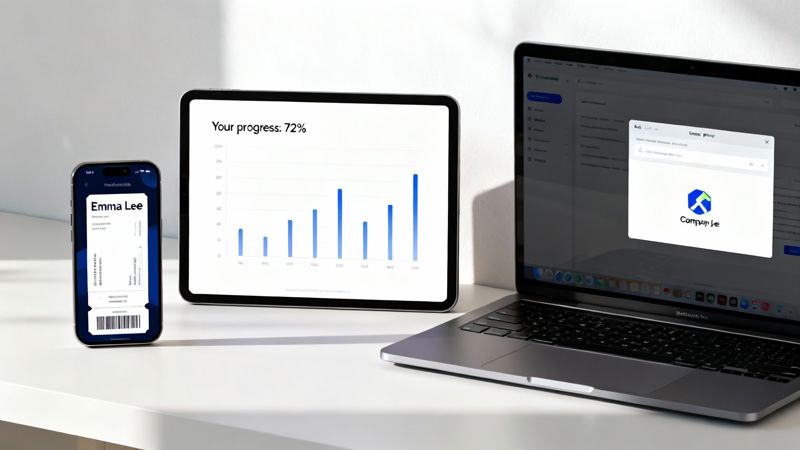
Take event marketing, for instance. Instead of blasting out a standard confirmation email, you could automatically generate a unique, personalised ticket for every single attendee. Imagine an image with their name, a unique QR code for check-in, and even their seat number—all created on the fly. That small touch makes the event feel more exclusive and buttoned-up, which directly builds attendee confidence and helps cut down on no-shows.
For sales teams, just getting an email opened is a daily battle. A personalised image can be the very thing that stops someone from hitting the delete key. By embedding a prospect’s company logo into a mockup or including their name on an image of your product, you instantly show you’ve done your homework. It proves your email isn't just another automated blast.
Driving Client Success and Retention
The uses go way beyond just getting a foot in the door. For coaches and consultants, personalised visuals are a game-changer for showing value and keeping clients motivated. A generic progress report is easy to ignore, but a dynamic, eye-catching chart that maps out a client's specific wins? That’s hard to overlook.
Think about it. Sending a weekly update with a personalised graph visualizing their achievements reinforces their progress and strengthens their connection with you. It shows you’re paying attention. These small, consistent touchpoints are what build client retention and long-term loyalty.
Personalization is no longer just about using a first name in the subject line. True personalization is about reflecting the individual's unique journey and relationship with your brand, and dynamic images are one of the most powerful ways to achieve this.
This gets even more powerful when you mix channels. We've seen event organizers sending certificates or coaches personalizing progress charts via WhatsApp or email see 50% higher completion rates on things like quizzes embedded with dynamic images. It’s clear proof that a strong visual connection leads to deeper engagement. You can discover more insights about personalized marketing statistics to see just how big the impact can be.
Versatile Applications Across the Customer Lifecycle
A solid personalised email images SaaS isn't a one-trick pony. Its applications stretch across the entire customer lifecycle, from that first hello to keeping them engaged for years to come. Platforms like OKZest make it simple to weave these visuals into all sorts of automated campaigns.
Here are a few powerful ways to use them:
- Welcome Sequences: Greet new subscribers with an image that beautifully weaves their name into your brand's design. It’s a memorable first impression that sets a great tone.
- Newsletters: Forget generic headers. Imagine a banner that includes a personalized greeting or highlights a topic you know that specific subscriber cares about. It makes the content feel curated just for them.
- Chatbot Interactions: Make your chatbot conversations pop by having it generate and send personalised images, like a custom coupon with the user’s name on it or a visual summary of their support ticket.
- Re-engagement Campaigns: Nudge inactive users back with an image reminding them of their past activity or a unique offer created just for them. It’s a visual way of saying, "We miss you."
Each of these examples goes far beyond plain-text personalization. They tap into the immediate, emotional power of visuals to grab attention and drive action, whether that’s building loyalty, boosting click-through rates, or closing a sale. When you put personalised images to work, every automated message becomes a chance for a genuine one-to-one connection.
Integrating Dynamic Images with Your Email Platform
One of the first questions marketers ask is, "Will this actually work with the tools I already use?" When it comes to a personalised email images SaaS, the answer is almost always a resounding yes. The whole integration process is far simpler than you'd think, designed to slot right into your existing workflow, not force you to rebuild it.
At its core, the technology works by giving you a unique, dynamic URL for each image you create. This isn't just a boring, static link to a JPEG file; it's a smart link that actually builds the image in real-time based on the data you feed it. This simple, elegant solution is the secret to its near-universal compatibility.
You don't need any complicated plugins or custom code. You just copy this dynamic URL from the SaaS platform and paste it into your email template, exactly like you would for a subscriber's first name. The real magic happens when you use your email platform's own merge tags inside that URL.
The Power of the Dynamic URL
Think of the dynamic URL as a recipe. When an email is sent, your Email Service Provider (ESP) automatically swaps out its merge tags—like {{first_name}} or {{company_name}}—with the actual data from your contact list. The personalized image platform then reads this "recipe" and cooks up the perfect visual on the fly.
This approach ensures the system works seamlessly with virtually any ESP on the market, from the big players to niche platforms. You’re just using a feature you already lean on every day: merge tags. To get a deeper look at how this works behind the scenes, check out our guide on real-time image generation for ESPs.
The process breaks down like this:
- Generate the URL: Your personalised image SaaS gives you a base URL for your image template.
- Add Merge Tags: You tack on your ESP's merge tags to this URL as parameters (e.g.,
...&name={{first_name}}). - Paste into Template: You insert this complete URL into the image source field inside your email editor.
- Send Your Campaign: Your ESP takes it from there, personalizing the URL for every single recipient before the email leaves the station.
This plug-and-play setup means you can add incredibly powerful visual personalization without ever having to disrupt your marketing stack.
The beauty of a dynamic image URL is that it speaks the universal language of the web. By combining this URL with the merge tags your email platform already understands, you create a bridge between the two systems without needing any special connectors.
Seamless Compatibility with Your Favorite Tools
This method is exactly why adopting a personalised email images SaaS feels less like a major IT project and more like a simple, powerful upgrade. You can keep right on using the email editors and campaign workflows you already know and love.
Whether you're a heavy user of Mailchimp, Klaviyo, Instantly, or any other platform out there, the integration process is identical. Tools like OKZest are built to be platform-agnostic, offering no-code solutions that are compatible with 99% of ESPs. This broad compatibility completely removes the technical hurdles that so often stop marketers from trying out new, impactful strategies.
A Step-by-Step Guide to Launching Your First Campaign
Theory is great, but getting your hands dirty is what really matters. Let's walk through the exact steps to launch your first personalised email images campaign, turning an idea into a real, attention-grabbing asset. This roadmap will give you a clear, actionable plan to get started with confidence.
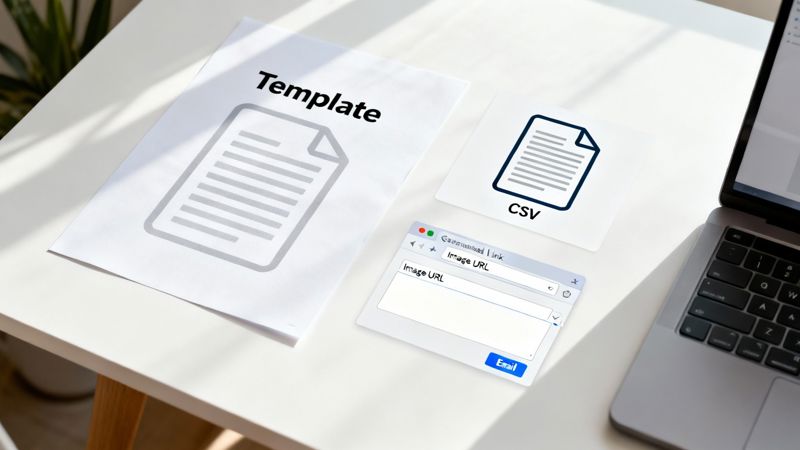
The whole process really just boils down to a few logical phases: designing your visual foundation, plugging in your data, and then dropping the final result into your email platform. We'll break down each part so you can see just how straightforward it is.
Step 1 Design Your Base Image Template
Before any personalisation can happen, you need a canvas. Your first job is to design the base image template that will act as the foundation for every unique visual you create. This is where you set the scene with your brand's look and feel, adding your logos, color schemes, and any text that won't change.
You can use any design tool you're comfortable with—whether that's Canva, Figma, or Adobe Photoshop—to create a high-quality PNG or JPEG. Think of this as setting the stage for the whole campaign.
Once your design is ready, you upload it to your chosen personalised email images SaaS. Inside the platform’s editor, you'll mark out the dynamic layers. These are just the specific spots where the personalised content, like a recipient's name or company, will eventually appear.
Step 2 Connect Your Data Source
With your template designed and your dynamic layers defined, the next move is to connect the data that will actually fuel the personalisation. This is where you tell the platform what specific information to pull for each person on your list. You generally have two ways to do this: a simple no-code approach or a more technical API integration.
For marketers looking to move fast, the no-code option is perfect. This usually just means getting your data into a simple CSV file, with columns for each piece of info you want to use (e.g., "FirstName," "CompanyName"). You then upload this file directly to the platform.
The SaaS tool then maps the columns from your spreadsheet to the dynamic layers you created in your template. This method is brilliant for one-off campaigns, sales outreach lists, or anyone who wants to get a campaign out the door quickly without touching a line of code.
On the other hand, for more advanced, real-time personalisation, you can use an API. This method lets your systems talk directly with the image generation platform, pulling live data from your CRM or database as needed. For a detailed guide on how this works, you can check out our in-depth API integration tutorial. It's the perfect approach for automated welcome emails or transactional messages where the data is always changing.
Step 3 Generate and Implement the Image URL
Once your template is designed and your data is connected, the platform works its magic. It generates a single, universal image URL that contains all the instructions needed to create the personalised visuals. This isn't a link to a static file; it's a dynamic endpoint.
Your job is to copy this URL and paste it into your email editor, just like you would with any other image. The key is to embed your Email Service Provider's (ESP) merge tags right into the URL itself. This is what tells the system how to match the right data with the right person.
This URL acts as the bridge between your ESP and the image generation service, making sure every subscriber gets their own unique image the moment they open the email.
The most effective sales and marketing teams understand that scale and personalization must go hand-in-hand. A robust SaaS solution should handle this effortlessly, ensuring a flawless visual experience for every recipient, every single time.
This reliability is what makes the technology so powerful. For instance, platforms like OKZest provide built-in fallback options that guarantee a professional look even if some data is missing—a lifesaver for sales teams scaling to millions of images. This attention to detail helps build strong customer relationships that can lift lifetime value by 43%. You can read more about the impact of personalization on customer value and see the data for yourself.
Step 4 Choose Your Plan and Scale
Finally, it's important to think about how the service will scale with your needs. Most personalised email images SaaS providers, including OKZest, offer tiered pricing. This makes the technology accessible whether you're a small startup or a massive enterprise.
- Free Tiers: Perfect for testing the waters with your first campaign and getting a feel for the platform without any commitment.
- Starter Plans: Ideal for small businesses or individual marketers running regular campaigns with smaller email lists.
- Growth Plans: Suited for growing companies that need to generate a higher volume of images and want more advanced features.
- Enterprise Solutions: Built for large-scale operations sending millions of personalised images a month, often including team management features and dedicated support.
This scalability means you only pay for what you use, allowing you to start small and ramp up your efforts as you see the impressive results roll in.
Best Practices for Driving Maximum Engagement
It's one thing to create a personalized image, but it's another thing entirely to make it count. Just dropping a name onto a graphic can feel like a cheap trick if it doesn't add any real value. The best campaigns use personalization to make the recipient’s experience more relevant, helpful, or even just a little more delightful. That's how a simple image becomes a memorable touchpoint.
A winning strategy always starts with a clear goal. Are you trying to make an event ticket feel more official? Visualize a client's specific progress? Or maybe just grab a prospect's attention with their own company logo? Each of these goals requires a totally different creative touch, ensuring the personalization serves the user, not just the tech.
Prioritize Design and Readability
Dynamic content should elevate your design, not break it. A classic mistake is trying to cram way too much personalized text into a tiny space, making it impossible to read, especially on a phone. Always design for the worst-case scenario—think of someone with an exceptionally long name or company title—to make sure your layout holds up no matter what.
Clean, high-contrast visuals are your best friend. Make sure your dynamic text pops against the background. Stick to readable fonts and give your personalized elements plenty of breathing room. The aim is to make the personalization feel like it was always part of a beautiful design, not something slapped onto a generic template at the last minute.
Test Rigorously and Set Reliable Fallbacks
Your personalization is only as solid as the data behind it. Before you hit "send" on any campaign, you have to test your images with a bunch of different data scenarios. See how they look with long names, short names, and—most importantly—with missing data. This is where fallbacks become your safety net, saving you from broken images or awkward blank spots.
A reliable fallback strategy is the difference between a professional campaign and a potential brand embarrassment. Always have a default value ready for every dynamic element to ensure a seamless, high-quality experience for every single recipient.
For instance, if {{first_name}} isn't available, a default like "Friend" or "There" ensures the message still lands well. A robust personalised email images SaaS makes setting these defaults incredibly simple, so you can be confident that every single email you send looks polished and professional.
Ensure Your Data Quality Is Impeccable
At the end of the day, the impact of your campaigns all comes down to the quality of your data. Inaccurate or old information leads to personalization that just feels off, which can do more harm than good. Make it a habit to regularly clean and update your contact lists so that names, company details, and other data points are always correct.
This commitment to clean data pays off big time. Deep personalization that pulls in accurate, real-time API data has been shown to boost revenue by a mind-blowing 289%, turning your standard email blasts into powerful money-makers. To get the full picture of the financial impact, you can learn more about these personalization findings. When you combine thoughtful design with clean data, you're setting your personalized images up to drive maximum engagement and deliver real business results.
Frequently Asked Questions About Personalised Images
Diving into the world of dynamic visuals for the first time usually brings up a few questions. I get it. Below are some straightforward answers to the most common things marketers ask when they're thinking about using a tool like this for their campaigns.
How Much Technical Skill Do I Need?
Surprisingly little, actually. Modern platforms are built to be used by everyone, not just developers. The technical skill you need really just depends on how you want to connect your data.
- No-Code Approach: For a lot of campaigns, you can just upload a CSV file with your contact data. If you can attach a file to an email, you can do this. It requires absolutely no coding skills.
- API Integration: If you want real-time personalization, an API connection is the way to go. While this sounds more technical, platforms like OKZest give you all the documentation and support you need to make it happen, even if you’re not a coder.
The main takeaway here is you don't need to be a developer to get started. You can launch your first campaign in minutes with a simple spreadsheet.
What Happens If Recipient Data Is Missing?
This is a great question and a critical one for anyone running campaigns at scale. It’s handled by a simple but powerful feature called fallbacks. A fallback is just a default value you set for any dynamic part of your image template.
For example, if the {{first_name}} field is empty for one of your contacts, the system won’t show a broken image. Instead, it will automatically use your predefined fallback, like "Friend" or "Valued Customer." This simple trick ensures every single email looks professional and complete, protecting your brand's reputation.
Can I Use These Images Outside of Email?
Absolutely. While "email" is in the name, the technology itself is incredibly flexible. The same dynamic image URL that works in an email can be used across all sorts of digital channels to create consistent, personalized experiences.
Think of the technology as a universal personalization engine for visuals. The output is a simple image URL, which can be embedded almost anywhere you can place an image, dramatically expanding your campaign's reach.
Here are a few other common uses:
- Chatbots: Greet users by name in a visually engaging way.
- Social Media Messages: Send personalized graphics in DMs on platforms like X or WhatsApp.
- Websites: Create unique welcome banners for returning customers.
How Does Pricing Work for Large Campaigns?
Most personalised email images SaaS providers use a tiered subscription model, which is designed to scale right along with your business. This makes the technology affordable for everyone, from a solo entrepreneur just starting out to a massive enterprise.
Typically, plans are based on how many images you generate per month. This lets you start with a free or low-cost plan to test things out and then upgrade as your campaigns grow and you see the return on your investment. It's a scalable model that ensures you only pay for what you actually use.
Ready to transform your emails from static broadcasts into engaging, one-to-one visual conversations? With OKZest, you can easily create and automate stunning personalized images for every recipient. Start your free trial today and see the difference for yourself. Learn more at https://okzest.com.