Think about the last email you opened. Did it have a generic stock photo? Probably. Was it memorable? Almost certainly not. In an inbox overflowing with noise, that one-size-fits-all approach just doesn't connect anymore. Subscribers expect personalization, and a static, lifeless image screams "mass email."
This is exactly where real-time image generation comes in. It's a completely different way to think about email visuals. Instead of one image for thousands of people, you create a unique, dynamic image for every single person on your list, generated the instant they open your message.
Why Real-Time Images Are Your New Secret Weapon
Let's be real—the standard email graphic is speaking to everyone, which means it's really speaking to no one. It fails to make a genuine connection.
Real-time image generation flips this on its head. Imagine an image that automatically pulls in the recipient's name, their loyalty status, or even the last product they looked at. This isn't just about sticking a name on a picture; it’s about crafting a truly personal visual experience that feels like a one-to-one conversation.
Moving Beyond Static Visuals
The difference is huge. An e-commerce brand can send an abandoned cart email showing the actual items a shopper left behind, beautifully arranged on a custom background. An event company can send a confirmation with a personalized ticket—complete with the attendee's name and a unique QR code already on it.
These aren't just pretty pictures. They are powerful, hyper-relevant touchpoints that make your communication impossible to ignore.
This technology is growing at an incredible pace. A mind-boggling 34 million AI-generated images are created every single day, with over 15 billion produced since 2022. For marketers, this opens up a massive opportunity to automate visuals that actually resonate, all without sinking hours into manual design work. You can dig deeper into how this works by checking out our guide on dynamic image generation.
The core idea is simple but powerful: stop sending images to your audience and start creating images for each individual. This shift in mindset is the key to cutting through the noise and building lasting customer relationships.
The Tangible Impact on Engagement
The benefits go way beyond just being clever. When a subscriber sees an image that reflects their own interests, history, or identity, it validates their relationship with your brand. That personal touch builds loyalty and makes your emails feel less like marketing and more like a genuinely helpful service.
Before we get into the results, let's look at a quick comparison to see just how different this approach is.
Static vs Real-Time Images in Email Campaigns
This table breaks down the shift from traditional static images to dynamic, real-time visuals in your ESP.
| Feature | Static Images | Real-Time Generated Images |
|---|---|---|
| Personalization | One image for all subscribers. | Unique image for each subscriber. |
| Data Integration | None. Images are pre-made. | Uses merge tags to pull live ESP data. |
| Relevance | Low. Generic and impersonal. | High. Tailored to individual user data. |
| Engagement | Typically lower CTRs. | Drives higher clicks and conversions. |
| Scalability | Manual design for each variation. | Fully automated, scales infinitely. |
| Use Cases | Basic promotions, newsletters. | Abandoned carts, event tickets, offers. |
As you can see, the switch to real-time visuals fundamentally changes what's possible inside an email campaign.
Here are a few outcomes you can expect from making that shift:
- Increased Click-Through Rates: A personalized call-to-action right inside an image, like "Claim Your Pass, Sarah!", is far more compelling than a generic button.
- Higher Conversion Rates: Showing a customer a product they viewed on a background matching their loyalty tier creates a sense of exclusivity and urgency.
- Improved Brand Perception: Brands that use this technology are seen as more innovative and customer-focused, which builds trust and long-term value.
Ultimately, integrating dynamic image generation is about making every single email count. By treating each subscriber as an individual, you unlock a level of engagement that static campaigns simply can't compete with. It’s a strategic advantage that turns your ESP into a powerful tool for creating memorable, high-impact visual conversations.
Your First Personalized Image Campaign with OKZest
Alright, let's move past the theory and get our hands dirty. This is where you’ll really see the magic of real-time image generation come to life inside your emails. We’re going to walk through setting up your first campaign in OKZest, covering two main approaches—one built for speed and simplicity, the other for deep, custom integrations.
Whether you're a marketer who lives and breathes your ESP or a developer looking to pipe in data from other systems, the goal is identical: create one dynamic image template that can spin up thousands of unique, personalized variations on the fly.
This diagram gives you a bird's-eye view of the entire process. Data flows from your ESP, hits a dynamic image generator like OKZest, and lands in your customer's inbox as a completely unique visual, all in the blink of an eye.
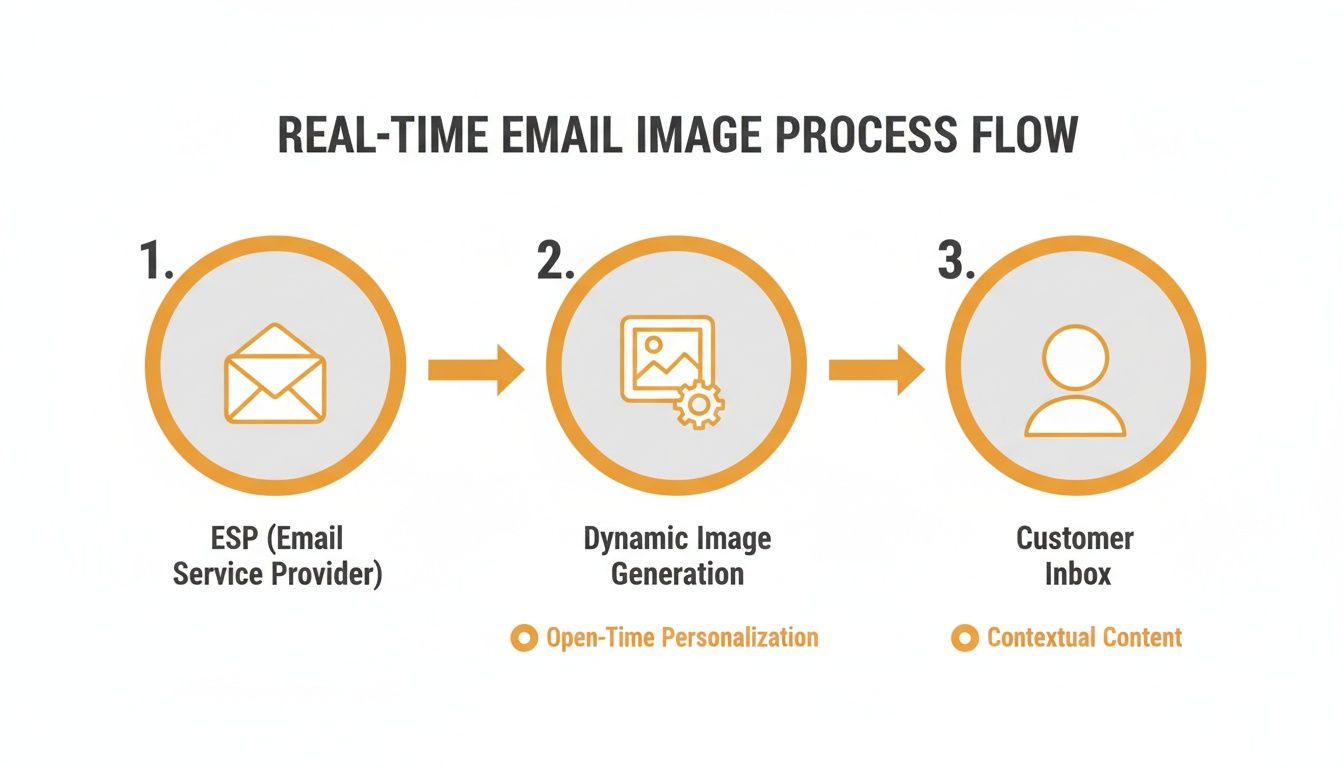
As you can see, it’s a seamless, automated workflow. Your existing email platform acts as the trigger, creating hyper-relevant content the moment a subscriber opens your message.
The No-Code Path: Using Merge Tags
For most email marketers, the fastest way to get started is by leaning on a tool you already use every day: merge tags. Think of it as simply extending the text personalization you're already doing (Hi, {{FirstName}}!) directly into your images. The setup is incredibly straightforward and requires zero coding.
You’ll start inside the OKZest editor. Pick a base image—maybe a product shot, an event banner, or just a branded background. Then, you'll start adding layers for your dynamic content.
Common layers you might create include:
- First Name Layer: A text layer to pull in the subscriber's name.
- Product Image Layer: An image layer that can display a specific item from your store.
- Discount Code Layer: A text layer for a unique, one-time-use coupon.
Once your layers are ready, you just map them to the corresponding merge tags from your ESP. For instance, your "First Name" layer in OKZest gets connected to your ESP's {{first_name}} tag. OKZest then gives you a unique URL for this image template. Just embed that URL in your email, and when a subscriber opens it, their ESP fills in the merge tags, telling OKZest exactly what image to generate in that instant.
Pro Tip: Don't skip the fallbacks! It’s a crucial step. Define a default value for every dynamic layer. If a subscriber's first name is missing from your database, a good fallback like "A Special Offer for You!" ensures the image still looks professional and makes sense.
The API-Driven Approach for Deeper Integration
For those who need more control or want to pull in data from sources outside an ESP, the API offers limitless flexibility. This is the perfect path for more complex scenarios where your personalization data lives elsewhere.
Imagine you're a real estate agent. With the API, you could pipe in real-time data from your property database, generating images with the newest listings—complete with photos, prices, and agent details—all tailored to each subscriber's saved search criteria.
Or think about a fitness app sending weekly progress reports. The API could pull workout data from your backend to generate a personalized chart showing a client's achievements, which then gets embedded right into their motivational email.
This is already happening at a massive scale. With an estimated 34 million AI images generated every single day, platforms are enabling these kinds of real-time data pulls for countless applications. It's a powerful way to tell a brand's story, and it's a key reason generative AI is projected to add between $2.6–$4.4 trillion annually to the global economy by 2030.
Here’s a simplified breakdown of the API process:
- Create Your Template: Just like the no-code method, you design your dynamic image in the OKZest editor.
- Get Your Endpoint: OKZest provides a secure API endpoint for that specific template.
- Send Your Data: Your server makes a request to the endpoint, passing along all the personalization data (like a name, a product URL, or sales data) in the request.
- Receive the Image: OKZest gets the data, generates the image in real time, and returns the finished visual.
Connecting Your Data and Launching
Whether you chose the no-code or API route, the final piece of the puzzle is embedding the dynamic image URL into your email template. This is as simple as adding a standard <img> tag. The real magic is packed inside that URL, which holds the placeholders your ESP or API will populate the moment the email is opened.
And that's it. You've just launched your first campaign using real-time image generation for ESPs. You’re no longer just sending static emails; you're delivering unique visual experiences that grab attention and drive action. For more ideas on crafting these visuals, check out our guide on using an email personalised image generator.
How to Get Your Dynamic Images Live in Your ESP
You've designed a killer dynamic image in OKZest and hooked up your data—now for the fun part. Let's get that visual masterpiece out of the editor and into your actual email campaigns. This is where the magic of real-time image generation for ESPs happens, turning a template into a truly personal experience sitting in your subscriber's inbox.
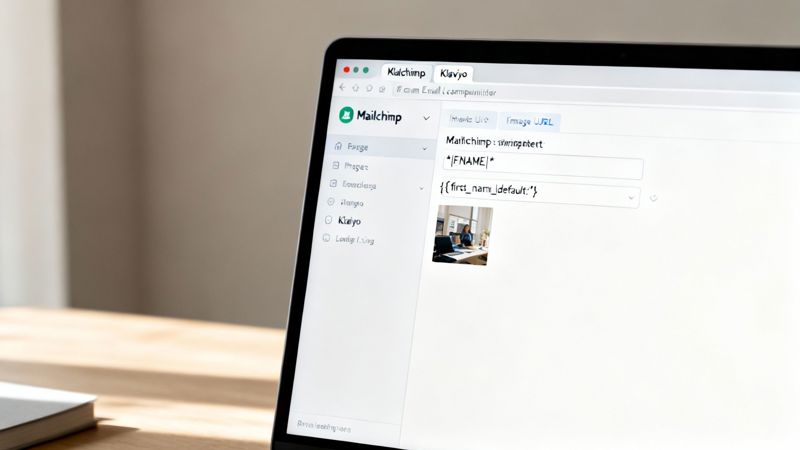
The good news? It’s surprisingly simple. For every image template you create, OKZest gives you a unique URL. This isn't just a link to a static JPG; it's a powerful endpoint that tells our servers how to build that image on the fly. Your only job is to pop this URL into your ESP's email editor. Let's walk through exactly how to do that.
Mastering the Dynamic Image URL
The entire integration hinges on one key action: modifying the OKZest URL with your ESP's specific merge tags. Think of these as little placeholders that your email platform automatically swaps out with each subscriber's data the moment you hit "send." This is how you tell OKZest what info to slap onto the image for each person.
The structure is dead simple. Your base URL from OKZest will look something like this:
https://okzest.com/image/template-id?name=**NAME_HERE**
All you have to do is replace the **NAME_HERE** part with your ESP's merge tag for the first name. This is where you need to know your platform's specific syntax, as it's different for each one.
For example, a Mailchimp user would swap **NAME_HERE** with *|FNAME|*. If you're on Klaviyo, you'd use {{ first_name|default:'' }}. Every platform has its own flavour, but the idea is exactly the same.
Key Takeaway: You don't need to be a coder. This is all about finding the right merge tag from your ESP and slotting it into the image URL we provide. That one simple move is what powers the personalization for every single person on your list.
ESP-Specific Merge Tag Examples
To make this crystal clear, let's look at how this plays out in a few of the big email players. Getting these little syntax differences right is critical to making sure your images show up perfectly.
Mailchimp: Famous for its
*|TAG|*format. To personalize a name, your final URL would look something like this:https://okzest.com/image/template-id?name=*|FNAME|*Klaviyo: This platform uses the Liquid templating language, which you can spot by the double curly braces. Its
default:''filter is a lifesaver for handling fallbacks right inside the URL.https://okzest.com/image/template-id?name={{ first_name|default:'Friend' }}Instantly: A popular choice for cold outreach, Instantly.ai also uses a simple curly brace syntax for its variables.
https://okzest.com/image/template-id?name={{firstName}}
Once you've built the right URL, you just plug it in as the source for an image block in your email editor. Your ESP takes it from there, filling in the data for each recipient as they open the email. This is the core of server-side image rendering for email, and it’s a total game-changer.
Best Practices for Flawless Delivery
Getting the merge tags right is step one. Ensuring the image always loads perfectly is step two. A broken image can torpedo your campaign's credibility, so let's run through a few best practices to avoid the common bumps in the road.
Always Test Before You Send I can't say this enough. Before you blast a campaign to your whole list, send tests to yourself and a few colleagues. Check it on different email clients (Gmail, Outlook, Apple Mail) and on both desktop and mobile.
- Check the Merge Tags: Did the name actually show up correctly?
- Test Your Fallbacks: Send a test to a contact where you've intentionally left the data blank. Does your fallback text or default image appear as planned?
- Keep an Eye on Load Times: Is the image popping up quickly? Overly complex images can sometimes lag.
Properly Encode Your URLs
Sometimes, the data pulled from your ESP might have special characters (like a space in a name, or an ampersand) that can break a URL. Most modern ESPs handle this URL encoding automatically, but it's good to be aware of if you run into trouble. For instance, a space needs to be converted to %20 to keep the URL valid.
Optimize Image Dimensions
Even though the image is generated in real-time, it's a great habit to specify the image dimensions (width and height) in the HTML <img> tag inside your email editor. This tells the email client to save a spot for the image while it loads, preventing that annoying layout jump that can make for a clunky user experience.
By nailing the merge tag syntax and sticking to these testing habits, you can confidently roll out real-time images in your campaigns. You’re unlocking a whole new level of personalization that grabs attention and, ultimately, drives much better results from your email marketing.
Advanced Strategies and Real-World Examples
So, you’ve nailed personalizing a first name. That's a great start. But the real magic happens when you move beyond simple merge tags and start crafting genuinely dynamic, responsive visual experiences that actually drive business goals.
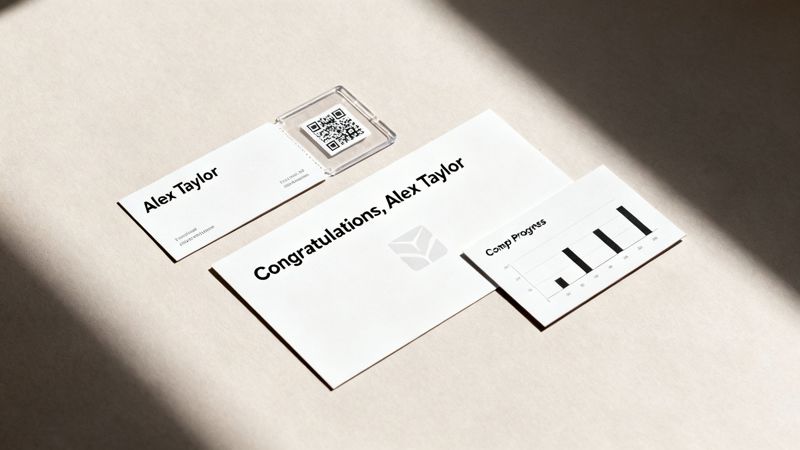
Let's dig into some practical, real-world scenarios to get your creative gears turning. These examples show you how to weave multiple data points into a single, cohesive image that feels like it was made just for one person.
Industry-Specific Use Case Inspiration
Thinking about how this technology applies directly to your field is the key. An event marketer is focused on seamless logistics. A sales rep needs to make a memorable first impression, fast.
Here’s how different roles are using this:
Event Marketers: Imagine generating personalized event tickets on the fly, complete with the attendee's name, their seat number, and a unique QR code for check-in. It looks incredibly professional and, more importantly, makes the entry process smooth and frictionless on the day of the event.
Sales Teams: Think about creating outreach images that dynamically pull in a prospect’s company logo and name. Sending a cold email with an image that reads, "OKZest + [Prospect Company Name] = Better Engagement" is an instant pattern interrupt in a noisy inbox.
Online Coaches & Consultants: You could send clients personalized progress charts that visualize their recent achievements, pulling the data straight from your database. Or you could automate beautiful, custom certificates of completion to celebrate their milestones.
This isn't a niche tactic; it's reshaping how marketing gets done. The AI image generation market was valued at USD 299.2 million in 2023 and is expected to grow at a 17.4% CAGR through 2030. This growth is what powers the tools allowing social media managers to embed dynamic visuals, tapping into the 71% of consumers who already see AI content as commonplace. If you're curious, you can explore more fascinating AI image statistics to see the trend lines.
Unlocking Advanced Personalization Techniques
Ready to push things even further? The most sophisticated strategies involve using conditional logic and external data sources to make your images smarter and more relevant. This is where you can create visuals that react to user behavior or even real-world events.
One of the most powerful techniques is conditional logic. This lets you show different image elements based on a subscriber's data. For instance, you could display a different background image for a VIP customer than you would for a brand-new subscriber.
Piping in data from an external API is another game-changer. This opens up a world of possibilities for creating timely, ultra-relevant visuals.
Imagine a travel company sending an email with an image that displays the live weather forecast for the recipient's upcoming destination. Or a financial services firm showing a real-time stock price in a market update. This isn't just personalization; it's utility.
Use Case Inspiration for Different Industries
To help you visualize the potential, this table breaks down how different roles can put these advanced strategies to work.
| Industry/Role | Use Case Example | Key Benefit |
|---|---|---|
| E-commerce Manager | Display an abandoned cart image with the specific items, a unique discount code, and a countdown timer pulled from an API to create urgency. | Recovers lost revenue by combining personalization with a sense of scarcity. |
| Real Estate Agent | Send a weekly digest email where the main image shows a new property listing that matches a client's saved search criteria, complete with address and price. | Delivers hyper-relevant content that keeps potential buyers engaged and informed. |
| Nonprofit Organizer | Create personalized thank-you images for donors, showing their name and the specific impact their contribution made (e.g., "Thanks, Jane! You funded 3 meals."). | Deepens donor relationships and encourages repeat contributions by visualizing impact. |
| SaaS Company | Generate a weekly usage report image for users, highlighting their key stats and offering a tip based on their activity to help them discover new features. | Boosts user retention and product adoption by providing tangible value and guidance. |
By moving beyond basic name personalization, you start treating your email visuals as a core part of the customer experience. Each image becomes a new opportunity to deliver value, build a connection, and drive a specific action. That’s the true power of integrating real-time image generation with your ESP.
Testing Your Campaigns and Measuring Success
A slick, personalized email is a fantastic idea—until a broken image or a busted merge tag ruins the experience. All that work building trust can evaporate in an instant, turning a moment of "wow" into a moment of "ugh."
This is why you absolutely cannot skip testing, especially when you're working with real-time images. It's not about adding extra steps; it's about protecting your brand and making sure your creative effort actually lands the way you intended.
Your Pre-Launch Verification Checklist
Think of this as your final sanity check. The whole point is to see what your subscribers will see before they see it, catching any weirdness before it hits your entire list. You need to look beyond your own inbox and account for all the different data scenarios and email clients out there.
Your pre-flight check should always cover these bases:
- Merge Tag Verification: Build a small test segment in your ESP using sample data. Be sure to include contacts with long names, short names, missing data, and even special characters to see how everything holds up.
- Fallback Image Testing: This one is crucial. Deliberately send a test to a contact with empty data fields. Does your default text like "Valued Customer" pop up correctly? Does the fallback background image load like it's supposed to? A solid fallback is the safety net that keeps your campaign looking professional, no matter what.
- Cross-Client Previews: What looks amazing in Gmail can easily fall apart in Outlook. Use your ESP's built-in preview tools (or a dedicated service like Litmus) to check how your email renders across the big-name clients and devices. Keep a close eye on how the dynamic image loads and aligns.
A single broken image can do more damage to your brand than a dozen plain emails ever could. Rigorous testing isn't just an extra step—it's your insurance policy against embarrassing and completely avoidable mistakes.
Moving Beyond Open Rates to Measure Real Impact
Once your campaign is live, it’s easy to get fixated on open rates. While they're a good starting point, they don't tell you the full story of your personalization efforts. The real magic of real-time image generation for ESPs is its power to drive specific actions and deepen engagement in a way static content just can't.
The scale of this technology is staggering. For example, Adobe Firefly has generated over 7 billion images since its launch—a number that took traditional photography 149 years to match. This ability to create unique visuals for every single person translates directly into more engaging emails that can give your key metrics a serious lift. You can read more about how AI is changing content creation at Digital Silk.
Setting Up a Meaningful A/B Test
To truly prove that your dynamic images are worth the effort, you need to test them against a control. A straightforward A/B test is the best way to show the ROI to your team or clients.
Here’s a simple way to set one up in your ESP:
- Define Your Hypothesis: Start with a clear goal. For instance: "I believe an email with a personalized image featuring the customer's name will get a higher click-through rate than the same email with a generic static image."
- Create Your Segments: Split your audience into two random groups. Group A gets the email with your new dynamic, real-time image. Group B gets the exact same email, but with your standard static image instead.
- Isolate the Variable: This is non-negotiable. The only difference between the two versions should be the image itself. The subject line, all the copy, and the call-to-action must be identical.
- Analyze the Right Metrics: After the campaign runs, don't just glance at the open rate. You need to dig into the KPIs that actually reflect the impact of personalization.
Look specifically at metrics like:
- Click-Through Rate (CTR): Did more people in Group A click the link compared to Group B?
- Conversion Rate: Of the people who clicked, did the personalized group go on to complete the desired action (like make a purchase or sign up) at a higher rate?
- Engagement Lift: Directly compare the CTR of Group A vs. Group B to calculate the exact percentage increase.
By focusing on these action-based numbers, you can shift the conversation from "people opened our email" to "our personalized visuals drove a 15% increase in conversions." That's a result that speaks for itself.
Frequently Asked Questions
Jumping into any new marketing tool always brings up a few questions. When it comes to real-time image generation, a few common concerns tend to pop up. Let's get those answered right away so you can move forward confidently.
Will Real-Time Images Hurt My Email Deliverability?
Not at all. This is probably the most common question we get, and it's a completely understandable one.
The dynamic image is just a standard HTML <img> tag in your email's code. Email clients like Gmail and Outlook treat it exactly the same as any other static image you’d add. There’s nothing about the technology itself that flags your emails or harms deliverability.
As long as the image server is fast and reliable (like ours at OKZest), the experience is totally seamless for the subscriber. The only thing you need to watch is keeping the final image file size optimized so it loads instantly.
What If Personalization Data Is Missing for a Contact?
This is where your fallback settings become a lifesaver. Any good real-time image platform will let you define a default value for every single dynamic element you're using.
For example, if a contact's {{first_name}} field in your ESP is blank, you can set the image to automatically show something generic, like "A Special Offer for You!" This is a critical feature. It makes sure every single person gets a complete, professional-looking image, preventing any awkward empty spots or broken designs.
Fallbacks are non-negotiable for professional campaigns. They guarantee a consistent, high-quality brand experience for every subscriber, no matter how complete your data is for any one person.
Can This Handle a List with 100,000 Subscribers?
Absolutely. This technology is built for scale. Real-time image platforms run on powerful cloud infrastructure designed to handle millions of requests at the same time.
The magic is that the image is generated the very moment a person opens their email. This means the system processes requests as they come in, not all at once when you hit "send." It’s an incredibly efficient, on-demand model.
It works just as smoothly for a massive enterprise list as it does for a small business sending to a few hundred contacts. With spending on generative AI projected to hit $644 billion this year, tools that integrate with your ESP are built to meet this kind of global demand. You can learn more about the explosive growth of AI images and see why this is becoming a standard part of the marketing toolkit.
Ready to create stunning, personalized images that actually grab your audience's attention? OKZest makes it easy to automate visuals for your email campaigns. Start for free and see the difference today.