Ever seen a mail merge for text? It’s that neat trick where you take a list of names and automatically pop them into an email, so every message starts with "Hi, Sarah!" instead of "Hi there!". A real-time image rendering API does the exact same thing, but for images. It’s a mail merge for visuals.
Instead of just personalizing the text in your email, you can now personalize the images themselves for every single person who sees them, instantly. It's a massive leap forward for creating marketing that actually connects with people at scale.
What Is a Real-Time Image Rendering API
Imagine you're sending out an email campaign. Normally, everyone gets the same promotional graphic. It works, but it’s a bit of a "one-size-fits-all" deal.
Now, picture each person opening that same email to find a graphic with their name on it. Or their company's logo. Or a personalized ticket to an event you're hosting. That’s the magic of a real-time image rendering API.
At its heart, this tech automates the creation of custom visuals. You start with a base template you've designed—maybe it has your branding, a background, and some empty spots for dynamic info. When someone opens the email, the API instantly fills in those blanks with their specific data, "rendering" a brand-new, unique image in just a few milliseconds.
The Magic of Dynamic Data
The real power here is the ability to pull data from pretty much anywhere to build these personalized visuals. The data can be simple or complex, but the result is always an experience that feels far more relevant to the person seeing it.
Here are a few key elements you can add on the fly:
- Customer Names: Welcome a user with an image that says, "Welcome, Sarah!".
- Company Logos: Show a prospect their own logo on a sales proposal graphic.
- Unique QR Codes: Generate individual codes for event check-ins or special offers.
- Profile Pictures: Greet a user on their dashboard with their own avatar.
This isn't just about swapping out a few words. It's about creating a visual connection. Instead of sending out a generic coupon, you can send an image of a coupon with their name printed right on it.
This kind of personalization turns a static graphic into a dynamic, one-to-one conversation. It pulls the user from being a passive observer into an active participant, and that's a surefire way to boost engagement and get better results.
Moving Beyond Static Graphics
The big problem with traditional marketing visuals is that they’re static. Once you make a JPEG or PNG, it’s set in stone.
A real-time image rendering API completely shatters that limitation. It creates a fluid system where your visuals adapt to the audience, the context, and whatever data you have at that exact moment. This approach closes the gap between mass communication and personal interaction, helping you build stronger relationships by showing people they aren't just another number in a spreadsheet. It's about making every visual feel intentional and personal.
How Real-Time Image Rendering Works
Think of a real-time image rendering API as a high-speed, automated visual assembly line. You supply the blueprint (your image template) and the raw materials (data), and a perfectly personalized image is built and delivered in the blink of an eye. The whole thing happens behind the scenes, a seamless flow of information that starts with a simple request and ends with a unique visual.
Let's break down how that assembly line works. The journey from a generic template to a one-of-a-kind image takes just a fraction of a second, but it follows a clear, logical path.
This diagram shows how a base template and dynamic data come together to generate a personalized image on the fly.
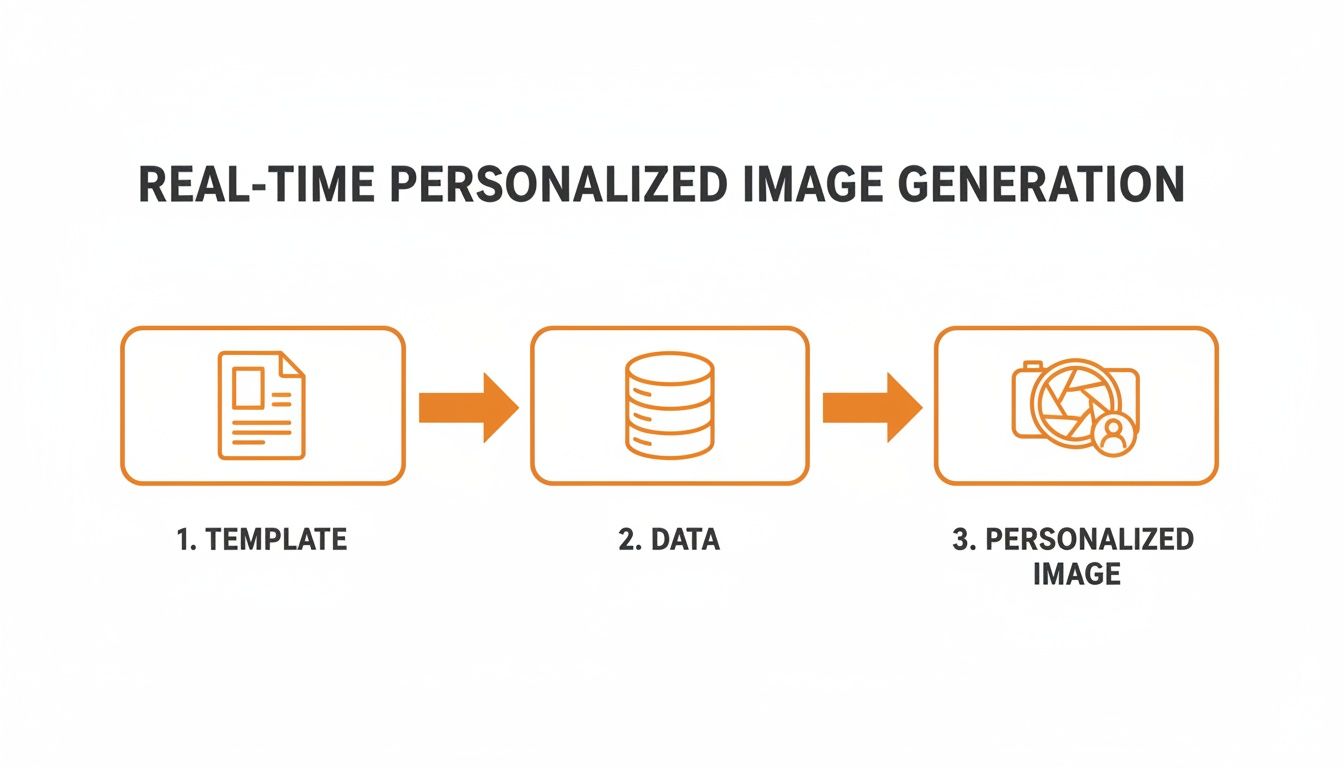
It’s a simple three-stage process: start with a foundation, enrich it with specific data, and you get a unique, rendered image ready to go.
The Automated Visual Assembly Line
Each step here plays a critical role in turning abstract data points into something tangible and visually engaging. It’s the tight coordination between these steps that makes real-time rendering so powerful.
The API Call (The Request): The process kicks off the moment a request is made. This "call" is usually just a simple URL you place in an email or on a website. When a user opens that email, their browser or email client requests the image from that URL, which sets the whole rendering sequence in motion.
The Base Template (The Blueprint): This is the foundation of your image—the part you design ahead of time. It includes all the static elements that won't change, like your company branding, background colors, and the overall layout. Most importantly, it contains designated placeholders for all the dynamic bits.
Dynamic Data Layers (The Raw Materials): The API call includes the specific data meant for those placeholders. This could be anything—a recipient's first name, their company's logo, a unique promo code, or a profile picture. This data is typically pulled from your email platform’s merge tags or your own database.
The Rendering Engine (The Assembly): This is the heart of the system. The rendering engine takes your base template and intelligently overlays the dynamic data onto it. It handles all the heavy lifting, from adjusting font sizes to perfectly fit a name to precisely positioning a logo. In short, it "builds" the final image.
The Final Image (The Finished Product): Once assembled, the engine delivers a standard image file (like a PNG or JPEG) back to the user's screen. The person on the other end just sees a beautiful, personalized image, completely unaware of the complex process that happened in milliseconds.
The speed and efficiency here are driving some serious growth. The global 3D rendering market is projected to grow from USD 5.23 billion in 2026 to USD 13.92 billion by 2031. This surge is fueled by the growing demand for real-time capabilities from professionals who need to make quick decisions—including marketers looking to create personalized visuals. You can find more data on the rendering market's rapid growth online.
The Importance of Fallback Data
So, what happens if the data you need for personalization is missing? Let's say you want to include a customer’s first name, but your database has a blank entry for that contact. Without a backup plan, you could end up with a really awkward-looking image that says "Hi, !" or just shows a broken element.
This is where fallback data comes in.
Fallback data is your safety net. It’s a predefined default value that the API uses whenever the primary personalization data is unavailable. It ensures that every single image looks complete and professional, preserving the user experience.
Instead of showing an error or a weird gap, a good real-time image rendering API will automatically slot in the fallback content you’ve defined.
Common Fallback Scenarios:
- Missing Name: If
{{first_name}}is empty, the image can default to a generic greeting like "Hello there!" or "A special offer for you!". - Missing Company Logo: If a prospect's logo isn't available, you could display your own company logo or just a clean, unbranded background.
- Missing Profile Picture: If a user hasn't uploaded a photo, the system can show a default avatar or a simple initial.
By setting up these simple rules in your image template, you create a robust system that delivers a polished and intentional visual every single time, no matter how complete your data is. It's a small detail that builds trust and ensures your brand always looks its best.
Powerful Use Cases to Transform Your Marketing
Understanding the theory behind a real-time image rendering API is great, but seeing it in action is where things get really exciting. This isn't just about cool tech; it's about creating tangible, revenue-driving applications that can completely change how you talk to your customers.
The main idea is simple: make every visual feel personal and relevant. It’s about turning mass communication into a series of one-to-one conversations.
Personalization isn’t just a buzzword; it's a strategy that works. When visuals are tailored to an individual, they grab attention in a way generic content never could. This is where an API for real-time images becomes a marketer’s secret weapon, especially in email campaigns.

Supercharge Your Email Marketing
Email is still the king of digital marketing, but getting noticed in a packed inbox is a real challenge. By integrating dynamic images into platforms like Klaviyo, Mailchimp, or Instantly, you can deliver experiences that are impossible to ignore.
Just think about these scenarios:
- Personalized Event Invitations: Instead of a boring "You're Invited," send a graphic that looks like a VIP ticket with the person’s name printed right on it. That little touch makes them feel important and much more likely to show up.
- Dynamic Coupon Codes: A plain text promo code works, but an image of a real-looking coupon with the recipient’s name and a unique code? That feels way more exclusive and creates a sense of urgency.
- Onboarding Welcome Images: Welcome new users with a beautiful graphic that says, "Welcome, Sarah!" It’s a small thing that immediately builds a personal connection and shows them they made the right choice.
This kind of detail turns a basic email into a memorable moment. It's a fantastic way to boost your click-through rates and build real loyalty from day one.
The goal is to create a "wow" moment. When a person sees their own name or company logo woven into a professional graphic, it stops them in their tracks. It shows you've put in the effort to see them as an individual, not just another email address.
Beyond the Inbox: Creative Applications
While email is a huge opportunity, the power of a real-time image rendering API goes much further. Any digital touchpoint where a visual can make an impact is a place for personalization. This tech is flexible enough to be used across your entire marketing and sales funnel.
For a deeper look at how dynamic visuals can fuel personalized ads, it’s worth exploring the concept of Dynamic Creative Optimization. This approach is all about creating ads that adapt on the fly for each person who sees them.
Here are a few more creative ways businesses are putting this technology to work:
- Customized Sales Proposals: Sales teams can instantly generate cover images for proposals that include the prospect’s name, title, and company logo. It makes an incredible first impression.
- Engaging Chatbot Interactions: When someone uses your chatbot, it can generate a summary image of the conversation or a personalized graphic based on their questions, making the whole thing feel more human.
- Personalized Social Media DMs: Automate your welcome messages on Instagram or X (formerly Twitter) with a custom-branded image that includes the new follower's handle.
- Dynamic Website Content: Greet returning visitors with a hero image that features their name or references their last purchase. This can dramatically increase the time they spend on your site and boost conversions.
You can find more ideas in our guide to creating personalized visuals with an API for marketing images.
Let's break down how this looks across different industries. The applications are incredibly varied, but the core benefit is always about making a stronger, more personal connection.
Real-Time Image Rendering Use Cases by Industry
| Industry / Role | Example Use Case | Key Benefit |
|---|---|---|
| E-commerce | A dynamic image in an abandoned cart email showing the exact product left behind, with the customer's name on it. | Increases urgency and relevance, boosting cart recovery rates. |
| SaaS | Personalized welcome images for new users during onboarding, featuring their name and company. | Improves user activation and creates a strong first impression. |
| Event Management | Sending email invitations with a personalized "VIP Ticket" image for each attendee. | Drives higher registration rates and makes attendees feel special. |
| Real Estate | Automatically generating property flyers with a potential buyer's name and a personalized message. | Makes marketing materials feel exclusive and tailored. |
| Sales Teams | Creating custom proposal covers or LinkedIn outreach images with the prospect's company logo and name. | Breaks through the noise and shows a high level of preparation. |
| Digital Marketing | Generating thousands of unique ad creatives for A/B testing, each with different text, images, or offers. | Enables rapid, data-driven optimization of ad campaigns. |
As you can see, every one of these use cases shares a common thread: they use data to create a more relevant and engaging visual experience. By connecting with customers on a personal level, you're not just selling a product; you're building a relationship that lasts.
How to Integrate an Image API Into Your Workflow
Getting a real-time image rendering API up and running is way easier than it sounds. Even though the technology is sophisticated, the most common way to use it requires absolutely zero coding. That makes it a perfect fit for marketers, event coordinators, or anyone who’s comfortable inside an email editor.
The whole process boils down to one simple idea: building a dynamic image URL. Instead of pointing to a static, pre-made image file, you'll construct a special link that tells the API exactly how to build the image on the fly. It's mostly a copy-and-paste job that plugs right into the tools you already use.
The No-Code Method for Marketers
The beauty of this approach is its simplicity. If you can personalize an email with a merge tag like {{first_name}}, you already have all the skills you need to personalize images. The API does all the heavy lifting in the background; you just have to tell it what information to pull in.
It works by taking a base API URL and tacking on a few parameters. These are just key-value pairs that define the dynamic parts of your image.
Let’s walk through building one of these URLs step-by-step:
- Start with the Base URL: Your image API provider will give you a unique base URL for your image template. This is your starting point.
- Add Dynamic Parameters: Next, you'll add variables to the URL to pass in your data. For example, to add a customer's name, you might tack on
?name={{first_name}}. That{{first_name}}bit is the merge tag from your Email Service Provider (ESP). - Combine and Paste: You just string these parts together into one final URL. This is the link you'll paste into the image source field in your email template.
This screenshot shows what the OKZest template editor looks like. It’s designed to make it obvious where to grab your base URL and see what parameters you can customize for your image.

The interface makes it incredibly straightforward to connect your creative design with the data fields you need for personalization.
A Practical Email Campaign Example
Let's say you're setting up a welcome email for new subscribers. Instead of a generic graphic, you want each person to see a beautiful welcome image with their own name on it.
In your ESP's HTML editor, your dynamic image URL would look something like this:
<img src="https://api.okzest.com/template-id/image.png?name={{first_name}}&fallback=Friend" alt="Welcome to our community!">
Let’s break that down:
<img>: This is just the standard HTML tag for an image.src: This attribute points to the dynamic URL you got from the API.?name={{first_name}}: This is the magic. It tells the API to grab the value from your ESP's{{first_name}}merge tag and put it into the "name" field on your image template.&fallback=Friend: This is your safety net. If a subscriber’s first name is missing from your list, the API will use the word "Friend" instead. This ensures the image still looks complete and professional.
When your ESP sends the email to a subscriber named "Sarah," it swaps {{first_name}} for "Sarah" right before the email leaves the server. The API gets the request, generates an image with "Sarah" on it, and sends it to her inbox in milliseconds.
This method is universally compatible. Whether you're using Klaviyo, Mailchimp, Instantly, or pretty much any other platform that supports merge tags, this "no-code" approach just works. It effectively turns your existing email tool into a powerful image personalization engine.
Direct API Integration for Developers
For those who need more granular control or want to embed personalized images into custom-built applications, a direct API integration is the way to go. This approach involves making server-side API calls to generate images, which gives you a lot more flexibility and security. Our detailed guide on API integration tutorials offers a much deeper dive for developers.
This method is perfect for:
- Generating images inside a web app (like a personalized user dashboard).
- Automating image creation as part of a bigger workflow.
- Integrating with systems that don't have a simple merge tag structure.
While the no-code URL method covers the vast majority of marketing needs, the direct API provides a clear path for more advanced, custom implementations.
Optimizing for Performance, Security, and Scale
A powerful real-time image rendering API doesn't just create beautiful visuals; it has to deliver them instantly, securely, and reliably, no matter how many people you’re reaching. Getting these operational details right is what separates a fun experiment from a professional marketing tool. Speed, security, and scalability are the three pillars that ensure a smooth, trustworthy experience for both you and your customers.
When an image loads slowly, it can disrupt the entire user experience—especially in a fast-paced environment like an email inbox. The goal is to make personalized images feel just as instantaneous as the static ones.
This is where performance optimization comes in. A high-quality rendering service is engineered for speed, ensuring that even complex images with multiple data layers are generated and delivered in milliseconds.
Ensuring Lightning-Fast Performance
The magic behind this speed isn't really magic at all—it’s just smart engineering. The most critical component is a robust caching strategy.
Think of caching like a short-term memory for images. When an image is generated for the first time, the system can store a copy of it. If the exact same image is requested again—say, if a user reopens an email—the API can deliver the cached version instantly instead of rebuilding it from scratch.
The result is a system that feels incredibly responsive to the end-user. They simply see their personalized image load immediately, which builds trust and keeps their attention focused on your message, not on a loading icon.
This process dramatically reduces server load and cuts down delivery times, ensuring your campaigns run smoothly even at a massive scale.
Protecting Your Data with Robust Security
When you’re sending personalized data to a third-party service, security is non-negotiable. You need to be completely confident that your customer information and your account are protected. This is where API security protocols become essential.
The primary tool for this is the API key, which is a unique, secret token that authenticates your requests. It’s like a digital key to your house—only requests that present the correct key are granted access. This stops unauthorized users from generating images with your account or messing with your templates.
Here are a few security best practices to keep in mind:
- Use Unique API Keys: Always use the specific key provided by your API service. Never, ever share it publicly.
- Secure Your Data Transmission: Make sure all communication with the API is done over HTTPS, which encrypts the data while it’s in transit.
- Limit Data Exposure: Only send the data that's absolutely necessary for personalization. For instance, if you just need a first name, don’t send the entire customer record.
When you integrate any API, ensuring the highest level of Application Programming Interface Security is paramount to protect your data and systems. This foundation of trust is crucial for any marketing operation.
Scaling From Your First Campaign to Millions
Scalability is just a fancy word for the system’s ability to handle growth without breaking a sweat. Your marketing needs are going to change. Today you might send a campaign to a few hundred people; next month, it could be a few million.
A well-architected real-time image rendering API is built on cloud infrastructure designed to scale automatically. This means that whether you send 100 image requests or 1,000,000, the performance and reliability remain consistent. No bottlenecks, no slowdowns. For more information on how this technology works on the backend, check out our guide on server-side image rendering for email.
This scalability also extends to pricing. Modern platforms like OKZest are designed to grow with you. You can often start with a generous free plan to test the waters and then move to a paid tier as your usage increases. This makes powerful personalization accessible to everyone, from a solo consultant to a massive enterprise, ensuring you only pay for what you actually use.
Best Practices for Maximizing Your Impact
Getting a real-time image rendering API up and running is just the first step. The real magic happens when you move beyond the basics and start thinking strategically about design, testing, and the data that fuels it all. Let's dig into a few best practices that will help you turn your personalized images from a neat trick into a powerful tool that drives real business results.
At the heart of any great personalized visual is a well-designed template. This is non-negotiable. Your templates have to be flexible enough to handle whatever data you throw at them without looking clunky or broken. A short name like "Jen" needs to look just as clean and professional as a longer one like "Christopher." That means planning ahead for things like dynamic text resizing and spacing is crucial.
Design for Flexibility
Building robust templates is all about anticipating the unknown. Good design ensures that every single image you generate—no matter the input data—looks polished and stays true to your brand.
Here are a few core principles to keep in mind:
- Anticipate Text Length: Plan your layouts with plenty of white space to handle both short and long names or custom messages. Use text boxes that can automatically shrink the font size or wrap text to another line if needed.
- Use High-Quality Assets: Always start with high-resolution background images, logos, and any other brand elements. This is the only way to guarantee the final rendered image looks crisp and professional on every device.
- Prioritize Readability: A personalized message is completely useless if no one can read it. Stick to fonts and color combinations that are clear and easy on the eyes.
Great personalization starts with clean, accurate data. An API can only work with the information it's given, so investing time in data hygiene—correcting typos, standardizing formats, and filling in missing fields—pays massive dividends.
This focus on data quality is what prevents embarrassing mistakes, like an image that greets a customer with "Hello FNAME." Get it right, and your personalization efforts will build trust instead of chipping away at it.
Test and Refine Your Approach
Never assume you know what your audience wants to see. The only way to find out what truly grabs their attention and gets them to click is through consistent A/B testing. The good news? A real-time image rendering API makes it incredibly easy to spin up multiple variations of a visual to test against each other.
You can test almost any element you can think of:
- Different Messages: Does "Welcome, Sarah!" work better than "A Special Offer for Sarah"? Test it and find out.
- Visual Styles: Try out different background images, color palettes, or font styles to see what resonates.
- Placement of Personalization: Does putting the user's name in the header perform differently than putting it in the body of the image?
By tracking how each version performs, you get concrete data on what your audience actually responds to. This cycle of testing, learning, and refining is the absolute key to maximizing your return on investment.
Start with a simple hypothesis, run your test until the results are statistically significant, and then roll out the winner. This data-driven approach ensures your campaigns get more and more effective over time, leading to higher engagement, stronger customer relationships, and, ultimately, more revenue.
Common Questions
Whenever you're exploring new technology, a few questions are bound to pop up. Let's walk through some of the most common ones to give you a clear picture of how real-time image rendering works and how you can get started.
How Difficult Is It to Connect with My Email Provider?
It’s surprisingly simple. For most email platforms like Mailchimp or Klaviyo, you don’t need to be a developer at all. The system generates a special image URL for you. All you have to do is copy and paste that URL into your email template, using your provider’s existing merge tags to make the image dynamic.
Bottom line: if your platform can personalize text with a merge tag like {{first_name}}, it can personalize images with our API. It's that straightforward.
What Happens If Personalization Data Is Missing?
This is a great question, and a good API has a smart answer: fallbacks. You can set up rules ahead of time to handle missing data gracefully. For example, if a contact's first name isn't in your database, the image can automatically display a friendly, generic greeting like "Hello there!" instead of showing an error or a weird blank space.
This ensures every single person on your list gets a high-quality, professional-looking image, no matter what.
Can I Use My Company Branding and Fonts?
Absolutely. A solid image rendering platform is built from the ground up for full customization. You can upload your own fonts, logos, color palettes, and other brand assets to create your base templates. The API then just layers the personalized data on top.
This means every image that goes out is perfectly consistent with your brand identity.
This level of control is key. It ensures that even though the images are generated on the fly, they always look like your design team crafted them by hand, maintaining brand integrity across every single email.
Is This Solution Only for Large Enterprises?
Not at all. It's designed for businesses of all shapes and sizes. Many platforms offer flexible, tiered pricing, and that often includes a free starting plan to let you get your feet wet. This model gives small businesses and startups access to powerful personalization without needing a big upfront investment.
As your marketing efforts grow and you need more, you can easily scale up to a plan that fits.
Ready to see what personalized visuals can do for your marketing? OKZest makes it easy to start with no-code and API solutions that plug right into the tools you already use. Start creating dynamic images for free at OKZest.