An API for marketing images is a seriously powerful tool that automatically creates unique, personalized visuals for every single customer. Think of it like merge tags but for images instead of text. It lets you dynamically change elements like names, logos, and product photos to speak directly to the person on the other end.
This approach flips generic, one-size-fits-all marketing on its head and turns it into a one-to-one visual conversation.
What Is an API for Marketing Images
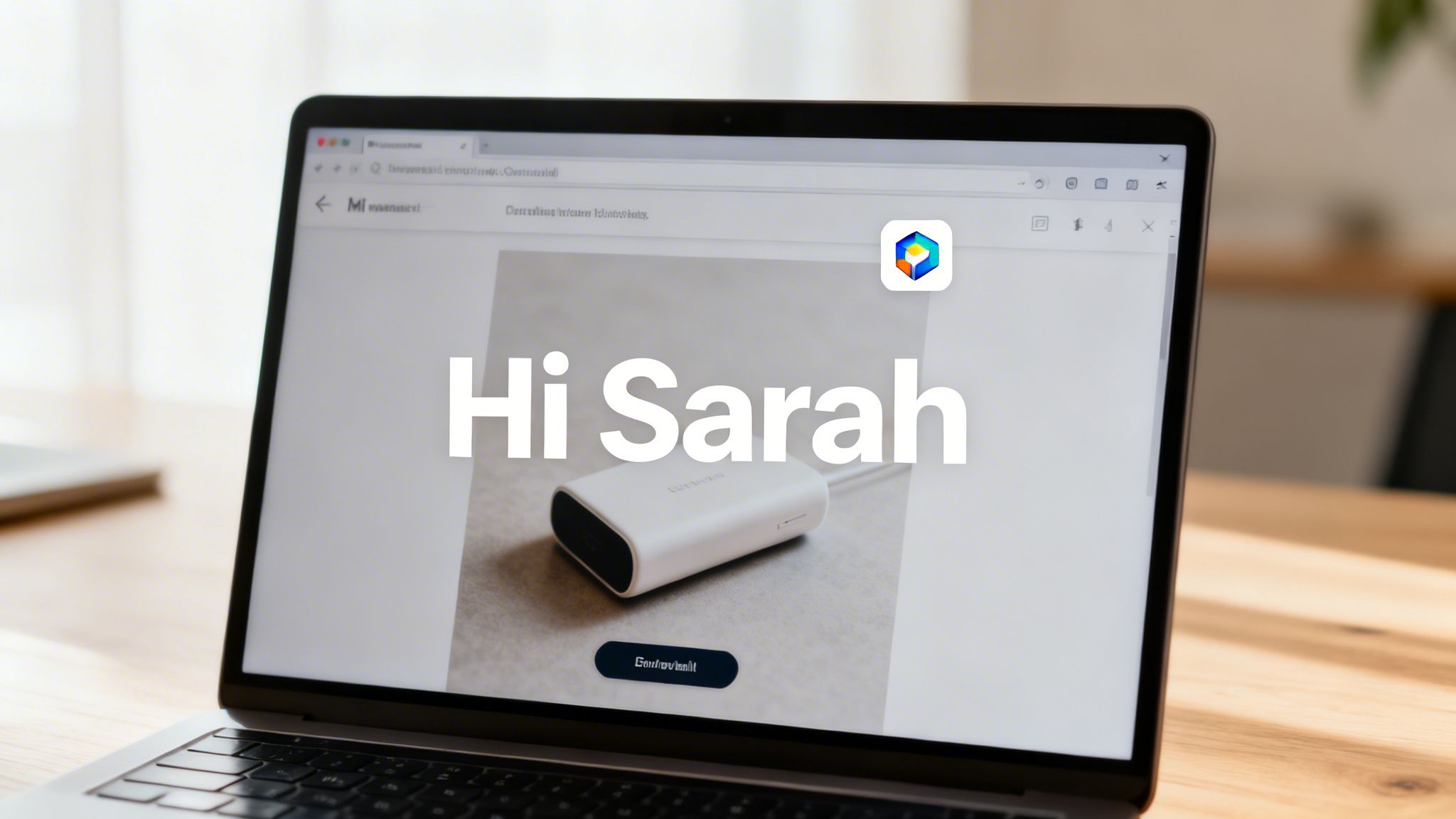
Think about the last marketing email you opened. Did it feel like it was designed just for you, or for thousands of other people? Most marketing campaigns use the same static image for everyone, which is incredibly easy to ignore. This is a well-known problem called "banner blindness," where people just subconsciously tune out generic ad visuals.
An API for marketing images is the perfect solution. At its core, an API (Application Programming Interface) is just a messenger that lets different software systems talk to one another. In our case, it connects your customer data—from a CRM or email platform—to an image generation service.
From Static to Dynamic Visuals
The process takes a boring, static image template and transforms it into a dynamic, personalized asset for each user. Instead of painstakingly creating hundreds of different banner variations by hand, you just create one master template. The API handles the rest, populating that template with individual customer data in real-time.
This means you can do some pretty cool things, like:
- Address customers by their first name right on the image itself.
- Showcase the exact product they just looked at or left in their cart.
- Display their company's logo on a personalized welcome graphic.
- Generate a unique QR code for a custom event ticket.
The result is a visual experience that feels genuinely personal and relevant, which dramatically increases the odds of it grabbing someone's attention. If you want to see a practical example of how this works, you can explore Bright-shot's image API.
This shift from a one-to-many broadcast to a one-to-one conversation is what makes API-driven visuals so incredibly effective.
Comparing Static vs API-Driven Marketing Images
To really get a feel for the difference, let’s compare how these two approaches stack up. One is like shouting into a crowd, while the other is like having a direct conversation.
Here's a quick comparison table to break it down.
| Feature | Static Marketing Image | API-Driven Personalized Image |
|---|---|---|
| Scalability | Manual and time-consuming | Fully automated and instant |
| Relevance | Generic and low | Highly specific and personal |
| Engagement | Often ignored (banner blindness) | High, captures user attention |
| Data Usage | None | Uses real-time customer data |
| Use Cases | General brand announcements | Targeted offers, abandoned carts |
By plugging data directly into the creative process, an API for marketing images makes your visuals smarter, more engaging, and way more effective at getting people to take action.
It’s a fundamental change from creating assets that just look good to creating assets that actively communicate with each person in your audience. This personalized touch isn't just a gimmick anymore; it's a critical part of any modern marketing strategy.
How a Marketing Image API Works
Let's pull back the curtain on how these personalized images get made in real-time. It sounds complex, but the process is surprisingly straightforward when you break it down.
Think of an API for marketing images like a barista at a coffee shop. The barista has a standard recipe for a latte but makes a unique drink for every single customer based on their specific order.
In this little coffee shop analogy:
- The Image Template is the basic latte recipe—a solid foundation with room for customization.
- The API Call is the customer’s order, telling the barista exactly what they want.
- Your Customer Data is the special request, like adding a name on the cup or a shot of vanilla.
- The Final Personalized Image is the perfectly crafted drink, delivered instantly to the right person.
This system combines a great design with live data to create a unique visual for every person, every single time. It’s how you make every customer feel like a regular.
The Foundational Image Template
It all starts with a master image template. This isn't your typical finished graphic. Instead, it’s a flexible design with designated "dynamic layers" or placeholders for the content that will change.
You might design a template for a webinar invitation that includes static parts, like your company logo and event background. Then, you'd add dynamic layers for the attendee's first name, their company, and maybe even a personalized QR code for check-in. This template becomes the blueprint for every single image the API generates.
For a closer look at the technical side, our guide on how to get images from an API offers some more detail.
The API Call and Data Source
With your template ready, the magic happens with an API call. This is just a simple request sent to the image service containing all the personalization details. This data usually comes from a data source like your CRM, email marketing platform, or even a basic spreadsheet.
The API call is essentially saying, "Hey, use this template, and fill the ‘name’ placeholder with ‘Sarah’ and the ‘company’ placeholder with ‘Acme Corp.’"
This process is powered by some impressive tech. The Computer Vision API segment, which holds over 20% of the market, is a key driver here, making real-time object recognition perfect for dynamic visuals. And with pre-trained models making up a massive 62% share, this technology is more accessible than ever, letting marketers automate personalized assets without needing a PhD in computer science. You can read more about the AI API market landscape to see how it's all shaking out.
Real-Time Image Generation
The moment an email is opened or a webpage loads, the API call is made. The service instantly gets the request, grabs the right template, and fills in the dynamic layers with the data you sent.
Key Takeaway: The image doesn't even exist until the second a user needs to see it. This guarantees the information, like a countdown timer or a product's stock level, is always up-to-date.
The API then renders the final, high-quality image and sends it back to the user’s browser or email client in milliseconds. The whole operation is so quick that it’s completely invisible to your customer. They just see a beautiful, hyper-relevant image that feels like it was created just for them.
This real-time capability is what makes an API for marketing images so powerful. It’s not just about slapping a name on a picture; it’s about delivering a fresh, relevant visual that grabs attention and drives action right when it matters most.
Real-World Applications to Boost Engagement
Okay, understanding the mechanics of an image API is one thing, but seeing what it can actually do is where the fun begins. Let’s move past the technical talk and dive into how this technology breathes new life into marketing campaigns, turning passive viewers into genuinely engaged customers.
The core idea is beautifully simple: the API acts as a bridge, taking your customer data and a design template, then instantly creating a unique visual for each person.
This diagram breaks down the flow, from raw data to the final personalized image delivered in real-time.
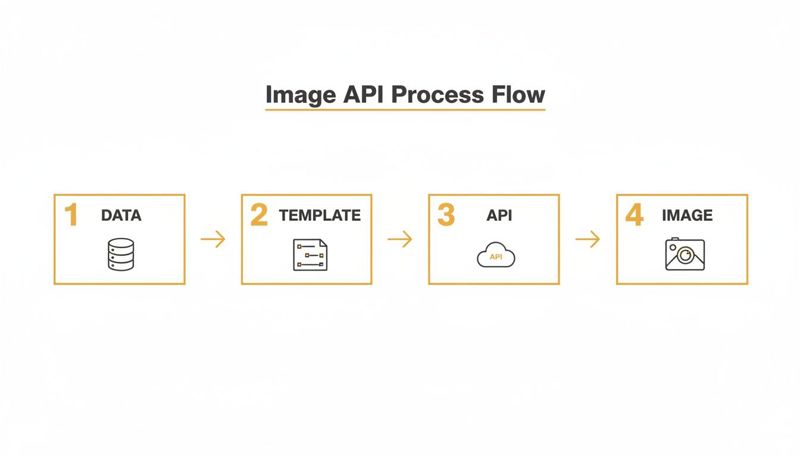
As you can see, the API is the engine in the middle, connecting your data sources with your creative templates to generate that perfect, personalized marketing image on the fly.
Transforming Email Marketing Campaigns
Email is still a workhorse for marketers, but let's be honest—generic email blasts are getting tuned out. An image API gives you the power to make every single email feel like a one-on-one conversation.
Picture an e-commerce store sending an abandoned cart email. Instead of the usual "You left something behind!" message, the email shows a dynamic image of the exact product the customer was just looking at. To make it even more compelling, the image could have their name overlaid with a special offer, like, "Sarah, get 15% off this today!" It’s an immediate, visual reminder that creates a powerful nudge to finish the purchase.
This isn't just for abandoned carts. A new subscriber could get a welcome email with an image featuring their name or even their company's logo. It’s a small touch that creates a memorable first impression and starts building loyalty from day one. If you want to dig deeper into this, we have a whole guide on automated email content images.
Engaging Attendees for Live Events
For anyone who’s organized an event, you know that managing tickets and reminders can be a logistical nightmare. An image API not only streamlines this but also adds a personal touch that gets people excited.
Imagine you're running a big tech conference. Instead of a bland confirmation email, you use an API to generate a unique digital ticket for every single attendee.
- Personalized QR Codes: Each ticket can have a custom QR code for super-smooth check-ins.
- Attendee Information: The image can display the person's name, company, and ticket type.
- Dynamic Session Info: You could even include their pre-selected sessions or a personalized agenda right on the ticket.
This does more than just make logistics easier; it creates a shareable moment. People are far more likely to post a slick, personalized ticket on social media, giving your event a dose of organic buzz.
Personalizing Website and Social Media Interactions
Your website and social media are often where people first meet your brand. An image API helps you make that first handshake a memorable one.
For example, a B2B company could use this for account-based marketing (ABM). When a visitor from a target company like "Acme Corp" lands on their homepage, they don't see a generic banner. Instead, they see a welcome image with their own company logo and a message like, "OKZest is happy to see Acme Corp here!"
This isn't just a gimmick. It shows you've done your homework and you value their time, instantly setting you apart from the competition. It turns a cold visit into a warm, personalized greeting.
This same idea works great for social media DMs and chatbots. Imagine a chatbot that doesn't just reply with text but generates a custom image summarizing a user's question or offering a personalized discount coupon. These visuals grab attention way better than plain text, leading to better engagement and a far more memorable experience.
API-Driven Image Use Cases by Channel
To pull it all together, here’s a look at how these personalized images can be applied across different marketing channels to drive specific, valuable outcomes.
| Channel | Example Use Case | Personalization Element | Primary Benefit |
|---|---|---|---|
| Abandoned Cart Reminder | Product Image, Customer Name, Discount Code | Increased Conversion Rate | |
| Welcome Series | New Subscriber Name, Company Logo | Improved Onboarding & Brand Loyalty | |
| Web | Account-Based Marketing (ABM) | Visitor's Company Name & Logo on Banners | Higher Lead Quality & Engagement |
| Web | Dynamic Product Recommendations | User Browsing History, Name | Enhanced User Experience & Cross-sells |
| Events | Digital Event Tickets | Attendee Name, QR Code, Personalized Agenda | Streamlined Logistics & Social Sharing |
| Events | Post-Event Follow-up | Attendee Name on a "Thank You" graphic | Strengthened Attendee Relationships |
| Social Media | Direct Message Automation | User's Name, Profile Picture on a Coupon | Increased DM Engagement & Conversions |
| Social Media | Retargeting Ads | Previously Viewed Product in the Ad Creative | Higher Click-Through Rates (CTR) |
Each of these examples demonstrates a shift from broad, one-size-fits-all messaging to targeted, one-to-one communication. This is how you connect with people in a way that feels genuine and gets results.
Key Features of a Reliable Image API Provider
Choosing the right partner for your API for marketing images is a big deal. It directly impacts your campaign's performance, scalability, and frankly, your sanity. Not all providers are created equal, and knowing what to look for from the get-go can save you from massive headaches down the line.
Think of it like picking a web host. On the surface, they all seem to do the same thing. But the underlying reliability, speed, and support can make or break your entire operation. A great image API provider doesn’t just generate images; it delivers them flawlessly, every single time.
This decision is more important than ever. The global AI Image Editor Market has already hit USD 279.2 billion and is rocketing toward USD 1.81 trillion by 2030. With 62% of marketers already using generative AI for their image assets, the need for solid, scalable solutions is huge. You can find more of these AI image statistics on photoroom.com.
So, what should you actually look for?
Seamless Real-Time Data Integration
The magic of a marketing image API is its ability to pull live data straight into your visuals. A solid provider must offer a dead-simple way to integrate with the data sources you already use, whether that's a CRM, an e-commerce platform, or even just a Google Sheet.
The best services let you connect your data without needing to call a developer for every tiny tweak. This ensures the information on your images—a customer’s name, their loyalty points, a product's live price—is always accurate the moment they see it. Get this wrong, and you risk showing outdated info, which kills trust and makes for a pretty awful customer experience.
Intelligent Fallback Logic
What happens when your data has gaps? Maybe a new subscriber didn't provide their first name, or a product detail is missing from your database. This is where intelligent fallback logic becomes your best friend. It’s a safety net that guarantees no customer ever sees a broken or unprofessional image.
A strong API provider will let you set default values for every dynamic piece of your image.
- If the
{{first_name}}merge tag is empty, it can default to something friendly like "Valued Customer." - If a company logo URL is missing, it can show a generic icon instead.
This isn't just a "nice-to-have"—it's critical for maintaining brand consistency. Without it, you're one missing data field away from sending an email that says, "Hi, [NAME]!", instantly shattering the personalized experience you worked so hard to create.
Broad Platform Compatibility
Your image API has to play nicely with the marketing tools you live in every day. Before you commit to a provider, double-check its compatibility with your specific Email Service Provider (ESP), website builder, and social media tools.
Most top-tier services are built to work perfectly with major platforms like Klaviyo, Mailchimp, or Instantly. This usually means you can just copy a dynamic image URL, paste it into your email editor, and it just works. Poor compatibility, on the other hand, leads to hours of frustrating troubleshooting or, even worse, images that just don't show up for your audience.
Performance and Global Speed
Personalized images are worthless if they don't load instantly. Especially in email marketing, a delay of even one second can be enough for a subscriber to hit the delete button before your beautiful content ever appears. A reliable provider must use a global Content Delivery Network (CDN) to generate and serve images from a server close to your recipient.
This is what guarantees lightning-fast delivery, no matter if your customer is in London or Los Angeles. Don't be afraid to ask potential providers about their average image generation times and where their CDN has servers. Choosing a slow service will directly hurt your open rates, click-through rates, and your overall campaign ROI. Our guide on building a scalable image API goes much deeper into this topic.
Finally, don't ever overlook security. You’re handling customer data, so the API provider absolutely must have robust security measures, like data encryption and compliance with privacy laws like GDPR. This protects both you and your customers, making sure sensitive information stays safe.
How to Launch Your First Personalized Image Campaign
It’s one thing to talk about the theory, but putting an API for marketing images into practice is where you’ll see the payoff. The great news? You don't need a developer on speed dial anymore. Modern platforms have made this whole process accessible for marketers, turning what used to be a technical headache into a few simple steps.
Let's walk through a clear roadmap to get your first campaign live. We'll break it down into four core stages, focusing on the practical steps to take an idea from the drawing board to a live, personalized image in your marketing.
Step 1: Design Your Master Template
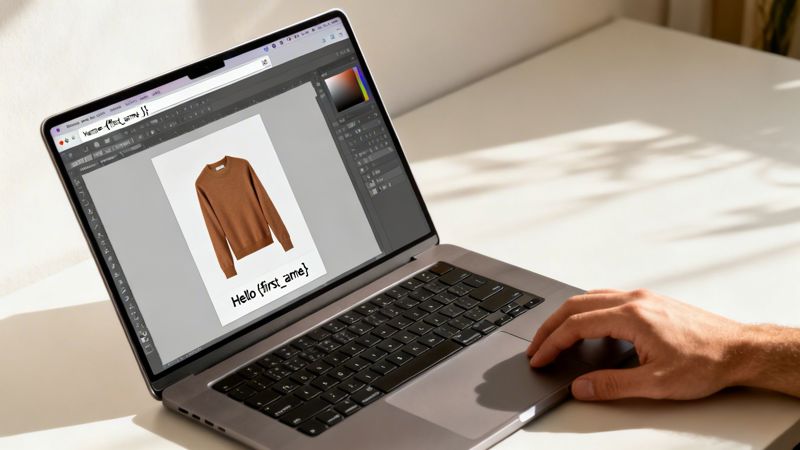
Everything starts with your creative vision. The first step is to design a master template that acts as the foundation for all your personalized visuals. Most no-code platforms offer user-friendly, drag-and-drop editors that will feel familiar if you've ever used tools like Canva or Figma.
Here, you'll set up the static elements—the parts that won’t change, like your company logo, background, or any fixed text. Next, you’ll designate specific layers as dynamic placeholders for the content you want to personalize.
These dynamic layers are the real workhorses of your campaign and can include things like:
- A text box for a customer's
{{first_name}}. - An image container for a
{{product_image}}. - A placeholder for a company's
{{logo_url}}.
Think of this template as your blueprint. It’s a single design that can automatically generate thousands of unique variations on the fly.
Step 2: Connect Your Data Source
Once your template is ready, you need to tell the API where to get the personalization data from. This "data source" is usually the system where your customer information lives—your CRM, email marketing platform, or even just a simple spreadsheet.
Connecting your data is typically a straightforward process. The platform will guide you through mapping the columns in your data source to the dynamic layers you created in your template. For example, you’ll map the "First Name" column from your CRM to the {{first_name}} text layer in your image.
This is the crucial link that allows the API to pull the right information for each person in real-time. The technology powering this is growing at a massive rate. Image recognition APIs are a core part of modern marketing visuals, with the global market valued at USD 58.56 billion and projected to hit USD 212.77 billion by 2034.
Step 3: Generate and Test the Dynamic URL
With your template designed and data connected, the platform will generate a special dynamic image URL. This URL is the magic key to the whole operation. It looks like a standard image link, but it's packed with parameters that correspond to your dynamic layers.
A typical URL might look something like this:
https://api.yourprovider.com/image.jpg?name={{first_name}}&company={{company_name}}
When your email platform or website uses this URL, it swaps out the {{merge_tags}} with the actual data for each user. It's essential to test this URL with sample data before going live to make sure everything looks perfect. Many providers even offer a simple way to get started, like the lunabloomai starter application, to help you launch quickly.
Best Practice: Always set up fallbacks. Define default text or images (e.g., "Valued Customer") to show if a data field is empty. This simple step prevents broken images and ensures every user gets a great experience.
Step 4: Embed and Launch Your Campaign
The final step is the easiest part. Just copy the dynamic image URL and paste it into your marketing tool. In an email editor, you'll insert it just like any other image, but the URL will contain your platform's merge tags. Your Email Service Provider (ESP) handles the rest, automatically personalizing the image for each recipient the moment they open it.
The process is pretty much the same for landing pages, social media DMs, and chatbots. By following these four steps, you can launch a highly effective, personalized image campaign without writing a single line of code.
Choosing the Right Solution for Your Business
Picking the right provider for an API for marketing images isn't a one-size-fits-all kind of deal. The best choice really comes down to your team's skills, what your budget looks like, and what you’re trying to achieve with your campaigns. The market has everything from simple tools for solo entrepreneurs to heavy-duty solutions for huge enterprise marketing teams.
First things first, you need to understand the main categories. You’ll generally run into three types of solutions, and each comes with its own set of pros and cons. Nailing this choice early on will save you a ton of headaches later and make sure your campaigns can grow with your business.
Comparing Your Options
The landscape pretty much breaks down into three camps: no-code platforms, API-first tools, and building the whole thing yourself from scratch.
User-Friendly No-Code Platforms: These are a dream for marketers, small businesses, and agencies who just want to get things done quickly. They usually have intuitive drag-and-drop editors and simple integrations, letting you launch campaigns without needing to ping a developer. OKZest is a great example of this, giving you a simple interface with powerful API access when you need it.
Developer-Centric API-First Tools: Built for technical teams, these tools give you a massive amount of flexibility and control. They’re perfect for deep customization, but they absolutely require developer resources to design the image templates and hook the API into your systems. This is the way to go if your company has very specific technical needs and engineers ready to tackle it.
Building an In-House System: For a massive enterprise with unique security or infrastructure demands, building a custom solution might be on the table. But let's be clear: this is a huge undertaking. It means a serious investment in development, ongoing maintenance, and server management. The sky-high cost and complexity make it the wrong choice for most businesses.
Key Decision-Making Factors
When you're looking at different providers, cut through the noise and focus on what actually matters for your day-to-day. Pricing can be all over the map, from free tiers for kicking the tires to enterprise plans built to churn out millions of images a month.
Think about your team's technical comfort level. A no-code platform puts your marketing team in the driver's seat, letting them manage campaigns on their own. An API-first tool, on the other hand, hands that responsibility over to your developers.
At the end of the day, your choice has to line up with your resources. A small agency will get more value from a user-friendly platform with predictable costs. A tech company, however, might crave the raw power of a developer-focused API. Look at your long-term goals and find a partner that can handle what you need today and scale with you tomorrow.
Your Questions, Answered
Jumping into any new marketing technology brings up a few questions. Let's tackle some of the most common ones we hear about using an API for marketing images.
Do I Need to Be a Developer to Use This?
Not anymore. While the technology is built on an API, the best platforms have created no-code template builders and simple copy-paste integrations that do the heavy lifting for you.
For most day-to-day marketing, like dropping a personalized image into your email campaign, you won't touch a single line of code. It’s designed so your creative team can build and launch campaigns without needing to wait for a developer.
What Happens if Customer Data Is Missing?
This is a great question, and it's where "fallback logic" becomes your safety net. Any solid provider will let you set default text or images that automatically appear if a data point is missing. For example, if you don't have a first name, the image can show a friendly "A Special Offer for You" instead of an awkward blank space.
This simple feature is crucial. It prevents broken-looking visuals and makes sure every single person gets a complete, professional-looking image, which is essential for maintaining brand trust.
Think of it as a built-in backup plan that keeps your campaigns running smoothly, no matter what.
Will This Slow Down My Emails or Website?
Performance is everything, and reputable providers build their entire systems around speed. They use global Content Delivery Networks (CDNs) and high-powered servers to generate and deliver images in milliseconds—often faster than a standard static image loads.
The whole process is designed to be invisible to your audience. Because the images are created and cached so efficiently, they should have no noticeable impact on your email load times or website speed, ensuring a fast, seamless experience for everyone.
Ready to create stunning, personalized visuals that grab attention and drive results? With OKZest, you can automate your marketing images with our powerful no-code and API solutions. Start for free on okzest.com