A marketing image API is essentially a set of merge tags for your visuals. It lets you automatically create thousands of personalized images from a single template, swapping in text, photos, or other unique data for every single person who sees it. This is the magic behind generating custom visuals for your email campaigns, social media, and websites without any manual design work.
Why Personalized Visuals Are Essential for Modern Marketing
Let's be clear: personalization isn't just a nice-to-have anymore. When a customer sees their own name or some other relevant detail inside an image, it completely changes the dynamic. What was once a generic broadcast message suddenly feels like a one-to-one conversation.
Think about the difference between a standard promo for an event and a digital ticket that already has the attendee's name printed on it. The first is easy to ignore, but the second feels like it was made just for them, boosting their sense of ownership and making them more excited to attend. This is exactly what a marketing image API helps you achieve.
Turning Passive Viewers into Active Participants
This isn't just about grabbing a bit more attention. It's about building real relationships and driving sales by making every single interaction feel unique. For example, a real estate agent could send a prospect an image of a beautiful home with a "Welcome Home, Sarah!" sign Photoshopped into the front yard. All of a sudden, Sarah isn't just looking at a property listing; she's imagining her future.
The goal is to make your audience feel seen. A personalized image communicates that you're not just sending another mass email—you're speaking directly to an individual.
This level of detail is what turns passive scrollers into engaged customers. They stop, they look, and they remember the experience. For more ideas on how to create these kinds of moments, you can check out our other guides on creating powerful personalized marketing visuals.
Tapping into Explosive Market Growth
The demand for automated, custom visuals isn't a small trend—it's a market that's absolutely exploding. The AI Image Generator market was valued at $3.16 billion in 2025 and is projected to rocket to $30.02 billion by 2033. This shows a huge shift toward automated content creation as businesses rush to deliver more individual experiences. You can read more about this massive growth in the full AI image generator market report.
Tools like OKZest are built to make this powerful technology easy for everyone to use, whether you're a solo entrepreneur or a large marketing team. By connecting your customer data to a simple image template, you can automate a process that used to be incredibly slow and manual.
The impact becomes crystal clear when you compare the old way of doing things with the new.
Static vs Dynamic Image Marketing Impact
The table below shows the practical difference in results you can expect when moving from static, one-size-fits-all images to visuals that are personalized for each viewer using an API.
| Metric | Static Images | API-Personalized Images |
|---|---|---|
| Engagement | Generic and often ignored | Higher open rates and interaction |
| Connection | Feels impersonal and mass-produced | Creates a one-to-one feeling |
| Conversion | Lower click-through rates | Drives action with relevant visuals |
| Scalability | Manual design is slow and costly | Infinitely scalable with automation |
By embracing API-driven personalization, you’re not just keeping up with the latest marketing fad. You’re setting up your campaigns to be far more effective, memorable, and ultimately, more profitable.
How a Marketing Image API Actually Works
Think of a marketing image API as a high-tech assembly line for your visuals. It’s the engine that takes a single, generic design and automatically churns out thousands of unique, personalized images on the fly—no manual work needed from you.
So, how does it all come together? It starts with your image template. This is the master design you create just once. It holds all the static elements that stay the same for everyone, like your company logo, background, or any fixed text.
Next, you define your dynamic layers. These are simply placeholders for the content that will change for each person. A dynamic layer might be a text box for a first name, an image spot for a profile picture, or even a space for a unique QR code.
The personalized content for these layers is pulled from your data source. This could be a simple spreadsheet, your CRM like HubSpot, or an email marketing tool like Klaviyo or Mailchimp. Each row in your data source represents one person and holds the specific details needed to fill in those dynamic layers.
The API Call That Powers Personalization
The magic really happens with the API call. This is a request sent to the image service that carries all the instructions. It tells the API which template to use and provides the exact data to populate the dynamic layers for a single, specific image.
For example, an API call might contain data like firstName=Jane and profilePicture=url_to_janes_photo.jpg. The API grabs this information, applies it to the corresponding dynamic layers on your master template, and generates a brand-new image in real-time.
What you get back isn't an image file, but a unique URL pointing to that newly created visual. This is the URL you’ll use in your marketing campaigns. Since every URL is unique to the data it contains, you can generate a distinct image for every single person on your list. You can dive deeper into how to construct a personalized image API URL in our complete guide.
This diagram shows just how a generic email is transformed by an API call into a completely personal visual experience.
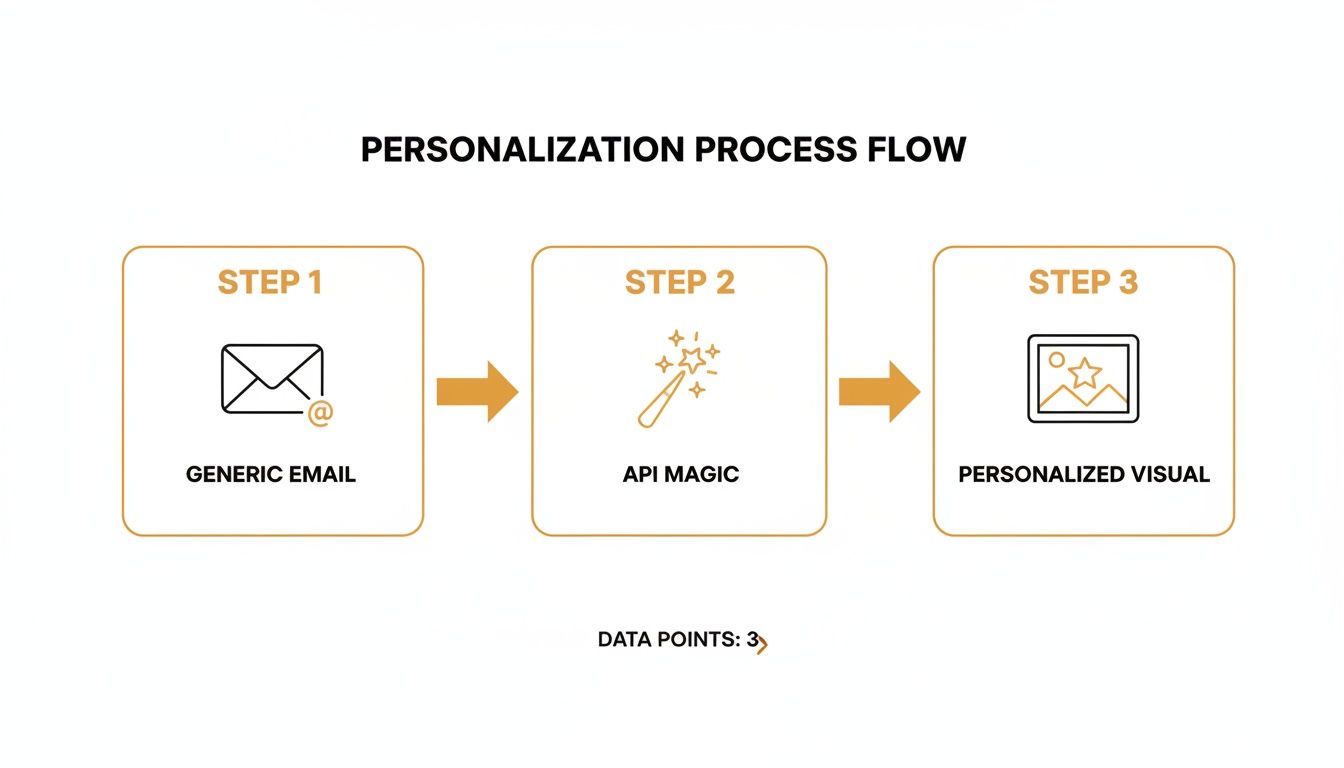
As you can see, the marketing image API sits right in the middle, connecting your marketing tools directly to the image generation engine.
Connecting Your Tools Seamlessly
A huge benefit of a marketing image API is its role as a bridge. It connects the platforms you’re already using—like Instantly for cold outreach or Mailchimp for newsletters—with an image generation service like OKZest. This makes the whole process feel like a natural part of your existing workflow.
You won’t need to manually upload lists or shuffle data between systems. By simply inserting a correctly formatted image URL into your email template, your marketing platform automatically requests the personalized image from the API the moment a recipient opens their email.
The API acts as both a translator and a factory. It translates simple data into a visual command and then manufactures a unique image for every single request it gets.
To keep this process secure, every request you send to the API needs to be authenticated. This is usually done with an API key—a unique secret code that identifies you as a trusted user. Including this key in your API calls ensures only you can generate images with your templates and account, protecting your designs and data from unwanted access. It's a simple but crucial security step for using any API safely.
Putting Personalized Images Into Action Across Your Channels

Alright, the theory is great, but how do you actually use a marketing image API? This is where the magic happens—when you start embedding personalized visuals directly into the platforms you use every day. Let's get practical and walk through exactly how to do it.
This isn't some fringe tactic anymore. Automated visual creation is a core part of modern marketing. In a recent survey, nearly 75% of marketers reported using AI to create media, with image and video tools being especially popular. You can read the full marketing statistics report from HubSpot for more on how AI is changing the game.
The bottom line is that API-driven image solutions are now mainstream. Integrating them isn't just an interesting option; it’s becoming essential to keep up.
Supercharging Your Email Campaigns
Email is probably the most powerful and immediate place to use a marketing image API. The secret ingredient? Merge tags.
Platforms like Klaviyo, Mailchimp, and Instantly all use these to pull subscriber data—like a first name or company—into an email. You can use this exact same feature to build your dynamic image URLs.
Let's say you designed a webinar confirmation image in OKZest with a dynamic layer for the attendee's name. Your base image URL might be something like this:
https://api.okzest.com/v1/image/abc-123-xyz?
To personalize it, you simply add the data as a query parameter. But instead of typing a name, you pop in your email platform's merge tag. For Klaviyo, that's {{ first_name }}. The final URL you put in your email template becomes:
https://api.okzest.com/v1/image/abc-123-xyz?name={{ first_name }}
When a subscriber named "Alex" opens the email, Klaviyo automatically replaces the merge tag with "Alex." The API then instantly generates and delivers an image with his name on it. Simple.
For a deeper look at the setup, our guide on using a dynamic image API for email marketing has even more examples.
Enhancing Your Website Experience
You can also use a marketing image API to create unique experiences for your website visitors, often by grabbing data from URL parameters.
For example, you could send a prospect a link to a landing page that includes their name right in the URL:
https://yourwebsite.com/welcome?name=Maria
With a simple HTML snippet on your page, you can grab "Maria" from the URL and use it to build a personalized image API link in real-time. Just like that, your page displays a custom banner that says "Welcome, Maria!" instead of a generic greeting.
Here are a few scenarios where this works beautifully:
- Onboarding Flows: Greet new users by name on their first visit to their dashboard.
- Sales Demos: Create a fully personalized landing page for each prospect you're talking to.
- E-commerce: Welcome a returning customer with an image referencing their last purchase.
That small touch of acknowledgment right when someone lands on your site can make a huge difference in engagement and brand perception.
Personalizing Social Media Outreach
Automation isn't just for email. You can generate custom images for automated direct message (DM) campaigns on platforms like Instagram or X (formerly Twitter). This is a fantastic tactic for coaches, sales teams, or anyone running outreach sequences.
A coach, for instance, could set up an automated DM to welcome every new follower. By pulling the follower’s public username and plugging it into a marketing image API, they can send a personalized graphic.
Imagine receiving a DM with an image that says, "Thanks for the follow, @username! Glad to have you here." It immediately cuts through the noise of typical automated messages and feels far more personal.
This strategy works because it subverts expectations. People are used to getting plain-text automated DMs. A custom visual makes a strong, positive impression and can seriously boost your response rates.
The Importance of Fallback Values
So, what happens if your data is incomplete? You have a new contact, but no first name in your CRM. This is where fallback values are an absolute lifesaver.
A robust marketing image API lets you define a default value for each dynamic layer right in the template. If the first name field is blank for a specific contact, the API won't return a broken image. Instead, it will gracefully substitute your predefined fallback.
| Data Provided | Resulting Text |
|---|---|
name=David |
"Welcome, David" |
name= (empty) |
"Welcome, Friend" |
name= (empty) |
"Welcome" (if fallback is blank) |
This is a critical feature that ensures a polished and professional experience for every single recipient, no matter what data you have. It's a safety net that prevents awkward personalization failures and protects your brand's image.
Honestly, setting up fallbacks is a non-negotiable step before you launch any campaign. It guarantees every image you generate looks intentional and well-designed.
Advanced Strategies to Maximize Your Image API
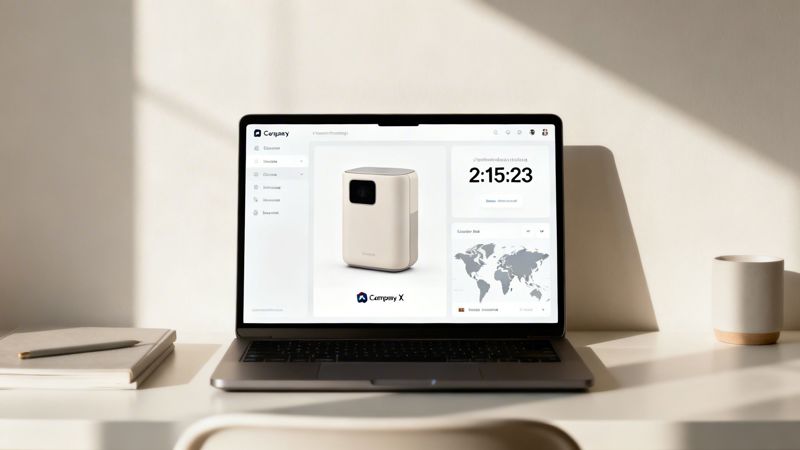
Once you've gotten the hang of basic name personalization, you can start exploring what a marketing image API is really capable of. This is where you move beyond static data and create context-aware visuals that adapt in real time, making your marketing impossible to ignore.
The secret is connecting your image generation to live data sources. Instead of just pulling from a CRM list, you can integrate external APIs to fetch information that changes by the second. This transforms your images from simple personalized messages into live, data-driven dashboards.
Creating Context-Aware Visuals
Imagine sending a flash sale email. With an advanced setup, the image doesn’t just say, "Sale Ends Soon." It shows a live countdown timer ticking down to the exact moment the sale expires. That creates genuine urgency for every single person who opens it.
This works by having the image API fetch the current time whenever the image is requested and calculate the remaining time before a set expiration. The image is generated on the fly, so the timer is always accurate.
Here are a few other ways you can get creative with this approach:
- Location-Based Imagery: Use a geo-IP service to detect a user's city. Your image can then display a local weather forecast or show the address of their nearest retail store.
- Live Social Proof: Connect to your e-commerce platform's API to show how many people bought an item in the last 24 hours. The image could say, "147 people bought this today!"
- B2B Account-Based Marketing: Integrate with a data provider like Clearbit. When you email a prospect, the API can pull their company logo and automatically embed it into a welcome graphic.
By connecting to real-time data, you're no longer just personalizing content based on who the user is. You're personalizing it based on what is happening right now. This makes your communication feel incredibly relevant and timely.
The entire API market is seeing massive investment for this exact reason. Projections show the AI API market growing from $44.41 billion in 2025 to $179.14 billion by 2030. It’s a clear signal that businesses are banking on APIs for real-time automation. You can discover more insights about the booming AI API market on marketsandmarkets.com.
Advanced Personalization Segments
Going beyond a single firstName parameter unlocks much deeper segmentation. You can tailor the entire visual aesthetic of an image based on a user's purchase history, industry, or known preferences.
For an e-commerce brand, this might mean changing the background image based on a customer's past shopping habits. A user who frequently buys hiking gear could see a rugged, mountainous background, while someone who buys swimwear sees a tropical beach.
Key Segments for Visual Personalization
| Segment Type | Example Data Point | Visual Personalization Idea |
|---|---|---|
| Purchase History | last_category = 'running_shoes' |
Display an image of new trail running shoes. |
| Industry (B2B) | industry = 'SaaS' |
Use a modern, tech-focused template design. |
| Engagement Level | status = 'VIP' |
Add a "VIP Member" badge to the image. |
| User Journey Stage | stage = 'new_user' |
Show a welcome graphic with quick-start tips. |
For high-volume e-commerce businesses, you can even explore an AI Ghost Mannequin solution. This allows you to programmatically create professional, consistent product shots at scale, feeding them directly into your personalized visuals.
Ensuring Performance at Scale
A common worry with generating millions of unique images is performance. Will this slow down my email sends or website?
A professional marketing image API is built to handle this. It relies on two key mechanisms: caching and a global Content Delivery Network (CDN).
When an image is generated for the first time (say, for name=John), the system saves a copy. The next time that exact same request comes in, the API serves the cached version instantly instead of regenerating it. This makes a huge difference in speed for common names or data points.
On top of that, these images are delivered via a CDN. This means the image is stored on servers all around the world. When a user in London opens your email, the image loads from a nearby European server, not from a single server in North America. This global distribution ensures every image loads almost instantly, no matter where the viewer is.
Choosing the Right Plan and Measuring Success
Alright, you understand the power of a marketing image API. Now comes the practical part: picking a plan that fits your budget and then proving it was worth every penny. It’s a balancing act. You don't want to overpay for capacity you'll never use, but you also need enough horsepower to handle your campaigns as you grow.
The first step is getting a real-world estimate of your image needs. Don't worry about perfection; a solid ballpark figure is all you need to get started.
Estimating Your Image Needs
Think about the scale and rhythm of your marketing. Are you a solo coach sending a weekly newsletter to 500 people? Or are you a major e-commerce store prepping a Black Friday email for 2 million subscribers? The needs are worlds apart.
To get your monthly estimate, think about:
- List Size: The number of contacts you'll be reaching.
- Campaign Frequency: How often you send out personalized visuals each month.
- Website Traffic: If you’re personalizing on-site, how many unique visitors might see a dynamic image?
- Social Media Outreach: How many automated DMs or posts will you generate?
Let's say you're an agency running two email campaigns a month for a client with 10,000 subscribers. That’s a baseline of 20,000 image generations right there. Add in some A/B tests and a personalized banner on their website, and a plan that covers 25,000-50,000 images is a smart, safe place to start.
Matching a Plan to Your Business
Most API providers, including OKZest, offer different tiers for a reason—they're designed to scale with you. A free plan is fantastic for dipping your toes in the water. Use it to run a proof-of-concept, test your workflow, or handle a small personal project.
But once you're ready to go live and scale up, you'll need a plan with the right volume and features. This table should help you see where your business fits.
OKZest Pricing Tier Suitability
| Business Type | Example Use Case | Recommended Tier | Key Feature |
|---|---|---|---|
| Solo Consultant | Small weekly newsletter | Free / Starter | Basic image generation |
| Marketing Agency | Multiple client campaigns | Professional | Project & team management |
| Mid-Size E-commerce | High-volume email blasts | Business | High image generation limits |
| Large Enterprise | Millions of monthly images | Enterprise | Custom limits & dedicated support |
The idea is simple: as your campaigns get bigger and your needs more complex, you can easily move up to a plan with higher limits, team collaboration tools, or dedicated support.
Measuring the ROI of Visual Personalization
Picking a plan is just the first step. The real win comes from proving its value. To justify the investment and make a case for using this tool more widely, you absolutely have to track your return on investment (ROI).
Don't just launch your campaign and hope it works. Set clear goals from day one and monitor your performance like a hawk.
The most compelling argument you can make for any marketing tool is cold, hard data. Track everything from click-through rates to conversion lifts. Show a direct line between your personalized images and business growth.
Your goal is to look past simple vanity metrics and focus on the numbers that actually impact the bottom line.
Here are the key performance indicators (KPIs) you should be watching:
- Email Click-Through Rate (CTR): Compare emails using personalized images against your normal static-image emails. A clear lift in CTR is one of the strongest and quickest signs of success.
- Website Conversion Rate: Run an A/B test on a key landing page. Pit a generic image against a version with a personalized welcome banner. Measure the difference in sign-ups, downloads, or sales.
- Social Media Engagement: If you're running automated DM campaigns, what's the reply rate? Are more prospects responding when your message includes a custom-tailored visual?
- Sales Funnel Velocity: For B2B sales outreach, do personalized proposal covers or outreach images shorten the sales cycle? Are you booking more meetings?
By tracking these specific metrics, you can confidently show that your marketing image API isn't just another line item on an expense report—it’s a powerful driver of engagement and revenue. This data will be your best friend when it’s time to ask for more budget and expand your personalization efforts across the company.
Common Questions About Marketing Image APIs
Whenever you're thinking about adding a new tool to your marketing stack, a few questions always pop up. It's only natural. For a marketing image API, the big ones usually revolve around how easy it is to use, if it’s reliable, and whether it will slow things down.
Let's tackle those common concerns head-on. My goal is to give you the clear, straightforward answers you need to feel confident and start creating some amazing personalized visuals.
Do I Need to Be a Developer to Use This?
Not at all. While your developers can definitely build some powerful custom integrations, the day-to-day features of a modern image API are built specifically for marketers. For most of what you'll do, it's a completely no-code experience.
You’ll design your image templates in a visual, drag-and-drop editor. To use an image in an email, you just copy a special URL and paste it right into your email platform. If you've ever used merge tags, you already know how to do this.
What Happens If Personalization Data Is Missing?
This is a critical question, and any good system will have a built-in safety net. A professional marketing image API lets you set "fallback" values for every single dynamic part of your design template.
So, if you’re personalizing an image with a first name but a contact is missing that data, the API won't generate a broken image or an ugly error. Instead, it will automatically sub in the fallback text you provided—something like "Friend" or "Valued Customer." This ensures a polished, professional look for every recipient.
A fallback is your insurance policy for brand consistency. It guarantees that even with imperfect data, every image you send looks professional and intentional, preventing personalization mishaps.
Honestly, this feature is non-negotiable for any serious campaign. It protects your brand's image and keeps the customer experience smooth.
Will This Slow Down My Website or Hurt Email Deliverability?
Nope. A well-built image API is designed from the ground up for high performance. Let's break it down by channel:
- For Emails: The images aren't sent as bulky attachments, which is what can bloat email size and trigger spam filters. Instead, they are loaded from a server only when the recipient opens the email. Your deliverability is completely unaffected.
- For Websites: Images are served from a global Content Delivery Network (CDN). This means the image loads from a server that's geographically close to your user, which ensures lightning-fast load times and protects your site's performance.
This kind of infrastructure is built to handle millions of requests without creating a bottleneck for you or your audience.
Can I Use My Company's Brand Fonts and Colors?
Yes, and you absolutely should. Any worthwhile marketing image API should empower your brand identity, not restrict it. A key feature to look for is the ability to upload and manage your own brand assets.
You can upload your specific brand fonts, logos, and color palettes right into the template editor. The API then uses these exact assets to generate every single personalized image, guaranteeing all your visuals are perfectly on-brand, every time.
Ready to create visuals that your audience will remember? OKZest helps you automate personalized image creation for your email, web, and social campaigns. See how it works at OKZest.com.