Real-time email personalization is all about delivering unique content that updates the very second your subscriber opens the message. It's a huge leap from traditional personalization, which might just pull a static piece of data like a first name.
Instead, this dynamic approach grabs live information—think current location, the time of day, or even what they were just looking at on your site—to create a hyper-relevant experience for every single person. It’s the difference between a generic sales announcement and an email showing a live countdown timer for a sale ending in their specific time zone.
Why Real-Time Personalization Is No Longer Optional
Let's be honest: generic email blasts are dead. Our inboxes are battlegrounds, cluttered with hundreds of messages daily. Just dropping a first name in the subject line isn't going to cut it anymore.
Modern customers don't just appreciate brands that understand their immediate needs—they expect it. This is a demand that traditional, pre-scheduled email campaigns simply can't meet. That’s where real-time email personalization shifts from a "nice-to-have" enhancement to a critical part of your strategy.
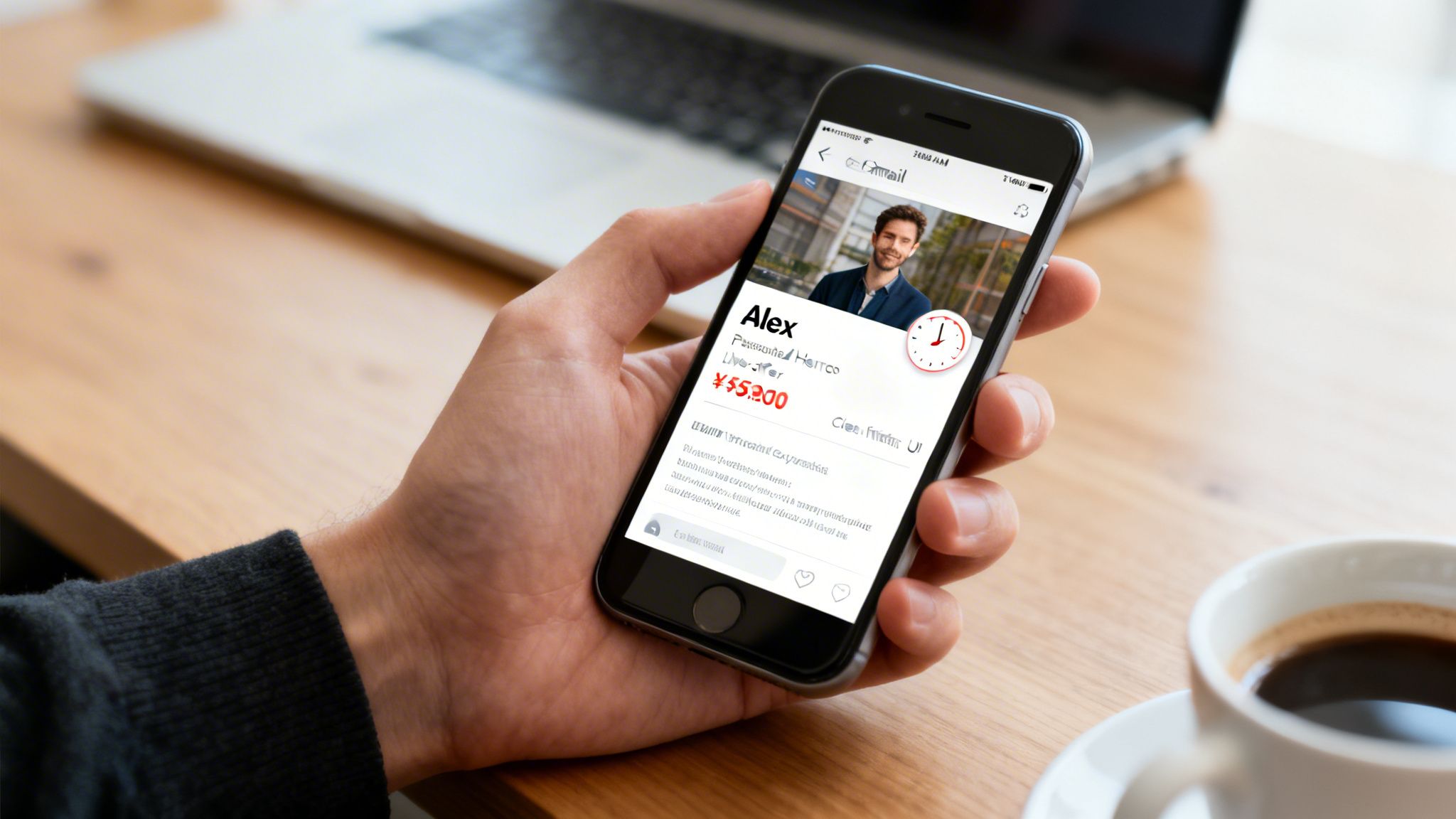
The whole idea is to create an email experience that feels alive and responsive. Instead of shipping static content, you’re delivering a message that adapts to the user's situation the instant they open it. For a deeper look into the mechanics, check out our guide on real-time email content generation for marketing.
Meeting Modern Consumer Expectations
Today’s customers are constantly jumping between devices and channels, and their bar for relevance is higher than ever. It's not surprising that 76% of customers get frustrated when they receive generic, one-size-fits-all messaging. They don't just want personalization; they expect it.
Real-time content nails this by reflecting their immediate context. It makes your communication feel less like a mass advertisement and more like a helpful, one-on-one conversation. This approach shows you understand their journey right now, not just what they did last week, building a much stronger connection in a market where attention is the real currency.
Driving Tangible Business Impact
This shift isn't just about making customers feel good—it delivers serious, measurable results. In the fast-paced world of email marketing, personalized emails see a massive 29% open rate and a 41% click-through rate compared to their generic counterparts. Those numbers are hard to ignore. They prove that relevance directly translates to engagement and, ultimately, revenue.
The true power of real-time content is its ability to create urgency and relevance at the same time. A live inventory count in an abandoned cart email or a personalized map to the nearest store turns a passive message into an immediate call to action.
Ultimately, this strategy is about squeezing every drop of potential out of every single email you send. By using dynamic, personalized images and content, you create a unique experience for each recipient. Tools like OKZest make this advanced technique accessible, letting you generate millions of unique visuals that capture attention and drive conversions. It’s definitive proof that personalization is the key to cutting through the noise.
Building Your Personalization Strategy Foundation
Before you even think about generating a single dynamic image, you have to lay the groundwork. This initial phase isn’t about flashy tech; it’s about smart planning that ties your data, goals, and customer experience into one cohesive system. Get this wrong, and even the most advanced tools will fall flat.
First thing's first: take stock of your most valuable asset. Data. Your ability to personalize is only as good as the information you have on hand.
Identifying and Connecting Your Data Sources
Great personalization isn't a one-trick pony. It pulls from different streams of information to build a complete, accurate picture of each customer. You need to think way beyond the basic first name and last purchase date.
To create those compelling, real-time moments, you'll need a healthy mix of data sources.
The table below breaks down some of the most common data types we see clients use and how they can be applied to personalize email content and images.
Key Data Sources for Real-Time Personalization
| Data Source | Example Data Points | Personalization Use Case |
|---|---|---|
| CRM | Customer name, loyalty status, location, acquisition source, support history | Address users by name, show location-specific offers, reference their loyalty tier in images. |
| E-commerce Platform | Abandoned cart items, viewed products, purchase history, product category affinity | Send dynamic images of the exact items left in a cart, suggest related products, show new arrivals in their favorite category. |
| Website Analytics | Pages visited, time on site, content downloaded | Personalize follow-up content based on the blog posts or case studies they've read. |
| External APIs | Local weather, flight prices, live event schedules, local store inventory | Display a "perfect for today's weather" product, show a live countdown to an event, or feature an image of an item available at their nearest store. |
Tapping into these different streams is what allows for truly magical "moment-of-open" experiences. The key is making sure these systems can talk to each other and feed into your personalization engine, turning scattered data points into real, actionable insights for your campaigns.
Setting Clear and Measurable Goals
So, what are you actually trying to achieve here? If you don't have a clear objective, you're just personalizing for the sake of it. Your goals need to be specific, measurable, and tied directly to real business outcomes.
A vague goal like "increase engagement" is useless. A much better goal is, "Reduce cart abandonment rates by 15% in Q3 by using personalized images showing the exact items left in the cart."
That kind of clarity helps you design a focused strategy and, more importantly, prove its value when it's time to report back. Other strong goals could be boosting event sign-ups with personalized ticket mockups or driving repeat purchases with hyper-relevant, location-based offers.
Mapping the Customer Journey
With your data and goals sorted, it’s time to find the moments that matter. Map out your customer's journey—from their very first interaction to becoming a loyal fan—and identify the key touchpoints where a personalized message will have the biggest impact.
A few high-impact moments we see work time and time again:
- Welcome Sequence: Go beyond just using their name. Show a personalized onboarding tip based on how or where they signed up.
- Post-Purchase Follow-up: Instead of a generic "thank you," include an image of the actual product they bought with a custom care tip.
- Re-engagement Campaigns: Win back inactive users with dynamic content that shows them what's new in their favorite product category.
This is where your strategy turns into profit. The market shows that top-performing companies generate 40% more revenue from personalization than average performers. It's not a nice-to-have anymore. In fact, 71% of customers now expect tailored interactions, and failing to deliver can hit your bottom line hard.
Ensuring Data Hygiene and Reliable Fallbacks
Let's be realistic: data is rarely perfect. That's why data hygiene—the ongoing process of cleaning and maintaining your customer data—is non-negotiable. It’s what prevents those embarrassing mistakes, like an email that starts with "Hi FNAME," or showing an offer for a product they just returned.
Just as critical is having a solid fallback plan. What happens when a piece of data is missing? A robust system, like the one we've built at OKZest, should automatically display a predefined default value or a generic image. This ensures every single recipient gets a seamless, professional experience, protecting your brand and the integrity of your campaign. As you build out your strategy, exploring topics like AI email marketing personalized campaigns can give you a better sense of where the industry is heading.
How To Implement Personalized Images in Your Emails
Okay, with your strategy locked in, we get to the fun part—actually bringing your personalized images to life. This is where we turn raw data points into stunning, one-to-one visuals that grab attention the second an email is opened. The goal isn't just to slap a name on a picture; it's to create a whole new layer of communication.
I'll walk you through the practical steps of designing, generating, and embedding these images. The workflow is pretty straightforward and designed to slot right into the email service providers (ESPs) you're already using.
Designing Your Base Image Template
Every personalized image starts with a master template. Think of this as your canvas. It holds all the static elements that won't change, like your branding, background art, and the core layout. The real magic happens when you define the dynamic layers that will be unique for each person.
These layers are essentially smart placeholders waiting for data. You can set them up for all sorts of things:
- Text Layers: Perfect for names, company names, loyalty points, or custom coupon codes.
- Image Layers: Great for swapping out product photos, user profile pictures, or partner logos.
- QR Code Layers: Instantly generate a unique QR code for each recipient, ideal for event tickets or personalized offer links.
For example, a real estate agent could use a template of a beautiful home with a dynamic text layer on a "Welcome Home" sign. An event manager might create a ticket template with dynamic spots for the attendee's name, their seat number, and a unique QR code for entry.
A quick tip from experience: always design for variability. Make sure your layout can handle both short names and really long ones without looking broken. Good tools will have text-fitting options to manage this for you.
Once the template is ready, it's time to hook it up to the data that will make each image unique.
A solid personalization strategy always comes down to a clear process. It starts with your data, moves to your goals, and then maps out the customer journey.
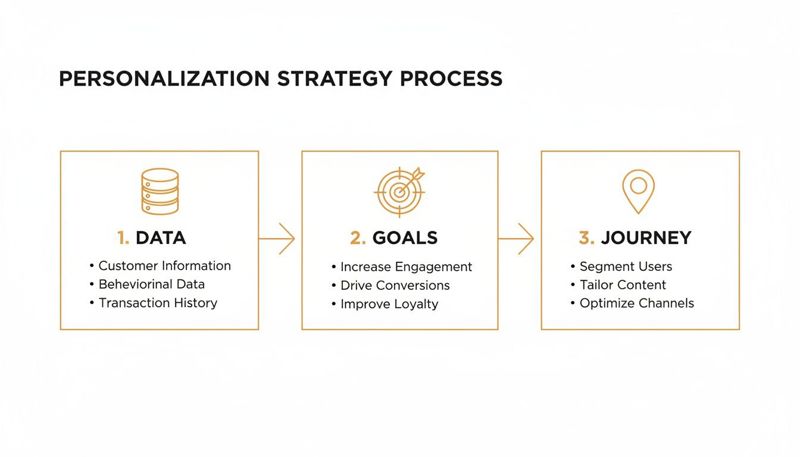
This flow really highlights how foundational data is. Without it, you can't create those targeted, goal-driven moments that truly make an impact.
Connecting Data and Generating Image URLs
This is where all that careful data planning pays off. You've got two main ways to feed data into your image generator, and each one is suited for different kinds of campaigns.
1. Bulk Generation with a CSV File
For one-off campaigns—think a holiday sale or a big event announcement—a simple CSV upload is your best friend. Just prep a spreadsheet where each row is a recipient and each column matches a dynamic layer in your template (e.g., firstName, couponCode, productImageURL).
Upload the file, and the platform spits out a unique image URL for every single row. You'll get a new column in your spreadsheet filled with these personalized URLs, all ready to map over to your ESP.
2. Real-Time Generation via API For automated flows like welcome series, abandoned cart emails, or transactional messages, an API-driven approach is the way to go. It gives you maximum flexibility by letting your systems request a personalized image "on the fly," right when it's needed.
This is the heart of real-time email personalization. Instead of making all the images beforehand, the image is created the instant an email is triggered. This ensures the data is always fresh. You can see how this works by checking out what's possible with a dynamic image API for email marketing. It's perfect for showing live inventory or a countdown timer that’s accurate to the second.
Embedding Dynamic Images in Your ESP
Whether you generated your URLs in bulk or you're calling them via an API, the final step is getting them into your email template. This part is surprisingly easy and works with pretty much any ESP you can think of—from Klaviyo and Mailchimp to Instantly and HubSpot.
The trick is using merge tags (sometimes called personalization tags or custom fields). Instead of a static image URL, you build a dynamic one using your ESP's specific merge tag syntax.
Here’s what that looks like in practice. Let's say your dynamic image URL is structured like this:
https://your-service.com/image.jpg?name={{firstName}}
You'd simply paste that URL into the <img> source tag in your ESP's email editor. When the campaign goes out, the ESP automatically swaps {{firstName}} with the actual name from your contact list. The personalization platform gets the request and serves up the right image with "Alex," "Samantha," or "David" on it in a flash.
This is how you send one campaign, but every single person gets a completely unique visual.
Let's ground this with a couple of real-world scenarios:
Scenario A: The Event Organizer: An organizer uploads a CSV with 5,000 attendees for a conference. The template has dynamic fields for
FullNameandQRCodeData. The platform generates 5,000 unique URLs. In Mailchimp, they just map the columns and embed the personalized ticket right into the confirmation email.Scenario B: The E-commerce Store: A shopper leaves a blue jacket in their cart. A Klaviyo workflow kicks off, making a real-time API call that passes the
product_image_urlandcustomer_name. The service instantly creates an image of that exact jacket with "Still thinking about it, Sarah?" overlaid and serves it into the abandoned cart email—all within milliseconds.
Once you master this simple process—design, connect, embed—you've officially moved beyond generic email blasts and into the world of powerful, one-to-one conversations.
Optimizing for Performance and Deliverability
Sending a generic email is one thing. Delivering millions of unique, personalized images in real-time? That's a different beast entirely.
Once you step into the world of real-time email personalization, two technical hurdles immediately jump out: performance and deliverability. If you get these wrong, even the most brilliantly designed campaign will fall flat. It’ll either annoy users with slow-loading images or, worse, get trapped in spam filters before anyone even sees it.
Let's break down how to handle these challenges so your emails are both fast and seen.
Ensuring Lightning-Fast Image Loading
When a subscriber opens your email, you have a split second to make an impression. They aren't going to wait around. If your personalized image takes more than a second or two to appear, the moment is lost, and your engagement plummets.
This is where the architecture behind your image generation service becomes absolutely critical. Trying to do this on a single, slow server is a recipe for disaster. The only real solution is a dedicated service built on a robust Content Delivery Network (CDN).
A CDN works by caching your images on servers located all around the globe. When a recipient in London opens your email, the image is served from a nearby European server, not from one halfway across the world in California. This simple change drastically cuts down on latency—the technical term for delay—and ensures a near-instant loading experience for everyone, everywhere.
Think of it this way: a CDN is like having mini-warehouses for your images in every major city. Instead of shipping from one central location, you deliver from the closest one, making the process incredibly fast and efficient. This is non-negotiable for real-time personalization at scale.
This infrastructure is the invisible engine powering a seamless user experience. It handles all the heavy lifting, so you can focus on creating great content, confident that it will be delivered quickly and reliably.
Navigating the Deliverability Maze
Now for the second big challenge: making sure your emails actually land in the inbox.
Internet Service Providers (ISPs) like Gmail and Outlook can be suspicious of emails where every single recipient gets a unique image URL. This much variation can sometimes trigger spam filters, which are trained to look for consistency in mass mailings.
Don't worry, though. You can take several concrete steps to maintain a stellar sender reputation and keep your deliverability rates high.
The cornerstone of good deliverability is proper email authentication. These are the technical standards that prove to ISPs that you are who you say you are.
- SPF (Sender Policy Framework): This record tells the world which mail servers are authorized to send emails on behalf of your domain.
- DKIM (DomainKeys Identified Mail): This adds a digital signature to your emails, verifying that the content hasn't been tampered with in transit.
- DMARC (Domain-based Message Authentication, Reporting, and Conformance): This policy tells receiving servers what to do with emails that fail SPF or DKIM checks, adding an extra layer of protection against spoofing.
Setting these up correctly is a fundamental first step. But beyond the technical setup, the success of your campaigns heavily relies on ensuring your messages consistently reach the inbox. You can learn more about how to improve email deliverability with best practices that go beyond basic authentication.
Testing and Maintaining a Strong Reputation
Even with perfect authentication, you need to be smart about how you test and roll out your personalized campaigns. Blasting a new, highly-variable campaign to your entire list at once can sometimes cause a temporary dip in your sender score.
Here are a few tips to avoid this:
- Warm-Up Your Campaigns: Start by sending your personalized emails to a smaller segment of your most engaged subscribers first. ISPs will see positive interactions (opens, clicks), which helps build trust before you scale up.
- A/B Test Responsibly: When testing personalized elements, don't just test the creative—monitor your deliverability metrics. Use a control group with a standard, non-personalized image to see if the dynamic version impacts inbox placement.
- Monitor Your Sender Score: Keep a close eye on your reputation using tools like Google Postmaster Tools. If you see a dip, you can quickly diagnose the problem before it gets worse.
Ultimately, deliverability is an ongoing effort, not a one-time setup. If you're looking for more ways to ensure your messages land where they should, you might be interested in our guide on how to prevent your email from going to spam.
By combining a high-performance CDN with meticulous deliverability practices, you create a reliable foundation for successful real-time email personalization.
Measuring Success and Scaling Your Efforts
Launching a real-time email personalization strategy is a fantastic first step. But the real magic happens when you can prove its impact and scale your efforts without burning out your team. Without a clear way to measure what's working, you’re just personalizing in the dark.
This is where we need to look past the usual vanity metrics. Sure, open and click-through rates are good to know, but they don't paint the whole picture. The true measure of success comes from tangible business outcomes that tie directly back to the goals you set in the first place.
<img src="https://okzest.blob.core.windows.net/blog/a-tablet-on-a-white-desk-displays-a-bar-chart-comparing-control-and-personalized-data-with-a-28-increase.jpg" alt="A tablet on a white desk displays a bar chart comparing "Control" and "Personalized" data with a +28% increase." width="800">
Defining KPIs That Truly Matter
To really see if your real-time personalization is paying off, you need to focus on key performance indicators (KPIs) that connect directly to revenue and customer behavior. These are the numbers that justify the investment and show you where to double down.
I recommend tracking metrics like these:
- Conversion Rate from Personalized CTAs: How many people who clicked a dynamic call-to-action actually completed the goal? Whether it's a purchase, a sign-up, or a download, this tells you if your personalization is driving action.
- Revenue Per Recipient (RPR): This one is a game-changer for proving ROI. Just compare the average revenue generated from a personalized email against a generic one.
- Average Order Value (AOV): Are personalized product recommendations or dynamic upsells actually encouraging customers to add more to their cart? This metric will tell you.
- Customer Lifetime Value (CLV): This is the long game. Track whether customer segments getting personalized content stick around longer and spend more over their entire relationship with you.
Shifting your focus to these bottom-line metrics lets you have a much more meaningful conversation about performance.
Comparing Generic vs. Personalized Email KPIs
To put this in perspective, here's an illustrative look at how key metrics can shift when you move from standard campaigns to real-time personalization. These are benchmarks, of course, but they show the potential uplift you should be aiming for.
| Metric | Generic Campaign (Benchmark) | Real-Time Personalized Campaign (Potential Uplift) |
|---|---|---|
| Click-Through Rate (CTR) | 2-3% | 5-8% (+150%) |
| Conversion Rate | 1-2% | 3-5% (+100-150%) |
| Average Order Value (AOV) | $50 | $60 (+20%) |
| Revenue Per Recipient (RPR) | $0.10 | $0.25 (+150%) |
| Customer Churn Rate | 5% | 3% (-40%) |
The table makes it clear: the impact goes far beyond simple clicks. Personalization drives higher-value actions and fosters loyalty, which is exactly what you want to prove to your stakeholders.
Proving Uplift with Control Groups
So, how can you be sure it’s the personalization driving these results and not something else? The answer is rigorous A/B testing with control groups. This is the cleanest, most reliable way to isolate the impact of your dynamic content and prove its value with cold, hard data.
The concept is simple: send the personalized version of your campaign to your main audience segment and a generic, non-personalized version to a smaller, statistically significant control group. The difference in performance between the two is your personalization uplift.
For instance, your main group might get an abandoned cart email with a dynamic image of the exact product they left behind. The control group would get a standard reminder with a generic brand image. If the personalized version gets a 25% higher conversion rate, you have undeniable proof that your strategy is a winner.
Strategies for Scaling Your Personalization
Once you've found a winning formula, it's time to scale. Scaling isn’t about working harder; it’s about working smarter by building efficient systems that let you deploy personalization across more campaigns without reinventing the wheel every time.
One of the best ways to do this is by creating a library of reusable personalization templates. Instead of designing a unique image for every single campaign, build flexible templates for your most common use cases.
- An "Abandoned Cart" template that can pull in any product image and name.
- A "Welcome Series" template with a placeholder for the subscriber's name.
- An "Event Reminder" template with dynamic fields for the event title, date, and location.
This approach saves a massive amount of time and keeps your branding consistent. It also empowers your whole team to launch sophisticated campaigns quickly. With tools like OKZest offering team-based project and role management, collaboration becomes seamless, letting different team members contribute to image creation and deployment without stepping on each other's toes.
The industry is moving this way fast. By 2026, real-time personalization tactics are expected to deliver up to 6x higher transaction rates than their generic counterparts. This shift is happening now, largely thanks to AI making these advanced tactics more accessible. You can learn more about the latest email marketing trends shaping the industry. By building a scalable system today, you’re setting your brand up to lead the pack, not just follow it.
Common Questions About Email Personalization
Jumping into a new marketing strategy always brings up a few questions. When it comes to real-time email personalization, I've noticed marketers often run into the same handful of concerns—usually around performance, data, and the tech setup. Let's tackle them head-on.
This stuff is powerful, but it’s totally normal to wonder about the practical side of things. Getting these answers right is what lets you launch with confidence, knowing your campaigns will deliver without any nasty surprises.
Will Real-Time Personalization Slow Down My Emails?
That's a fair question, but with the right architecture, the answer is a hard no. A dedicated personalization service is built for one thing: speed. It uses a global Content Delivery Network (CDN) to make sure images load almost instantly, wherever your subscriber is.
Think about it this way: the personalized image URL is just a tiny bit of text in your email's HTML. The email itself stays lightweight and zips right into the inbox. When someone opens it, the image is pulled from a server closest to them, killing any potential lag. It just works.
What Happens If Personalization Data Is Missing?
A good personalization system is always ready for imperfect data. This is where fallbacks come in, and they are an absolute must-have for keeping things professional.
If a bit of data is missing for someone—say, you don't have their first name or company—you can set a default value. Instead of "Alex's exclusive offer," the image could simply read "Your exclusive offer." This completely avoids awkward blank spots or broken images, guaranteeing everyone gets a complete, polished email.
A robust fallback strategy is your safety net. It guarantees that even with imperfect data, your brand's user experience never suffers. It turns a potential campaign-breaking error into a non-issue.
This simple feature protects your brand’s reputation and makes your campaigns incredibly resilient, no matter what your data looks like for any single subscriber.
Is This Hard To Integrate With My Email Platform?
Not at all. Modern personalization tools are designed to play nicely with pretty much everything. They work by generating a standard image URL that you can pop into any Email Service Provider (ESP) that supports merge tags.
This covers over 99% of platforms—think Mailchimp, Klaviyo, HubSpot, and Instantly. For most people, the whole process is as simple as dropping a merge tag (like {{firstName}}) into a URL. No complex API work needed, which makes it a breeze even for non-technical marketers.
Can I Use This Technology Beyond Email Marketing?
Absolutely. While email is an incredible channel for this, the core ideas of real-time personalization can be used across your entire digital presence. This is how you create a brand experience that feels consistently personal.
You can use the same methods to:
- Generate personalized welcome images on your website.
- Display dynamic visuals inside a chatbot conversation.
- Create unique certificates when someone finishes a course.
- Send tailored promos in social media DMs.
The goal is to make every interaction feel like it was made just for that person. It strengthens the customer relationship at every single touchpoint.
Ready to create stunning, personalized images that capture attention and drive conversions? With OKZest, you can automate the entire process with our no-code and API solutions. Think of it as merge tags for images, compatible with 99% of email platforms. Start creating for free today at OKZest.