To stop your emails from landing in the spam folder, you need to do two things really well: prove you're a legitimate sender and send stuff people actually want to read.
It all boils down to mastering the technical side of things—like SPF and DKIM—while also keeping your email list clean and creating messages that are genuinely engaging. Get these fundamentals right, and you’ll build the kind of trust that gets you straight into the inbox, every time.
Your Technical Foundation for Inbox Placement
Before you write a single word of copy, you need to get your technical setup sorted. This is the absolute bedrock of your email deliverability. Without it, even the most creative and valuable email campaign is likely to get lost in the spam folder.
Think of it as your digital handshake with Internet Service Providers (ISPs) like Google and Microsoft. It’s how you prove you are who you say you are. This foundation rests on three critical email authentication protocols: SPF, DKIM, and DMARC. Let's break down what they are and why you can't afford to ignore them.
The Three Pillars of Email Authentication
These aren't just obscure acronyms; they are essential tools that verify your identity and protect your reputation. A single misconfigured record can sink an entire campaign, so it's vital to understand what each one does.
- Sender Policy Framework (SPF): This is basically a public guest list for your domain. It tells the world which mail servers are officially allowed to send emails on your behalf. If a message shows up from a server that's not on the list, mailbox providers immediately get suspicious.
- DomainKeys Identified Mail (DKIM): Think of DKIM as a tamper-proof seal on your email. It adds a unique, encrypted signature to the email's header. The receiving server can then check this signature to confirm that the email hasn't been messed with on its way to the recipient.
- Domain-based Message Authentication, Reporting, and Conformance (DMARC): DMARC is the rulebook that ties SPF and DKIM together. It gives instructions to receiving servers on what to do if an email fails either the SPF or DKIM check. You can tell them to quarantine it, reject it flat out, or let it through. It also sends back reports, giving you a heads-up if someone is trying to send emails pretending to be you.
This diagram helps visualize how these three protocols work together as a complete authentication framework.
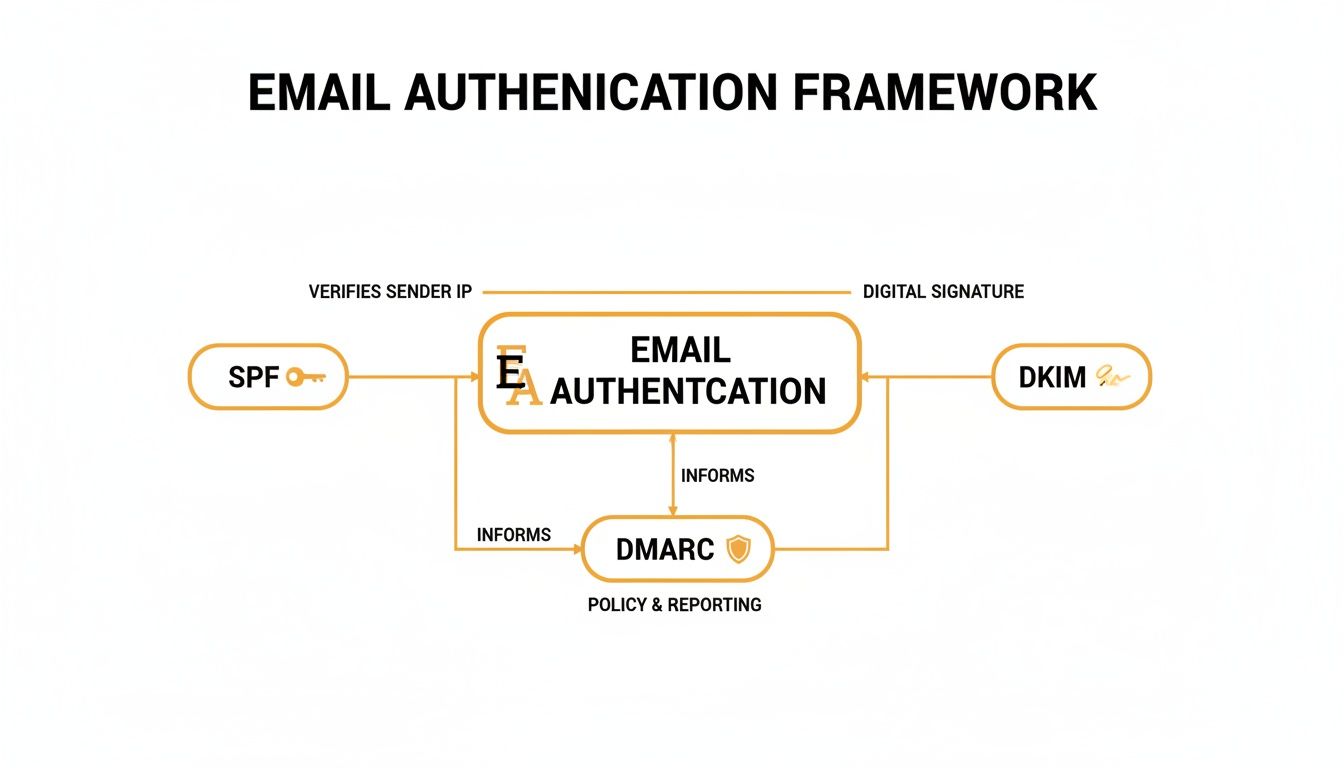
As you can see, SPF and DKIM handle the verification, while DMARC acts as the enforcer, creating a protective shield around your domain's reputation.
To make this even clearer, here's a quick summary of what each protocol brings to the table.
Email Authentication Protocols at a Glance
| Protocol | What It Does | Why It Matters |
|---|---|---|
| SPF | Creates an approved list of servers authorized to send email for your domain. | Prevents others from sending emails using your domain without permission. |
| DKIM | Adds a digital signature to emails to verify they haven't been altered. | Ensures the integrity of your message content from sender to receiver. |
| DMARC | Sets a policy for how to handle emails that fail SPF/DKIM checks and provides reports. | Protects against phishing and spoofing while giving you visibility into your email ecosystem. |
Getting these three aligned is your first, and most important, step towards building a trustworthy sender reputation.
With the sheer volume of junk out there, these technical checks are more critical than ever. In an analysis of 670 million emails, Barracuda found that one in four was either malicious or pure spam. Even with stakes this high, an astonishing 12% of Fortune 500 companies don't have a DMARC policy in place, and 40% have it set up incorrectly, leaving them wide open to attack.
Why a Dedicated Sending Domain Matters
Beyond authentication, it's smart to think strategically about the domain you're sending from.
Many businesses send marketing emails from their main corporate domain (e.g., yourcompany.com). The risk here is that if your marketing emails run into deliverability problems—like high bounce rates or spam complaints—it can damage the reputation of your entire domain. Suddenly, your team's day-to-day corporate emails might start having trouble getting through.
A much safer approach is to use a subdomain, like mail.yourcompany.com, specifically for your marketing sends. This isolates your marketing reputation from your corporate one.
Similarly, sharing an IP address with other senders can be risky. If they engage in spammy practices, your reputation gets dragged down with theirs. A dedicated IP gives you complete control over your own sending reputation.
Understanding how to get on an email whitelist is also a key part of this ecosystem. And of course, once you’ve nailed the technical setup, you need to make sure your email content itself is well-structured. We have a complete guide on sending emails with HTML to help ensure your messages are formatted for maximum deliverability.
Building and Protecting Your Sender Reputation
Once you’ve nailed the technical authentication, it’s time to focus on your sender reputation. This isn't some vague, abstract concept; it’s a real score that mailbox providers like Gmail and Outlook assign to your sending domain.
Think of it as a credit score for your email marketing. A high score gets you a VIP pass straight to the inbox. A low one? You're getting bounced right to the spam folder.
This score is a direct result of how subscribers interact with your emails and how you manage your sending. A history of high spam complaints, sending to dead email addresses, or wild swings in your sending volume will tank your reputation fast. And trust me, it's a tough climb back.
The Make-or-Break IP and Domain Warm-Up
If you’re firing up a new sending domain or a dedicated IP, you absolutely cannot just blast out thousands of emails on day one. That's the email equivalent of a stranger walking into a library and shouting—it immediately screams "spammer." You have to go through a "warm-up" period to build trust with Internet Service Providers (ISPs).
The whole point is to start small and slowly ramp up your sending volume over a few weeks. This methodical approach shows ISPs a predictable, legitimate sending pattern. When they see that kind of consistency, they start to trust that your emails are actually wanted.
Here’s the game plan for a successful warm-up:
- Start with Your Superfans: Your very first sends should go to a small, hand-picked segment of your most active and loyal audience. These are the people you know will open and click. Positive engagement is the strongest signal you can send to an ISP.
- Ramp Up Volume Methodically: A good rule of thumb is to double your sending volume each day, but only if your metrics look good (think low bounces, zero spam complaints). If you hit a snag, pause the increase and figure out what’s wrong.
- Watch Your Metrics Like a Hawk: During the warm-up, you need to be obsessed with your numbers. Keep a close eye on open rates, clicks, bounces, and especially your complaint rates.
A gradual warm-up builds a positive sending history, proving you're a responsible sender. Rushing this is one of the most common—and most damaging—mistakes you can make.
A Sample Warm-Up Schedule
Every sender is different, but a typical warm-up schedule might look something like this. What matters here is the pattern of steady growth, not these exact numbers.
| Day | Daily Sending Volume | Key Focus |
|---|---|---|
| 1-2 | 50-100 emails | Hit only your most engaged subscribers. Watch for any immediate bounce issues. |
| 3-5 | 200-500 emails | Stick with engaged users. Start checking your sender reputation scores. |
| 6-10 | 1,000-5,000 emails | Slowly expand your audience, but still lean heavily on recently active people. |
| 11-14 | 10,000+ emails | Keep doubling daily as long as your metrics stay healthy and positive. |
You have to be flexible. If your complaint rate suddenly spikes, stop the volume increase immediately and fix the problem before sending another email.
The Metrics That Actually Define Your Reputation
Your sender reputation isn't built on wishful thinking; it's built on cold, hard data. ISPs are constantly tracking a few key metrics to decide where your emails belong.
Your sender reputation is a direct reflection of the promises you keep with your subscribers. If you promise value and deliver it consistently, ISPs will notice and reward you with inbox placement.
Keep these three metrics in pristine condition:
- Spam Complaint Rate: This is public enemy number one. It’s the percentage of people who hit the "mark as spam" button. Most providers have an incredibly low tolerance for this, often around 0.1% to 0.3%. Go over that, and you’re telling ISPs their users don’t want what you're sending.
- Bounce Rate: This tracks how many of your emails couldn't be delivered. Hard bounces (from invalid or non-existent addresses) are especially toxic and need to be scrubbed from your list immediately. A consistent bounce rate over 2% is a huge red flag that signals poor list hygiene.
- Engagement Metrics: While open rates have become a bit fuzzy due to privacy changes, ISPs still look at overall positive interactions. Things like clicks, replies, and forwards are powerful proof that your content is valuable and welcome.
Finally, maintaining a consistent sending volume and schedule also helps build your reputation. Predictable behavior is trustworthy behavior. By warming up your domain meticulously and obsessing over these core metrics, you’ll build—and protect—the reputation you need to stay out of the spam folder for good.
Keep Your List Clean and Your Audience Segmented
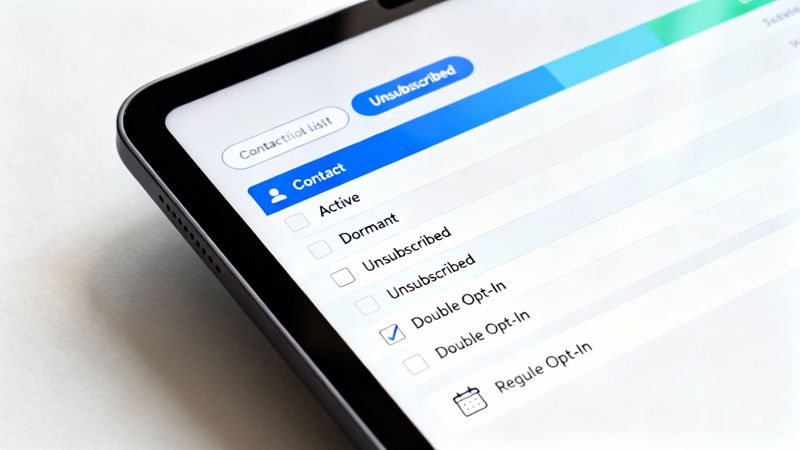
Think of an unkempt email list as a one-way ticket to the spam folder. When you send emails to invalid addresses or subscribers who never open them, you’re actively damaging your sender reputation. Your list isn't just a static database; it's a living, breathing audience that needs regular attention.
A healthy list starts with a solid foundation, and that means making double opt-in your standard practice. Sure, single opt-in might grow your list faster, but it also opens the door to typos, fake emails, and spam traps—all of which are poison to your deliverability. Double opt-in confirms genuine interest by asking new subscribers to click a confirmation link, ensuring you’re building a list of people who actually want to hear from you.
Build a Routine for List Cleaning
Building a clean list is only half the battle; keeping it clean is an ongoing job. A common mistake I see is marketers ignoring their inactive subscribers. This is a huge misstep because ISPs see low engagement as a sign that your content is unwanted, which directly hurts your inbox placement.
A proactive approach involves a few key habits:
- Remove Bounces Instantly: Hard bounces (from invalid or non-existent email addresses) have to go. Immediately. Continuing to send to these addresses is a massive red flag to mailbox providers.
- Validate Emails at Signup: Use a real-time validation tool on your signup forms. This simple step catches typos and fake addresses before they ever contaminate your list, preserving its quality from day one.
- Create a Sunset Policy: This is just a strategy for gracefully letting go of dormant contacts. If a subscriber hasn't opened or clicked an email in, say, 90 or 180 days, move them to a re-engagement campaign. If they still don't bite, it's time to remove them.
Clinging to unengaged subscribers just to keep your list size high is completely counterproductive. A smaller, highly engaged list will always deliver better results and higher deliverability than a massive, inactive one.
This kind of routine maintenance prevents your list from decaying and keeps your engagement signals strong. You're constantly telling ISPs that your emails are valuable and belong in the inbox.
The Power of Smart Audience Segmentation
Once your list is sparkling clean, the next move is to stop sending the same email to everyone. This is where audience segmentation comes in. It's the practice of dividing your list into smaller groups based on specific criteria, allowing you to send super-relevant content that speaks to each subscriber's interests and actions.
For an e-commerce store, this might look like creating segments based on:
- Purchase History: Grouping customers who bought a specific product to send them tips or related accessories.
- Engagement Level: Separating your die-hard fans from your less frequent readers to tailor your messaging accordingly.
- Geographic Location: Sending out invites to local events or location-specific promotions.
This is personalization that goes way beyond a simple {{FirstName}} merge tag. It shows you understand your audience, which dramatically boosts positive interactions like opens and clicks. The more relevant your emails are, the less likely they are to get marked as spam. If this is new territory for you, understanding what is audience segmentation is the perfect place to start.
By pairing rigorous list hygiene with smart segmentation, you create a powerful defense against the spam folder. You’re no longer just blasting out emails; you're building a relationship by delivering real value to the right people.
Crafting Content That Inboxes Actually Want
Getting your technical authentication perfect and building a pristine sender reputation will get you to the inbox door. But it's your content that actually gets you invited inside.
Everything you write, how you format it, and the images you include are scrutinized by spam filters. Sending the wrong signals here can undo all your hard work on the technical side. Even the most well-intentioned email can trigger filters if it looks anything like common spam tactics.
That means every element, from your subject line down to the links in your footer, needs to be built with deliverability in mind.
Your Subject Line Is Your First Impression
The subject line is your first—and often only—shot at making a good impression. It's also one of the first things a spam filter analyzes. A poorly written subject line can kill your deliverability before your email is even opened.
Spam filters are incredibly sensitive to anything that screams false urgency or smells of deception. You have to stay away from these common traps:
- Excessive Punctuation: Using multiple exclamation points (!!!) or question marks (???) is a classic spam signal. Keep it professional.
- ALL CAPS: Writing subject lines in all caps is the digital equivalent of shouting. It’s a huge red flag for filters.
- Deceptive Prefixes: Avoid using "Re:" or "Fwd:" unless the email is a genuine reply or forward. Filters catch this bait-and-switch tactic easily.
- "Spammy" Words: While filters have gotten smarter, phrases like "Free money," "Act now," or "Guaranteed" can still push your spam score higher.
Instead of relying on gimmicks, focus on being clear, concise, and relevant. A subject line that accurately reflects the value inside is your best bet for getting past filters and actually engaging your reader.
Balancing Images and Text
Ever seen an email that's just one giant image? Spammers love that trick. It’s an easy way to hide sketchy links and spammy text from filters that primarily read code. As a result, mailbox providers are extremely wary of image-heavy emails.
You need to maintain a healthy text-to-image ratio. There's no magic number, but a solid rule of thumb is to aim for at least 60% text to 40% images. More importantly, your email should make perfect sense and be fully actionable even if the images don't load, because many email clients block them by default.
Key Takeaway: Always use ALT text for your images. It describes the image for people who have them disabled and gives context to spam filters, showing that your images serve a legitimate purpose.
This balance proves to filters that you aren’t trying to hide anything and ensures a good experience for all subscribers, no matter their email client settings.
Linking with Care and Purpose
The links inside your email are another critical checkpoint for spam filters. Every single URL is scrutinized, and linking to the wrong places can get you flagged in an instant.
First, avoid using URL shorteners like bit.ly. Spammers use them constantly to mask the true destination of a link, so inbox providers treat them with extreme suspicion. Always link directly to the full, final URL so both the user and the filter can see exactly where they're going.
Second, only link to reputable, trustworthy domains. If you link to a site with a poor reputation, you’re basically vouching for it, and your own sender reputation will take a hit by association. This is a crucial step in keeping your emails out of the spam folder.
Making Personalization Your Ally
Personalization is a fantastic way to boost engagement, which sends all the right signals to ISPs. When an email feels like it was created specifically for the recipient, they're far more likely to open it, click it, and interact with it.
This is where personalized images can make a massive difference.
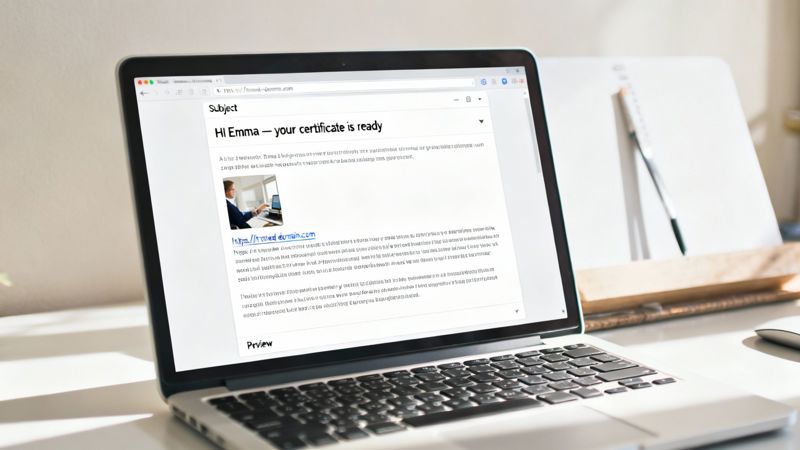
For instance, an event organizer can use a tool like OKZest to create and embed a unique certificate image for each attendee, with their name automatically merged right onto it. This transforms a generic follow-up into a valuable, personalized keepsake.
This kind of dynamic content signals high value not just to the reader, but also to their inbox provider. It shows you're delivering bespoke content that's highly relevant to the individual—the exact opposite of a generic spam blast. It's a smart way to increase engagement and strengthen your sender reputation at the same time.
How to Test, Monitor, and Troubleshoot Your Deliverability
Hitting "send" on a campaign without testing first is like flying blind. You might get lucky, but you're far more likely to end up crashing straight into the spam folder. Proactive testing and sharp-eyed monitoring are what really separate the pros from the amateurs—it's how you get the visibility you need to make sure your messages actually land.
Think of it this way: sending the email is just the start. The real work begins as you track its journey, ready to jump in at the first sign of trouble. This constant cycle of testing, monitoring, and fixing things is the only way to keep your sender reputation healthy and stay in the inbox.
Your Pre-Send Deliverability Checklist
Before a single email reaches your main list, you need to run it through a gauntlet. This isn't just about catching typos; it's about seeing how your email will be judged by the powerful spam filters at Gmail, Outlook, and others.
There are a couple of practices that should be absolutely non-negotiable in your pre-send routine:
- Spam Scoring Tools: These services are your first line of defense. They analyze your email from top to bottom—content, authentication, reputation—and give you a "spam score." They'll flag things you might have missed, like a wonky link or a phrase that trips up filters, giving you a chance to fix it before you launch. For a really deep dive, an email deliverability tester can give you some serious insights into how your campaigns are seen.
- Seed List Testing: A seed list is your secret weapon. It’s a curated list of email addresses you control across different providers (Gmail, Yahoo, a private domain, etc.). Sending your campaign to this list first shows you exactly where your email lands: inbox, promotions tab, or the dreaded spam folder. This is priceless, real-world feedback for spotting provider-specific issues.
Rushing past testing to hit a deadline is a trap. That five-minute spam check can save you from a campaign that completely bombs, missing 90% of your audience because it got flagged everywhere.
Monitoring Your Metrics in Real Time
Once your campaign is live, your focus shifts to monitoring. Your Email Service Provider's (ESP) dashboard becomes your mission control, giving you a live feed of how subscribers and their inboxes are reacting. Don't just glance at the open rate—you need to dig into the numbers that tell the real story of your deliverability health.
Keep a close eye on these vital signs:
- Bounce Rates: This is a huge one. A sudden spike in bounces is a major red flag. It could mean you’ve been blocklisted or that a specific segment of your list has gone stale. Properly understanding email bounce rates is critical to knowing if you have a deliverability problem.
- Spam Complaint Rates: We’ve said it before, but anything over 0.1% is dangerous. This metric is a direct message from your audience saying they don't want what you're sending, and you can bet the mailbox providers are listening.
- Engagement Over Time: Are people opening your emails within the first few hours? Or is engagement just trickling in? A big initial surge tells ISPs that your content is valuable and anticipated.
A Practical Troubleshooting Framework
Even the best-laid plans can go wrong. When deliverability issues pop up, panicking and trying random fixes won't get you anywhere. You need a calm, logical way to figure out what's broken and how to fix it.
When your metrics suddenly tank, here’s how to approach it:
- Isolate the problem. Is the issue hitting all mailbox providers, or is it just Gmail? Is it impacting one specific campaign or everything you send? Nailing down the scope is your first step.
- Check for blocklistings. Use a tool to see if your sending IP or domain has landed on a major blocklist. Getting listed can bring your inbox placement to a screeching halt, and each list has its own process for getting removed.
- Review recent changes. What did you do differently? Did you roll out a new template? Did you email a list segment that hasn't heard from you in a year? Often, the root cause is a recent change you made to your content or sending strategy.
- Analyze feedback loops. Many ISPs provide feedback loops that report spam complaints directly back to you. This data is pure gold. It lets you immediately remove anyone who complains before they can do more damage to your reputation.
By making this test-monitor-troubleshoot cycle a core part of your process, you’ll be ready for anything. You won't just prevent emails from going to spam—you'll know exactly how to recover when things go wrong, protecting your sender reputation for the long haul.
Common Questions About Avoiding the Spam Folder
Even with the best strategy in place, you're bound to run into specific questions while trying to improve your deliverability. Getting straight answers to these common sticking points can make a huge difference in keeping your emails out of the spam folder. Let's tackle a few of the ones I hear most often.
How Long Does It Take to Fix a Bad Sender Reputation?
I wish there were a simple answer, but fixing a damaged sender reputation is a marathon, not a sprint. Honestly, it can take anywhere from a few weeks to several months. The timeline really depends on how severe the damage is and how consistently you stick to the fix.
The first move is always to find and stop the bleeding—whether that's a messy contact list, spammy-looking content, or a technical authentication mess. Once that's handled, you have to start a strict IP and domain warm-up. This means sending tiny batches of your most engaging emails to only your most active subscribers.
By slowly turning up the volume while keeping your engagement high and complaint rates near zero, you're actively showing mailbox providers you've changed your ways. It’s that steady, positive behavior that rebuilds trust over time.
Will Using Too Many Images Send My Email to Spam?
It won't automatically land you in spam, but it’s a massive red flag for inbox providers. The key metric here is the text-to-image ratio. Think about it from their perspective: an email that's just one big image is a classic spammer tactic to hide dodgy links and text from filters.
Because of this history, providers are naturally suspicious of image-only emails. Plus, a ton of email clients block images by default. If your whole message is an image, many of your subscribers will just see a blank white box.
A great rule of thumb is to make sure your entire message is perfectly readable and actionable even if all the images are turned off. Let your text do the heavy lifting, and use images to enhance the message, not be the message.
Can I Email My Whole List from a New Domain Immediately?
Please don't. That’s one of the fastest ways to get a new domain permanently labeled as spam and maybe even blocklisted. Mailbox providers are incredibly wary of brand-new domains that suddenly start blasting out high volumes of email. It screams "spammer."
You absolutely have to follow a careful domain warm-up process. The strategy is simple: start small. Send maybe just 50-100 emails a day, and only to the people who you know love your emails—the ones who always open and click.
Over the next few weeks, you'll methodically increase that daily number. This gradual ramp-up builds a positive sending history and proves to ISPs that you're a legitimate sender. Rushing this is a critical mistake you just can't afford to make.
Transform your email campaigns with visuals that truly connect. With OKZest, you can automate the creation of thousands of personalized images, adding merge tags to make every recipient feel seen. This boosts engagement, strengthens relationships, and helps keep your emails where they belong—in the inbox. Start creating for free at https://okzest.com.