You've probably used merge tags like *|FNAME|* to pop a subscriber's first name into an email. It's a classic personalization trick. Now, imagine doing that with your images.
That's exactly what an email image API does. It’s a tool that lets you create and embed dynamic, personalized images straight into your emails, automatically. Think of it less like a static graphic and more like a visual conversation starter, unique to every single person on your list.
What Is an Email Image API and Why Is It a Game Changer?
Picture this: you send a welcome email. Instead of a generic banner, a new subscriber sees a beautiful graphic that says, "Welcome, Sarah!" Right away, the email feels like it was made just for her.
This is the core magic of an email image API. It takes the same dynamic principle we've used for text for years and applies it to the most engaging part of your email—the visuals.
This is a massive leap from how email marketing used to work. Traditionally, every subscriber got the exact same images. We had to design visuals for the broadest possible audience, which meant they never really connected deeply with anyone. It was a one-size-fits-all approach in a world that craves personalization.
An email image API completely flips that model. You create a single image template, and the API does the heavy lifting, pulling in unique data for each recipient to generate a custom visual on the fly. And the data can be anything you know about your subscribers.
Moving Beyond Static Visuals
The real value here is creating a one-to-one visual experience that grabs attention the second the email is opened. Your subscribers don't just read their name; they see it. This builds a much stronger emotional connection and a sense of being recognized, which is a huge advantage in a cluttered inbox where every email is fighting for a glance.
If you want to go deeper on this, we've put together a complete guide on what dynamic images are and how they work.
Here are just a few data points you can instantly embed into your images:
- Subscriber Names: Simple, classic, and incredibly effective at getting noticed.
- Company Names: A must-have for B2B campaigns to show you've done your research.
- Loyalty Points or Account Status: Give customers a visual snapshot of their standing with you.
- Event Details: Generate personalized tickets or invitations with names, dates, and QR codes.
The old way was a monologue—one image broadcasted to many. The new way is a dialogue—a unique visual conversation with each individual, powered by an email image API.
In the world of email marketing, this isn't just a "nice-to-have" anymore. With a mind-boggling 392 billion emails projected to be sent daily by 2026, personalization is survival. We already know that emails with images get a click-through rate of 4.84%—almost triple the 1.6% for text-only emails. Now, imagine how much you can boost that engagement when those images are personal. You can find more of these eye-opening email marketing statistics to see just how big the opportunity is.
How Real-Time Image Generation Actually Works
The magic behind an email image API is surprisingly straightforward. Think of it like a personalized mail-merge, but for visuals instead of just text. The entire process happens in the blink of an eye, and it all revolves around creating a unique URL for every single subscriber.
It starts with you designing a master image template. This is your base visual—it could be a welcome banner, a special offer, or an event ticket. Inside this template, you'll mark specific spots where you want personalized details to pop in, like a subscriber's first name or their company.
From there, the email image API builds a special URL. This isn't just a link to a static, pre-made image file. It's a dynamic link that weaves your subscriber’s data right into it using merge tags from your email platform, like {{first_name}}.
The Instant Connection
When a subscriber opens your email, their email client (like Gmail or Outlook) spots the <img> tag and sends a request to that unique URL. This is where the real-time generation kicks in.
The API’s server instantly catches this request, reads the data packed into the URL, and merges it with your master template. In a split second, it generates a brand-new, completely personalized image just for that one recipient and sends it straight back to their inbox.
This flowchart breaks down the difference between the old, static way and this new, dynamic approach.
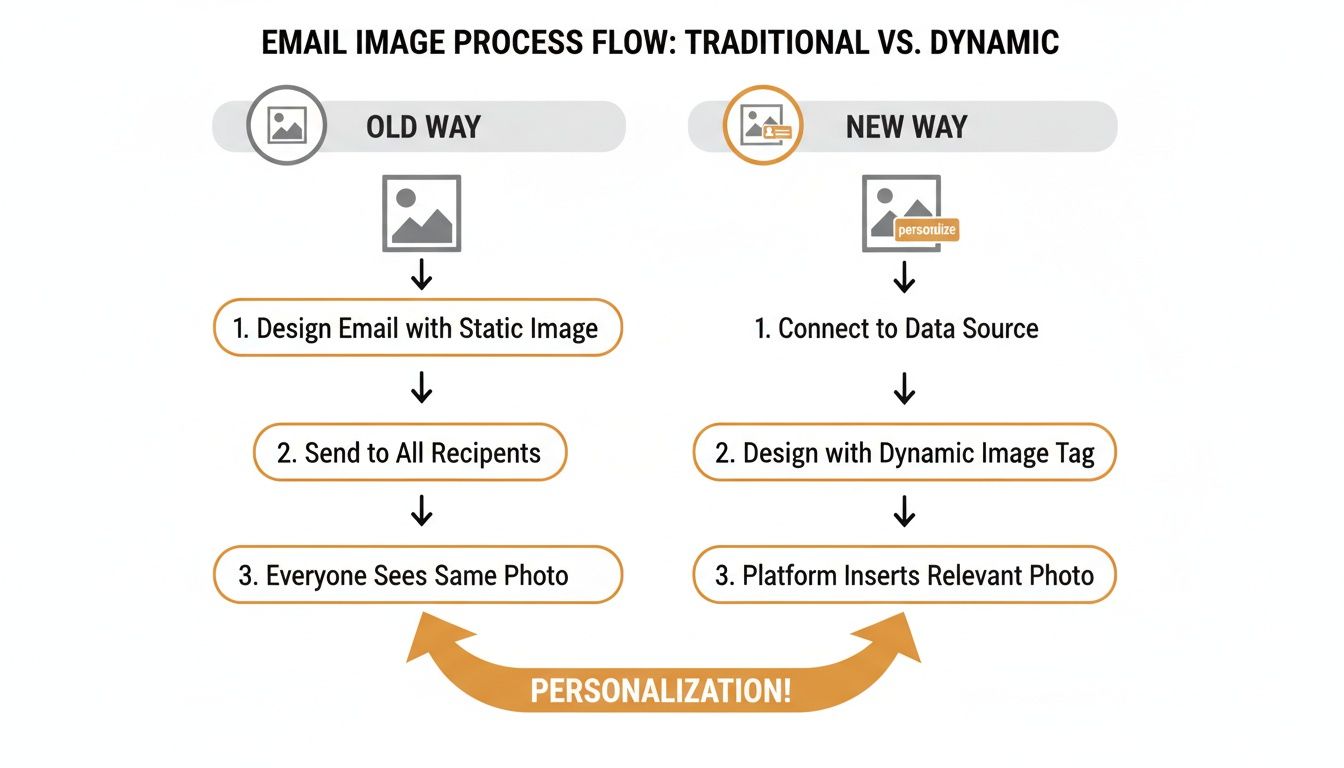
You can see the clear shift from a one-size-fits-all broadcast to a genuine one-to-one visual conversation. That’s what grabs attention.
What Happens When Data Is Missing
A common question we get is, "What if I don't have a subscriber's first name?" This is where fallback images are essential. A good email image API lets you set a default value or a generic image to show up in these situations.
For instance, an image meant to say, "A special offer for David," could automatically fall back to "A special offer for you." This simple but powerful feature ensures a clean, professional look for every single person on your list, avoiding broken images or awkward empty spaces. You can learn more about how real-time image generation works for ESPs in our detailed guide.
The core idea is simple: a request is made, an image is built, and it’s delivered—all in the time it takes an email to load. To the subscriber, it just looks like a perfectly crafted image made especially for them.
Integrating Dynamic Images with Your Email Platform
Putting an email image API to work is a lot simpler than you might think. You don't need to be a developer or wrestle with complicated code. The whole process really just boils down to one simple action you already do in your email editor: adding an image.
Instead of uploading a static file from your computer, you'll paste a specially crafted URL into the image source field. This dynamic URL is the secret sauce, acting as a bridge between the image API and your subscriber's data. It’s powered by the same merge tags you already use to personalize the text in your emails.
The Magic of Merge Tags in an Image URL
Every Email Service Provider (ESP) has its own way of writing merge tags, but the core idea is exactly the same. Whether it's {{first_name}} in Klaviyo, *|FNAME|* in Mailchimp, or something else, these tags are just placeholders. When you send an email, your ESP automatically finds these tags and replaces them with the real data from each subscriber's profile.
An email image API plugs directly into this system. The dynamic URL you create will contain these merge tags. By the time a subscriber opens your email, the ESP has already done its part, swapping the placeholder with the actual data.
The API then gets a request with the finalized URL—for example, one containing "Jessica" instead of
{{first_name}}. In that instant, it generates the personalized image. It's a seamless handoff that requires zero extra work from you when you hit "send."
How It Looks in Your HTML
If you ever peek at your email's HTML code, you'll see the implementation is clean and straightforward. A standard image tag becomes the vessel for all this dynamic power.
Here’s a basic example of what the <img> tag looks like:
<img src="https://api.okzest.com/image/template-id?name={{first_name}}&company={{company_name}}" alt="A personalized welcome image for {{first_name}}">
See how the src attribute points to the API endpoint? It's followed by parameters that include the merge tags. That single line of code is the heart of the integration. For a more detailed walkthrough, you can follow our step-by-step API integration tutorial.
Universal Compatibility with Your Tools
This whole approach is designed to be universally compatible. Because it just uses a standard URL inside an <img> tag, it works with almost any email platform out there.
- Klaviyo: Fully supports using merge tags in image URLs.
- Mailchimp: A classic use case where
*|MERGETAGS|*fit in perfectly. - Instantly: Great for B2B outreach, letting you personalize with prospect and company names.
- And many more: The list includes virtually any ESP that allows you to edit the source URL of an image.
To get the most out of your dynamic images, it helps to make sure they align with your overall campaign strategy. Reviewing general B2B email marketing best practices can ensure your personalized visuals support proven tactics for maximum impact, making your emails not just prettier, but far more effective.
Inspiring Use Cases for Personalized Images
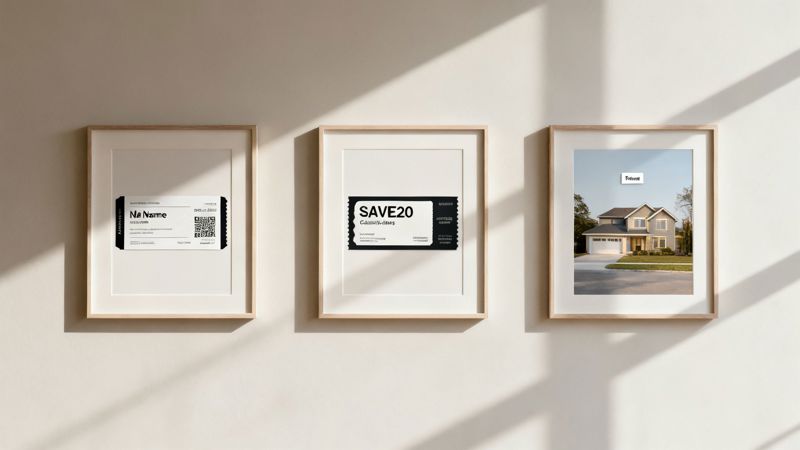
Knowing the mechanics of an email image API is one thing, but seeing it in action is what really opens your eyes to what’s possible. The real magic happens when you apply this tech to solve actual business problems and create moments your customers will remember.
Let's dig into how different industries are already using personalized images to get tangible results, from boosting event attendance to closing more sales deals. Each use case turns a generic message into a personal, can’t-ignore interaction.
For Event Marketers
Picture this: you're running a major conference. Instead of a bland confirmation email, you use an email image API to generate a unique, personalized ticket for every single attendee. This isn't just a gimmick; it’s a powerful way to handle engagement and logistics.
Each dynamically generated ticket can include:
- Attendee's Full Name: Immediately makes the ticket feel exclusive and important.
- Unique QR Code: Speeds up the check-in process, cutting down lines and friction at the door.
- Personalized Session Itinerary: Visually highlights the specific talks or workshops an attendee registered for.
This approach not only delights attendees but also makes your operations run smoother. A personalized ticket is far less likely to get lost in a crowded inbox, which directly contributes to better attendance rates.
For E-commerce and Retail
In the cutthroat world of e-commerce, personalization is how you stand out. An email image API lets retailers move beyond generic "20% Off" banners and create dynamic offers that feel like they were made for just one person.
Imagine a campaign to win back past customers. You could send an email with an image of a personalized coupon code, complete with their name and a unique discount. Seeing that value visually is far more compelling than reading it in plain text. It encourages clicks and drives sales.
By visually confirming a special offer is "just for them," shoppers feel seen and valued. This can dramatically lift redemption rates and build real brand loyalty. It's a straight line from personalization to revenue.
For B2B Sales and Outreach
Cold outreach is tough. Your email is just one of hundreds a prospect gets every single day. To cut through that noise, you have to show you’ve done your homework. An email image API can be a secret weapon for sales teams trying to make a memorable first impression.
Before sending an outreach email, a sales rep can create an image that dynamically inserts the prospect's company logo and name. Imagine a prospect opening an email and seeing their own branding in your message—it’s an instant pattern interrupt. It signals you've put in the effort.
This technique is incredibly effective for:
- Increasing Reply Rates: Personalized visuals get noticed and make a prospect feel recognized.
- Booking More Demos: A strong first impression is the first step to a real conversation.
- Building Instant Rapport: It shows you invested time before even asking for theirs.
The table below breaks down a few more examples of how this technology can be applied across different roles and industries.
Email Image API Use Cases by Industry
| Industry / Role | Use Case Example | Primary Business Goal |
|---|---|---|
| Real Estate | Send an image of a property listing with a "Welcome Home, [Name]!" banner overlaid on the photo. | Increase property inquiries |
| SaaS | Email a user a personalized image of their weekly usage stats or a progress report chart. | Boost user engagement |
| Travel & Hospitality | Display a personalized image of a destination with the recipient's name on a "boarding pass." | Drive bookings & excitement |
| Fitness & Wellness | Create a custom image celebrating a user's recent workout milestone or achievement. | Improve retention & motivation |
| Non-Profit | Show a donor their name on a personalized "Thank You" certificate image to acknowledge their contribution. | Foster donor relationships |
From real estate agents to fitness apps, the goal is always the same: connect with your audience on a human level. Whether you're sending images of homes with a "Welcome Home, [Name]!" banner or showing a user's progress in a custom chart, the principle is solid. An email image API like OKZest turns your data into a powerful visual asset that grabs attention and gets people to act.
Getting the Most Out of Your Dynamic Images
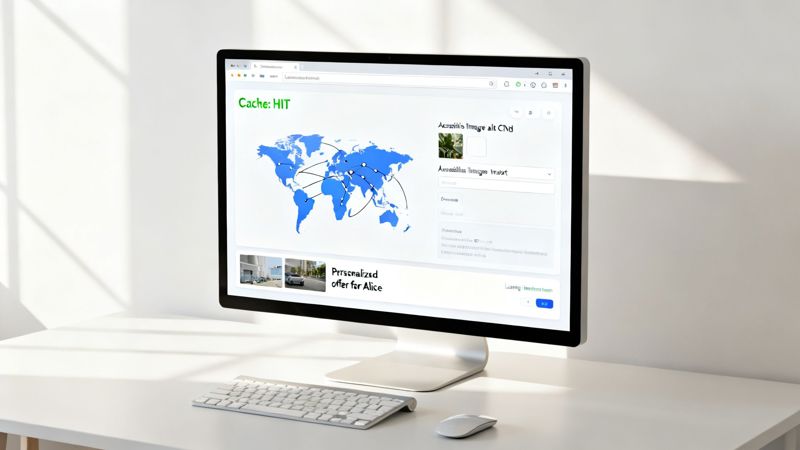
Just getting an email image API up and running is only half the battle. To really deliver a professional and seamless experience, you have to think about performance and accessibility. After all, a personalized image that loads at a snail's pace—or doesn't show up at all—can do more harm than good. It's frustrating for subscribers and completely undermines the message you're trying to send.
The top priority is always speed. In an email, every millisecond matters. If an image is slow to load, your reader will have already scrolled past it before your clever personalization even has a chance to appear.
That’s why choosing a provider with a solid Content Delivery Network (CDN) is an absolute must. A CDN stores copies of your images on servers all over the world, making sure they load almost instantly for your subscribers, no matter where they are.
Smart server-side caching is another huge performance booster. A good API will cache recently created images. This means if the same personalized image is requested again, it can be served up instantly without having to be rebuilt from scratch every single time.
Creating a Flawless User Experience
Beyond pure speed, you have to plan for what happens when things go wrong. What if an email client blocks images by default? Or if a subscriber is using a screen reader? This is where fallback alt text becomes your best friend.
Good alt text isn't just a generic description like "personalized banner." It needs to carry the same personal message as the image itself. For example, instead of a lazy, generic tag, use dynamic alt text that mirrors the personalization:
- Bad Alt Text:
alt="Welcome image" - Good Alt Text:
alt="A welcome banner for Sarah from ACME Corp"
This way, even if the image fails to load, the personal touch isn't lost. The recipient still gets the context and feels like the email was meant for them.
The real goal is to design for failure. When you anticipate things like blocked images or missing data, you can build a resilient email experience that stays professional and impactful, no matter what.
Designing for Every Inbox Imaginable
Your subscribers are opening emails in all sorts of environments, so your designs have to be flexible.
Here are a couple of key things to keep in mind:
- Light and Dark Modes: Make sure your designs have enough contrast to look good in both light and dark modes. An image that’s crystal clear in a light inbox can become a muddy, unreadable mess against a dark background if you haven't planned for it.
- Default Values: Never assume you have complete data for every single subscriber. You need to set up smart default values for any element you personalize. If a
first_namefield is empty, the API should automatically fall back to something generic like "you" or "a valued customer" to avoid showing a broken or awkwardly empty image.
While the API handles the dynamic part, don't forget the basics. It’s still crucial to understand best practices to optimize images for the web. Combining those fundamentals with a powerful email image API is how you ensure every single subscriber gets a flawless, engaging, and professional-looking email.
Measuring the True ROI of Your Email Image API
Connecting your creative work to real business growth is where an email image API really shows its worth. To see its impact, you have to look past surface-level stats like open rates. The true return on investment (ROI) comes from how people actually interact with your personalized visuals and what they do next.
Think of it this way: an open rate just tells you someone glanced at your email. A click on a dynamic image, on the other hand, tells you the message truly connected. By tracking the right key performance indicators (KPIs), you can build a powerful business case that ties personalized images directly to revenue and customer loyalty.
Key Metrics to Track
To get a full picture of your ROI, you need to focus on metrics that show direct engagement and conversion. These data points tell a much richer story than open rates ever could.
- Image Click-Through Rate (CTR): This is your most direct signal of visual engagement. Are people actually clicking on the personalized offers, tickets, or product images you’re creating? A high image CTR is proof that the visuals are compelling enough to make someone act.
- Conversion Rate from Clicks: Now, take it a step further. Of the people who clicked that dynamic image, how many finished the job—like making a purchase or signing up for a webinar? This metric is what links your visual personalization directly to sales.
- Subscriber Engagement Lift: Pit your campaigns against each other. Compare the overall engagement (clicks, replies, etc.) of campaigns using dynamic images against the ones with old-school static ones. This kind of A/B testing will show you the direct lift in interaction.
The goal isn't just to make emails prettier; it's to make them more effective. Measuring the right KPIs shows that an email image API isn't just another cost—it's a revenue-generating engine.
Building Your Business Case with Data
The broader tech market is already moving in this direction. The API management market is projected to explode to $22.11 billion by 2031, a clear sign that seamless tools like an email image API are core to modern business. You can learn more about the growth of the API management market and its impact.
For marketing agencies, the ROI on email can be an incredible 42:1, and personalized visuals are a major reason why. With mobile opens now accounting for 41.6% of all emails, visually engaging, personalized content is no longer a "nice-to-have"—it's essential for grabbing attention on small screens.
This data isn't just a trend; it's the foundation for your business case. By tracking your own KPIs, you can walk into any meeting and show stakeholders exactly how personalized images are improving click-through rates, boosting conversions, and ultimately, growing the bottom line.
Your Questions, Answered
Let's tackle some of the most common questions that pop up when people first hear about using an email image API. My goal is to clear things up with practical, straightforward answers so you can feel confident getting started.
How Much Technical Skill Do I Really Need?
Honestly, almost none. Modern email image APIs are built for marketers, not just developers. The whole process is really just copying a unique URL and pasting it where you’d normally add an image in your email editor.
If you’re comfortable using merge tags like *|FNAME|* in your email platform, you already have all the technical skill you'll need. The API does all the heavy lifting—the actual image generation—behind the scenes for you.
What If a Subscriber's Data Is Missing?
This is a great, and very important, question. Any good email image API will have a robust 'fallback' feature baked right in. This lets you set a default value or a generic image that shows up if a specific piece of data for a subscriber is missing.
For example, an image that’s supposed to say "A special offer for Sarah" could instantly default to "A special offer for you." This small but crucial detail ensures no one ever sees a broken or weird-looking image, keeping the entire experience polished and professional.
A strong fallback system is your safety net. It guarantees every email looks great, even when your data isn't perfect, protecting your brand's reputation with every send.
Will This Work With My Current Email Platform?
Yes, in pretty much every case. Because this technology just uses a standard image URL, it’s compatible with virtually any Email Service Provider (ESP) that allows you to use merge tags and add images from a URL.
This includes all the major platforms like Mailchimp, Klaviyo, Instantly, HubSpot, and many others. The integration is intentionally designed to be universal, so you can start using it without having to overhaul your existing marketing tools.
Ready to transform your email campaigns with visuals that truly connect? OKZest makes it simple to create personalized images for every subscriber. Start creating for free today at OKZest.