You've probably heard of using a [First Name] merge tag in an email subject line. It's a classic move. But what if you could do the same thing with the images inside your email? That’s exactly what personalized email graphics are—custom images that dynamically change for every single person on your list.
This isn't about simple text personalization anymore. We're talking about embedding names, company logos, profile pictures, or unique data points directly into the visuals. The result is a truly one-to-one experience that stops people in their tracks in a way a generic, static image never could.
Why Personalized Email Graphics Are A Game Changer
Take a quick look at your inbox. It's a battlefield, right? Dozens of generic messages are all fighting for a fraction of a second of your time. Most marketing emails blast the same tired images to thousands of people, making them feel completely impersonal and incredibly easy to ignore.
This is exactly where personalized email graphics change the entire dynamic.
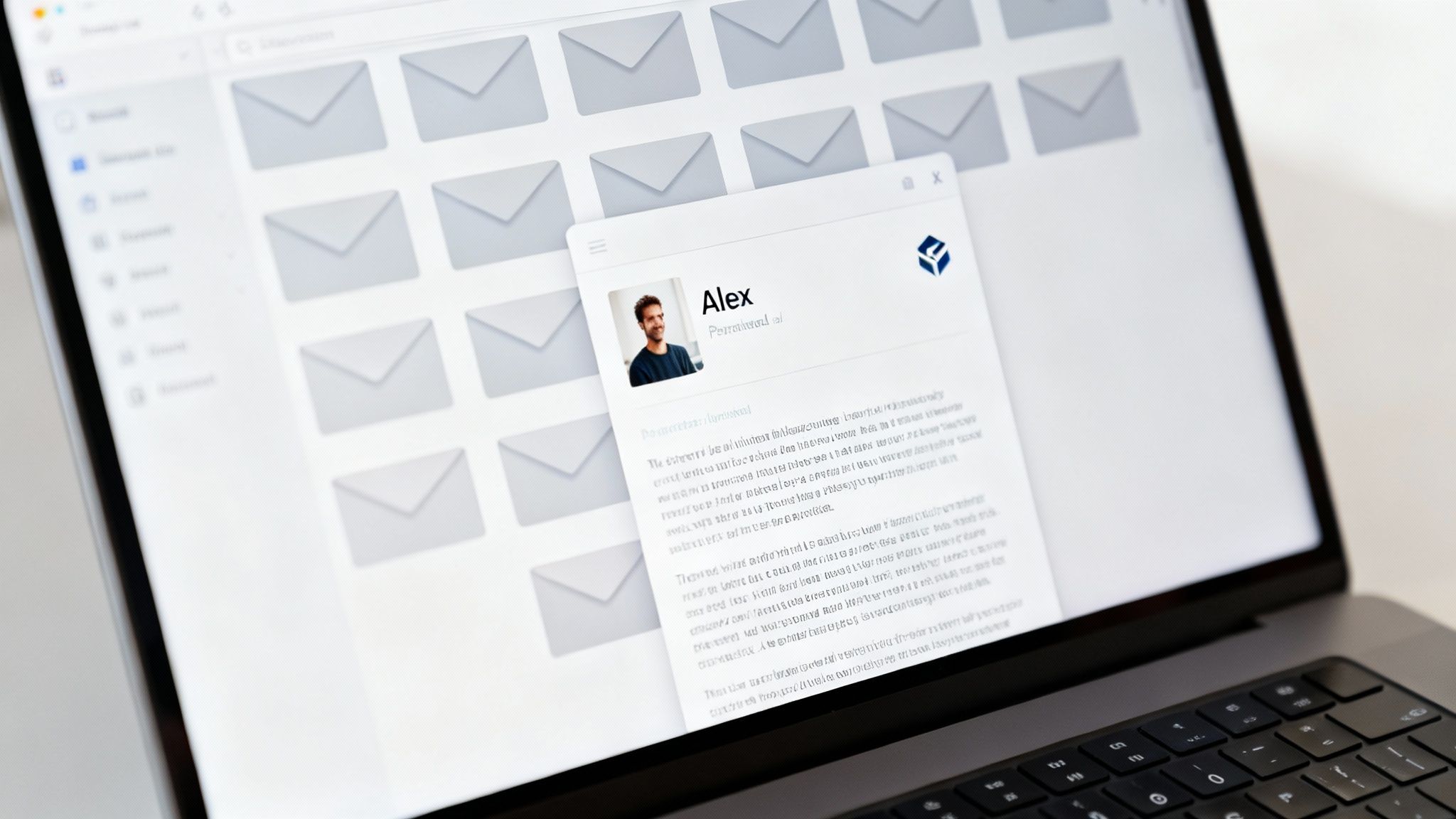
Think of a standard email image as a billboard on the highway. It shouts the same message at every car that drives past. A personalized graphic, on the other hand, feels more like a personal conversation with a visual aid created just for you. It's the difference between being called "valued customer" and being greeted by your own name.
From Mass Communication to Personal Connection
The real magic here is the ability to turn a mass email blast into something that feels like a personal, one-to-one interaction. When someone sees their own name, company logo, or a piece of data that’s specific to them inside an image, it triggers an immediate psychological response.
This simple act of recognition makes the recipient feel seen and valued, breaking through the digital noise and creating an instant connection. It’s no longer just another marketing email; it’s a message for them.
This shift is huge. We're not just dropping a [First Name] tag into a sentence. We're crafting a visual experience that is inherently personal from the ground up. An event invitation could feature a ticket with the attendee's actual name on it. A sales follow-up could include a chart showing the prospect's own usage data.
This level of customization is made possible by platforms like OKZest, which basically act as "merge tags for images." Here's how it works under the hood:
- It Connects to Your Data: It pulls information from your CRM, spreadsheets, or other data sources.
- It Applies it to a Template: The data is dynamically inserted into a pre-designed image template.
- It Generates a Unique URL: A special image link is created for each and every person on your email list.
When your contact opens the email, that unique URL renders a custom graphic just for them. You can learn more about how to create and use dynamic email images in our detailed guide.
Setting the Stage for Deeper Engagement
By making the recipient the hero of the visual, you do more than just grab their attention. You create a memorable experience that makes them want to engage further. This initial moment of personalized connection is the first step toward building stronger customer relationships, boosting click-through rates, and ultimately, driving real business results. It sets the stage for every metric that matters in email marketing.
The Payoff: Why Personalized Visuals Work
Alright, we've covered the concept, but let's get down to what really matters: the results. Using personalized email graphics isn't just a neat trick to make your emails look better; it's a serious strategy for boosting revenue and building real customer relationships. It’s how you make every single person on your list feel like they’re your most important customer.
Think about it. When an email lands in a crowded inbox, you have maybe three seconds to make an impression. A generic stock photo gets a quick glance, if that. But an image with the recipient's name, their company logo, or data that's relevant to them? That stops the scroll. That immediate connection is the secret to unlocking better performance on every metric you care about.
Skyrocket Your Engagement and Open Rates
The first battle is just getting the email opened. A personalized subject line is a fantastic start, but the visuals inside are what keep people reading. When a custom graphic delivers on the promise of that subject line, it confirms the email is truly for them.
This one-two punch of personalized text and visuals is incredibly effective. It tells your subscriber, "Hey, we took the time to make this just for you," which makes them far more likely to stick around and see what you have to say.
"Making a customer feel seen is no longer a 'nice-to-have'—it's a core driver of performance. Personalized email graphics transform a broadcast into a conversation, directly boosting the metrics that matter most to your bottom line."
The numbers back this up, and they aren't small. According to a report from SmarterHQ, brands using personalization in their emails see their ROI jump by nearly 260%. They hit an incredible 43:1 return, completely overshadowing the 12:1 return for generic campaigns.
On top of that, a massive study of over 7 billion emails found that personalized subject lines alone can lead to 50% higher open rates and 58% better click-to-open rates.
Drive More Conversions and Build Lasting Loyalty
Getting more clicks is great, but turning those clicks into sales is the end game. This is where personalized graphics really shine. By tailoring the visuals to a user’s specific interests, past purchases, or where they are in your funnel, you create a much more compelling reason to act.
Imagine you're an e-commerce brand. You send a follow-up email showing the exact pair of shoes a customer was looking at, but this time, the image includes their name on a special offer. That feels exclusive. It feels urgent. It pushes them right over the finish line. We've seen brands like Burberry see a huge lift by matching visuals for improved engagement with different customer groups.
When you communicate this way consistently, you build a real connection. It creates trust and loyalty, which leads to higher customer lifetime value and turns one-time shoppers into your biggest fans.
The Impact on Key Performance Indicators
The benefits aren't just theoretical; they show up as real, measurable improvements across your most important marketing KPIs. Putting a strategy in place for personalized email graphics is a direct line to business growth.
The table below breaks down the typical uplift you can expect when you move from standard email campaigns to personalized ones. It highlights just how much of a difference this strategy can make.
Impact of Personalization on Email Marketing Metrics
| Metric | Standard Email Campaign (Average) | Personalized Email Campaign (Average) | Improvement |
|---|---|---|---|
| Open Rate | 18% | 27% | +50% |
| Click-Through Rate (CTR) | 2.5% | 4.5% | +80% |
| Conversion Rate | 1.5% | 3.5% | +133% |
| Return on Investment (ROI) | 12:1 | 43:1 | +258% |
These numbers tell a clear story. Personalization isn't a minor tweak; it fundamentally changes how customers interact with your emails, leading to dramatically better outcomes across the board.
Here’s a quick rundown of what that looks like in practice:
- Higher Click-Through Rates (CTR): When an image is personally relevant, people are just more likely to click. A personalized ticket to an event, for example, begs to be clicked to see the details.
- Increased Conversion Rates: Tailored offers and visuals are simply more persuasive. They guide users more effectively toward buying, signing up, or booking that demo.
- Improved Customer Retention: By consistently showing customers you get them, you make them feel valued. That means they stick around longer and buy more often.
- Enhanced Brand Perception: Brands that get personalization right are seen as more modern and customer-focused, which makes them stand out in a noisy market.
For any marketer, salesperson, or agency focused on performance, the message is clear. Personalized email graphics are a must-have tool for cutting through the noise and delivering results that actually move the needle.
How Personalized Email Graphics Actually Work
Ever wonder how one single image link can spit out thousands of unique, personalized visuals for every single person on your email list? The tech behind personalized email graphics sounds complicated, but it's really built on a simple, powerful idea. It's less like sorcery and more like a clever, automated assembly line for your images.
It all starts with a single base image that serves as a blueprint. Think of it like a customizable T-shirt. You have the plain shirt—the template—and then you decide where to stamp on a name, a logo, or a specific design. These changeable spots are the key to the whole operation.
This infographic shows exactly how that process leads to better customer engagement and, ultimately, more sales.
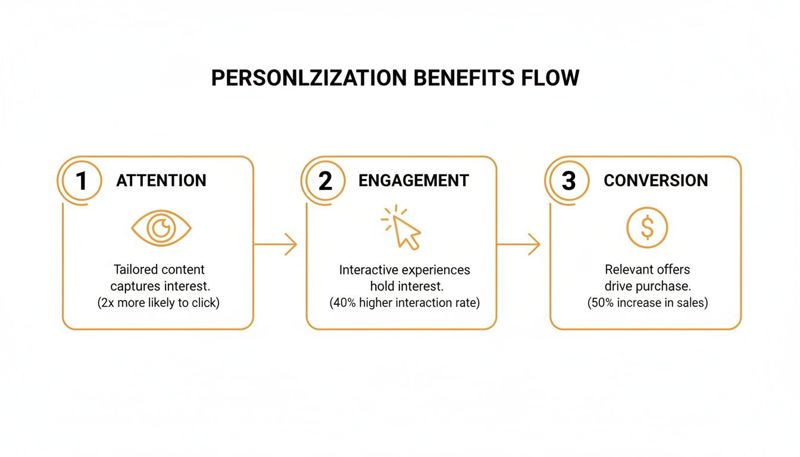
As you can see, grabbing someone's attention with a personal visual is the critical first step. It pulls them in, encourages deeper engagement, and makes them far more likely to convert.
Step 1: Designing The Base Template
First things first, you need to create your master image or base template. This is the static background that everyone sees—maybe a branded backdrop, a product shot, or an event banner. Within this template, you'll designate specific areas as dynamic layers or fields.
These layers are just placeholders waiting for data. For a welcome email, you might set up:
- A dynamic text layer for the
[First Name]. - An image layer for their
[Company Logo]. - A text layer for a unique
[Discount Code].
This design stage is everything. You're building a visual framework that will be automatically filled with unique data for each person. Tools like OKZest offer no-code editors that make this a simple drag-and-drop process.
Step 2: Connecting Your Data Sources
With the template ready, it's time to give it some data to work with. This is where your data sources come into play. It could be a simple spreadsheet of names and emails, or a more sophisticated connection to your CRM or an external API.
The system then maps the columns from your data source to the dynamic layers in your image. The "First Name" column in your spreadsheet gets linked to the [First Name] layer in the graphic. This mapping is what makes automation possible, ensuring the right info gets to the right person, every time.
The core idea is simple: your data breathes life into a static template. Without a clean and accessible data source, personalization remains theoretical. With it, you can create thousands of unique visuals instantly.
This process is incredibly flexible. You can pull in purchase history, whether someone RSVP'd to an event, or even real-time information. For those who want to get more advanced, exploring an email image templating API can unlock even more powerful integrations.
Step 3: Generating The Dynamic Image URL
This is where the real action happens. Instead of a standard image file like a JPG or PNG, the platform gives you a special dynamic URL. This URL is basically a set of instructions.
Think of it as a recipe. The URL contains the ID for your base template and includes merge tags that match up with your data. When your Email Service Provider (ESP) sends an email, it automatically swaps the merge tags in the URL with that specific subscriber's information.
For example, a generic URL might look like this: okzest.com/image.jpg?name=[FirstName]
When the email goes out to Jane, the ESP changes it to: okzest.com/image.jpg?name=Jane
When Jane opens her email, her browser requests the image from that unique URL. The personalization platform’s server instantly generates the graphic with "Jane" on it and sends it back. This all happens in a split second.
Here’s a crucial detail that's easy to miss: you need to set up fallback images. What happens if you don't have a first name for someone? Instead of showing a broken graphic, the system can display a default image or text (like "Valued Customer"). This ensures every single email looks polished and professional, no matter what.
Inspiring Use Cases Across Different Industries
Theory is great, but seeing personalized email graphics in action is what really gets the ideas flowing. The beauty of this approach is its flexibility—it can be adapted to almost any industry, transforming generic emails into memorable, high-impact moments. Let's move past the abstract and look at some real-world examples of how businesses are using personalized visuals to hit their targets.
These examples show how a simple shift in your visual strategy can deliver serious results, whether you're trying to sell tickets, nurture high-value leads, or boost donor engagement.
Event Marketing and Conferences
For event marketers, the mission is simple: fill seats. Personalized graphics can make your invitation feel like an exclusive ticket someone has to have, not just another email blast destined for the trash folder.
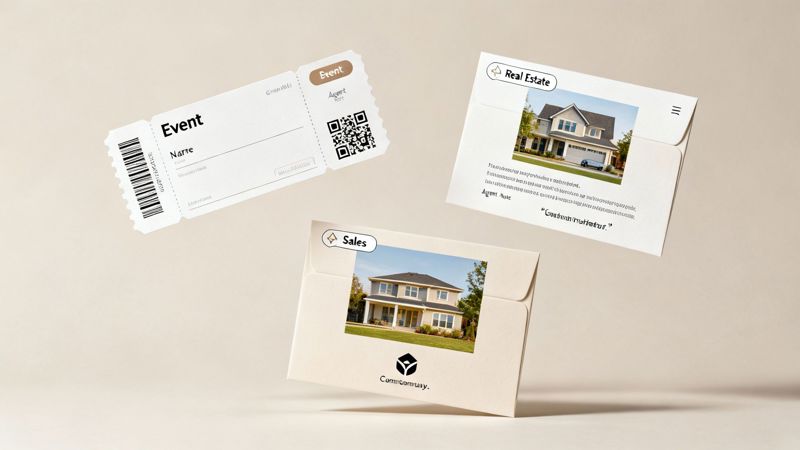
Imagine sending a potential attendee an email with a VIP pass that has their name beautifully printed on it. Instead of a generic "Register Now" button, the call-to-action is a personalized image that builds excitement and a sense of ownership before they’ve even clicked.
- Goal: Increase event registrations and attendee engagement.
- Personalization Elements: The attendee’s first name, a unique QR code for check-in, and their company name or title.
- Result: This makes the event feel tangible and special. It drives higher click-through rates on registration links and makes the check-in process on the day of the event smoother and more personal.
B2B Sales and Lead Nurturing
Sales teams are always looking for a way to break through the noise and grab the attention of busy decision-makers. A generic follow-up is easy to ignore, but a personalized one demands a second look.
Picture this: a sales rep sends a follow-up after a great demo. The email includes a custom graphic with the prospect’s company logo, their name, and a key statistic or quote from their conversation. It’s a small touch, but it shows you were actually listening and reinforces your value in a visually compelling way.
By reflecting a prospect's own identity back at them, you move from being just another vendor to becoming a thoughtful partner. This simple act of visual personalization can dramatically shorten sales cycles and build stronger initial relationships.
Real Estate Agents
In real estate, building a personal connection is everything. Agents can use personalized visuals to showcase properties in a way that truly connects with a potential buyer or seller.
A perfect example is a custom market report summary. An agent could email a homeowner a graphic showing an image of their actual house (pulled from public records) right next to their name and an estimated new market value. This is worlds more powerful than a generic newsletter with city-wide stats.
- Goal: Generate new listings and nurture potential buyers.
- Personalization Elements: The homeowner’s name, their property address, a photo of their house, and a personalized property valuation.
- Result: This hyper-specific approach grabs immediate attention. It shows the agent is diligent and knowledgeable, and it gives homeowners a compelling reason to start a conversation about selling.
Coaching and Consulting
For coaches and consultants, celebrating client progress is a huge part of building lasting relationships. Personalized graphics are a perfect way to create shareable milestones that reinforce the value you provide.
A business coach, for example, could send a client a personalized certificate-style graphic at the end of a program, highlighting their name and key achievements. Not only does this make the client feel valued, but it also creates a social media artifact they're likely to share—generating organic referrals for your business.
These examples are just the beginning, but they all point to the same truth. Personalized email graphics aren't just a gimmick; they're a revenue powerhouse. Recent data shows that AI-driven personalization can deliver over a 40% increase in revenue and achieve 13.44% click-through rates. With 78% of consumers more likely to engage with personalized offers, the case for visual customization is stronger than ever. You can dig into the latest email marketing statistics to see the full picture.
Integrating Personalized Graphics Into Your Email Platform
Getting your first personalized image into an email is a lot simpler than you might think. The tech is built to play nicely with the tools you’re already using, so you don’t need to rip everything out and start over. The whole thing works because of one clever piece of code: the dynamic image URL.
Think of this URL as a special set of instructions. A normal image link just points to a static file, like a JPG or a PNG. But a dynamic URL contains placeholders, or merge tags, that your Email Service Provider (ESP) already knows how to handle. When you hit "send" on your campaign, your ESP zips through your contact list, filling in those blanks with each person's data before the email ever hits their inbox.
A Simple Copy and Paste Job
The best part about this system is how easy it is. To get a personalized graphic into your email, you just copy the dynamic URL from a platform like OKZest and paste it into an image block in your email template. That’s it. It’s the same process you’d follow to add any other image from the web.
This works with just about any modern ESP because it taps into the merge tag features they already have.
- In Klaviyo, your URL might contain
{{ person.first_name }}. - If you're using Mailchimp, you'd use
*|FNAME|*. - For a platform like Instantly, you might see something like
{{firstName}}.
The personalization tool generates the base URL for you, and you just pop in the specific merge tags for your ESP. This universal approach means you can create powerful personalized email graphics without getting locked into one marketing tool.
The key takeaway here is that you're not adding some new, complicated tech to your email editor. You're just using the personalization features your ESP already has—but for visuals instead of just text.
Go Beyond Email and Extend Your Reach
One of the smartest parts of this strategy is how versatile it is. The exact same personalized graphic you design for an email campaign can be used across all your other channels. This ensures a consistent, personal experience no matter where your audience finds you.
It's all about maximizing the return on your creative work. You design one template and then deploy it everywhere.
Where Else Can You Use Personalized Graphics?
- Website Chatbots: Greet a returning visitor with a welcome image that has their name or company logo on it. It’s an instant way to make the conversation feel more human.
- Social Media DMs: Automate your outreach on places like LinkedIn or X (formerly Twitter) with personalized visuals that cut through the noise of a crowded inbox.
- Automated Newsletters: Dynamically pull custom graphics into your RSS-to-email feeds, tailoring content highlights for different subscriber groups.
By having a single source for your visual personalization, you keep your branding consistent and save a ton of time. A customer might see a personalized ad on social media, get a follow-up email with a matching graphic, and then see that same visual in a chatbot on your website. This cohesive journey reinforces your message and makes every single touchpoint feel like it was made just for them. It’s about working smarter, not harder, to create memorable experiences at scale.
Choosing The Right Image Personalization Solution
Knowing you need personalized email graphics is one thing; actually making them happen is another. Your success hinges entirely on the tool you choose. The market is flooded with options, but many come with frustrating roadblocks—steep learning curves for your team, poor scalability as you grow, or a complete lack of features for collaboration. This is where picking the right platform is so critical for turning great ideas into winning campaigns.
A common headache is complexity. You’ll find solutions built for developers, leaving marketers wrestling with APIs they don't understand. On the flip side, you'll find tools that are too basic, lacking the muscle to handle real data integrations. The sweet spot is a tool that bridges this gap, offering a simple, no-code editor for marketing teams and a powerful API for developers who need to automate things.
Key Features To Look For
When you're shopping around, you have to look beyond the flashy promises. A great platform should empower your entire team, whether you're a one-person shop or a massive enterprise. Zero in on the features that solve common pain points and give you room to grow.
- User-Friendly No-Code Editor: Your marketing team needs to be able to jump in and create campaigns without begging a developer for help. A drag-and-drop interface is non-negotiable.
- Powerful Developer API: For the tech-savvy folks who want to build custom integrations and advanced automation, a solid, well-documented API is a must.
- Flexible Data Source Integrations: The platform has to play nice with your existing data, whether it’s in a Google Sheet, a CRM like HubSpot, or a custom database.
The right solution isn’t just about making one-off personalized images. It's about building a scalable system that empowers your team to create dynamic, high-impact visuals for every campaign with confidence and efficiency.
Many of the more advanced tools use AI to generate relevant visuals on the fly. If you're curious about how that works under the hood, exploring different AI content creation tools can give you a good sense of the broader technology landscape.
Solving Scalability And Collaboration Hurdles
As your marketing efforts take off, so do the challenges. A solution that feels great for a small startup can completely fall apart under enterprise-level demands. This is why a flexible, tiered model is so important. A platform like OKZest is built to support you at every stage, from a free tier for dipping your toes in the water to enterprise plans that can pump out millions of images a month.
For larger teams, things like advanced role management and dedicated support become essential. They make sure different team members can work together on projects securely and without tripping over each other. Our detailed guide on selecting the best image personalization software dives much deeper into these make-or-break features.
In the world of email, you're fighting for scraps of attention—the average read time is projected to shrink to just 11 seconds by 2026. Personalized graphics are what make people stop scrolling. With 71% of consumers now expecting brands to deliver tailored interactions, the right tool isn't a luxury anymore; it's a necessity. The best choice is always the one that removes technical roadblocks and lets your team get back to what they do best: creating amazing customer experiences.
Still Have Questions? Let's Clear Things Up.
Thinking about adding personalized graphics to your emails usually brings up a few practical questions. It's a new approach for many, so let's walk through the most common ones marketers ask.
Will This Work With My Current Email Platform?
Yes, almost certainly. Personalized image URLs are built to be universally compatible. They work flawlessly with over 99% of email service providers—including the big names like Mailchimp, Klaviyo, and HubSpot.
You just paste the dynamic URL into your email template, the same way you’d add any other image. It's that simple.
The real magic is that this technology piggybacks on the merge tag functionality your email platform already uses. That means you can create these incredibly dynamic visuals without having to migrate platforms or get tangled up in a complex new system.
What Happens If Some Contact Data Is Missing?
That’s a great question, and it's a super common concern. Modern image personalization tools are designed for the real world, where data isn't always perfect. They come with built-in fallback options.
You can easily set a default value, text, or even a completely different image to display if a specific piece of data, like a first name, is missing. This acts as a safety net, ensuring every single person who opens your email gets a polished, complete visual. No one ever sees a broken or weirdly empty graphic, so your brand always looks professional.
How Much Technical Skill Is Needed To Get Started?
Honestly, very little to none. While there are powerful developer APIs for those who want to build complex automations, platforms like OKZest are designed specifically for marketers.
They feature intuitive, no-code editors that let you design and launch sophisticated personalized email graphics with a simple drag-and-drop interface. You can create some really impressive visuals without ever having to write a single line of code.
Ready to see just how easy it is to create visuals that actually connect? With OKZest, you can automate personalized graphics for every customer in minutes. Start creating for free today.