Imagine sending an email where the images change for every single person who opens it. That’s the magic behind dynamic email images. They’re essentially smart visuals that pull in personal data—like a name, company logo, or a recent purchase—to create a unique, one-to-one experience the moment the email is opened.
What Are Dynamic Email Images and Why They Matter
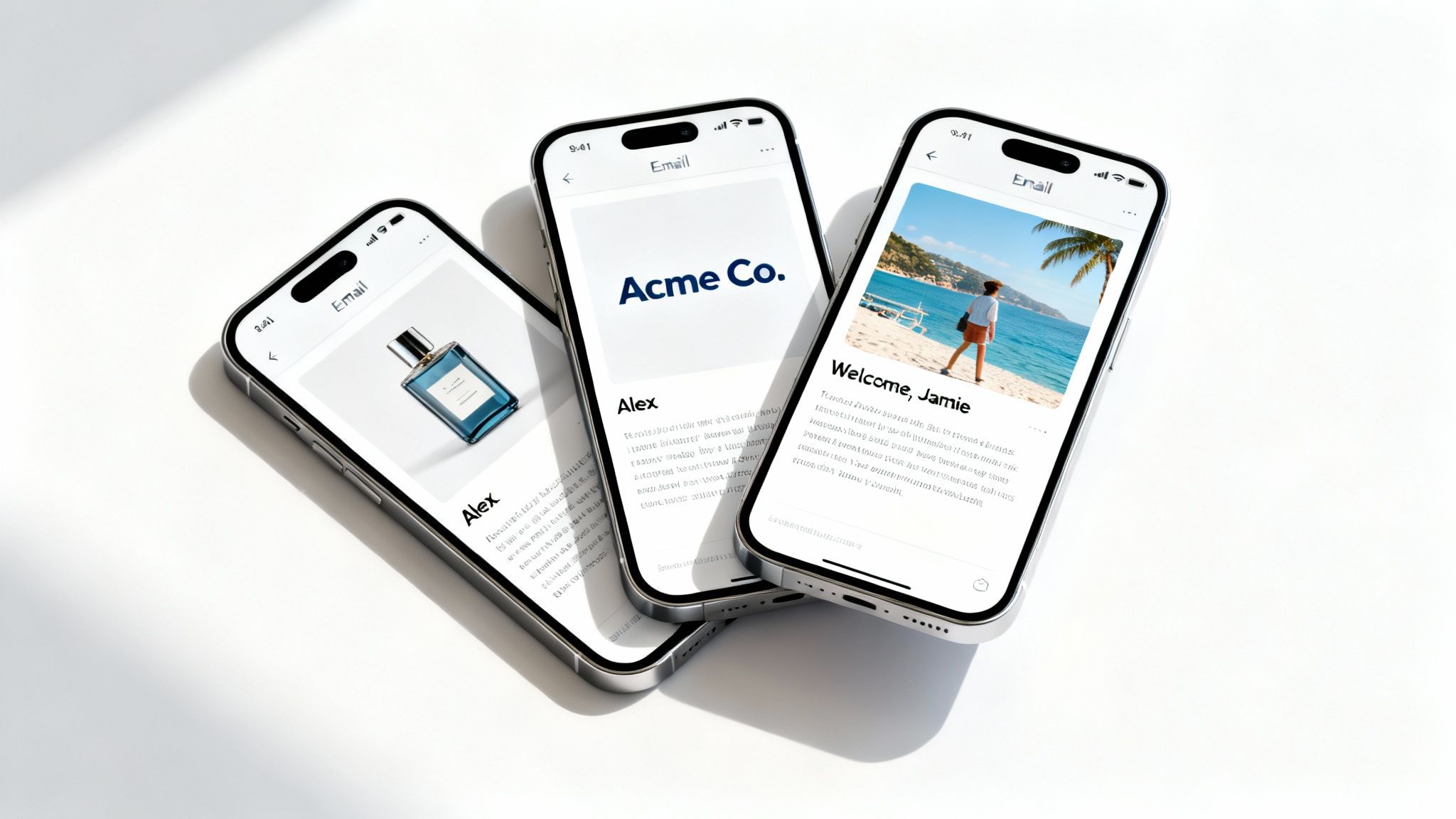
Unlike the static, one-size-fits-all images we're used to, dynamic email images adapt their content in real time. Think of a static image as a printed billboard—everyone who drives by sees the exact same message. A dynamic image, on the other hand, is like a digital billboard that changes its display to greet you by name as you approach.
So, how does it work? It’s all done by embedding a special URL in your email’s HTML. This link doesn’t just point to a saved image file; it points to a service that generates an image on the fly, customized with information specific to each recipient. This could be anything from their first name overlaid on a welcome banner to a product image reflecting what they last looked at on your site.
To put it simply, here’s a quick breakdown of how the two stack up.
Static vs Dynamic Email Images At a Glance
| Feature | Static Images | Dynamic Images |
|---|---|---|
| Content | Fixed and unchangeable. | Changes based on recipient data. |
| Personalization | One-size-fits-all approach. | Highly personalized, one-to-one. |
| Timing | Created before the campaign is sent. | Generated in real-time when opened. |
| Engagement | Lower, can feel generic. | Higher, feels relevant and personal. |
| Use Cases | Logos, standard banners, generic promos. | Welcome banners, abandoned carts, event tickets. |
Ultimately, dynamic images turn a broadcast into a conversation, making each subscriber feel seen.
The Shift from Volume to Relevance
The email marketing world is massive, with projections showing the global market will hit $17.9 billion by 2026. This incredible growth means your emails are fighting for attention in an intensely crowded space. The brands that win are the ones that prioritize relevance over sheer volume. You can find out more about the email marketing industry growth and what it means for marketers.
This is exactly where dynamic content becomes a game-changer. By personalizing your visuals, you turn a generic email blast into a meaningful, individual interaction. This simple shift helps you:
- Capture Immediate Attention: A personalized image jumps out in a cluttered inbox, making your message feel important from the first glance.
- Build Stronger Connections: Seeing their name or company logo makes subscribers feel recognized and valued, which helps build a genuine connection with your brand.
- Drive Action and Conversion: When an image reflects a user's specific interests or needs, it dramatically increases the chance they will click through and convert.
At its core, a dynamic email image is a conversation starter. It tells your subscriber, "We know who you are, and this message was created just for you"—a powerful statement that generic content can never make.
In short, dynamic email images aren't just a cool gimmick anymore. They’re a fundamental tool for any marketer trying to create high-impact campaigns that connect on a personal level and deliver real results.
How Personalization Unlocks Higher Engagement
Personalization is what turns a generic email blast into a meaningful, one-to-one conversation. It’s a simple concept, really. When someone sees an image that speaks directly to them—maybe it has their name, their company's logo, or some other relevant detail—it creates an instant connection.
That simple act makes your audience feel seen and valued, something a static, one-size-fits-all graphic just can't do. This isn't just about making people feel good; that connection translates directly into measurable results. A personalized image cuts through the noise of a crowded inbox, grabs attention, and encourages the reader to actually engage with your message.
From Theory to Tangible Results
The impact of dynamic content isn't just a marketing theory; the data backs it up. Brands that use live, interactive content in their emails see a remarkable 107% improvement in ROI. They achieve a 56:1 return compared to just 27:1 for those who stick with static content.
Even more telling, interactive elements in the email body can increase click-to-open rates by an incredible 73%. That’s not a small bump—it’s proof that dynamic visuals drive real, significant changes in subscriber behavior.
Think about these real-world scenarios where dynamic email images can turn a passive subscriber into an active customer:
- Real Estate: An agent sends an email with an image of a property. Overlaid on the image is the text, "Your potential new home on Elm Street, Sarah!" Suddenly, it's not just a listing; it’s personal.
- SaaS Onboarding: A software company welcomes a new user with an image that features their name right alongside the company's logo. This small touch builds an immediate sense of partnership.
- E-commerce: A retail brand sends an abandoned cart reminder. Instead of a generic message, the email includes a dynamic image showing the exact items left behind, with the customer's first name on the graphic. It’s a gentle, personal nudge to complete the purchase.
These examples show how personalization goes far beyond just using a name in the subject line. When the visuals themselves are tailored, the entire message becomes more compelling and effective.
The core principle is simple: relevance drives engagement. When your message feels like it was crafted specifically for one person, that person is far more likely to listen, click, and convert.
Understanding this is key, but it's also helpful to look at the bigger picture of how to increase email open rates and boost engagement across all your campaigns. By combining powerful visuals with solid email marketing fundamentals, you create a formula for sustained growth.
To dive deeper into specific tactics, check out our detailed guide on using personalized images for email marketing. At the end of the day, dynamic images are a powerful tool for building stronger relationships and driving long-term revenue.
A Practical Guide to Creating Dynamic Email Images
Alright, you're sold on the idea and ready to start making your own dynamic email images. So, where do you begin? This guide will walk you through the three main ways to get this done, each designed for different needs and levels of technical confidence. Whether you want a super simple approach or a fully automated powerhouse, there's a method that's right for you.
Think of it this way: moving from generic to personalized content is a journey. This quick decision tree shows how that journey impacts your most important metrics.
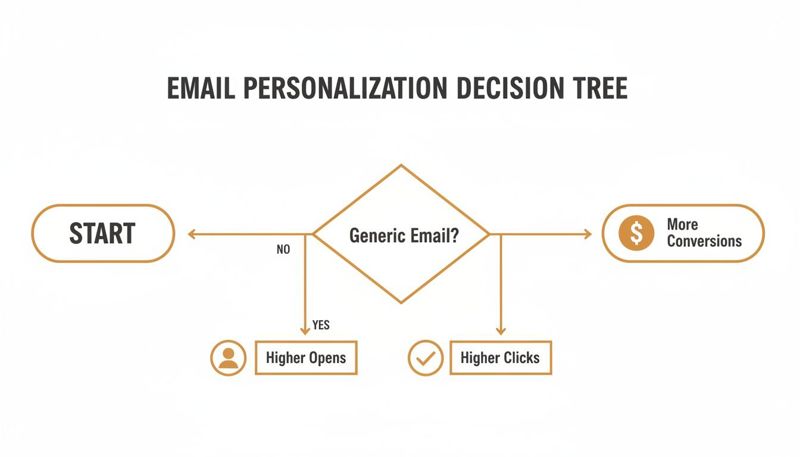
The message is pretty clear. Generic emails might get you the open, but it’s the personal touch that really drives clicks and, more importantly, conversions.
The Merge Tag Method
The most straightforward way to create a dynamic image is by using merge tags—you might also know them as personalization tags—right inside an image URL. Most email service providers (ESPs) let you pop subscriber data like {{first_name}} into your email copy, and you can use that exact same trick for an image link.
You just build a URL that sends this data to an image generation service. When your subscriber opens the email, their ESP instantly swaps the merge tag with their actual information, and the service generates a one-of-a-kind image on the fly.
- Best For: Marketers who just need simple text personalization, like adding a subscriber's name to a welcome banner, and don't mind building URLs by hand.
- Technical Skill: Low. If you know how your ESP's merge tags work, you're pretty much there.
- Key Advantage: It's quick and easy for basic personalization without needing any extra software.
Pro Tip: Always have a fallback image ready to go. If a subscriber's data is missing (like if you don't have their first name), a default image will show up instead. This keeps your email looking professional for everyone.
The No-Code Platform Approach
For those who want more creative freedom without touching a line of code, no-code platforms are the perfect fit. Tools like our own OKZest give you a visual, drag-and-drop editor to design your dynamic image templates. You can layer text, add shapes, drop in other images, and then connect those dynamic pieces to your subscriber data.
After you've designed your masterpiece, the platform gives you a single URL to copy and paste into your email template. It’s a surprisingly powerful yet user-friendly way to create some seriously slick personalized images for your campaigns.
As you create these visuals, remember that it’s crucial to optimize website images for speed and UX to make sure your emails load in a snap on any device.
The API-Driven Approach
For developers, tech-savvy teams, and businesses running massive campaigns, an API-driven approach offers unmatched flexibility and automation. This method lets your own systems programmatically create thousands—or even millions—of unique images by sending data directly to an image generation service's API.
This is the go-to solution for more complex scenarios, such as:
- Automated Onboarding: Instantly generate welcome images with user data pulled straight from your CRM the moment they sign up.
- Real-Time Data: Create images that feature live information, like updating stock prices, sports scores, or local weather.
- Large-Scale Campaigns: Churn out personalized images for huge email lists without any manual work.
This approach puts you in complete control, allowing you to weave image creation directly into your existing marketing automation workflows for maximum efficiency.
Choosing Your Dynamic Image Implementation Method
Feeling a bit stuck on which path to take? This table breaks down the three methods to help you figure out which one is the best fit for your team and your goals.
| Method | Best For | Technical Skill | Key Advantage |
|---|---|---|---|
| Merge Tags | Quick, simple text overlays (e.g., adding a name). | Low | Fast and easy for basic personalization. |
| No-Code Platform | Marketers wanting creative control without coding. | Low to Medium | Visually design complex images with ease. |
| API-Driven | Developers needing full automation and scalability. | High | Unmatched flexibility and integration power. |
Ultimately, the right choice depends on what you want to achieve. For simple text changes, merge tags are fantastic. For creative designs without the coding headache, a no-code tool is your best friend. And for deep integration and automation at scale, the API is the only way to go.
Inspiring Examples of Dynamic Images in Action
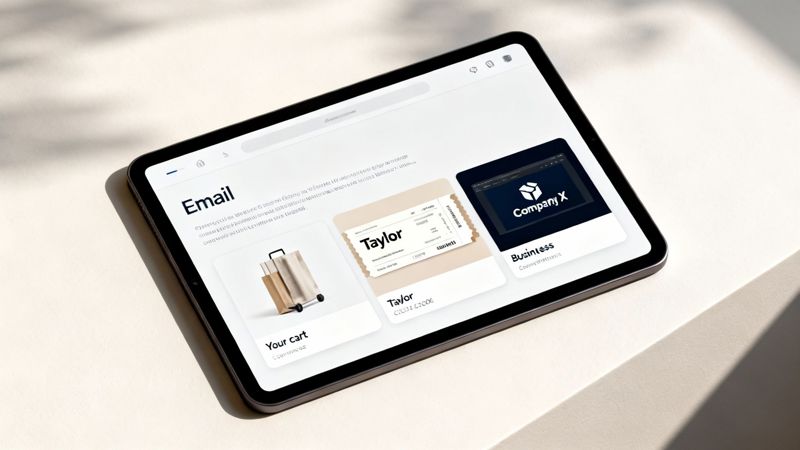
Theory is one thing, but seeing dynamic images working their magic in the wild is where the real inspiration comes from. Let's look at how smart brands are using personalized visuals to turn generic email blasts into genuine one-on-one conversations.
Think of these examples as a playbook you can borrow from for your own marketing. We'll break down the strategy, the data powering the personalization, and the goal for each one.
E-commerce Abandoned Cart Recovery
This is one of the most powerful and common uses for dynamic visuals. Imagine a customer, Sarah, finds the perfect pair of running shoes on your site, adds them to her cart... but gets distracted and leaves. A few hours later, an email lands in her inbox.
It doesn't just say, "You left something behind." Instead, the email features a crisp image of those exact running shoes, with a simple message overlaid on the graphic: "Sarah, your next run is waiting."
- Strategy: Remind Sarah of the specific product she wanted, tapping into her original buying intent before it fades.
- Data Used: Her first name (
Sarah) and the product image URL of the abandoned shoes. - Outcome: A super-relevant, visual nudge that cuts through the noise and drives a much higher cart recovery rate than a plain text email ever could. It feels less like a marketing blast and more like a helpful reminder.
Personalized Event Tickets and Invitations
For anyone in events, creating a premium experience from the very first touchpoint is key. Instead of a bland confirmation email, a dynamic image can generate a slick, personalized ticket for every single attendee.
By turning a simple confirmation into a personalized asset, you elevate the attendee's experience before the event even begins. This small detail reinforces the value of their attendance and makes them feel like a true VIP.
Let's say David registers for your marketing conference. His confirmation email arrives with an image that looks like an official event pass, complete with:
- His full name (
David Miller) - A unique QR code for easy check-in
- His ticket type (e.g., "VIP Access")
This isn't just about looking professional; it's also incredibly practical. David can just pull up the email on his phone, get the QR code scanned, and walk right in. It makes the entire check-in process smoother for him and your staff.
B2B Sales and Prospect Outreach
Breaking through the noise in B2B sales is a constant battle. We all know that generic outreach emails are destined for the trash folder. But a thoughtfully personalized image can grab a prospect’s attention and show you’ve actually done your homework.
Picture a sales rep targeting a company called "Innovate Corp." They send an email with a dynamic image that automatically pulls in the prospect's company logo and a screenshot of their website. Overlaid on the image is a direct message: "Hey Alex, found a way to boost conversions on InnovateCorp.com."
This kind of hyper-personalization instantly proves the email isn't another automated sequence. It’s a custom-tailored message, which massively increases the odds of getting a reply and booking that first meeting.
Best Practices for Mobile-First Dynamic Images
Let's face it: designing for the small screen isn't just a good idea anymore—it's everything. Mobile optimization is non-negotiable for email success, and your dynamic images have to look perfect on any device, right from the start. Projections show that a whopping 75-80% of email opens will happen on mobile by 2025, and that number is only going up.
This mobile-first reality completely changes the game for how we need to think about designing and delivering dynamic images. For a deeper dive into these trends, you can discover the latest email statistics from the folks at Knak.
A clunky, slow-loading, or weirdly formatted image on a smartphone is one of the quickest ways to lose a subscriber forever. To keep that from happening, your focus should be on creating a completely seamless mobile experience.
Optimize for Speed and Clarity
Think about your own experience. Mobile users are often on the go, using spotty cellular networks. That makes file size a huge deal. Big, heavy images can take forever to load, leading to frustration and a quick tap of the delete button. Your main goal here is to find that sweet spot between visual quality and snappy performance.
Here's how to get it right:
- Compress Your Images: Use tools to shrink the file size of your base image templates without making them look pixelated. You want the smallest possible size that still looks sharp and professional.
- Choose the Right Format: Lean on modern image formats like WebP when you can. They offer much better compression than older formats like JPEG and PNG, which means faster loading times.
- Test on Real Devices: Don't just trust the preview on your desktop. The only way to know for sure is to test your emails on a few different smartphones. See how your dynamic email images actually look and load on different screen sizes and over different network speeds.
A responsive email design can bump up unique mobile clicks by 15%. That's proof that putting a little extra thought into mobile optimization has a direct, measurable impact on your campaign's bottom line.
Maintain a Healthy Text-to-Image Ratio
While dynamic images are incredibly powerful, going overboard with them can get you in trouble with spam filters. Email clients like to see a good balance of real, live text and images. If your email is just one giant dynamic graphic, it's a major red flag that could hurt your deliverability.
Make sure your most important info—like your main call-to-action or critical details—is actual text in the email's body. This not only helps you land in the inbox but also ensures your message gets across even if the recipient's email client blocks images by default. Platforms like OKZest are built to handle many of these optimizations for you, making sure your dynamic content gets delivered effectively without the hassle.
Will Dynamic Images Work with My Email Platform?
This is one of the first questions marketers ask, and for good reason. Nobody wants to adopt a new tool that forces them to overhaul their entire workflow.
The great news? Modern dynamic image tools are built to play nicely with just about everyone. They’re designed for near-universal compatibility with the Email Service Providers (ESPs) you’re already using, like Mailchimp, Klaviyo, and ConvertKit. There’s no complicated setup, no need to migrate platforms. The whole process is surprisingly simple.
How Integration Works (It's Easier Than You Think)
The magic is all in a special image URL. Instead of uploading a static JPG or PNG file into your email editor, you just paste in a unique URL from your dynamic image platform.
When a subscriber opens your email, their email client requests the image from that URL. This tells the dynamic image service to generate the personalized graphic on the fly, just for them. It’s as simple as adding any other image to your campaign.
A common worry is whether dynamic images hurt email deliverability. The answer is a clear no. Because they are delivered via a standard
<img>HTML tag, email clients see them just like any other image. When done right, the boost in engagement can actually improve your sender reputation over time.
The Step-by-Step with Your ESP
The process looks pretty much the same no matter which platform you use:
- Design Your Image Template: First, you’ll create your dynamic image in a tool like OKZest, deciding which parts should change for each person.
- Generate a URL: The platform gives you a single, unique URL for that image template.
- Paste It Into Your Email: In your ESP’s email editor, add an image block and pop the URL into the image source field.
- Add Merge Tags: This is the key part. You’ll add your ESP’s specific merge tags (like
*|FNAME|*for Mailchimp or{{first_name}}for Klaviyo) to the URL. This tells the image service where to find the data to personalize the image.
This simple copy-and-paste method means you can get all the benefits of dynamic images without disrupting how you already build campaigns. If you want to dive a bit deeper into the technical side of things, you can explore the fundamentals of a dynamic image API for email marketing to see just how flexible the technology is.
Common Questions About Dynamic Email Images
Diving into any new marketing strategy is going to bring up some questions. It's only natural. When it comes to dynamic email images, we see marketers wrestling with the same few concerns: deliverability, data, and the tech skills needed to pull it off. Let's clear the air on those right now.
One of the biggest worries is pretty simple: will this land my emails in the spam folder? The short answer is no.
Dynamic email images do not inherently harm your email deliverability. They are delivered through a standard
<img>HTML tag with a unique URL, which email clients process just like any other image. As long as you follow general best practices—like maintaining a healthy text-to-image ratio—your emails are treated normally.
In fact, because you're creating a more relevant experience, the boost in engagement you'll see can actually improve your sender reputation over time.
What Happens If Personalization Data Is Missing?
This is another great question we hear all the time. What if you don't have a first name for someone on your list? Or a location? Does the whole thing just break?
This is where fallbacks save the day. When you design your dynamic image, you can set a default value or even a completely different default image to show up when that data is missing.
- For Text: If a
first_namefield is empty, you don't have to show a blank space. The image can display a friendly, generic greeting like "Hello there!" instead. - For Images: If a product image URL isn't available for a specific user, you can have it show a default brand graphic instead.
It's a crucial little feature that ensures every single person on your list gets a professional, complete-looking image. No awkward blank spots, no broken experiences—just a polished look for everyone.
How Much Technical Skill Do I Need?
Finally, a lot of marketers assume they need to be a developer to make this work. The truth is, the skill level depends entirely on the path you choose.
Sure, an API-driven approach is perfect for technical teams who want deep automation. But you absolutely don't need to be a coder. No-code platforms are built specifically for marketers, with visual editors that make designing a dynamic image feel as easy as creating a graphic in Canva.
If you can copy and paste a link into your email provider, you have all the technical skill you need to create some seriously powerful dynamic email images.
Ready to create visuals that connect with every single subscriber? With OKZest, you can easily design and automate personalized images for your campaigns. Start for free and see the difference it makes.